
1. Sicherheitshinweise
Please read all instructions carefully before installation. If you have any questions, consult a qualified installer.
- Gewichtskapazität: This TV wall mount is designed for TVs weighing up to 200 lbs (91 kg). Do not exceed this weight limit.
- TV-Größe: Kompatibel mit Fernsehern von 37 bis 90 Zoll.
- Wandtyp: This mount is intended for installation on wood stud walls (16"/18"/24" spacing), solid brick walls, or concrete walls. NICHT ALLEIN AUF TROCKENWAND MONTIEREN.
- Personenschäden: Always use appropriate safety gear during installation. Two people are recommended for safe installation.
- Schaden: Improper installation can lead to property damage or serious injury. Ensure all fasteners are securely tightened.
2. Packungsinhalt
Before beginning installation, verify that all parts are present and undamaged. Refer to the diagram below and the installation video for visual confirmation.

Image: All components of the monTEK TV wall mount, including the wall plate, TV brackets, and various hardware.
- Wandplatte (x1)
- TV-Halterungen (x2)
- Lag Bolts (W-A) (x6)
- Concrete Anchors (W-B) (x6)
- Washers (W-C) (x6)
- TV Screws (M-A, M-B, M-C, M-D, M-E, M-F) (x4 each type)
- TV Washers (M-G, M-H) (x4 each type)
- Small Spacers (M-I) (x8)
- Large Spacers (M-J) (x8)
- Inbusschlüssel (x1)
- Schraubenschlüssel (x1)
- Cable Ties (K) (x2)
- Wasserwaage (x1)
3. Benötigtes Werkzeug (nicht im Lieferumfang enthalten)
- Phillips Schraubendreher
- Elektrische Bohrmaschine
- Hammer
- Bleistift
- Balkensucher (für Holzständerwände)
4. Installation überview
Watch the official installation video for a comprehensive visual guide to the mounting process.
Video: monTEK Heavy Duty Tilting TV Wall Mount Installation Guide. This video demonstrates the complete installation process from unboxing to final adjustments.

Image: Three-step overview of the installation process: securing the wall plate, attaching TV brackets, and mounting the TV.
5. Wall Type Compatibility
This mount is compatible with the following wall types:
- Holzständerwände: Suitable for 16-inch, 18-inch, or 24-inch wood stud spacing.
- Solid Brick Walls: Requires appropriate concrete anchors.
- Betonwände: Requires appropriate concrete anchors.
WARNING: DO NOT MOUNT ON DRYWALL ALONE. Always ensure the mount is secured into studs or concrete.

Image: Visual guide for checking TV compatibility (VESA, size, weight) and suitable wall types.
6. Anbringen der TV-Halterungen am Fernseher
- Select TV Screw Length: Choose the correct screw length (M4, M6, or M8) that fits your TV's VESA mounting holes without being too long or too short. Use washers (M-G, M-H) and spacers (M-I, M-J) if needed to ensure a snug fit and prevent damage to the TV.
- Klammern anbringen: Secure the two TV brackets to the back of your TV using the selected screws. Ensure the brackets are centered over the VESA hole pattern and are level. The arrows on the front of the TV brackets should point upward.
- Check for Port Obstruction: Verify that the installed TV brackets do not block any input ports or cables on your TV. Adjust if necessary.
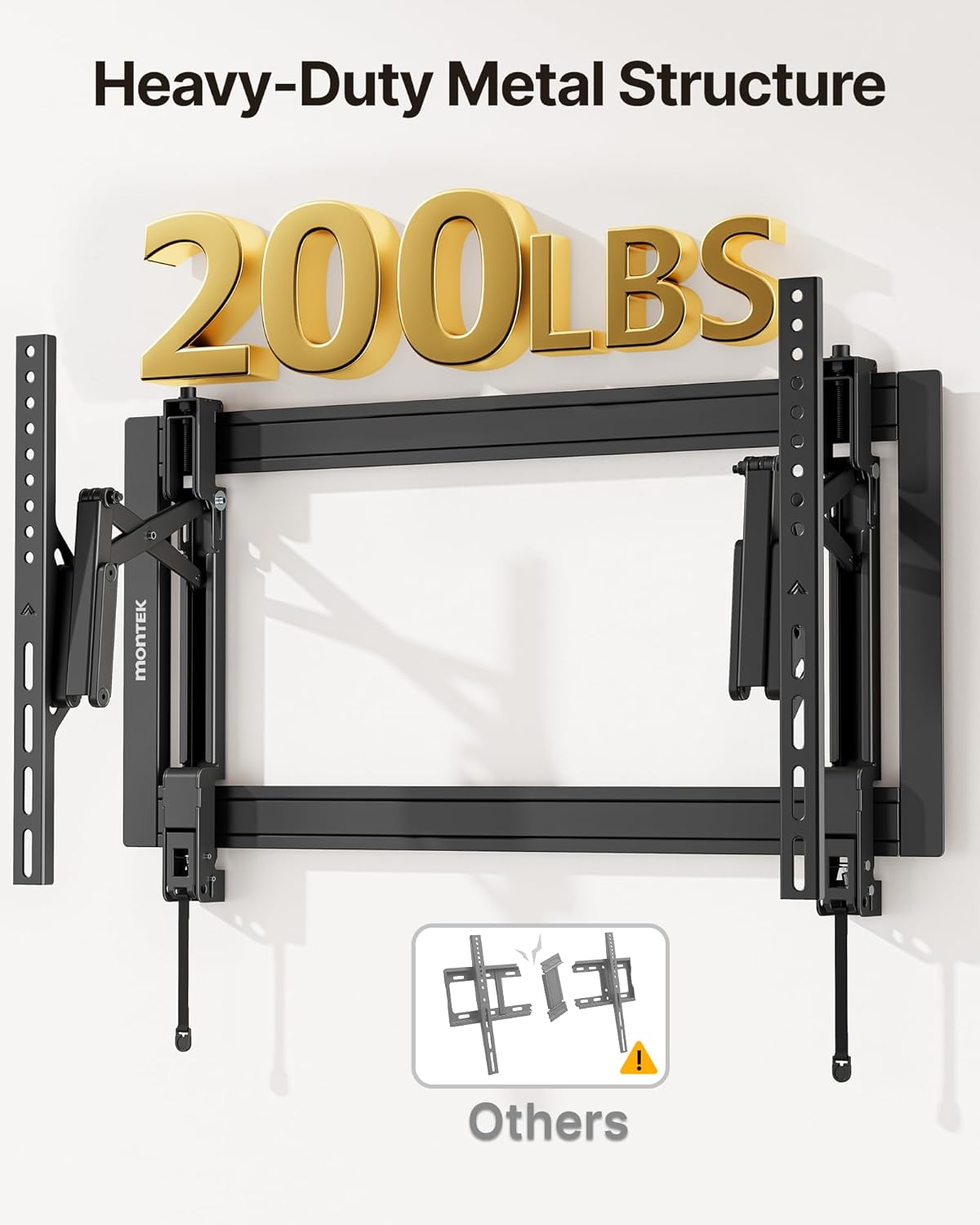
Image: The TV brackets securely attached to the back of a television, highlighting the robust metal structure.
7. Installation der Wandplatte
7.1. For Wood Stud Wall
- Bolzen lokalisieren: Use a stud finder to locate the edges and center of two adjacent wood studs. Mark the center points where you intend to mount the wall plate.
- Stellenvorlage: Tape the drilling template to the wall, aligning it with your marked stud centers and using the bubble level to ensure it is perfectly horizontal.
- Pilotlöcher bohren: Using an electric drill, drill pilot holes at the marked locations. For wood studs, the drill bit diameter should be 4.5mm (3/16") and the depth 55mm (2.2").
- Sichere Wandplatte: Align the wall plate with the drilled holes. Insert lag bolts (W-A) with washers (W-C) through the wall plate and into the pilot holes. Tighten securely with the provided wrench.
7.2. For Concrete Wall
- Bohrpunkte markieren: Position the wall plate on the concrete wall at your desired height and use the bubble level to ensure it is horizontal. Mark the six drilling points through the wall plate holes.
- Pilotlöcher bohren: Using an electric drill, drill pilot holes at the marked locations. For concrete, the drill bit diameter should be 10mm (3/8") and the depth 60mm (2.4").
- Anker einfügen: Insert the concrete anchors (W-B) into the drilled holes. Use a hammer to gently tap them flush with the wall surface.
- Sichere Wandplatte: Align the wall plate with the inserted anchors. Insert lag bolts (W-A) with washers (W-C) through the wall plate and into the anchors. Tighten securely with the provided wrench.

Image: The sliding feature of the wall plate allows for horizontal adjustment of the TV after installation, ideal for centering with off-centered studs.
8. Montage des Fernsehers
- Hook Brackets: Carefully lift the TV (with brackets attached) and hook the top of the TV brackets onto the top rail of the wall plate.
- Engage Locks: Gently push the bottom of the TV towards the wall until the quick-release spring locks engage with the bottom rail of the wall plate. You should hear a click.
- Sicherheit überprüfen: Lightly pull on the bottom of the TV to ensure both quick-release locks are fully engaged and the TV is securely mounted.

Image: Detail of the quick-release spring locks for easy installation and removal, and anti-theft padlock holes for added security (padlock not included).
9. Anpassungen
9.1. Neigungseinstellung
This mount allows for a tilt range of -10° to +15°.
- Schrauben lösen: Use the provided wrench to slightly loosen the tilt adjustment screws located on the TV brackets.
- Winkel anpassen: Manually adjust the TV to your desired tilt angle.
- Schrauben festziehen: Once the desired angle is achieved, securely tighten the tilt adjustment screws on both brackets to fix the position.

Image: The TV mount allows for easy tilt adjustment to reduce glare and optimize viewwinkeln.
9.2. Schwenkverstellung
The mount offers a swivel range of ±10°.
- Ausfahren/Einfahren: Gently pull the TV away from the wall to extend the arm, then swivel the TV left or right to your preferred viewing-Winkel.
- Position: Push the TV back towards the wall to retract the arm when not swiveling.

Image: The TV mount provides swivel capability for comfortable viewaus verschiedenen Positionen in einem Raum.
9.3. Easy Leveling After Install
If your TV is not perfectly level after mounting, you can make micro-adjustments:
- Schrauben lösen: Use the provided allen key to slightly loosen the screws on the top of the TV brackets where they connect to the wall plate.
- Pegel anpassen: Gently adjust the TV to achieve a perfectly level position.
- Schrauben festziehen: Re-tighten the screws securely to lock the TV in its new level position.
10. Kabelmanagement
The open wall plate design and extendable arm facilitate easy cable management.
- Kabel verlegen: After connecting all necessary cables to your TV, route them through the open spaces in the wall plate and along the mount's arm.
- Sichere Kabel: Use the provided cable ties (K) to neatly bundle and secure the cables, preventing them from dangling or getting pinched.
- Zugang: The pull-out design allows for easy access to cables and ports for future connections or maintenance.

Image: The open wall plate provides ample space for routing and concealing cables, contributing to a tidy setup.
11. Removing the TV
To remove the TV from the wall mount:
- Kabel trennen: Ensure all cables connected to the TV are safely disconnected.
- Entriegelungssperren: Locate the quick-release cords hanging below the TV. Pull both cords downward simultaneously to disengage the locks from the wall plate.
- Remove TV: With the locks disengaged, gently pull the bottom of the TV away from the wall plate, then lift the TV upward and off the wall plate. Two people are recommended for this step.
12. Spezifikationen
| Besonderheit | Spezifikation |
|---|---|
| Modellnummer | TM1008W-MT |
| Kompatibilität mit Bildschirmgrößen | 37 - 90 Zoll |
| Maximale Tragfähigkeit | 200 kg |
| VESA-Kompatibilität | Mindestgröße: 200 x 200 mm, Maximalgröße: 600 x 400 mm |
| Neigungsbereich | -10° bis +15° |
| Schwenkbereich | ±10° |
| Profile (from wall) | 2.1 Zoll (eingefahren) bis 6.8 Zoll (ausgefahren) |
| Material | Metall |
13. Fehlerbehebung
| Problem | Mögliche Lösung |
|---|---|
| Der Fernseher hängt nach der Montage nicht waagerecht. | Use the micro-adjustment screws on the TV brackets with the provided allen key to fine-tune the level. Loosen slightly, adjust, then re-tighten. |
| Difficulty adjusting tilt. | Ensure the tilt adjustment screws on both TV brackets are sufficiently loosened before attempting to change the angle. Re-tighten after adjustment. |
| Cables are blocked or difficult to access. | Utilize the open wall plate design for routing cables. The pull-out feature allows for greater access to the back of the TV for connections. |
| Die Halterung wirkt an der Wand instabil. | Immediately remove the TV. Recheck all lag bolts and TV bracket screws for tightness. Ensure the mount is installed on a compatible wall type (wood studs, solid brick, or concrete) and that anchors/bolts are correctly installed. Consult a professional if unsure. |
14. Garantie und Support
For warranty information, technical assistance, or to report missing/damaged parts, please refer to the contact details provided with your original purchase or visit the official monTEK webWebsite. Bewahren Sie Ihren Kaufbeleg für Garantieansprüche auf.