
runstar BG1911W
RunSTAR Digital Bathroom Scale User Manual
Model: BG1911W | Brand: runstar
Einführung
Thank you for choosing the RunSTAR 550lb Digital Bathroom Scale. This ultra-wide platform scale is designed to provide accurate and consistent body weight measurements with ease. Featuring high-precision sensors and a large LED display, it offers a reliable and user-friendly experience for the entire family. Its durable 8mm tempered glass construction and anti-slip feet ensure safety and stability.

Figure 1: RunSTAR 550lb Digital Bathroom Scale (Silver)
Aufstellen
1. Einlegen der Batterie
The scale comes with three 1.5V AAA batteries pre-installed. Before first use, locate the battery compartment on the underside of the scale and remove the plastic insulator strip if present. Ensure the batteries are correctly oriented according to the polarity markings (+/-).

Figure 2: Underside of the scale showing battery compartment and anti-slip feet.
2. Maßstabsplatzierung
For accurate readings, place the scale on a hard, flat, and stable surface. Avoid carpets or uneven flooring, as this can affect precision.
3. Erste Aktivierung
To activate the scale for the first time or after moving it, gently step on the platform until the display lights up. Step off, and the display should show "0.0" or "0.00", indicating it's ready for use.

Figure 3: Step-by-step guide for initial scale activation and weighing.
Bedienungsanleitung
1. Durchführen einer Messung
- Stellen Sie die Waage auf eine harte, flache Oberfläche.
- Stelle dich barfuß vorsichtig in die Mitte der Waage.
- Stand still and wait for the display to stabilize. Your weight will be shown on the large LED display.
- Step off the scale. The display will hold the reading for a few seconds before automatically turning off to conserve battery life.
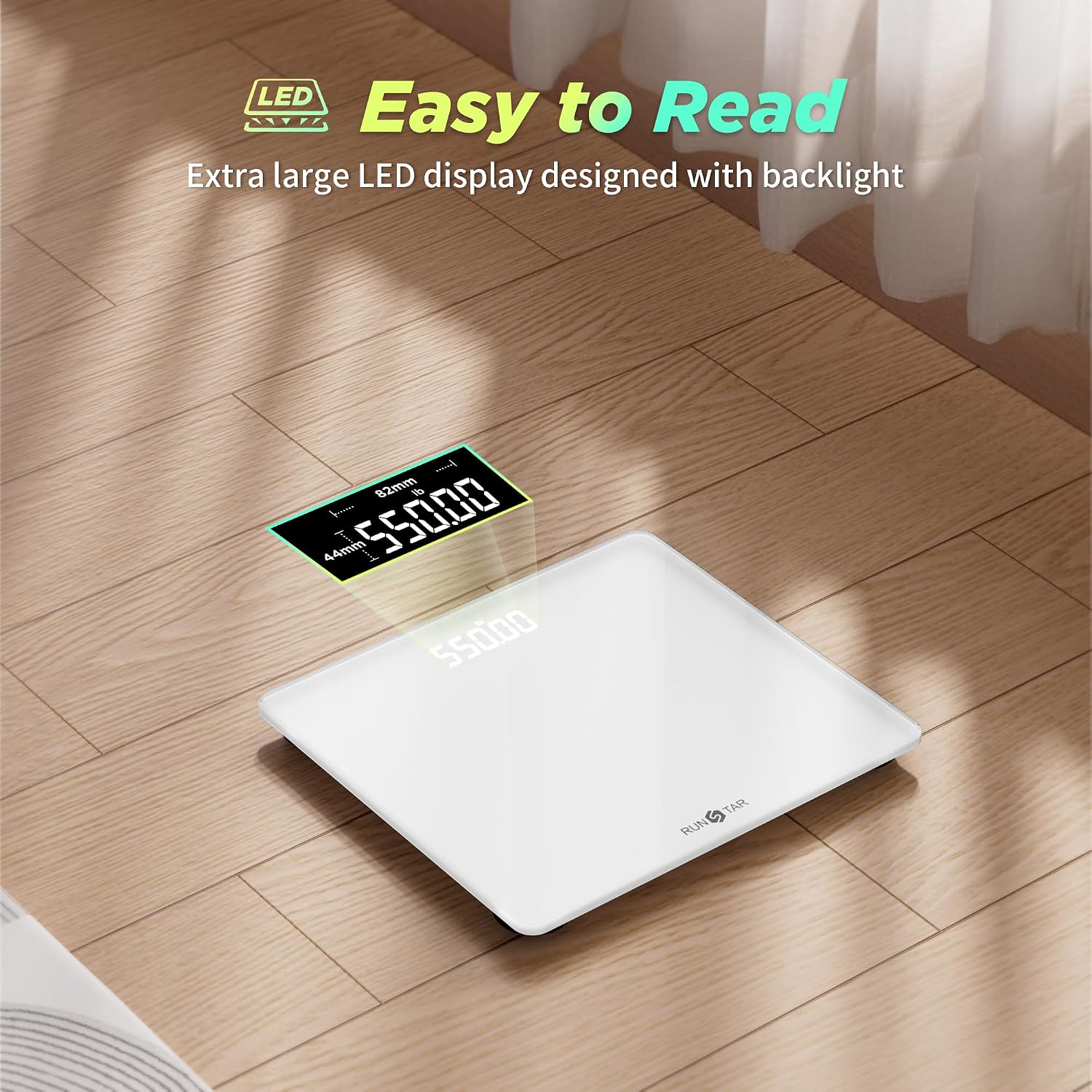
Figure 4: The large LED display provides clear and easy-to-read results.
2. Changing Units of Measurement
The scale supports multiple units of measurement (pounds, kilograms, and stones). To switch between units:
- Turn the scale over to access the unit button on the underside.
- Press the "UNIT" button to cycle through the available units (lb, kg, st:lb). The selected unit will be displayed on the screen.
Video 1: This video demonstrates the features of the RunSTAR scale, including its large platform, high capacity, and the ability to switch between measurement units (pounds, kilograms, stones) using a button on the underside. It also highlights the clear LED display and durable tempered glass construction.
Wartung
1. Reinigung
Wischen Sie die Waage mit Werbung abamp Verwenden Sie ein Tuch und ein mildes Reinigungsmittel. Scheuermittel dürfen nicht verwendet werden und die Kalkablagerungen dürfen nicht in Wasser eingeweicht werden.
2. Batteriewechsel
When the display shows "Lo", it indicates low battery. Replace all three AAA batteries simultaneously. The scale is designed for approximately 90 days of regular use per battery change.
3. Speicherung
Bewahren Sie die Waage an einem kühlen, trockenen Ort auf. Vermeiden Sie es, schwere Gegenstände auf die Waage zu stellen, wenn sie nicht benutzt wird.
Fehlerbehebung
| Ausgabe | Mögliche Ursache | Lösung |
|---|---|---|
| "Lo" angezeigt | Schwache Batterie. | Ersetzen Sie alle drei AAA-Batterien. |
| "Fehler" angezeigt | Overload (weight exceeds 550 lbs/250 kg). | Step off the scale. The scale's maximum capacity is 550 lbs. |
| Ungenaue Messwerte | Auf unebenem Untergrund gestapelt oder kürzlich bewegt. | Place on a hard, flat surface. Perform initial activation (step on, step off). |
| Keine Anzeige | Batteries not installed, or dead. | Stellen Sie sicher, dass die Batterien richtig eingelegt und nicht leer sind. |
Technische Daten
- Marke: runstar
- Modellnummer: BG1911W
- Kapazität: 550 Pfund / 250 kg
- Genauigkeit: 1 lb / 0.5 kg increments
- Anzeigetyp: LED
- Plattformmaterial: 8mm gehärtetes Glas
- Plattformabmessungen: 300 x 330 mm (ca. 11.8 x 13 Zoll)
- Energiequelle: 3 x AAA-Batterien (im Lieferumfang enthalten)
- Besondere Merkmale: Ultra-wide platform, high precision sensors, automatic on/off, low battery indicator, overload indicator.
Garantie und Support
For any product inquiries, technical support, or warranty claims, please contact RunSTAR customer service through the retailer's platform or visit the official RunSTAR brand store. Please retain your purchase receipt as proof of purchase.
RunSTAR believes that good health is the foundation for a happy and fulfilling life. We are committed to providing user-centric and high-quality health products.
Ask a question about this manual
Ask about setup, troubleshooting, compatibility, parts, safety, or missing instructions. Manuals+ will review the question and use this page’s manual context to help answer it.