
1. Einleitung
This manual provides detailed instructions for the YOTON MP3 Player with Bluetooth 5.2, Model YM03. This compact and versatile device is designed for portable audio playback, offering features such as Hi-Fi sound quality, expandable storage, and various utility functions. Please read this manual thoroughly to ensure proper use and optimal performance of your device.
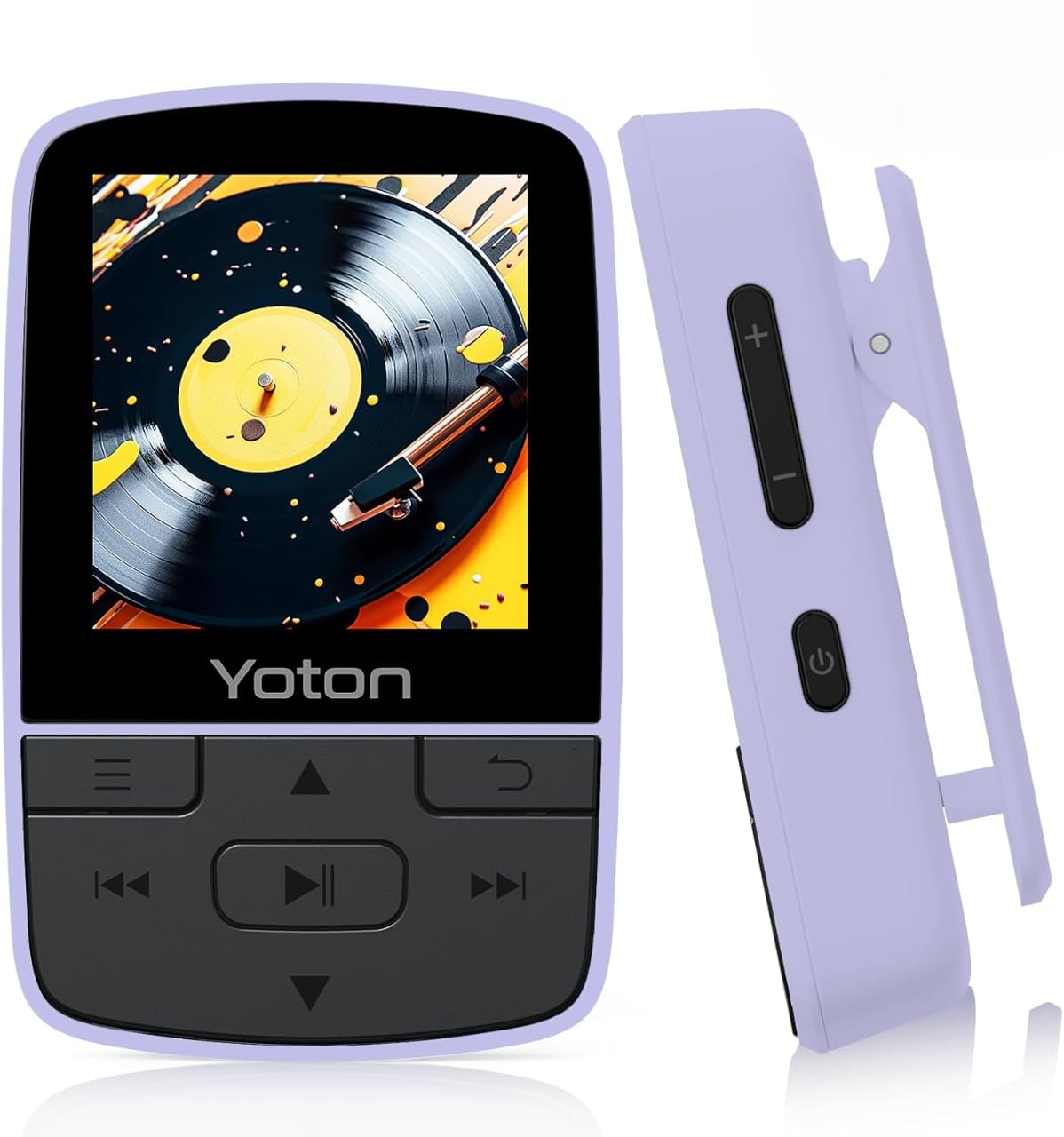
Figure 1: YOTON MP3 Player YM03. This image shows the front of the purple YOTON MP3 player, highlighting its screen and control buttons.
2. Packungsinhalt
Bitte überprüfen Sie, ob alle unten aufgeführten Artikel in Ihrem Paket enthalten sind:
- Yoton YM03 MP3 Player
- Kopfhörer
- USB-Kabel
- Kurzanleitung
Notiz: A TF (Micro SD) card is not included and must be supplied by the user for expandable storage.
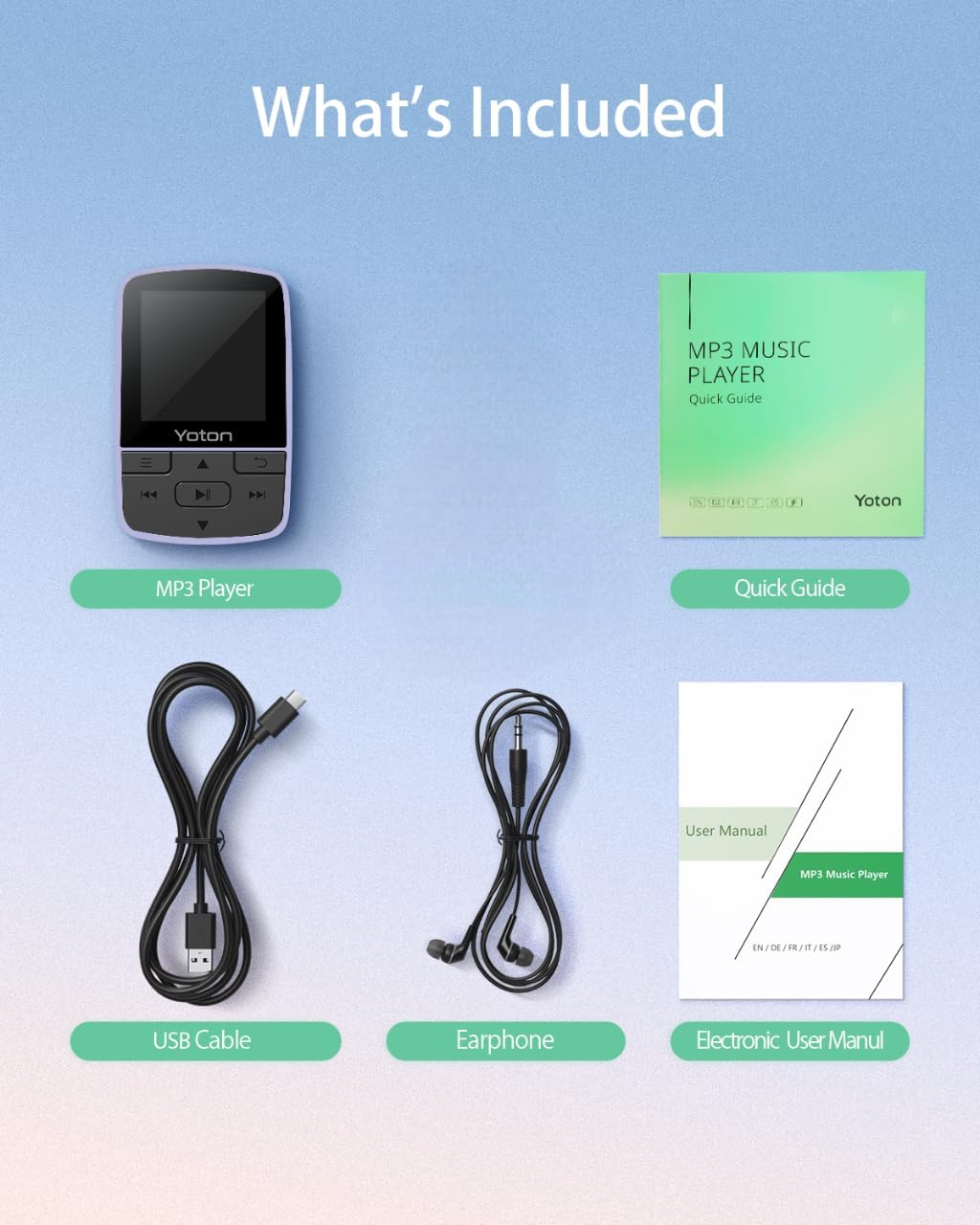
Figure 2: Package Contents. This image displays the YOTON MP3 player, wired earphones, USB cable, and quick guide, laid out on a surface.
Video 1: Unboxing the YOTON MP3 Player. This video demonstrates the unboxing process and shows all items included in the package.
3. Produktüberschreitungview
The YOTON MP3 Player YM03 is designed for portability and ease of use. It features a compact design with a built-in sports clip, allowing for hands-free use during activities.
3.1 Hauptmerkmale
- HiFi-Klangqualität: Advanced decoding chip for clear and detailed audio.
- Ultra-Lightweight & Portable: Weighs only 28g with a secure clip for clothing or bags.
- Erweiterbarer Speicher: Supports TF cards up to 64GB for extensive music libraries.
- Bluetooth 5.2: Stable and effortless wireless connection to headphones or speakers.
- Multifunktional: Includes FM Radio, Voice Recorder, Pedometer, and Alarm Clock.

Figure 3: Compact and Clip-On Design. This image shows the YOTON MP3 player with its integrated clip, demonstrating its suitability for active use.

Figure 4: Hi-Fi Sound Quality. This image illustrates the MP3 player's capability for high-fidelity audio playback.
4. Erste Schritte
4.1 Aufladen des Geräts
Connect the YOTON MP3 Player to a USB power source using the provided USB cable. The battery indicator on the screen will show charging status. A full charge typically takes approximately 2-3 hours.
4.2 Einlegen einer Micro SD-Karte
Locate the Micro SD card slot on the side of the device. Gently insert a TF (Micro SD) card (up to 64GB, not included) into the slot until it clicks into place. To remove, push the card in again until it springs out.
4.3 Musikübertragung Files
Verbinden Sie den MP3-Player über das USB-Kabel mit Ihrem Computer. Das Gerät wird als Wechseldatenträger angezeigt. Ziehen Sie Ihre Musik per Drag & Drop in das Fenster. files (MP3, AAC, FLAC, WAV, WMA formats supported) into the designated music folder on the player's storage or Micro SD card. Disconnect safely after transfer.
5. Grundlegende Bedienung
5.1 Ein-/Ausschalten
Zum Ein- oder Ausschalten des Geräts den Netzschalter an der Seite gedrückt halten.
5.2 Lautstärkeregelung
Use the dedicated volume control buttons on the side of the device to increase or decrease the audio volume.
5.3 Menünavigation
Use the directional buttons (Up/Down/Left/Right) to navigate through menus and select options. The center button typically acts as 'Enter' or 'Confirm', and the 'Return' button (often an arrow icon) takes you back to the previous screen.
5.4 Musikwiedergabe
- Abspielen/Pause: Press the central play/pause button to start or pause music playback.
- Tracks überspringen: Use the forward/backward buttons to skip to the next or previous track.
- Zufallswiedergabe/Wiederholung: While playing music, access the options menu (often by pressing a dedicated menu button or holding a directional button) to select repeat modes (Repeat Off, Repeat 1, Repeat All) or Shuffle playback.
Video 2: YOTON MP3 Player Basic Navigation. This video demonstrates how to navigate the menus, select music, and use playback controls on the MP3 player.
6. Bluetooth-Konnektivität
The YOTON MP3 Player features Bluetooth 5.2 for wireless audio streaming.
6.1 Koppeln mit Bluetooth-Geräten
- Stellen Sie sicher, dass sich Ihre Bluetooth-Kopfhörer oder Ihr Lautsprecher im Kopplungsmodus befinden.
- Navigieren Sie im MP3-Player zum Menü „Bluetooth“.
- Wählen 'Suchen nach Gerät“ oder „Neues Gerät koppeln“.
- Choose your device from the list of available devices to establish a connection.
Notiz: The MP3 player does not support connecting to mobile phones or car audio systems via Bluetooth.
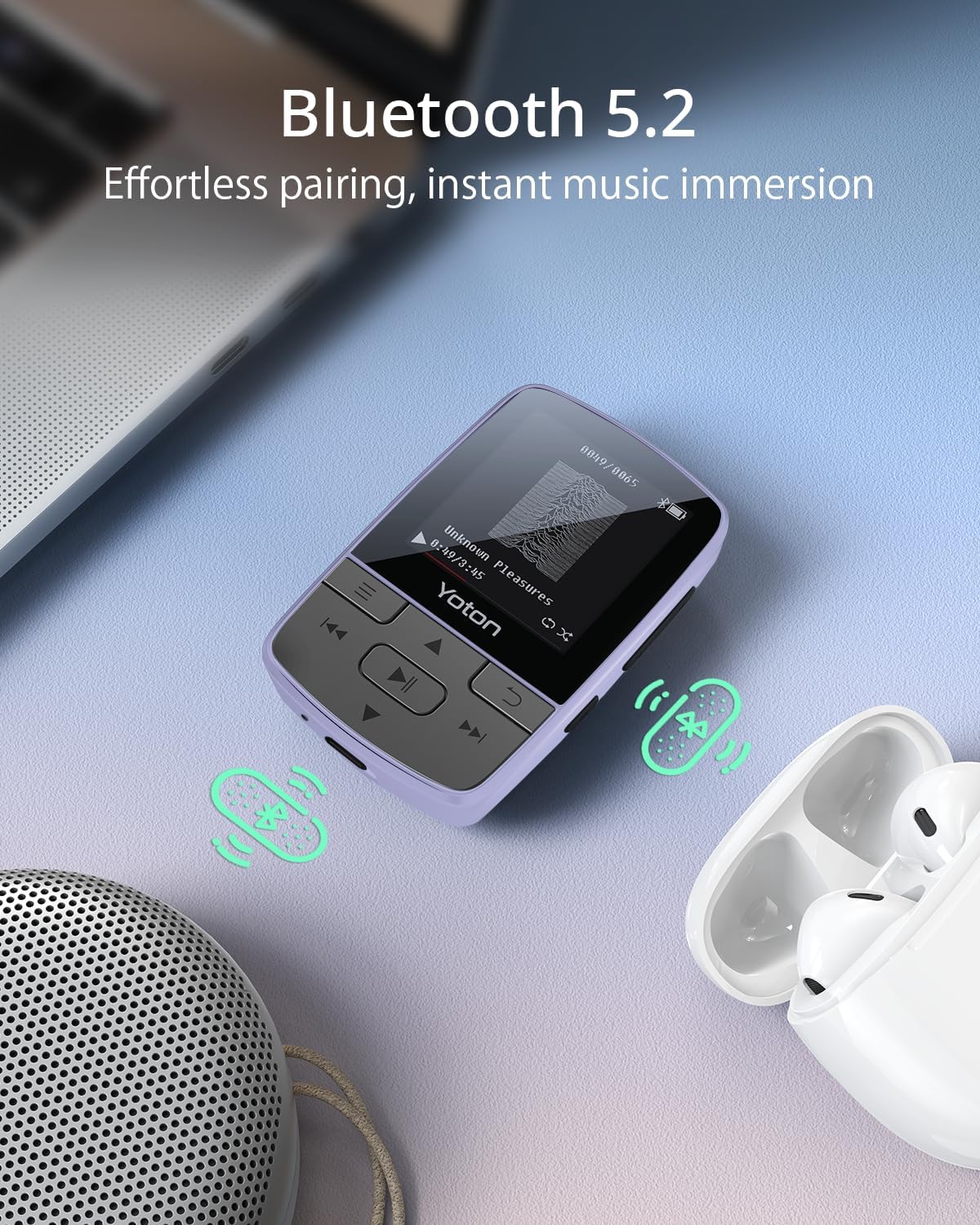
Figure 5: Bluetooth 5.2 Connectivity. This image shows the MP3 player connected wirelessly to earbuds, illustrating its Bluetooth capability.
7. Zusätzliche Funktionen
The YOTON MP3 Player offers several integrated tools:
- FM Radio: Schalten Sie Ihre Lieblingsradiosender ein.
- Sprachrekorder: Record audio memos or lectures.
- Schrittzähler: Track your steps during workouts.
- Wecker: Stellen Sie Alarme für Erinnerungen oder Weckrufe ein.
Access these features through the main menu of the device.

Figure 6: More Than Music. This image highlights the various functions of the YOTON MP3 player, including Bluetooth, Radio, Pedometer, Picture viewer, Recorder, File browser, Stopwatch, and Settings.
8. Wartung
- Halten Sie das Gerät trocken. Vermeiden Sie den Kontakt mit Feuchtigkeit oder Flüssigkeiten.
- Reinigen Sie Bildschirm und Gehäuse mit einem weichen, trockenen Tuch. Verwenden Sie keine Scheuermittel.
- Vermeiden Sie extreme Temperaturen.
- Versuchen Sie nicht, das Gerät selbst zu zerlegen oder zu reparieren. Wenden Sie sich an den Support, um Hilfe zu erhalten.
9. Fehlerbehebung
9.1 Gerät schaltet sich nicht ein
- Stellen Sie sicher, dass das Gerät vollständig aufgeladen ist. Schließen Sie es für mindestens 30 Minuten an eine Stromquelle an.
- Halten Sie die Einschalttaste 5-10 Sekunden lang gedrückt.
9.2 Cannot Transfer Music
- Verify the USB cable is securely connected to both the player and the computer.
- Ensure the Micro SD card is properly inserted and not corrupted.
- Überprüfen Sie, ob die Musik files are in a supported format (MP3, AAC, FLAC, WAV, WMA).
9.3 Bluetooth-Kopplungsfehler
- Make sure the Bluetooth device (headphones/speaker) is in pairing mode and within range.
- Ensure the MP3 player's Bluetooth is enabled.
- Starten Sie sowohl den MP3-Player als auch das Bluetooth-Gerät neu.
- Remember, the MP3 player cannot connect to mobile phones or car audio systems.
9.4 Kurze Akkulaufzeit
- Using wired headphones can extend battery life compared to Bluetooth.
- Reduzieren Sie die Bildschirmhelligkeit.
- Stellen Sie sicher, dass das Gerät vor der Verwendung vollständig aufgeladen ist.
10. Spezifikationen
| Marke | YOTON |
| Modellname | YM03 |
| Konnektivitätstechnologie | Bluetooth 5.2 |
| Speicherkapazität | Expandable up to 64 GB (via Micro SD card) |
| Bildschirmgröße | 1.4 Zoll |
| Kompatible Geräte | Kopfhörer, Ohrhörer |
| Unterstützte Medientypen | Micro SD |
| Unterstützte Audioformate | MP3, AAC, FLAC, WAV, WMA |
| Durchschnittliche Batterielebensdauer | 8 Stunden |
| Artikelgewicht | 28 Gramm |
| Artikelabmessungen (T x B x H) | 0.7"T x 1.5"B x 2.3"H |
| Besondere Merkmale | Built-In Clip, Equalizer, FM Radio, Voice Recorder, Pedometer, Alarm Clock |
11. Garantie und Support
11.1 Garantieinformationen
All products purchased from Yoton are covered by a 1-year warranty. For any concerns regarding product use or accessories, please contact our support team.
11.2 Kundendienst
Our professional team is available to offer technology support within 24 hours. You can find more detailed operation instructions on the Amazon product page or by contacting us directly.
For support, please refer to the contact information provided with your product or on the official Yoton webWebsite.