
1. Einleitung
The Elitech DIT-220 is a high-precision, non-contact infrared thermometer designed for safe and accurate temperature measurement across various applications. This device utilizes laser targeting for precise aim and features adjustable emissivity to ensure accurate readings on different surface types. It is suitable for use by professionals, DIY enthusiasts, and in household settings for monitoring temperatures in industrial, commercial, and domestic environments.
2. Sicherheitshinweise
Bitte lesen Sie vor der Verwendung dieses Produkts alle Sicherheitshinweise und Anweisungen sorgfältig durch. Die Nichtbeachtung dieser Anweisungen kann zu Verletzungen oder Schäden am Gerät führen.
- Lasersicherheit: Do not look directly into the laser beam or point it at people or animals. The laser is used for targeting only and should be used with caution.
- Berührungslose Messung: This thermometer measures surface temperature. It is not intended for measuring body temperature.
- Elektrische Sicherheit: Do not use the device near strong electromagnetic fields. Keep the device dry and avoid exposure to moisture or extreme temperatures.
- Batteriesicherheit: Use only the specified battery type (2x AAA). Ensure correct polarity when installing batteries. Remove batteries if the device will not be used for an extended period. Do not mix old and new batteries or different types of batteries.
- Wartung: Versuchen Sie nicht, das Gerät zu zerlegen oder zu verändern. Überlassen Sie alle Wartungsarbeiten qualifiziertem Fachpersonal.
3. Packungsinhalt
Überprüfen Sie, ob alle Artikel im Paket vorhanden sind:
- Elitech DIT-220 Infrared Thermometer
- 2 x AAA-Batterien
- Benutzerhandbuch (dieses Dokument)
4. Produktmerkmale
- Großer Temperaturbereich: Misst von -50 °C bis 530 °C (-58 °F bis 986 °F).
- Schnelle Reaktionszeit: Liefert Messwerte in etwa 0.5 Sekunden.
- Hohe Genauigkeit: ±1.5°C (±2.7°F) or ±1.5% for temperatures between -50°C and 50°C.
- Laserzielen: Integrated laser pointer for precise aiming at the target surface.
- Einstellbarer Emissionsgrad: User-adjustable emissivity from 0.10 to 1.00 for accurate readings on various materials.
- Entfernung-zu-Punkt-Verhältnis (D:S): 12:1, ensuring accurate measurement from a safe distance.
- MAX/MIN/AVG Mode: Automatically tracks maximum, minimum, and average temperatures during a measurement session.
- LCD-Display mit Hintergrundbeleuchtung: Gewährleistet eine klare Ablesbarkeit der Messwerte unter verschiedenen Lichtverhältnissen.
- Automatische Abschaltung: Verspart die Batterielebensdauer durch automatisches Ausschalten nach einer Zeit der Inaktivität.
- Erinnerung an eine schwache Batterie: Zeigt an, wann Batterien ausgetauscht werden müssen.
- °C/°F-Schalter: Einfacher Wechsel zwischen Celsius und Fahrenheit.

Abbildung 1: Elitech DIT-220 Infrared Thermometer highlighting its main features.
5. Einrichtung
5.1 Einlegen der Batterie
- Suchen Sie die Abdeckung des Batteriefachs am Griff des Thermometers.
- Öffnen Sie die Abdeckung des Batteriefachs.
- Legen Sie zwei AAA-Batterien ein und achten Sie dabei auf die richtige Polarität (+ und -), wie im Batteriefach angegeben.
- Schließen Sie den Batteriefachdeckel fest.

Abbildung 2: Elitech DIT-220 components and battery compartment location.
5.2 Ein-/Ausschalten
To power on the device, simply press the measurement trigger. The device will automatically power off after a period of inactivity to conserve battery life.
6. Bedienungsanleitung
6.1 Messung durchführen
- Point the thermometer at the target surface. Ensure the laser pointer (if activated) is aimed at the center of the area you wish to measure.
- Press and hold the measurement trigger. The laser will activate, and the current temperature will be displayed on the LCD screen.
- Release the trigger to hold the measurement on the display. The 'HOLD' icon will appear.
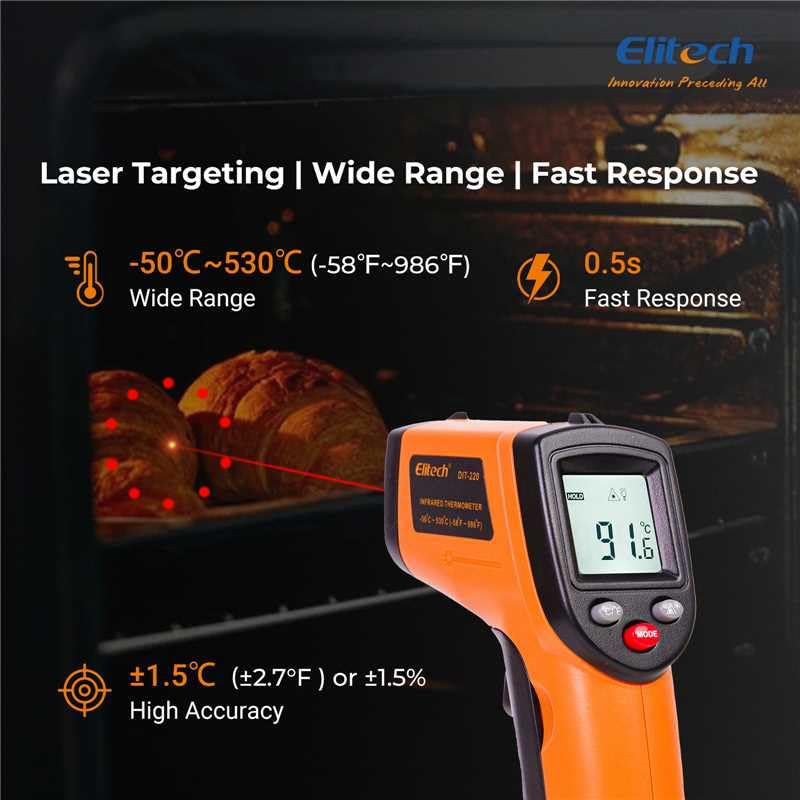
Abbildung 3: Using the DIT-220 for non-contact temperature measurement with laser targeting.
6.2 Verständnis des Entfernung-zu-Punkt-Verhältnisses (D:S)
The DIT-220 has a Distance-to-Spot ratio of 12:1. This means that as you move further from the target, the area being measured (spot size) increases. For accurate readings, ensure the target area is larger than the spot size. For exampDas heißt, bei einem Abstand von 12 Zoll hat der Messpunkt einen Durchmesser von 1 Zoll.

Abbildung 4: Illustration of the 12:1 Distance-to-Spot ratio.

Abbildung 5: Visual guide for maintaining correct measurement distance.
6.3 Einstellen des Emissionsgrades
Different materials emit infrared energy differently. The DIT-220 allows you to adjust the emissivity (ε) from 0.10 to 1.00 to compensate for this and achieve more accurate readings. Refer to a standard emissivity table for common materials or adjust empirically.
- Drücken Sie die MODUS button to cycle through settings until 'EMS' (Emissivity) is displayed.
- Verwenden Sie die Auf-/Ab-Pfeiltasten, um den Emissionsgrad anzupassen.
- Drücken Sie die MODUS erneut drücken, um zu bestätigen und zu beenden.
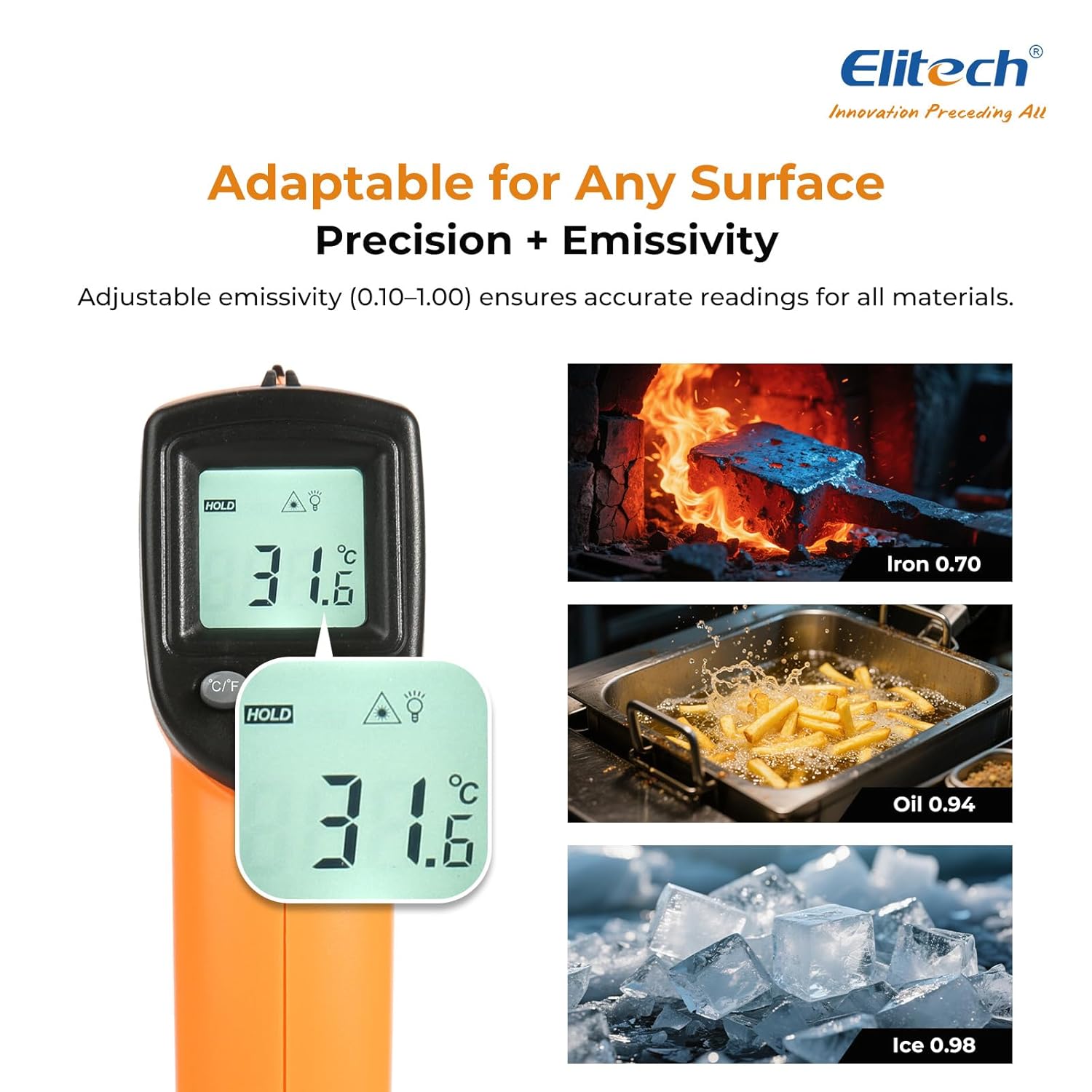
Abbildung 6: Adjustable emissivity feature and exampLes für verschiedene Materialien.
6.4 Using MAX/MIN/AVG Modes
These modes are useful for monitoring temperature fluctuations over time.
- While holding the measurement trigger, press the MODUS button repeatedly to cycle through MAX (Maximum), MIN (Minimum), and AVG (Average) display modes.
- The corresponding icon will appear on the screen, showing the respective temperature value recorded during the current measurement session.
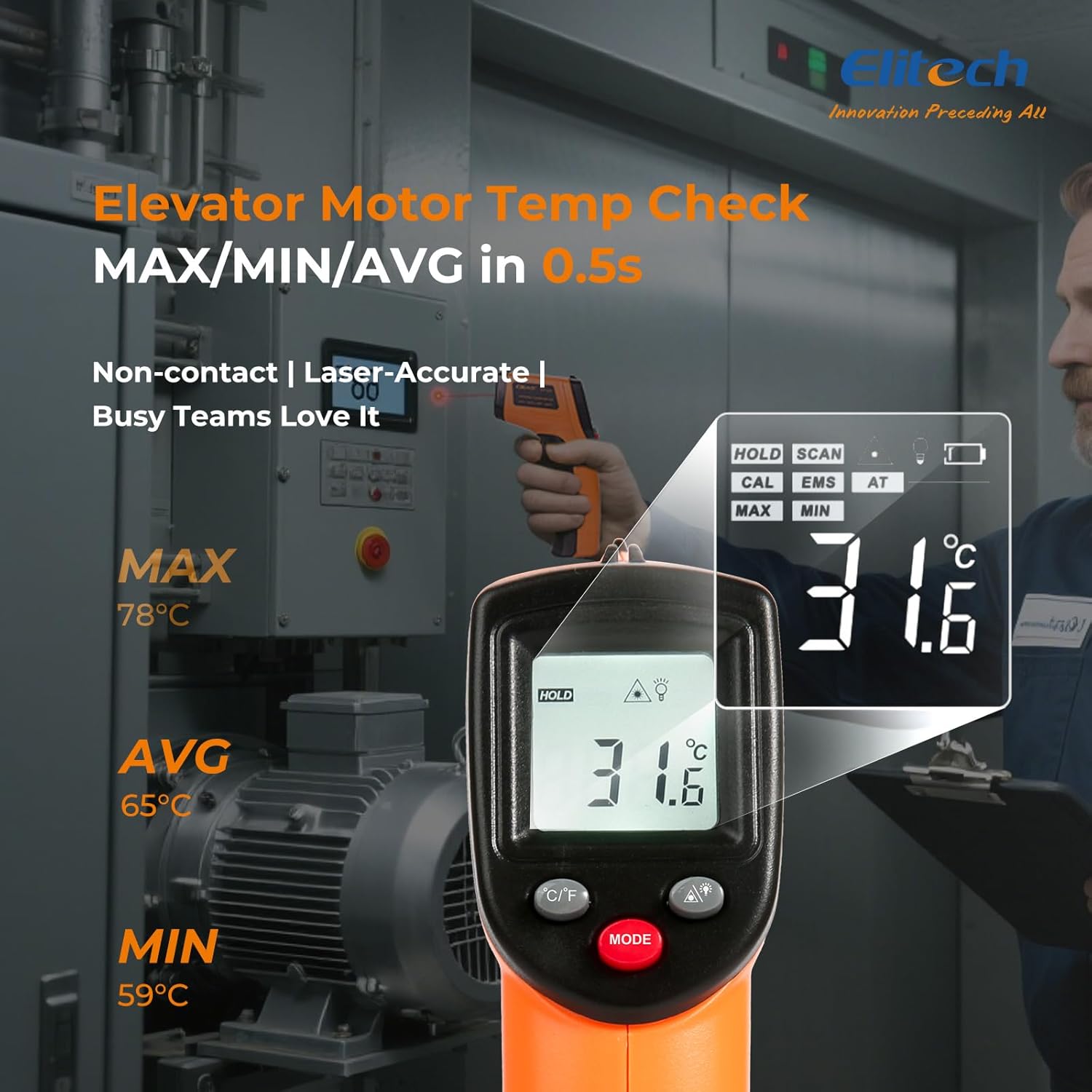
Abbildung 7: Displaying MAX, MIN, and AVG temperature readings.
6.5 Schalttemperatureinheiten (°C/°F)
To switch between Celsius and Fahrenheit, press the °C/°F button located on the device.
7. Wartung
7.1 Reinigung
- Reinigen Sie die Linse mit einem weichen, damp Mit einem Tuch oder Wattestäbchen reinigen. Keine Scheuermittel oder Lösungsmittel verwenden.
- Wischen Sie das Gerät ab.asinmit einem weichen, trockenen Tuch abwischen.
7.2 Batteriewechsel
When the low battery indicator appears on the display, replace the two AAA batteries as described in the Setup section (5.1 Battery Installation).
7.3 Speicherung
Bewahren Sie das Thermometer an einem kühlen, trockenen Ort, vor direkter Sonneneinstrahlung und extremen Temperaturen geschützt auf. Entfernen Sie die Batterien, wenn Sie das Thermometer längere Zeit lagern.
8. Fehlerbehebung
| Problem | Mögliche Ursache | Lösung |
|---|---|---|
| Das Display zeigt „Niedrig“ oder „Hoch“ an. | Die Temperatur liegt außerhalb des Messbereichs. | Ensure the target temperature is within -50°C to 530°C (-58°F to 986°F). |
| Ungenaue Messwerte | Incorrect emissivity setting; measurement distance too far/close; lens dirty. | Adjust emissivity for the target material. Maintain appropriate D:S ratio. Clean the lens. |
| Gerät lässt sich nicht einschalten | Die Batterien sind leer oder falsch eingelegt. | Ersetzen Sie die Batterien durch neue AAA-Batterien. Überprüfen Sie die Batteriepolarität. |
| Laser funktioniert nicht | Laser may be disabled or faulty. | Check if the laser function is enabled via the MODE button. If not, contact support. |
9. Spezifikationen
| Besonderheit | Spezifikation |
|---|---|
| Modell | DIT-220 (EU-DIT-220) |
| Temperaturbereich | -50 °C bis 530 °C (-58 °F bis 986 °F) |
| Genauigkeit | ±1.5°C (±2.7°F) or ±1.5% (for -50°C to 50°C) |
| Ansprechzeit | 500 Millisekunden (0.5 Sekunden) |
| Distanz-zu-Punkt-Verhältnis (D:S) | 12:1 |
| Emissionsgrad | Einstellbar 0.10 - 1.00 |
| Stromquelle | 2 x AAA-Batterien (im Lieferumfang enthalten) |
| Anzeigetyp | Digitales, hintergrundbeleuchtetes LCD-Display |
| Besondere Merkmale | Non-contact, Laser Target, MAX/MIN Mode, Auto Calibration |
| Material | Plastik |
| Artikelgewicht | 30 Gramm |
| Verpackungsabmessungen | 18.7 x 9.7 x 3.6 cm |
10. Garantie und Support
Elitech products are designed for reliability and performance. For warranty information, technical support, or service inquiries, please contact Elitech customer support through their official website or the retailer where the product was purchased. Please have your model number (DIT-220) and purchase date available when contacting support.