
1. Produktüberschreitungview
The PAXA Clipbuds 7 are open-ear wireless earbuds designed for comfort and situational awareness. They feature Bluetooth 5.4 connectivity, a dual LED battery display, touch controls, and IP45 water resistance.
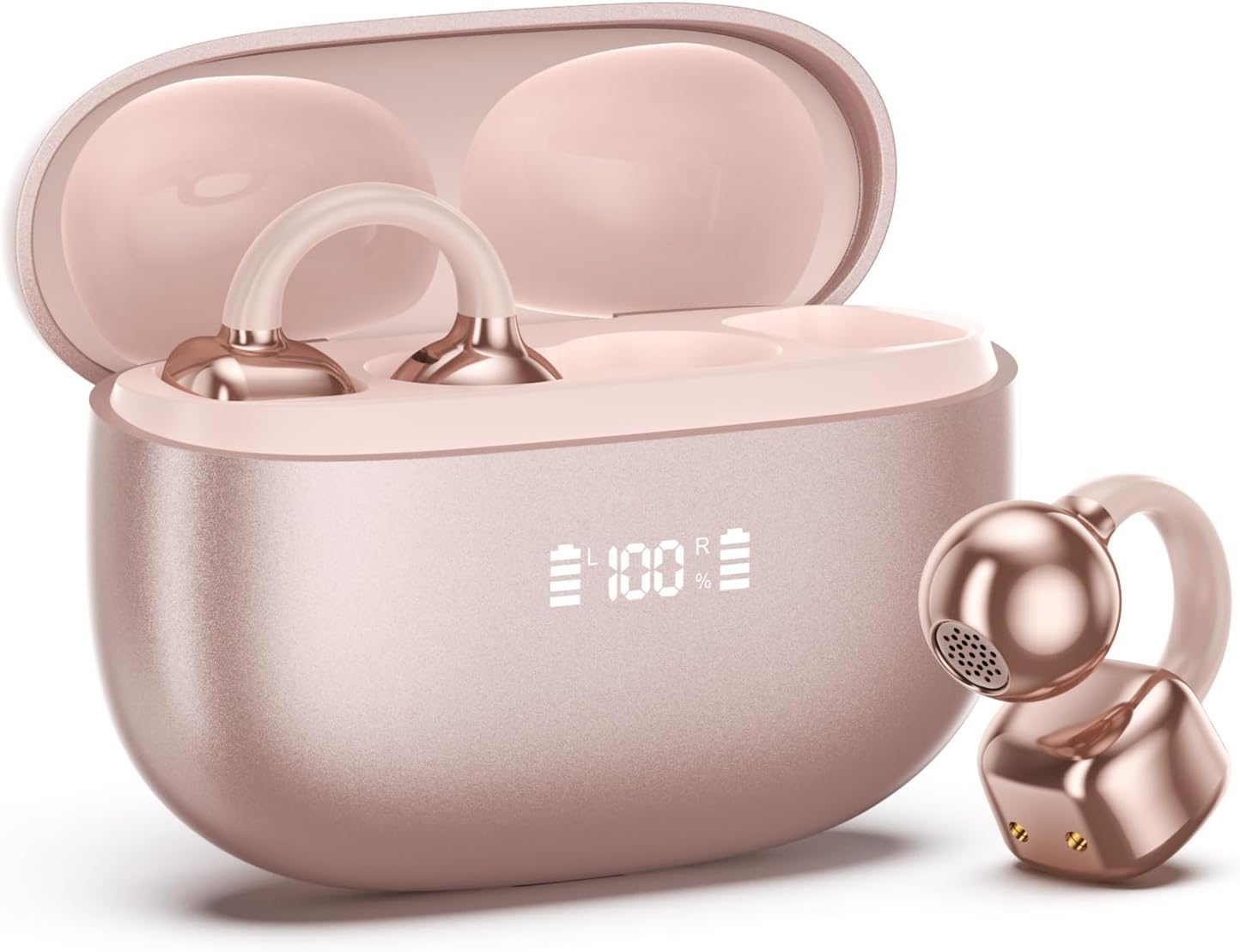
Image 1.1: PAXA Clipbuds 7 Rose Gold Earbuds and Charging Case. The earbuds are shown in their open charging case, which features an LED display indicating battery levels. One earbud is also shown outside the case.
Hauptmerkmale:
- Offenes Design für Komfort und Umweltbewusstsein.
- Bluetooth 5.4 für eine stabile und effiziente drahtlose Verbindung.
- Dual LED display on charging case for battery status.
- Touch-Bedienelemente für Musik, Anrufe und Sprachassistenten.
- Bis zu 44 Stunden Gesamtspielzeit mit Ladecase.
- IP45 Staub- und Wasserbeständigkeit.
- Ultra-lightweight design (4.5g per earbud).
2. Packungsinhalt
Stellen Sie sicher, dass alle Artikel im Paket vorhanden sind:
- Clip-Ohrhörer (1 Paar)
- Kabelloses Ladecase (1)
- Ladekabel (1)
- Benutzerhandbuch (1)
3. Einrichtung und Kopplung
3.1 Erstaufladung
Before first use, fully charge the earbuds and the charging case. Connect the provided charging cable to the Type-C port on the charging case and a USB power source. The LED display on the case will indicate the charging status.
3.2 Tragen der Ohrhörer
The Clipbuds 7 are designed to clip onto the thinnest part of your ear. Adjust the earbud tip to align with your ear canal for optimal sound and comfort.
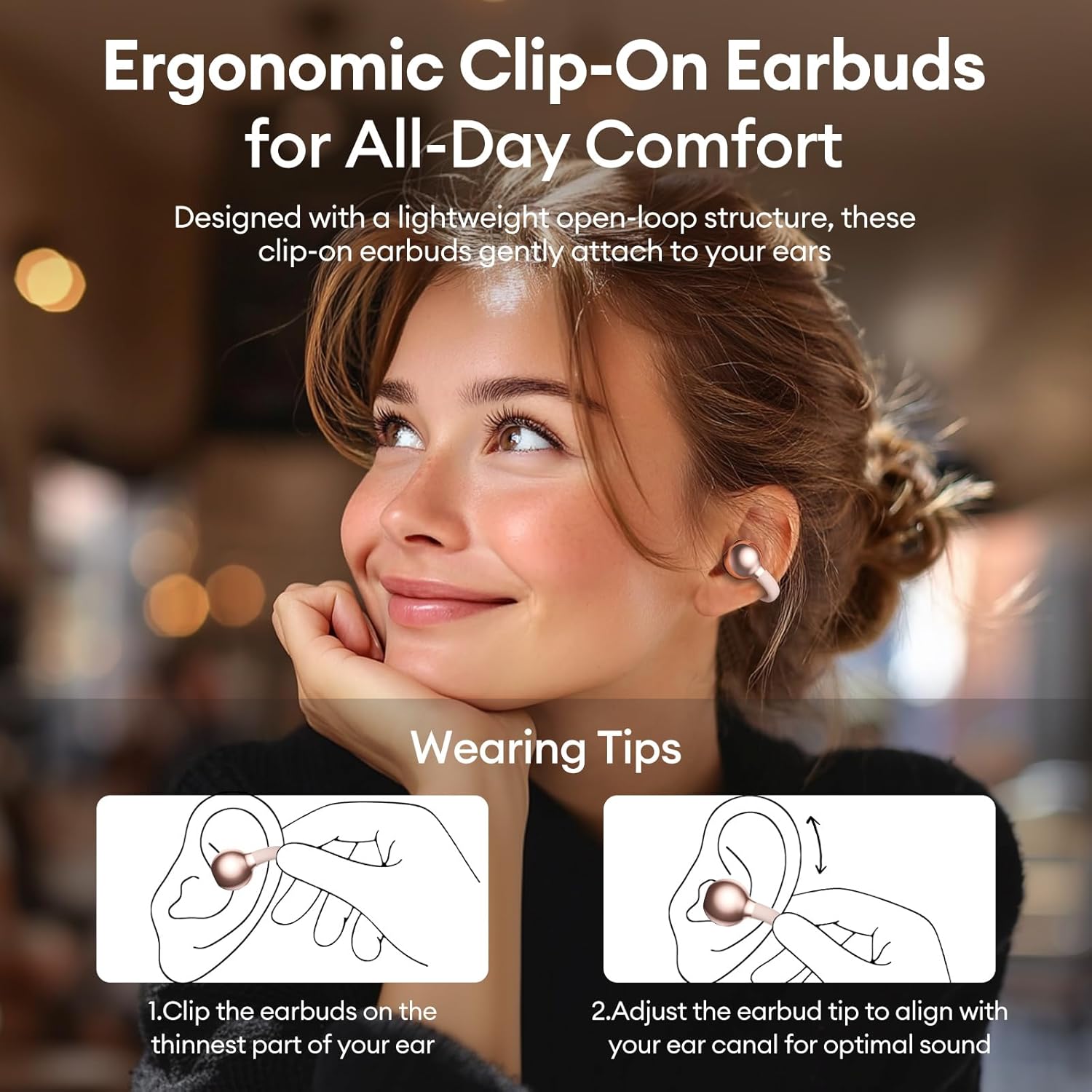
Image 3.2: Wearing instructions for PAXA Clipbuds 7. The diagram illustrates clipping the earbud onto the ear and adjusting for fit.
3.3 Bluetooth-Kopplung
- Stellen Sie sicher, dass die Ohrhörer aufgeladen sind und sich im Ladecase befinden.
- Öffnen Sie das Ladeetui. Die Ohrhörer wechseln automatisch in den Kopplungsmodus.
- Gehen Sie auf Ihrem Gerät (Smartphone, Tablet, Laptop) zu den Bluetooth-Einstellungen.
- Suchen nach "Clipbuds 7" in the list of available devices and select it to connect.
- Sobald die Ohrhörer einmal verbunden sind, koppeln sie sich zukünftig automatisch mit Ihrem Gerät, sobald Sie sie aus dem Ladecase nehmen.
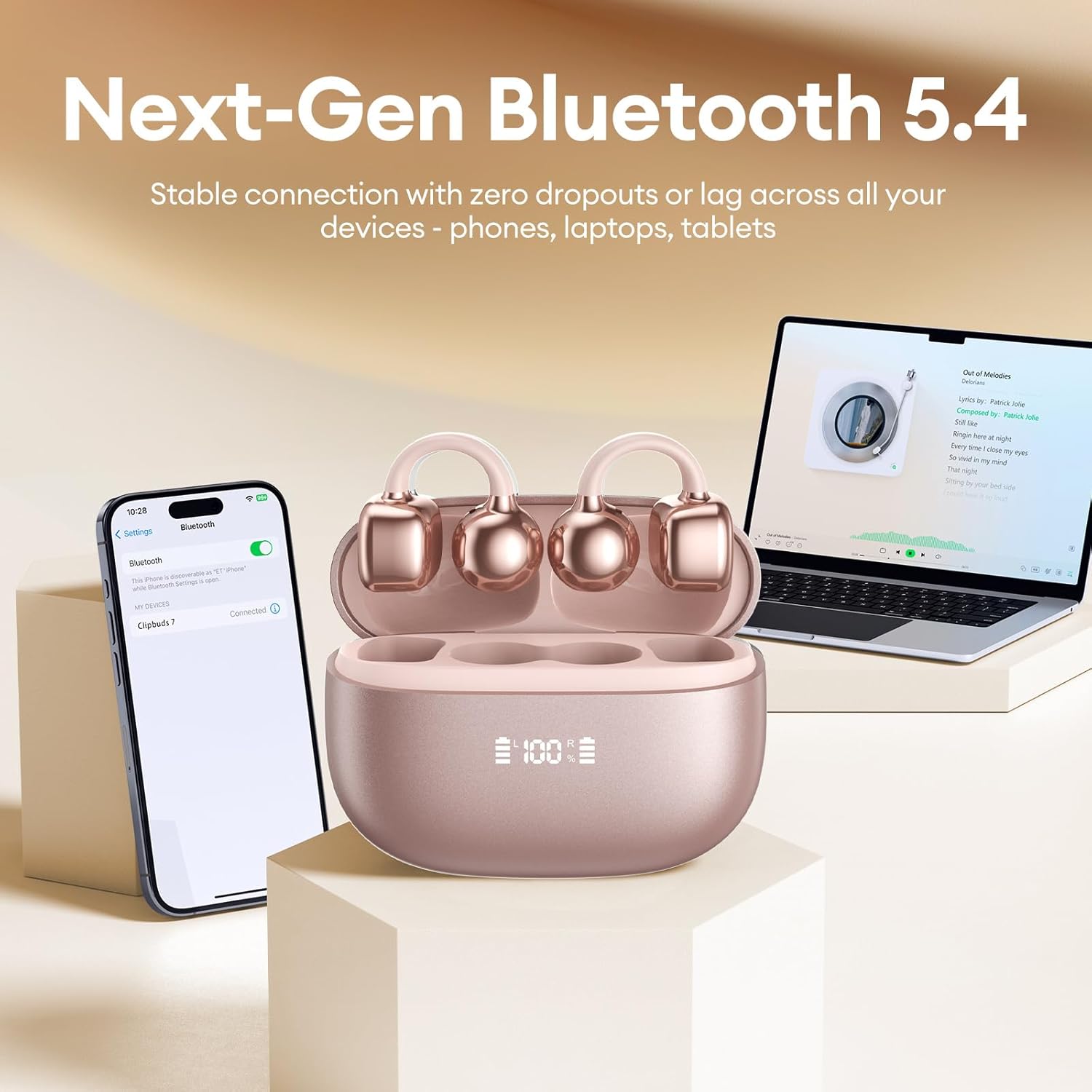
Image 3.3: PAXA Clipbuds 7 connected via Bluetooth to a smartphone and a laptop, demonstrating multi-device compatibility.
4. Bedienungsanleitung
4.1 Berührungssteuerung
The Clipbuds 7 feature sensitive touch controls on each earbud. Refer to the following table for functions:

Image 4.1: Visual guide for PAXA Clipbuds 7 touch controls, showing actions for calls, music, and voice assistant.
| Funktion | Aktion |
|---|---|
| Anruf annehmen/beenden | Doppelklicken Sie auf einen der Ohrhörer. |
| Anruf ablehnen | Halten Sie einen der Ohrhörer 2 Sekunden lang gedrückt |
| Abspielen/Pause | Doppelklicken Sie auf einen der Ohrhörer. |
| Vorheriges Lied | Drücken Sie dreimal auf den linken (L) Ohrhörer. |
| Nächstes Lied | Drücken Sie dreimal auf den rechten (R) Ohrhörer. |
| Volume + | Klicken Sie auf den rechten (R) Ohrhörer. |
| Lautstärke - | Klicken Sie auf den linken (L) Ohrhörer. |
| Sprachassistent (Siri, Google Assistant) | Halten Sie beide Ohrhörer 2 Sekunden lang gedrückt. |
4.2 LED Battery Display
The charging case features a dual LED display that shows the battery percentage of the case and each individual earbud (L and R).
4.3 Offenes-Ohr-Wahrnehmung
The open-ear design allows you to hear your audio while remaining aware of your surroundings. This feature is beneficial for activities like running, cycling, or commuting where situational awareness is important.

Image 4.3: Individuals using PAXA Clipbuds 7 during work, sports, and social gatherings, highlighting their versatility and open-ear design.
5. Akku und Aufladen
The Clipbuds 7 offer extended battery life for prolonged use.
- Ohrhörer-Spielzeit: Bis zu 8 Stunden mit einer einzigen Ladung.
- Gesamtwiedergabezeit Bis zu 44 Stunden Laufzeit mit dem Ladecase.
- Schnelles Laden: Eine Ladezeit von 10 Minuten ermöglicht eine Spielzeit von etwa 3 Stunden.

Image 5.1: Illustration of the PAXA Clipbuds 7 charging case, highlighting the 44-hour total battery life and fast charging capability.
6. Wartung und Pflege
6.1 Wasser- und Staubbeständigkeit
The Clipbuds 7 have an IP45 rating, making them resistant to dust and splashes of water. This means they can withstand sweat and light rain, making them suitable for workouts and outdoor activities. However, they are not designed for submersion in water.
Image 6.1: A person wearing PAXA Clipbuds 7 during light rain, illustrating the IP45 water resistance feature.
6.2 Reinigung
Um optimale Leistung und Hygiene zu gewährleisten, reinigen Sie Ihre Ohrhörer und das Ladecase regelmäßig mit einem weichen, trockenen und fusselfreien Tuch. Vermeiden Sie die Verwendung von Scheuermitteln oder aggressiven Chemikalien.
7. Fehlerbehebung
If you encounter issues with your Clipbuds 7, try the following solutions:
- Keine Ton-/Verbindungsprobleme:
- Stellen Sie sicher, dass die Ohrhörer aufgeladen sind.
- Stellen Sie sicher, dass Bluetooth auf Ihrem Gerät aktiviert ist.
- Forget "Clipbuds 7" from your device's Bluetooth list and re-pair.
- Ensure earbuds are within Bluetooth range (up to 50 feet).
- Ohrhörer werden nicht aufgeladen:
- Prüfen Sie, ob das Ladekabel sowohl mit dem Gehäuse als auch mit der Stromquelle fest verbunden ist.
- Stellen Sie sicher, dass das Ladecase selbst mit Strom versorgt wird.
- Reinigen Sie die Ladekontakte an den Ohrhörern und am Etui.
- Touch-Bedienelemente reagieren nicht:
- Achten Sie darauf, dass Ihre Finger sauber und trocken sind.
- Starten Sie die Ohrhörer neu, indem Sie sie in das Ladecase legen, dieses schließen und anschließend wieder öffnen.
8. Spezifikationen
| Besonderheit | Detail |
|---|---|
| Modellname | Clipbuds 7 |
| Marke | PAXA |
| Konnektivitätstechnologie | Kabellos (Bluetooth) |
| Bluetooth-Version | 5.4 |
| Bluetooth-Reichweite | Bis zu 50 Fuß |
| Platzierung des Ohrs | Offenes Ohr |
| Steuerungstyp | Touch-Steuerung |
| Akkulaufzeit (eine Ladung) | 8 Stunden |
| Gesamte Akkulaufzeit (mit Hülle) | 44 Stunden |
| Wasserbeständigkeit | IP45 (Dust/Water Resistant) |
| Lärmschutz | Hybride Geräuschunterdrückung (ENC für Anrufe) |
| Material | Silikonkautschuk + Kunststoff |
| Artikelgewicht | 2.39 Unzen |
| Im Lieferumfang enthaltene Komponenten | Clip on Earbuds, Wireless Charging Case, Charging Cable, User Manual |
9. Garantie und Support
For warranty information and customer support, please refer to the contact details provided with your purchase or visit the official PAXA webBewahren Sie Ihren Kaufbeleg für eventuelle Garantieansprüche auf.
10. Offizielle Produktvideos
The following videos provide additional information and demonstrations of the PAXA Clipbuds 7.
PAXA Clipbuds7 Open Ear Clip On Earbuds with LED Display
Video 10.1: This video from PAXA Direct showcases the features of the Clipbuds 7, including the LED display and open-ear design. It demonstrates the product's appearance and some functionalities.
PAXA High-Street Jewelry Open Ear Clip On Earbuds
Video 10.2: This video from PAXA Direct highlights the aesthetic and design aspects of the Clipbuds 7, emphasizing their jewelry-like appearance and comfortable fit.