
Einführung
This manual provides essential information for the safe and efficient use of your ASUS ROG Strix G18 G814 Gaming Laptop. Please read this guide thoroughly before operating your device to ensure proper setup, operation, and maintenance.
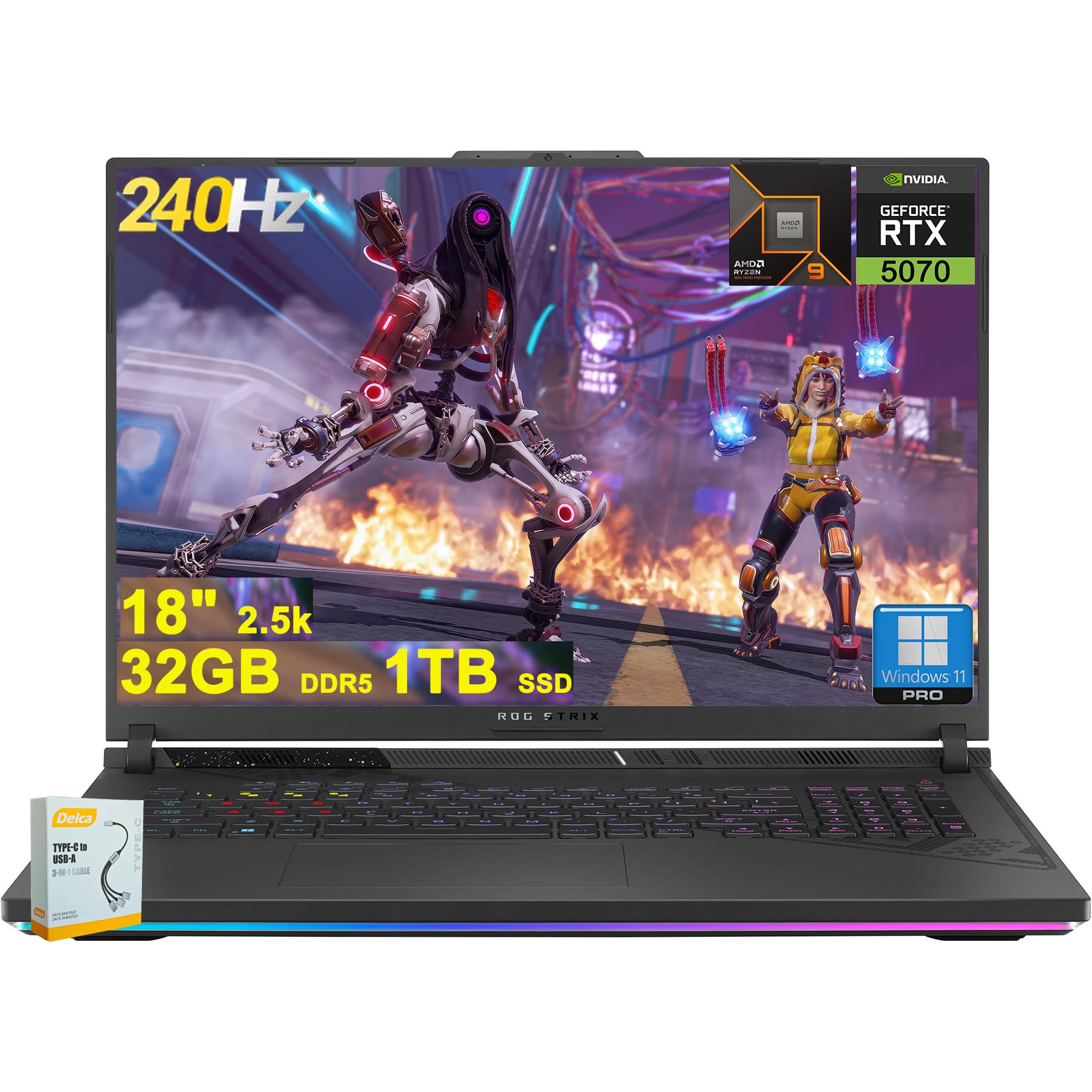
Figure 1: ASUS ROG Strix G18 G814 Gaming Laptop, front view with screen open.
Lieferumfang
Prüfen Sie beim Auspacken, ob alle Artikel vorhanden und in einwandfreiem Zustand sind.
- ASUS ROG Strix G18 G814 Gaming Laptop
- Netzteil/Ladegerät

Figure 2: Contents of the ASUS ROG Strix G18 G814 package, including the laptop and power adapter.
Aufstellen
1. Erstes Einschalten
- Schließen Sie das Netzteil an: Stecken Sie den Netzadapter in den Stromeingangsanschluss des Laptops und anschließend in eine Steckdose.
- Laptop öffnen: Öffnen Sie vorsichtig den Laptopdeckel.
- Einschalten: Press the power button, typically located on the keyboard deck. The laptop will begin its initial boot sequence.
- Befolgen Sie die Anweisungen auf dem Bildschirm: Complete the Windows 11 setup process, including language selection, network connection, and user account creation.
2. Peripheriegeräte anschließen
Connect external devices such as a mouse, keyboard, or external display to the available ports.

Abbildung 3: Seite view of the ASUS ROG Strix G18 G814, illustrating the various input/output ports including USB-A, USB-C, HDMI, and RJ45 Ethernet.
- USB-A 3.2: For standard USB devices like mice, keyboards, and external drives. (2 ports)
- Type USB 4: For high-speed data transfer, display output, and power delivery. (1 port)
- HDMI 2.1 FRL: Zum Anschluss an externe Monitore oder Fernseher.
- RJ45-Ethernet: Für kabelgebundene Netzwerkverbindung.
- Kopfhörer-/Mikrofon-Kombianschluss: Für Audio-Ein-/Ausgabe.
Bedienungsanleitung
Energieverwaltung
- Einschalten: Drücken Sie die Einschalttaste.
- Abschalten: Klicken Sie auf die Schaltfläche „Start“, dann auf „Ein/Aus“ und anschließend auf „Ausschalten“.
- Schlafmodus: Close the lid or select Sleep from the Power menu.
Tastatur und Touchpad
The laptop features a 4-zone RGB backlit keyboard and a precision touchpad for navigation.

Abbildung 4: Nahaufnahme view of the ASUS ROG Strix G18 G814's 4-zone RGB backlit keyboard and touchpad.
- Steuerung der Hintergrundbeleuchtung: Use the dedicated function keys (Fn + Fx) to adjust keyboard backlight brightness or effects.
- Touchpad-Gesten: Informationen zu anpassbaren Multi-Touch-Gesten finden Sie in den Windows-Einstellungen.
Anzeige und Grafik
Your laptop is equipped with an 18-inch 2560x1600 IPS display with a 240Hz refresh rate and 100% DCI-P3 color gamut, powered by an NVIDIA GeForce RTX 5070 8GB graphics card.

Figure 5: Visual representation of the 18-inch IPS display with 2560x1600 resolution and 240Hz refresh rate.

Figure 6: Image highlighting the NVIDIA GeForce RTX 5070 graphics card, emphasizing its role in visual performance.
Audiosystem
Experience enhanced audio with Smart Amp technology, Dolby Atmos support, and AI Noise-canceling for clear communication.

Figure 7: Visual depicting the audio features, including Dolby Atmos and AI Noise-Canceling Microphone.
Leistung und Software
The laptop is powered by an AMD 16-core Ryzen 9 9955HX processor and runs on Windows 11 Pro. It includes 32GB DDR5 RAM and a 1TB SSD for fast performance and storage.

Figure 8: Image illustrating the AMD Ryzen 9 9955HX processor, highlighting its 16-core architecture.
- Betriebssystem: Windows 11 Pro provides a secure and efficient computing environment.
- Waffenkammerkiste: Update Armoury Crate software for optimal system management and performance tuning.
Wartung
Laptop reinigen
- Bildschirm: Benutzen Sie ein weiches, fusselfreies Tuch, dampMit Wasser oder einem Bildschirmreiniger abspülen. Scharfe Chemikalien vermeiden.
- Tastatur und Gehäuse: Verwenden Sie ein weiches Tuch. Bei hartnäckigem Schmutz ein leicht damp cloth is acceptable. Ensure no liquid enters openings.
- Vents: Periodically clean dust from the ventilation grilles using compressed air to maintain optimal cooling performance.
Batteriepflege
- Vermeiden Sie extreme Temperaturen.
- Entladen Sie den Akku nicht häufig vollständig.
- Für die Langzeitlagerung sollte der Akku auf etwa 50-60 % geladen werden.
Fehlerbehebung
| Problem | Mögliche Lösung |
|---|---|
| Der Laptop lässt sich nicht einschalten. | Stellen Sie sicher, dass das Netzteil fest mit dem Laptop und einer funktionierenden Steckdose verbunden ist. Prüfen Sie, ob die Steckdose funktioniert. |
| Der Bildschirm bleibt nach dem Einschalten schwarz. | Connect an external monitor to verify if the issue is with the laptop's display. Try pressing Fn + F6 (or the appropriate function key) to toggle display output. |
| Langsame Leistung. | Close unnecessary applications. Check for background processes consuming high resources. Ensure drivers are updated, especially graphics drivers. Verify sufficient free storage space on the SSD. |
| Probleme mit der WLAN-Verbindung. | Restart the laptop and the wireless router. Check Wi-Fi settings in Windows. Ensure Wi-Fi drivers are up to date. |
| Long reboot time after BIOS updates. | This is normal behavior for some BIOS updates. Allow the system to complete the process, which may take several minutes. Do not interrupt the power. |
| Operating System discrepancy (e.g., Windows 11 Home instead of Pro). | Verify the installed OS version via System Information. If there is a discrepancy with the purchased specification, contact your retailer or ASUS support for clarification. |
Technische Daten
| Modellname | ASUS ROG Strix G18 G814 |
| Prozessor | AMD 16-core Ryzen 9 9955HX (3 GHz) |
| Grafik | NVIDIA GeForce RTX 5070 8GB Dedicated |
| Anzeige | 18-inch IPS, 2560x1600 resolution, 240Hz refresh rate, 100% DCI-P3 |
| RAM | 32 GB DDR5 SDRAM |
| Lagerung | 1 TB SSD (Solid-State-Drive) |
| Betriebssystem | Windows 11 Pro |
| Kabellose Konnektivität | WLAN 6E (802.11ax) |
| Häfen | 2x USB-A 3.2, 1x Type USB 4, 1x HDMI 2.1 FRL, 1x RJ45 Ethernet, Headphone/Mic Combo Jack |
| Tastatur | RGB-Hintergrundbeleuchtung mit 4 Zonen |
| Audio | Schlau Amp, Dolby Atmos, AI Noise-canceling |
| WebNocken | FHD-Kamera |
| Batterie | 90 Wh |
| Abmessungen (LxBxH) | 11.57 x 15.71 x 1.21 Zoll |
| Gewicht | 6.63 Pfund |
Garantie und Support
For warranty information, technical support, or service inquiries, please refer to the official ASUS support webWebsite oder wenden Sie sich an Ihren Händler.
ASUS-Kundendienst WebWebsite: https://www.asus.com/support/
Please have your product model number (ROG Strix G18 G814) and serial number ready when contacting support.