
Einführung
Thank you for choosing the ILIFE V5s Plus Robot Vacuum and Mop. This device is designed to provide efficient cleaning for your home, combining both vacuuming and mopping functions. It features smart navigation, app control, and automatic self-charging for convenience. Please read this manual thoroughly before use to ensure proper operation and maintenance.
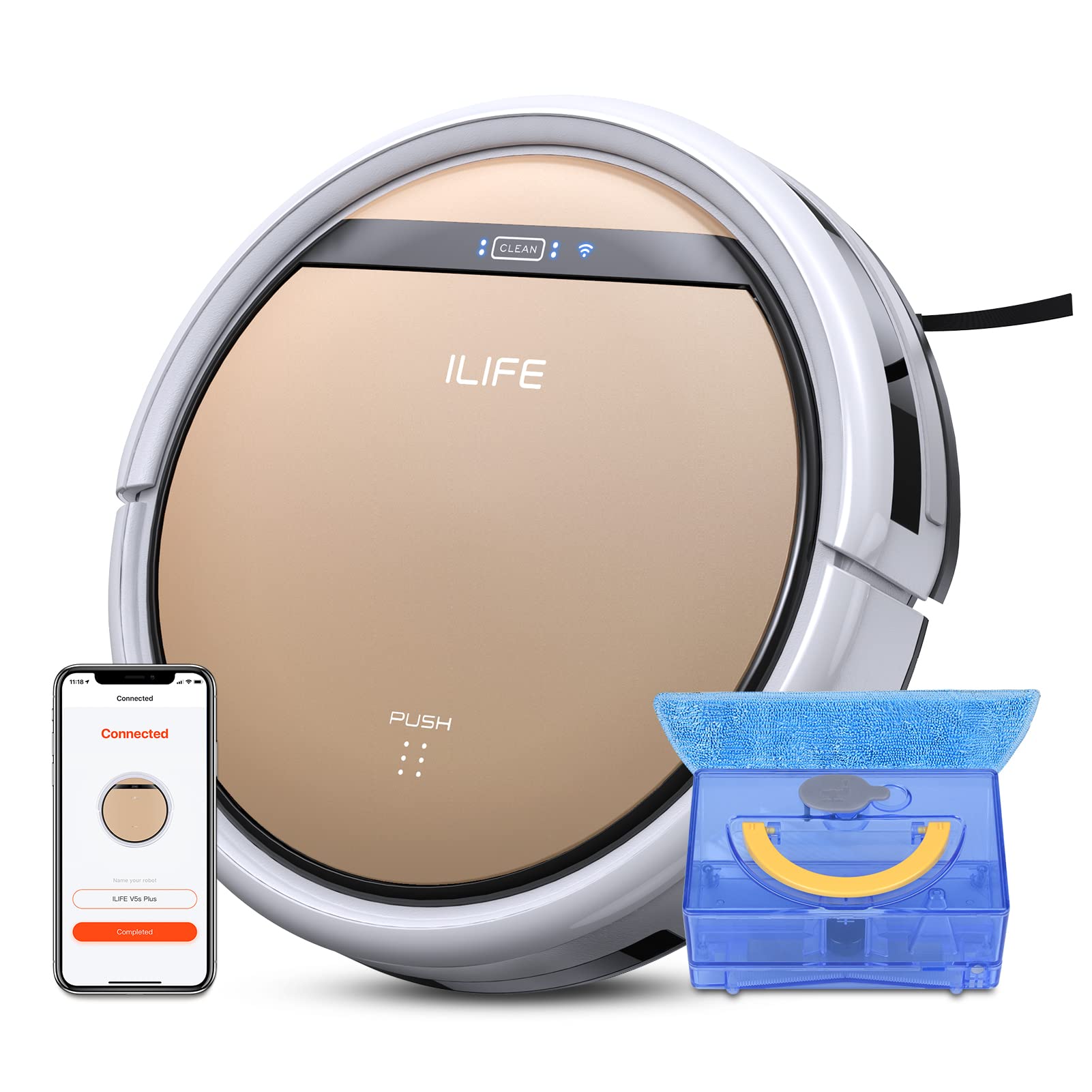
The ILIFE V5s Plus Robot Vacuum and Mop, ready for use.
Sicherheitshinweise
Before operating the ILIFE V5s Plus, please observe the following safety precautions:
- Lesen Sie alle Anweisungen sorgfältig durch, bevor Sie das Gerät verwenden.
- Keep the robot and its accessories out of reach of children.
- Der Roboter darf nicht in feuchter Umgebung oder in der Nähe von Wasser betrieben werden.
- Stellen Sie sicher, dass die Ladestation auf einer ebenen Fläche an einer Wand steht und dass sich um sie herum ausreichend Platz befindet.
- Entfernen Sie lose Kabel, kleine Gegenstände oder zerbrechliche Dinge aus dem Reinigungsbereich, um ein Verheddern oder eine Beschädigung zu vermeiden.
- Verwenden Sie den Roboter nicht zum Aufsaugen von grobem Schutt, scharfen Gegenständen oder anderen Flüssigkeiten als Wasser zum Wischen.
- Verwenden Sie ausschließlich das Original-Netzteil und die Original-Ladestation, die mit dem Roboter geliefert wurden.
Lieferumfang
Überprüfen Sie, ob alle Komponenten im Paket vorhanden sind:
- Hauptteil (Batterie enthalten)
- Ladestation
- Fernbedienung (Batterie nicht im Lieferumfang enthalten)
- Netzteil
- Reinigungswerkzeug
- Wischtuch
- Wassertank
- Benutzerhandbuch
- Hochleistungsfilter
- Zusätzliche Seitenbürsten
Aufstellen
1. Erstes Aufladen
Place the charging dock against a wall in an open area. Connect the AC adapter to the charging dock and plug it into a power outlet. Place the robot onto the charging dock, ensuring the charging pins align. The robot will begin charging automatically. Allow for a full charge before first use (approximately 3-5 hours).
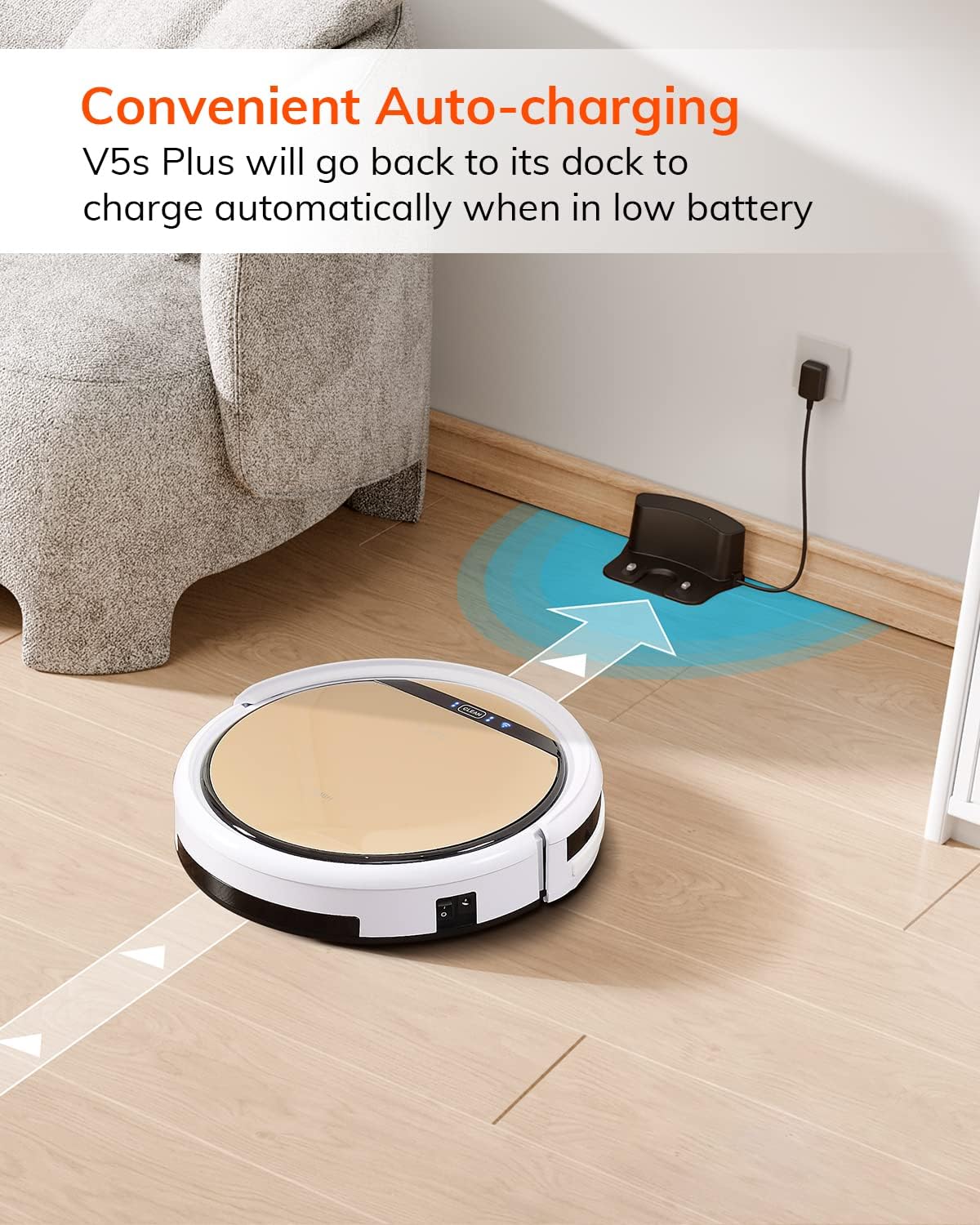
Der Roboter kehrt automatisch zu seiner Ladestation zurück, wenn der Akku schwach ist.
2. App-Download und WLAN-Verbindung
Download the 'ILIFEHOME' app from your smartphone's app store. Follow the in-app instructions to connect your robot to your home WiFi network. Ensure your WiFi is 2.4GHz, as the app does not support 5G WiFi.

Control the robot and schedule cleaning via the ILIFEHOME app.
3. Vorbereitung des Reinigungsbereichs
Before each cleaning cycle, clear the floor of any obstacles such as cables, toys, or small rugs that could entangle the robot. For mopping, ensure the water tank is filled and the mop cloth is attached.
Bedienungsanleitung
1. Ein-/Ausschalten
To power on the robot, press the 'CLEAN' button on the robot or use the remote control/app. To power off, press and hold the 'CLEAN' button until the indicator lights turn off, or use the app.
2. Reinigungsmodi
The ILIFE V5s Plus offers multiple cleaning modes:
- Automatikmodus: The robot automatically cleans the area, adjusting its path as needed.
- Spot-Modus: Konzentriert sich auf einen bestimmten verschmutzten Bereich und reinigt in spiralförmigen Bewegungen.
- Edge-Modus: Reinigt entlang von Wänden und Möbelkanten.
- Max-Modus: Erhöht die Saugkraft für eine gründlichere Reinigung.
- Scheduling Cleaning Mode: Legen Sie über die App einen Reinigungsplan für die automatische Reinigung fest.

The robot utilizes various cleaning modes to suit different needs.
3. Staubsaugen und Wischen
The V5s Plus functions as both a vacuum and a mop. For vacuuming, ensure the dustbin is installed. For mopping, replace the dustbin with the water tank and attach a clean mop cloth. The intelligent control water tank offers three-level water outlet: gentle, standard, and strong, which can be controlled by the App.

The ILIFE V5s Plus offers both vacuuming and mopping capabilities.
4. Sprachsteuerung
The ILIFE V5s Plus is compatible with Amazon Alexa and Google Assistant. Connect your robot to your smart home system to start or stop cleaning tasks using voice commands.

Control your robot with voice commands through Alexa or Google Assistant.
5. Automatisches Laden
When the battery is low or a cleaning cycle is complete, the robot will automatically return to its charging dock. Ensure the charging dock is accessible and free from obstructions.

The robot automatically returns to its charging base when power is low.
Wartung
Regular maintenance ensures optimal performance and extends the lifespan of your ILIFE V5s Plus.
1. Leeren und Reinigen des Mülleimers
Open the top cover of the robot and remove the dustbin. Empty the dustbin into a trash receptacle. Clean the dustbin and filter with the provided cleaning tool or a soft brush. Rinse the dustbin with water if necessary, ensuring it is completely dry before reinstallation.
2. Filling and Cleaning the Water Tank
Remove the water tank from the robot. Open the water tank cap and fill it with clean water. Securely close the cap and reinsert the water tank into the robot. After mopping, empty any remaining water and rinse the tank. Allow it to air dry.

The water tank for the mopping function.
3. Seitenbürsten reinigen
Regularly check the side brushes for tangled hair or debris. Remove any obstructions using the cleaning tool or scissors. Replace worn-out side brushes with new ones.
4. Sensoren reinigen
Wipe the anti-drop sensors and anti-collision sensors on the robot's underside and front bumper with a clean, dry cloth to ensure proper navigation.
Fehlerbehebung
If you encounter issues with your ILIFE V5s Plus, refer to the following common problems and solutions:
- Der Roboter lässt sich nicht einschalten: Ensure the battery is charged. Check if the power switch on the side of the robot is turned on.
- Der Roboter lädt nicht: Verify the charging dock is powered and the robot is correctly aligned with the charging pins. Clean the charging contacts on both the robot and the dock.
- Der Roboter bleibt häufig stecken: Clear the cleaning area of obstacles. Check for tangled hair in the side brushes or wheels.
- Schlechte Reinigungsleistung: Empty the dustbin and clean the filter. Clean the side brushes. Ensure the water tank is properly filled for mopping.
- Unable to connect to App:
- Make sure to select the correct Wi-Fi and login with the correct Wi-Fi password.
- The ILIFE Robot does not support 5G Wi-Fi. Make sure to use a 2.4G Wi-Fi connection.
- Make sure the Wi-Fi signal is covered and strong.
- Allow the ILIFEHOME APP to have access to your location services and wireless data.
Technische Daten
| Besonderheit | Detail |
|---|---|
| Marke | Ich lebe |
| Modellname | V5s Plus |
| Oberflächenempfehlung | Harter Boden |
| Saugleistung | 2 kpa |
| Nutzungsdauer | Bis zu 110 Minuten |
| Fassungsvermögen des Wassertanks | 300 ml |
| Staubbehälter Kapazität | 300 ml |
| Dust Box Filter Type | High efficiency filter + nylon mesh |
| Reinigungsmodi | Auto/Spot/Edge/Max |
| Steuerungstyp | Remote Control/ App Control/ Alexa/ Google Assistant |
| Technische Daten | 30L x 30B x 8.1H Zentimeter |
| Akku-Typ | Lithium-Ionen |
| Bandtage | 110 Volt |
Garantie
The ILIFE V5s Plus Robot Vacuum and Mop comes with a 1 Jahr Herstellergarantie. Please retain your proof of purchase for warranty claims. The warranty covers defects in materials and workmanship under normal use. It does not cover damage caused by misuse, accidents, unauthorized modifications, or normal wear and tear.
Unterstützung
For further assistance, technical support, or warranty inquiries, please contact ILIFE customer service:
- E-Mail: service_us_ca@iliferobot.com
Produkt überview Video
Sehen Sie sich dieses Video an, um einen allgemeinen Überblick zu erhalten.view of the ILIFE V5s Plus features and operation.
Offizielles Produkt überview of the ILIFE V5s Plus Robot Vacuum and Mop.