
Einführung
This manual provides detailed instructions for the New Bee M53 Bluetooth Headset. Please read this manual carefully before using the product to ensure proper operation and to maximize its performance and lifespan. Keep this manual for future reference.
Packungsinhalt
Überprüfen Sie, ob alle Artikel im Paket vorhanden sind:
- Bluetooth Earpiece (1 unit)
- 500-mAh-Ladecase (1 Stück)
- Ear Tips (3 sizes: S/M/L)
- Type-C Cable (1 unit, AC adapter not included)
- Benutzerhandbuch (1 Stück)
Produkt überview
The New Bee M53 Bluetooth Headset features an ergonomic design for comfortable wear and intuitive controls. Below is a general view of the headset and its charging case.
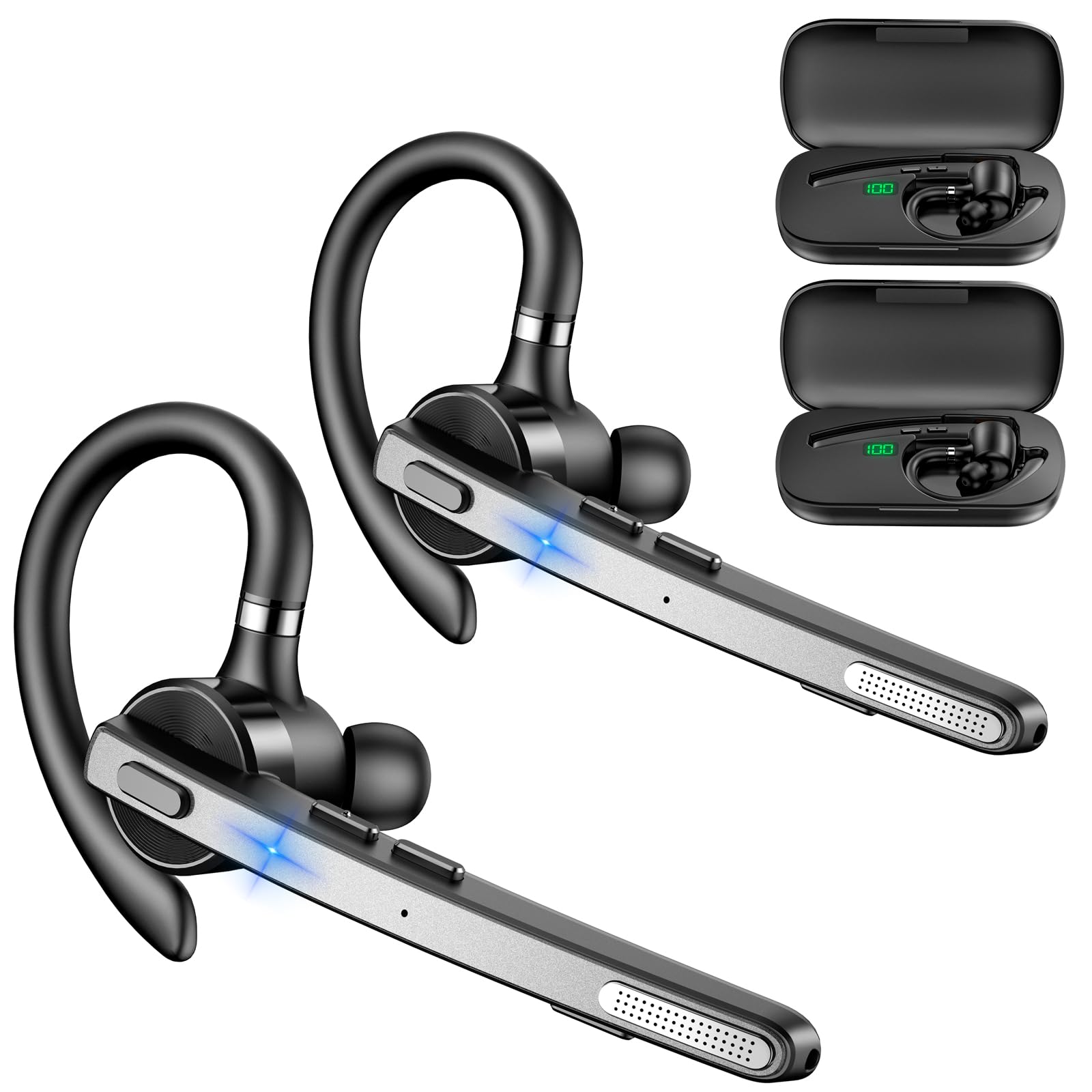
Image: New Bee M53 Bluetooth Headset with its charging case and included ear tips.

Image: Diagram illustrating the various buttons and their functions on the New Bee M53 Bluetooth Headset, including power, volume, call control, mute, and Type-C charging port.
Aufstellen
1. Aufladen von Headset und Ladecase
Before first use, fully charge the headset and its charging case. The charging case has a digital display to indicate the remaining power.
- Connect the provided Type-C cable to the charging port on the case and to a USB power source (e.g., computer, wall adapter).
- Legen Sie das Headset in das Ladecase.
- Das vollständige Aufladen dauert ungefähr 2 Stunden.
- The 500mAh charging case provides approximately 72 hours of total playtime for the headset.
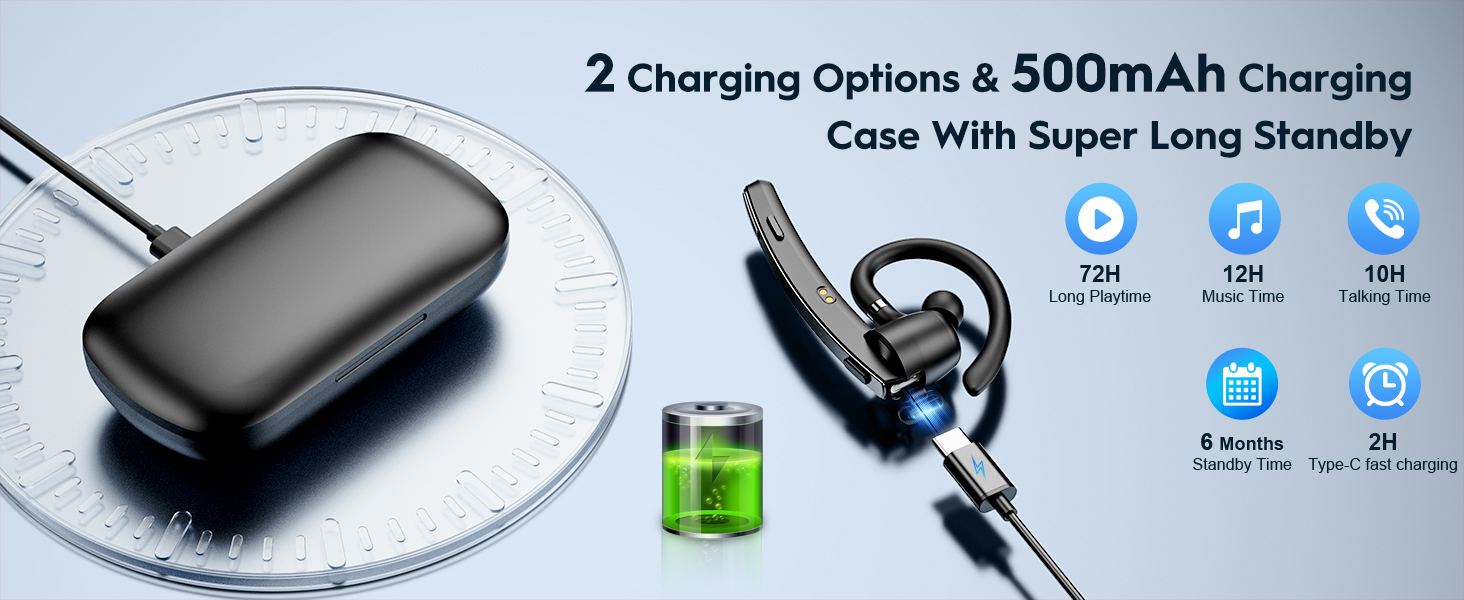
Image: The New Bee M53 charging case displaying battery level, with the headset inside, illustrating its long battery life capabilities.
2. Tragen des Headsets
The headset is designed for comfortable and secure fit. It can be worn on either the left or right ear.
- The flexible ear hook can be rotated 180° to fit either ear.
- The earphone arm can be rotated 270° to adjust the microphone position.
- Choose from the three included ear tip sizes (S, M, L) for the best fit and comfort.
- The headset weighs only 13.6 grams, ensuring comfort during extended wear.
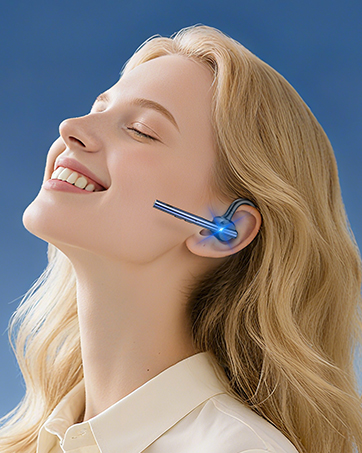
Image: Illustration of the headset's adjustable ear hook for left/right ear use and the three available ear tip sizes (S, M, L).
3. Bluetooth-Kopplung
The headset uses Bluetooth 5.1 technology for quick and stable connections.
- Stellen Sie sicher, dass das Headset geladen und ausgeschaltet ist.
- Halten Sie die Ein-/Aus-Taste 3-5 Sekunden lang gedrückt, bis die Kontrollleuchte blau und rot blinkt. Dies signalisiert den Kopplungsmodus.
- Aktivieren Sie auf Ihrem Gerät (Smartphone, Laptop usw.) Bluetooth und suchen Sie nach verfügbaren Geräten.
- Wählen Sie „M53“ aus der Geräteliste aus.
- Sobald die Verbindung hergestellt ist, blinkt die Kontrollleuchte langsam blau.
The headset supports connecting to two devices simultaneously within a 15-meter (49 feet) range.

Image: The headset shown connecting to a mobile phone, demonstrating Bluetooth 5.1 quick connection and dual device capability.
Bedienungsanleitung
Grundfunktionen
- Ein-/Ausschalten: Press and hold the Power button for 3 seconds to power on, 5 seconds to power off.
- Abspielen/Pause: Drücken Sie einmal die Play/Pause-Taste.
- Lautstärkeregelung: Verwenden Sie die Lautstärketasten +/-, um die Lautstärke anzupassen.
- Nächstes/vorheriges Lied: Press and hold Volume + for next song, Volume - for previous song (3 seconds).
Anruf-Management
- Anruf annehmen/auflegen: Drücken Sie einmal die Taste „Annehmen/Auflegen“.
- Anruf ablehnen: Die Taste „Annehmen/Auflegen“ 2 Sekunden lang gedrückt halten.
- Wahlwiederholung letzte Nummer: Double-press the Answer/Hang Up button.
- Mikrofon stumm: Press the Mic Mute button once during a call to mute/unmute the microphone.
The headset features dual-mic noise reduction and CVC8.0 technology for clear calls by reducing ambient noise and echo.

Image: Illustration of the headset's one-button call answering and mute features for hands-free communication.

Image: Visual representation of the dual-mic noise cancelling technology, showing how external background noise is reduced for clear calls.
Wartung
To ensure the longevity and optimal performance of your New Bee M53 Bluetooth Headset, follow these maintenance guidelines:
- Reinigung: Use a soft, dry, lint-free cloth to clean the headset and charging case. Do not use abrasive cleaners, solvents, or aerosol sprays.
- Lagerung: Store the headset in its charging case when not in use to protect it from dust and damage. Avoid extreme temperatures.
- Wassereinwirkung: The headset is not waterproof. Avoid exposure to water, moisture, or excessive humidity.
- Laden: Always use the provided Type-C cable for charging. Do not attempt to disassemble or modify the device.
Fehlerbehebung
Sollten Sie Probleme mit Ihrem Headset haben, beachten Sie bitte die folgenden gängigen Lösungsansätze:
| Problem | Lösung |
|---|---|
| Das Headset lässt sich nicht einschalten. | Ensure the headset is fully charged. Place it in the charging case and connect the case to a power source. |
| Kopplung mit dem Gerät nicht möglich. |
|
| Kein Ton oder geringe Lautstärke. |
|
| Die Gesprächsqualität ist schlecht. |
|
Technische Daten
| Besonderheit | Detail |
|---|---|
| Modellname | M53 |
| Bluetooth-Version | 5.1 |
| Bluetooth-Reichweite | Bis zu 15 Meter (49 Fuß) |
| Battery Life (Talktime/Music) | Ca. 12 Stunden pro Ladung |
| Gesamtspielzeit mit Ladecase | Bis zu 72 Stunden |
| Kapazität des Ladegehäuses | 500 mAh |
| Ladezeit | Ungefähr 2 Stunden (Typ-C) |
| Gewicht | 13.6 grams (earpiece) |
| Lärmschutz | Dual-Mic Noise Reduction, CVC8.0 |
| Kompatibilität | iOS, Android, Windows (Cellphones, Laptops, Desktops) |
| Steuerungstyp | Tastensteuerung |

Image: The headset demonstrating its wide compatibility with devices such as tablets, cellphones, laptops, PCs, and Kindles.
Garantie und Support
New Bee provides a 3-year customer support service for this product. If you encounter any issues or have questions, please contact our customer support team. Refer to the contact information provided with your purchase or visit the official New Bee webWebsite für Unterstützung.
Bitte bewahren Sie im Garantiefall Ihren Kaufbeleg auf.