
1. Einleitung
This manual provides detailed instructions for the safe operation and maintenance of your AXNEN GT8 Mini Drone. The GT8 is a foldable quadcopter equipped with a 4K HD camera, brushless motors, and a remote control with a built-in 4.3-inch LCD screen for real-time image transmission. It features various flight modes and intelligent functions designed for both beginners and experienced users.

Image: The AXNEN GT8 Mini Drone with its remote control, featuring an integrated LCD screen for direct viewing of flight footage.
Bitte lesen Sie diese Bedienungsanleitung sorgfältig durch, bevor Sie die Drohne in Betrieb nehmen, um eine ordnungsgemäße Verwendung zu gewährleisten und Schäden oder Verletzungen zu vermeiden.
2. Sicherheitshinweise
- Flugumgebung: Operate the drone in open, clear areas, away from people, buildings, trees, and power lines. Avoid flying in strong winds or adverse weather conditions.
- Batteriesicherheit: Use only the provided batteries and charger. Do not overcharge or puncture batteries. Discontinue use if batteries show signs of damage or swelling.
- Propellersicherheit: Keep hands, face, and loose clothing away from rotating propellers. Ensure propellers are correctly installed and undamaged before each flight.
- Betreiberverantwortung: The operator is responsible for safe operation and compliance with local regulations. This drone weighs less than 249 grams and typically does not require FAA registration in the United States, but always check current local regulations.
- Visuelle Sichtlinie: Halten Sie während des Fluges stets Sichtkontakt zur Drohne.
- Wasser und Feuchtigkeit: Drohne und Fernbedienung dürfen weder Wasser noch Feuchtigkeit ausgesetzt werden.
3. Packungsinhalt
Bitte überprüfen Sie, ob alle unten aufgeführten Artikel in Ihrem Paket enthalten sind:
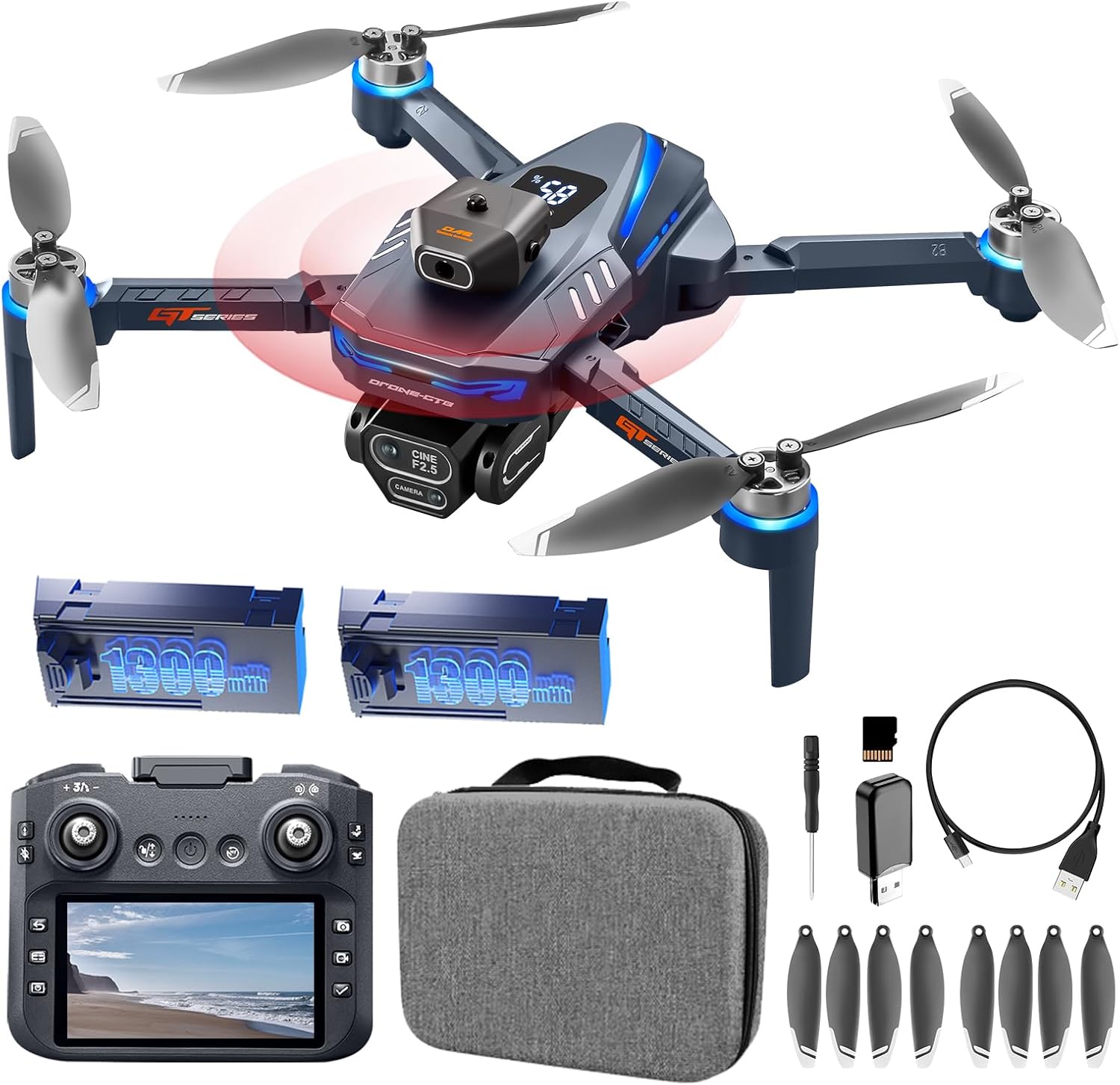
Image: All components included in the AXNEN GT8 Mini Drone package, laid out for inspection.
- AXNEN GT8 Mini Drone x 1
- Remote Control with 4.3" HD LCD Screen x 1
- Rechargeable Drone Batteries (1300mAh) x 2
- 8 Ersatzpropeller
- USB-Ladekabel x 1
- Schraubendreher x 1
- Memory Card (8GB) x 1
- Memory Card Reader x 1
- Tragetasche x 1
- Benutzerhandbuch x 1
4. Einrichtung
4.1. Batterien laden
Ensure both the drone batteries and the remote control are fully charged before first use. Use the provided USB charging cable.
- Schließen Sie den Drohnenakku an das USB-Ladekabel an.
- Connect the USB cable to a suitable USB power adapter (not included).
- Charging indicators will show the charging status. A full charge typically takes approximately 2 hours for the remote control and 1.5-2 hours per drone battery.

Image: Illustration of the drone's high-capacity batteries and brushless motors, highlighting power and efficiency.
4.2. Propellermontage
Falls die Propeller nicht vorinstalliert sind oder ausgetauscht werden müssen:
- Identifizieren Sie den jeweils passenden Propeller für jeden Motor (gekennzeichnet mit A oder B).
- Attach the propeller to the corresponding motor shaft and secure it with the provided screws using the screwdriver.
- Ensure all propellers are firmly attached and rotate freely without obstruction.
4.3. Installation der SD-Karte
Insert the provided 8GB Micro SD card into the drone's camera slot to store photos and videos.

Image: A Micro SD card shown alongside the drone and its remote, indicating its use for media storage.
4.4. Einschalten und Koppeln
- Stellen Sie die Drohne auf eine ebene Fläche.
- Drücken und halten Sie den Ein-/Ausschalter an der Drohne, bis die Kontrollleuchten aufleuchten.
- Turn on the remote control. The remote and drone should automatically pair. The LCD screen on the remote will display the camera feed once connected.
- If the remote defaults to a non-English language, navigate through the settings menu on the remote's LCD screen to select English.

Image: The drone's remote control featuring a 4.3-inch HD LCD screen, showing the live video feed from the drone's camera.
5. Bedienungsanleitung
5.1. Grundlegende Flugsteuerung
- Ein-Tasten-Start/Landung: Drücken Sie die entsprechende Taste auf der Fernbedienung für automatischen Start oder automatische Landung.
- Headless-Modus: Aktiviert einen Modus, in dem die Ausrichtung der Drohne für die Steuerung irrelevant ist, was den Flug für Anfänger vereinfacht.
- Optische Flusspositionierung: Helps the drone maintain a stable hover, especially useful for indoor flight or in areas with minimal wind.

Image: Visual guide demonstrating beginner-friendly features like Optical Flow Hover, One-Key Start/Landing, and Headless Mode.

Image: The drone utilizing Floating Optical Flow technology to maintain a stable position above a grassy field.

Image: The drone performing a one-click takeoff from a designated landing pad, illustrating ease of use.
5.2. Erweiterte Flugfunktionen
- Hindernisvermeidung: The drone is equipped with an obstacle avoidance system that automatically detects and helps prevent collisions.
- 360°-Überschläge: Führe Flugmanöver mit einem einzigen Knopfdruck auf der Fernbedienung aus.
- Wegpunktflug: Plan a custom flight path within the companion application, and the drone will follow the pre-set route.
- Gestensteuerung: Verwenden Sie bestimmte Handgesten, um Foto- oder Videoaufnahmen auszulösen.

Image: The drone navigating through a forest, illustrating its intelligent obstacle avoidance capabilities.

Image: The drone demonstrating its obstacle avoidance feature while flying within a wooded area.

Image: The drone executing a pre-programmed flight path over a scenic river, showcasing the Waypoint Fly feature.

Image: A sequence of images depicting the drone performing a 360-degree flip, highlighting its stunt capabilities.
5.3. Kamerabedienung
The GT8 drone features a 4K HD camera with a 90° wide-angle lens. The lens can be manually tilted 90 degrees for varied perspectives.
- Foto-/Videoaufnahme: Verwenden Sie die dafür vorgesehenen Tasten auf der Fernbedienung, um Fotos aufzunehmen oder die Videoaufnahme zu starten/stoppen.
- EIS Elektronische Bildstabilisierung: This feature enhances image clarity and reduces shake in photos and videos.
- Zoomfunktion: Nutzen Sie die digitale Zoomfunktion für Nahaufnahmen.
- Schönheitsfilter: Apply filters to enhance captured images.
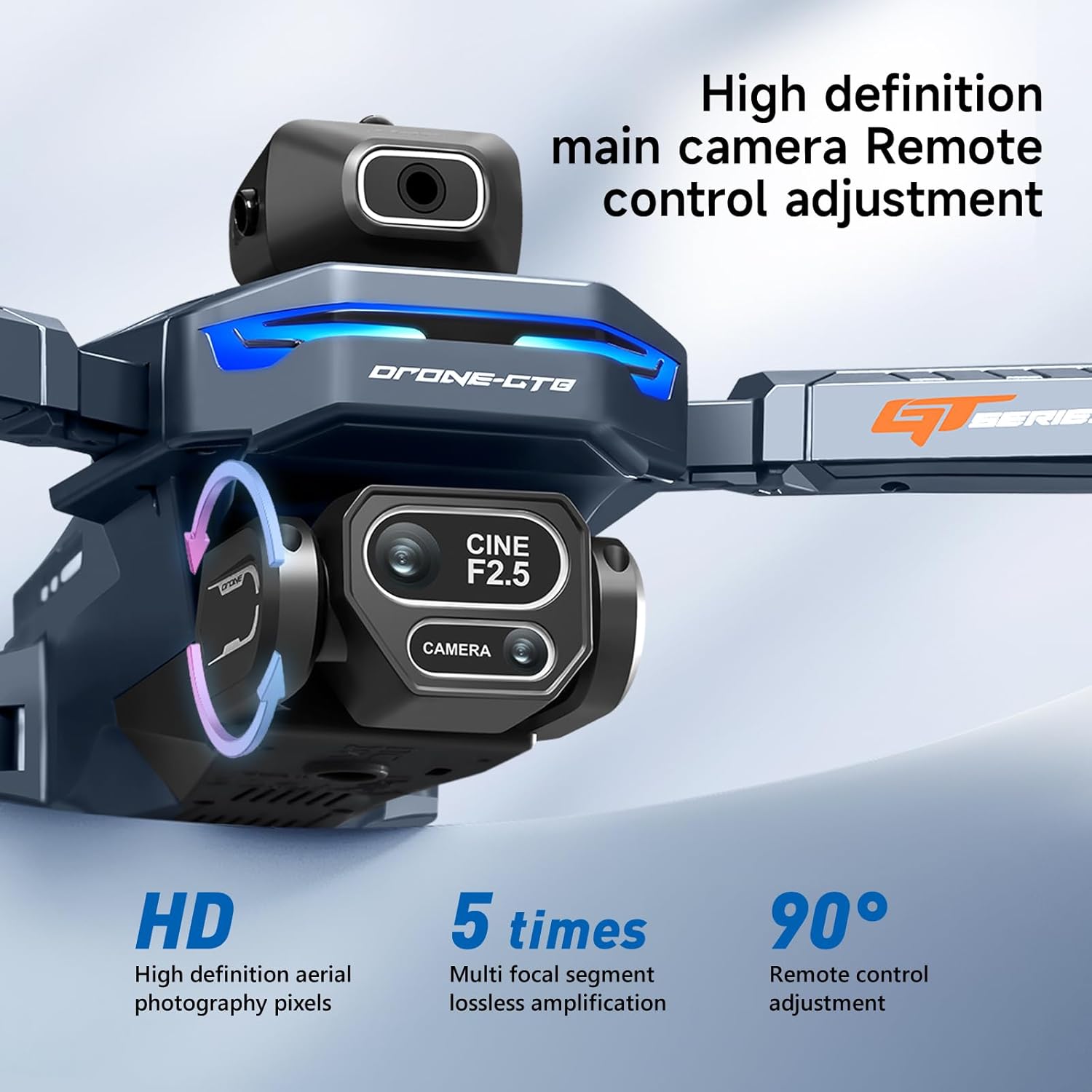
Bild: Eine detaillierte view of the drone's 4K HD camera, highlighting its 90-degree manual tilt capability and high-definition pixels.

Image: A side-by-side comparison demonstrating the effectiveness of EIS Smart Anti-Vibration in producing stable and clear footage.

Image: The drone's 4K HD camera system, indicating its capability for dual camera switching and multiple perspectives.

Bild: Eine Collage zeigtasing various drone features including zoom, beauty filters, gesture photo capture, and waypoint flight.
6. Wartung
- Reinigung: Reinigen Sie Drohne und Fernbedienung mit einem weichen, trockenen Tuch. Vermeiden Sie die Verwendung von Flüssigkeiten oder Lösungsmitteln.
- Propellerinspektion: Überprüfen Sie die Propeller regelmäßig auf Risse, Verbiegungen oder Beschädigungen. Ersetzen Sie beschädigte Propeller umgehend.
- Batteriespeicher: Store batteries in a cool, dry place, partially charged (around 50%) if not used for extended periods.
- Motorpflege: Die bürstenlosen Motoren sind auf Langlebigkeit ausgelegt. Halten Sie sie frei von Staub und Schmutz.

Image: An illustration of the drone's brushless motor, highlighting its internal components and design for improved wind resistance.
7. Fehlerbehebung
| Problem | Mögliche Ursache | Lösung |
|---|---|---|
| Die Drohne hebt nicht ab oder fliegt unberechenbar. |
|
|
| Remote control LCD screen is blank or not displaying video. |
|
|
| Remote control language resets to Chinese. |
|
|
| Schlechte Bild-/Videoqualität. |
|
|
8. Spezifikationen
| Besonderheit | Detail |
|---|---|
| Marke | AXNEN |
| Modellname | GT8 |
| Besonderheit | Faltbar |
| Farbe | Dunkelblau |
| Auflösung der Videoaufnahme | 4K |
| Konnektivitätstechnologie | USB (zum Aufladen) |
| Artikelgewicht | 177 Gramm (6.2 Unzen) |
| Videoaufnahmeformat | MP4 |
| Steuerungstyp | Fernbedienung |
| Material | Plastik |
| Drahtlose Kommunikationstechnologie | 2.4GHz RF |
| Zusammensetzung der Batteriezellen | Lithium-Ionen |
| Batterien im Lieferumfang enthalten | Yes (2 drone batteries, 2 AA for remote) |
| Fernbedienung im Lieferumfang enthalten | Ja |
| Optische Sensorik | Optischer Fluss |
| Technische Daten | 11.22 Zoll L x 10.24 Zoll B x 2.84 Zoll H |
| Flugdauer | Bis zu 30 Minuten (mit zwei Batterien) |
| Remote Screen Size | 4.3 Zoll |
| Übertragungsdistanz | 50m (ca.) |
9. Garantie und Support
For warranty information, technical support, or service inquiries, please refer to the contact details provided on the product packaging or the official AXNEN webBewahren Sie Ihren Kaufbeleg als Kaufnachweis für Garantieansprüche auf.