
1. Produktüberschreitungview
The dbsono Portable Bluetooth Speaker (Model DB A53) is a versatile 2-in-1 device that functions as both a portable Bluetooth speaker and a magnetic phone stand. It features loud sound, TWS (True Wireless Stereo) pairing capability, various dynamic RGB light modes, and is water-resistant for diverse indoor and outdoor use.

Image 1.1: The dbsono Portable Bluetooth Speaker attached to a smartphone, showcasing seine Doppelfunktion.
Hauptmerkmale:
- 2-in-1-Design: Functions as a Bluetooth speaker and a magnetic phone stand.
- Lautes Geräusch: Equipped with a 1.57-inch driver for clear and powerful audio.
- TWS-Verbindung: Pair two speakers for an immersive stereo sound experience.
- Dynamic Light Modes: Features 9 different RGB light modes to enhance ambiance.
- Wasserfest: Die Schutzart IPX5 schützt vor Spritzwasser und Schweiß.
- Tragbar: Kompaktes und leichtes Design für einfaches Tragen.
2. Einrichtung
2.1 Ein-/Ausschalten
- So schalten Sie das Gerät ein: Long-press the power button located on the bottom of the speaker until the LED lights illuminate and you hear an audible prompt.
- So schalten Sie das Gerät aus: Long-press the power button again until the LED lights turn off and you hear an audible prompt.
2.2 Bluetooth-Kopplung
- Ensure the speaker is powered on and in pairing mode (LED lights will be flashing).
- Navigieren Sie auf Ihrem Gerät (Smartphone, Tablet usw.) zu den Bluetooth-Einstellungen.
- Suchen nach available devices and select "DB A53" from the list.
- Once connected, the speaker will provide an audible confirmation, and the LED lights will become solid.
2.3 TWS (True Wireless Stereo) Kopplung
To achieve a richer, louder stereo sound, you can pair two dbsono DB A53 speakers together.
- Power on both dbsono DB A53 speakers.
- Double-tap the power button on one of the speakers. You will hear an alarming sound, followed by a prompt tone indicating successful pairing of the two speakers.
- Turn on your device's Bluetooth and select "DB A53" to connect to the paired speakers.
- You can now enjoy wireless stereo sound from both speakers.
Video 2.1: Demonstrates the steps for connecting two dbsono Bluetooth speakers for TWS stereo sound.
2.4 Phone Stand Attachment
The speaker can attach magnetically to your phone, serving as a convenient stand.
For iPhone 12/13/14/15/16 Series and MagSafe Covers:
These devices have built-in magnetic capabilities and do not require a metal ring. Simply align the speaker with the back of your phone or MagSafe case, and it will snap into place.
Video 2.2: Shows how to directly attach the speaker to an iPhone 12 or later, or a MagSafe case.
For Other Mobile Phones & Phone Cases:
A metal ring (included in the package) is required for magnetic attachment.
- Clean the back surface of your phone case where you intend to attach the metal ring.
- Ziehen Sie die Schutzfolie von der Klebeseite des Metallrings ab.
- Carefully center and firmly press the metal ring onto the back of your phone case. Ensure it is securely attached.
- Once the metal ring is in place, the speaker can be magnetically attached to it.
Video 2.3: Illustrates the operating steps for attaching the metal ring to a phone case for magnetic speaker use.

Image 2.1: Visual guide for direct magnetic attachment (iPhone 12+) and using the metal ring (other phones).
3. Bedienungsanleitung
3.1 Audio wiedergeben
Once connected via Bluetooth, audio from your device will automatically play through the dbsono speaker. Use your connected device to control playback (play/pause, skip tracks) and volume.
3.2 Adjusting Light Modes
The speaker features 9 different dynamic RGB light modes. To cycle through these modes, short-press the Light button located on the speaker. The lights will change with each press, allowing you to select your preferred effect.
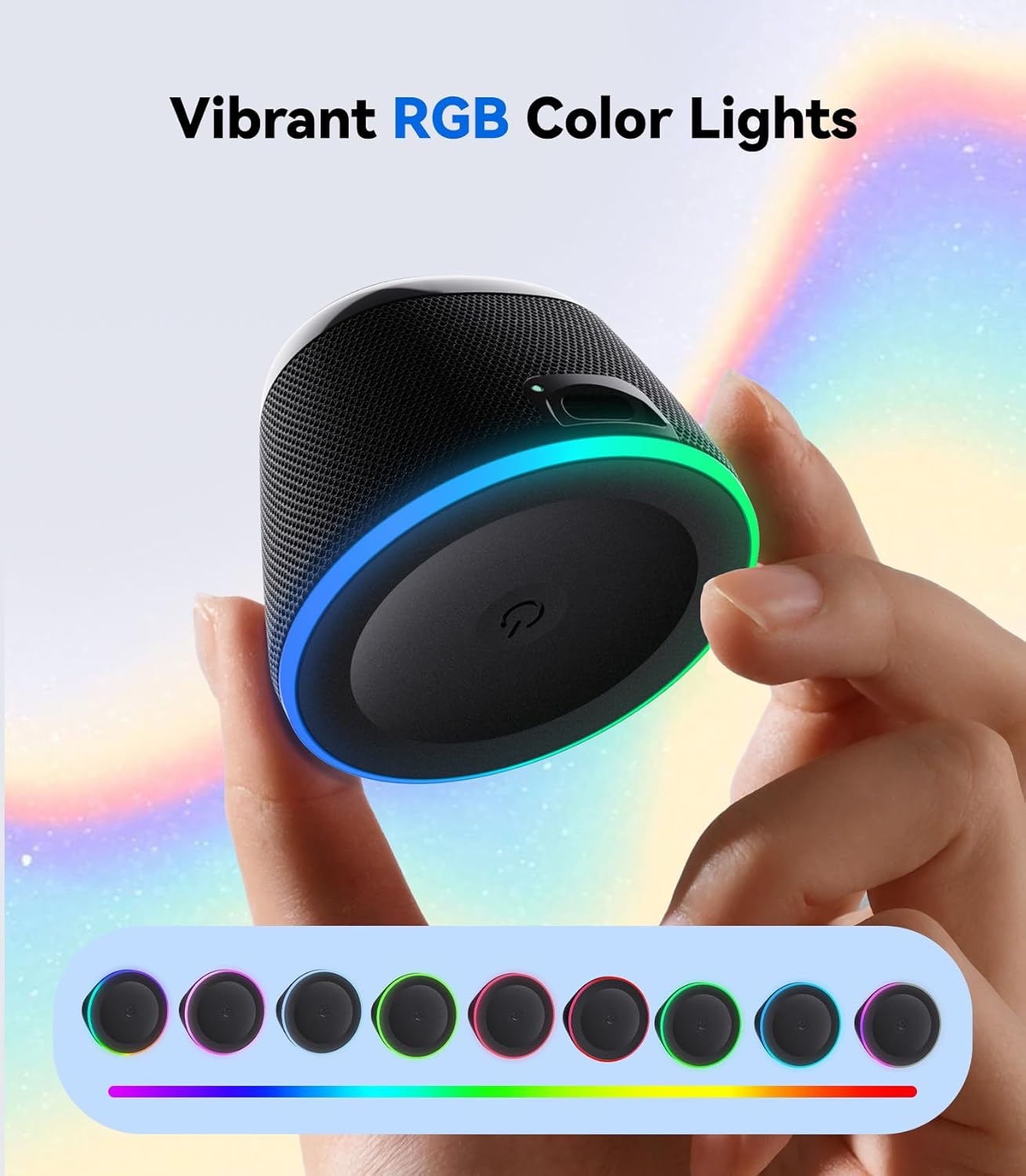
Image 3.1: The dbsono speaker displaying its vibrant RGB color lights.
3.3 Verwendung als Handyhalterung
With the speaker magnetically attached to your phone (either directly or via the metal ring), you can position your phone for hands-free viewing of videos, video calls, or simply to keep it upright while listening to music.
4. Wartung
- Reinigung: Reinigen Sie den Lautsprecher mit einem weichen, trockenen Tuch. Verwenden Sie keine scharfen Chemikalien oder Scheuermittel.
- Wasserbeständigkeit: The speaker has an IPX5 water-resistant rating, meaning it can withstand splashes and light rain. However, it is not designed for submersion in water. Ensure the USB port is fully dry before charging after exposure to moisture.
- Lagerung: Bewahren Sie den Lautsprecher an einem kühlen, trockenen Ort fern von direkter Sonneneinstrahlung und extremen Temperaturen auf.
- Laden: Use the provided power cable for charging. A wall charger is not included.

Image 4.1: The dbsono speaker demonstrating its water-resistant and splashproof capabilities.
5. Fehlerbehebung
- Der Lautsprecher lässt sich nicht einschalten: Ensure the battery is charged. Connect the speaker to a power source using the provided USB cable.
- Kopplung via Bluetooth nicht möglich:
- Stellen Sie sicher, dass sich der Lautsprecher im Kopplungsmodus befindet (blinkende LED).
- Stellen Sie sicher, dass Bluetooth auf Ihrem Gerät aktiviert ist und sich in Reichweite befindet (typischerweise 10 Meter).
- Forget/remove "DB A53" from your device's Bluetooth list and try pairing again.
- Starten Sie sowohl den Lautsprecher als auch Ihr Gerät neu.
- Kein Ton oder geringe Lautstärke:
- Überprüfen Sie die Lautstärke sowohl am Lautsprecher als auch an Ihrem angeschlossenen Gerät.
- Ensure the speaker is properly connected to your device via Bluetooth.
- TWS-Kopplungsprobleme:
- Ensure both speakers are fully charged and powered on.
- Repeat the TWS pairing steps carefully (double-tap power button on one speaker).
- Trennen Sie vor dem TWS-Pairing alle bestehenden Bluetooth-Verbindungen beider Lautsprecher.
- Die magnetische Haftung ist schwach:
- For non-MagSafe phones, ensure the metal ring is securely and correctly attached to your phone case.
- Avoid using overly thick phone cases that might interfere with magnetic strength.
6. Spezifikationen
| Besonderheit | Detail |
|---|---|
| Modellname | DB A53 |
| Marke | dbsono |
| Technische Daten | 2.36"T x 2.36"B x 4.5"H |
| Artikelgewicht | 3.04 Unzen (0.19 Pfund) |
| Material | Standalone Speaker |
| Konnektivitätstechnologie | Bluetooth 5.3 |
| Lautsprechertyp | Im Freien (auch für Innenräume geeignet) |
| Besonderheit | Wasserdicht (IPX5) |
| Kompatible Geräte | Laptop, Smartphone, Tablet, Fernseher |
| Maximale Lautsprecherausgangsleistung | 5 Watt |
| Größe des Audiotreibers | 40 Millimeter |
| Stromquelle | Batteriebetrieben (1 C-Batterie im Lieferumfang enthalten) |
| Kontrollmethode | Berühren |
7. Lieferumfang

Image 7.1: Visual representation of the items included in the dbsono speaker package.
- Mini Speaker (dbsono DB A53)
- Power Cable (Type-C Charging Cable)
- Kurzanleitung
- Metal Ring (x2)
- Benutzerhandbuch (dieses Dokument)
Hinweis: Das Netzteil ist nicht im Lieferumfang enthalten.
8. Garantie und Support
8.1 Garantieinformationen
This product comes with a Limited Warranty. Please refer to the Quick Start Guide or contact customer support for specific details regarding warranty coverage and duration.
8.2 Kundendienst
For any questions, technical assistance, or warranty claims, please contact dbsono customer support through the official channels provided in your product packaging or on the dbsono webWebsite.