
1. Einleitung
Thank you for choosing the xinwld H9 Wireless Earbuds. These earbuds are designed to provide a high-quality audio experience with advanced features for active lifestyles. This manual provides detailed instructions for setup, operation, maintenance, and troubleshooting to ensure optimal performance and longevity of your device.
2. Lieferumfang
- xinwld H9 Wireless Earbuds (Left and Right)
- Ladeetui
- USB-C-Ladekabel
- Silikon-Ohrstöpsel (Größen S/M/L)
- Bedienungsanleitung
3. Produktüberschreitungview
The xinwld H9 Wireless Earbuds feature Bluetooth 5.4 technology for stable connectivity and low latency. They are equipped with Environmental Noise Cancelling (ENC) microphones for clear calls and a 14.2mm dynamic driver for immersive sound. The ergonomic design with earhooks ensures a secure fit, and IP7 waterproofing provides protection against sweat and rain.
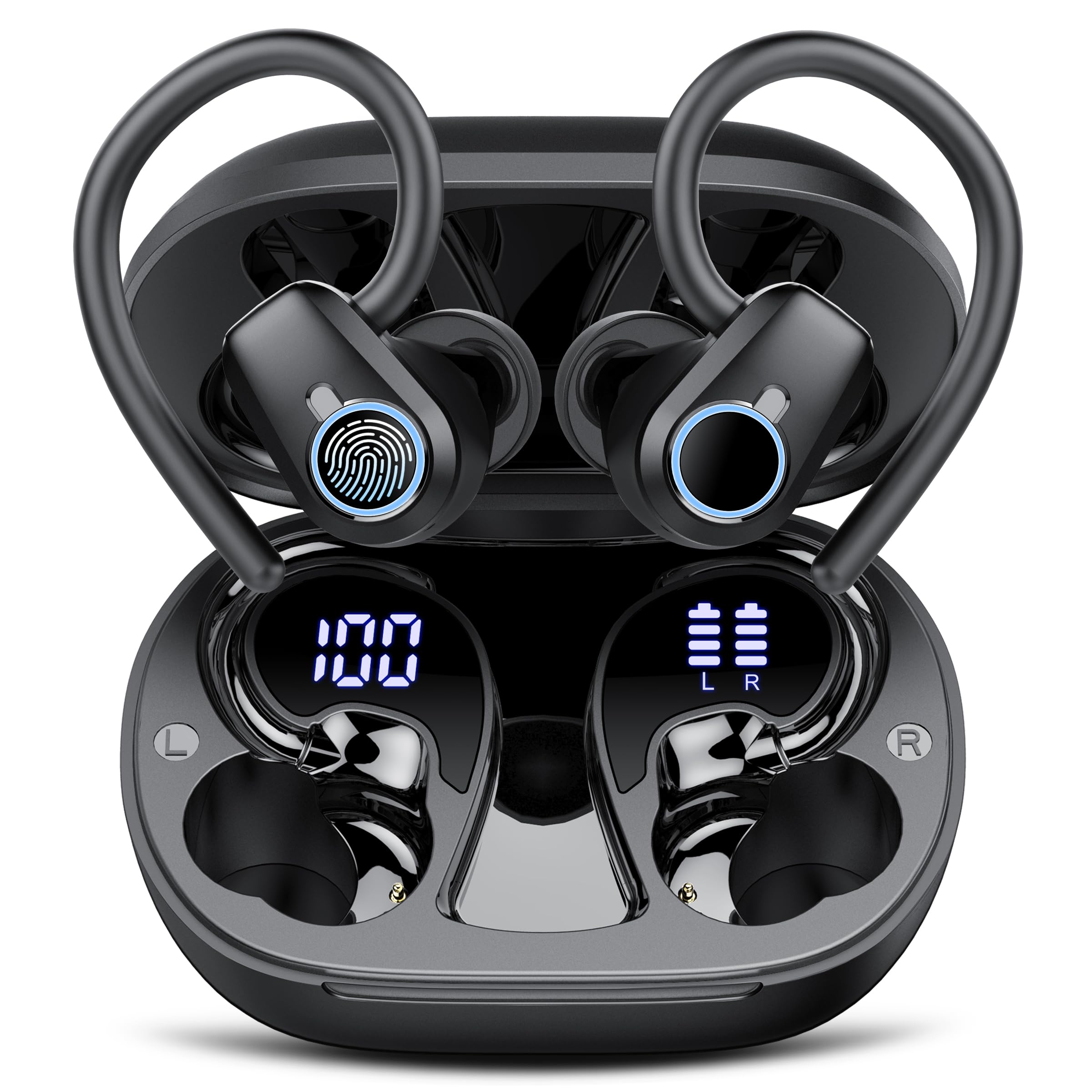
Image: xinwld H9 Wireless Earbuds and their charging case, showcasing das elegante schwarze Design.
4. Einrichtung
4.1 Erstaufladung
Before first use, fully charge the earbuds and the charging case. Connect the provided USB-C cable to the charging port on the case and to a compatible USB power source. The dual LED display on the charging case will indicate the battery levels of both the case and the individual earbuds.

Abbildung: Das Ladecase mit den Ohrhörern darin, Anzeige des Akkustands in Prozenttages for the case and each earbud on its LED screen.
4.2 Auswahl und Passform der Ohrstöpsel
Select the ear tips (S/M/L) that provide the most comfortable and secure fit for your ears. The ergonomic design with 45° TPU elastic ear hooks ensures stability, especially during physical activity. Gently place the earbud into your ear canal and adjust the ear hook over your ear until it feels secure.

Image: Diagram illustrating the ergonomic design of the earbuds with earhooks and showing the three included sizes (S, M, L) of silicone ear tips.
5. Bedienungsanleitung
5.1 Ein-/Ausschalten
Die Ohrhörer schalten sich automatisch ein, wenn sie aus dem Ladecase genommen werden, und schalten sich aus, wenn sie wieder in das Case eingesetzt und der Deckel geschlossen wird.
5.2 Bluetooth-Kopplung
The earbuds feature one-step pairing. Open the charging case, and the earbuds will automatically enter pairing mode. On your device (smartphone, tablet, laptop), enable Bluetooth and select "xinwld H9" from the list of available devices. Once connected, the earbuds will automatically reconnect to the last paired device when removed from the case.

Image: A visual representation of the one-step pairing process, showing the open charging case with earbuds and a smartphone displaying Bluetooth connection options.
5.3 Intelligente Touch-Bedienelemente
The earbuds are equipped with highly sensitive smart touch controls:
- Musik abspielen/pausieren: Tippen Sie einmal auf einen der Ohrhörer.
- Lautstärke anpassen: Tap and hold the right earbud to increase volume, tap and hold the left earbud to decrease volume.
- Anruf annehmen/beenden: Tippen Sie einmal auf einen der Ohrhörer.
- Anruf ablehnen: Tippen Sie zweimal auf einen der Ohrhörer.
- Nächster Titel: Tippen Sie zweimal auf den rechten Ohrhörer.
- Vorheriges Lied: Tippen Sie zweimal auf den linken Ohrhörer.
- Sprachassistenten aktivieren: Dreimaliges Tippen auf einen der Ohrhörer.
5.4 Environmental Noise Cancelling (ENC)
The 4-microphone array with advanced ENC technology effectively filters out background noise during calls, providing clear voice transmission comparable to face-to-face conversations.
5.5 IP7 Wasserdichtigkeitsklasse
The earbuds are IP7 waterproof, protecting them from sweat and rain splashes. This makes them suitable for sports and outdoor activities. Avoid submerging the earbuds in water for extended periods.

Image: The xinwld H9 earbuds shown with water droplets, illustrating their IP7 waterproof capability against rain and sweat.
6. Wartung
- Reinigung: Reinigen Sie die Ohrhörer und das Ladecase regelmäßig mit einem weichen, trockenen und fusselfreien Tuch. Verwenden Sie keine scharfen Chemikalien oder Scheuermittel.
- Ohrtipps: Reinigen Sie die Silikon-Ohrstöpsel regelmäßig mit milder Seife und Wasser. Stellen Sie sicher, dass sie vollständig trocken sind, bevor Sie sie wieder anbringen.
- Lagerung: Bewahren Sie die Ohrhörer bei Nichtgebrauch im Ladecase auf, um sie zu schützen und geladen zu halten. Vermeiden Sie extreme Temperaturen.
- Ladeanschluss: Halten Sie den USB-C-Ladeanschluss frei von Staub und Schmutz.
7. Fehlerbehebung
| Ausgabe | Mögliche Lösung |
|---|---|
| Ohrhörer lassen sich nicht koppeln | Ensure earbuds are charged. Place them back in the case, close the lid, then open to re-enter pairing mode. Forget the device on your phone's Bluetooth settings and try pairing again. |
| Kein Ton von einem Ohrhörer | Check battery level of both earbuds. Try resetting the earbuds (refer to specific reset instructions if available, otherwise re-pair). |
| Ladeetui lädt nicht | Vergewissern Sie sich, dass das USB-C-Kabel fest mit dem Gehäuse und der Stromquelle verbunden ist. Versuchen Sie es gegebenenfalls mit einem anderen Kabel oder Netzteil. |
| Schlechte Tonqualität | Ensure ear tips provide a good seal. Clean earbuds to remove any debris blocking the speaker. Move closer to your paired device to avoid interference. |
| Die Ohrhörer fallen leicht heraus | Try different sizes of silicone ear tips. Adjust the ear hooks for a more secure fit. |
8. Spezifikationen
- Marke: xinwld
- Modellnummer: H9
- Konnektivitätstechnologie: Kabellos (Bluetooth 5.4)
- Bluetooth-Reichweite: 15 Meter
- Ohrplatzierung: In-Ear-Kopfhörer mit Ohrhaken
- Geräuschpegelkontrolle: Umgebungsgeräuschunterdrückung (ENC)
- Audiotreibertyp: Dynamischer Treiber (14.2 mm)
- Frequenzbereich: 18 Hz – 25 kHz
- Akkulaufzeit (Ohrhörer): Up to 8 hours (continuous playback)
- Gesamtspielzeit (mit Ladecase): Bis zu 50 Stunden
- Akkuladezeit: 2 hours (for case and earbuds)
- Wasserbeständigkeit: IP7 Wasserdicht
- Kompatible Geräte: Smartphones, Tablets, Laptops, Gaming Consoles, Desktops (Android 4.4+, iOS 8.0+, Bluetooth 4.0+)
- Material: Silikon (Ohrstöpsel)

Image: Diagram illustrating Bluetooth technology, highlighting stable signal transmission and a 15-meter range.

Abbildung: Explosionszeichnung view diagram of the earbud's internal components, emphasizing the 14.2mm dynamic driver for Hi-Fi stereo sound and bass performance.
9. Garantie und Support
The product comes with a manufacturer's warranty. For specific warranty details, please refer to the documentation included with your purchase or contact xinwld customer support. For technical assistance or further inquiries, please visit the official xinwld webWebsite oder wenden Sie sich an das Kundendienstteam.
Online-Hilfe: Visit the xinwld Store on Amazon