
Einführung
This manual provides detailed instructions for the setup, operation, and maintenance of your COLMI P86 Smartwatch. Please read this guide thoroughly to ensure proper use and to maximize your device's features.
Lieferumfang
Beim Öffnen der Verpackung Ihrer COLMI P86 Smartwatch sollten Sie folgende Artikel vorfinden:
- COLMI P86 Smartwatch with Band
- Ladekabel
- Benutzerhandbuch (dieses Dokument)

Image: Contents of the COLMI P86 Smartwatch package, showing the smartwatch, charging cable, and user manual.
Aufstellen
1. Aufladen der Smartwatch
Before initial use, fully charge your COLMI P86 Smartwatch. Connect the provided magnetic charging cable to the charging contacts on the back of the watch and to a USB power source. A full charge typically takes approximately 2 hours.

Image: The COLMI P86 Smartwatch connected to its magnetic charging cable, displaying "Charging..." on the screen. Information on charging time and battery life is also shown.
The 400mAh battery provides 5-7 days of battery life under normal use and up to 30 days of standby time.
2. App-Installation und -Kopplung
- Laden Sie die App herunter: Scan the QR code provided in the quick start guide or search for the official COLMI app in your smartphone's app store (compatible with Android and iPhone).
- Benutzerkonto erstellen: Folgen Sie den Anweisungen auf dem Bildschirm, um ein Konto zu erstellen und Ihr Pro-Konto einzurichten.file.
- Paarung:
- Stellen Sie sicher, dass Bluetooth auf Ihrem Smartphone aktiviert ist.
- Open the COLMI app and navigate to the device pairing section.
- Select your COLMI P86 from the list of available devices.
- Bestätigen Sie die Kopplungsanfrage sowohl auf Ihrem Smartphone als auch auf der Smartwatch.
- Fehlerbehebung beim Koppeln: If you encounter issues pairing, try deleting the app from your phone, restarting your phone and watch, and then reinstalling the app and rescanning the QR code for pairing.
Bedienungsanleitung
1. Grundlegende Navigation
The COLMI P86 Smartwatch features a touch-sensitive AMOLED screen and a rotating crown for navigation.
- Touch-Screen: Wischen Sie nach links, rechts, oben oder unten, um auf verschiedene Menüs und Funktionen zuzugreifen. Tippen Sie, um Elemente auszuwählen.
- Drehbare Krone: Press the crown to wake/sleep the device or return to the watch face. Rotate the crown to scroll through menus or change watch faces.

Bild: Eine detaillierte view of the COLMI P86 smartwatch highlighting the delicate rotating crown for innovative interaction and the curved AMOLED screen with 1.93-inch 368x448 resolution.
2. Display und Zifferblätter
The smartwatch features a 1.93-inch curved AMOLED screen with 368x448 resolution, offering clear visuals.
- Zifferblätter ändern: Long-press the watch face on the screen or use the rotating crown to browse and select from hundreds of available watch faces. More options are available through the companion app.
- Immer zu sehen: This feature allows the smartwatch to continuously display essential information like time without requiring manual screen activation.

Image: The COLMI P86 Smartwatch showcasing its Always On Display functionality, which keeps information visible without needing to manually light up the screen.

Image: A selection of over 100 watch faces available for the COLMI P86 Smartwatch, including dynamic dials and options for DIY customization via the app.
3. Bluetooth-Anrufe
The COLMI P86 supports Bluetooth calling, allowing you to make, answer, and end calls directly from your wrist. It features a built-in microphone and speaker for clear audio.
- Ensure your smartwatch is connected to your smartphone via Bluetooth.
- Access the call function from the watch menu to dial or answer incoming calls.

Image: The COLMI P86 Smartwatch showing its Bluetooth calling capability with an incoming call notification, alongside message display and icons for microphone, call, dial pad, and speaker.
4. Gesundheitsüberwachung
The smartwatch provides comprehensive health monitoring features, including heart rate, blood oxygen, and sleep tracking.
- Herzfrequenz-Überwachung: The 8-channel heart rate sensor continuously monitors your heart rate, providing timely reminders for irregular heart rates.
- Blutsauerstoffüberwachung (SpO2): Measure your blood oxygen levels directly from the watch.
- Schlafüberwachung: The watch analyzes your sleep quality, providing insights into your sleep patterns.
- Stresstest: Achten Sie auf Ihren Stresspegel.

Image: The COLMI P86 Smartwatch highlighting its high-precision sensors for accurate vital sign monitoring, including an 8-channel heart rate sensor and blood oxygen sensor. Displays for sleep monitoring, blood oxygen, and stress testing are also shown.
Note: The health monitoring features are for reference only and should not be used for medical diagnosis or treatment. Consult a medical professional for health concerns.
5. Exercise Tracking
The COLMI P86 offers over 100 exercise modes for both indoor and outdoor activities. It records exercise time, steps, and calories burned.
- Wählen Sie vor Beginn einer Aktivität den gewünschten Sportmodus im Menü der Uhr aus.
- The watch will automatically track relevant data.
- Review your exercise data in the companion app for detailed analysis.
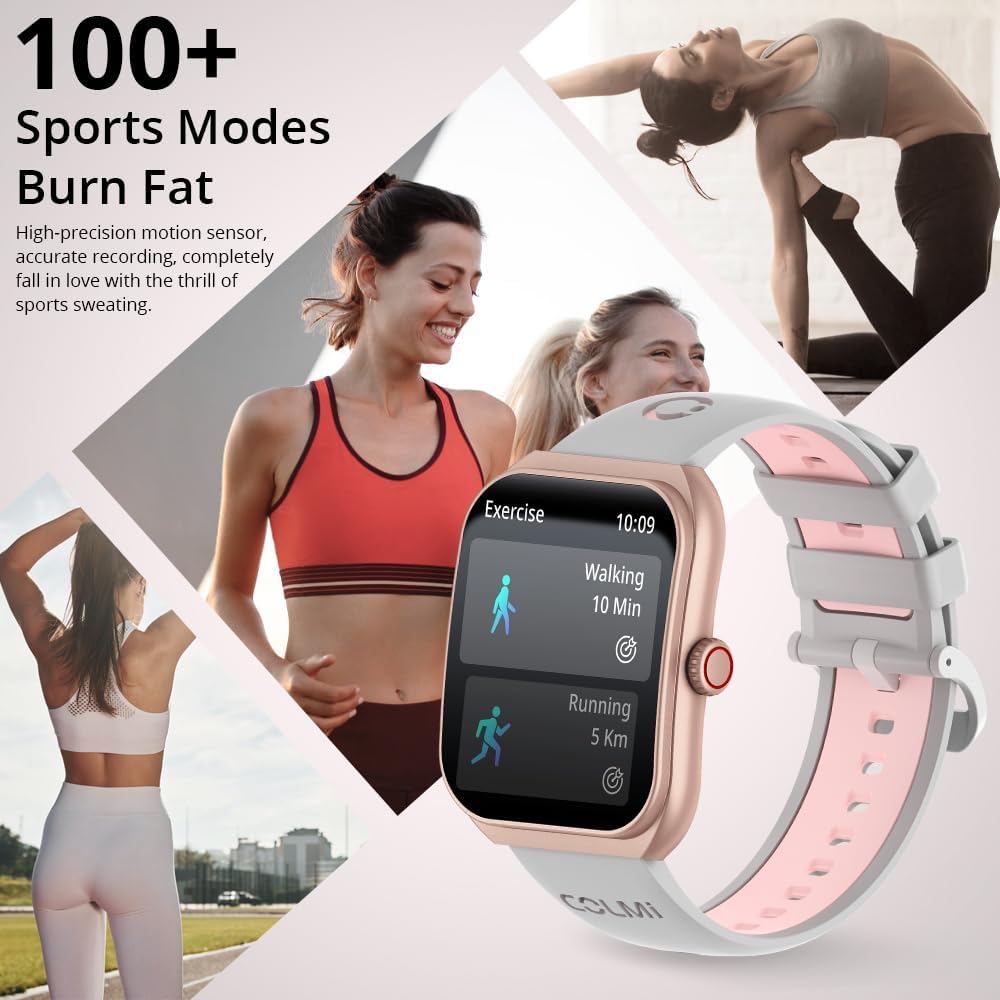
Image: The COLMI P86 Smartwatch showcasing its support for over 100 sports modes, with a display showing walking and running exercise data. Various fitness activities are depicted in the background.
6. Benachrichtigungen
Receive notifications for calls, messages, and other app alerts directly on your smartwatch. Ensure notification permissions are enabled in the companion app and your phone settings.
Wartung
1. Reinigung
- Reinigen Sie den Bildschirm und das Gehäuse der Uhr mit einem weichen, fusselfreien Tuch.
- For the watch band, use a mild soap solution and rinse thoroughly, then dry completely before wearing.
- Vermeiden Sie die Verwendung aggressiver Chemikalien oder Scheuermittel.
2. Wasserbeständigkeit
The COLMI P86 Smartwatch has a 1ATM water resistance rating, meaning it is resistant to splashes and brief immersion. It is suitable for daily use and light rain.
Wichtig: Do not wear the watch while swimming, showering, or in saunas, as steam and hot water can compromise the water seal. Avoid pressing buttons underwater.
Fehlerbehebung
- Uhr schaltet sich nicht ein: Stellen Sie sicher, dass die Uhr vollständig aufgeladen ist. Schließen Sie sie für mindestens 30 Minuten an das Ladegerät an.
- Kopplung mit Smartphone nicht möglich:
- Stellen Sie sicher, dass Bluetooth auf Ihrem Telefon aktiviert ist und die Uhr auffindbar ist.
- Versuchen Sie, sowohl Ihr Smartphone als auch Ihre Smartwatch neu zu starten.
- If issues persist, uninstall the COLMI app, restart your phone, and then reinstall the app and attempt pairing again.
- Benachrichtigungen werden nicht angezeigt:
- Check app permissions on your smartphone to ensure the COLMI app has access to notifications.
- Verify that notification settings are enabled within the COLMI app for specific applications.
- Stellen Sie sicher, dass die Uhr ordnungsgemäß über Bluetooth verbunden ist.
- Ungenaue Schrittzählung: Achten Sie darauf, dass die Uhr eng am Handgelenk sitzt. Kalibrieren Sie die Schrittzählung gegebenenfalls in der App.
- Kurze Akkulaufzeit:
- Reduzieren Sie die Bildschirmhelligkeit.
- Disable "Always On Display" if not needed.
- Limit frequent heart rate or blood oxygen monitoring.
- Stellen Sie sicher, dass keine Hintergrund-Apps übermäßig viel Strom verbrauchen.
Technische Daten
| Besonderheit | Detail |
|---|---|
| Modellnummer | COLMI P86 |
| Bildschirmgröße | 1.93 Zoll |
| Anzeigetyp | AMOLED, Curved Screen |
| Auflösung | 368 x 448 |
| Batteriekapazität | 400mAh (0.4 Amp Std) |
| Akkulaufzeit (Normaler Gebrauch) | 5-7 Tage |
| Standby-Zeit | Bis zu 30 Tage |
| Konnektivität | Bluetooth |
| Betriebssystemkompatibilität | Android, iPhone |
| Speicherkapazität | 128 MB |
| Artikelgewicht | 100 Gramm (3.53 Unzen) |
| Wasserbeständigkeit | 1ATM (Splash resistant) |
| Besondere Merkmale | AMOLED, Bluetooth calling, Curved screen, Heart Rate/Blood Oxygen/Sleep Monitoring, 100+ Exercise Modes |
Garantie und Support
COLMI provides professional after-sales service for your P86 Smartwatch. If you have any questions regarding the use or quality of your product, please contact our customer support team.
For support, please refer to the contact information provided with your purchase or visit the official COLMI webWebsite. Bewahren Sie Ihren Kaufbeleg für Garantieansprüche auf.