
1. Produktüberschreitungview
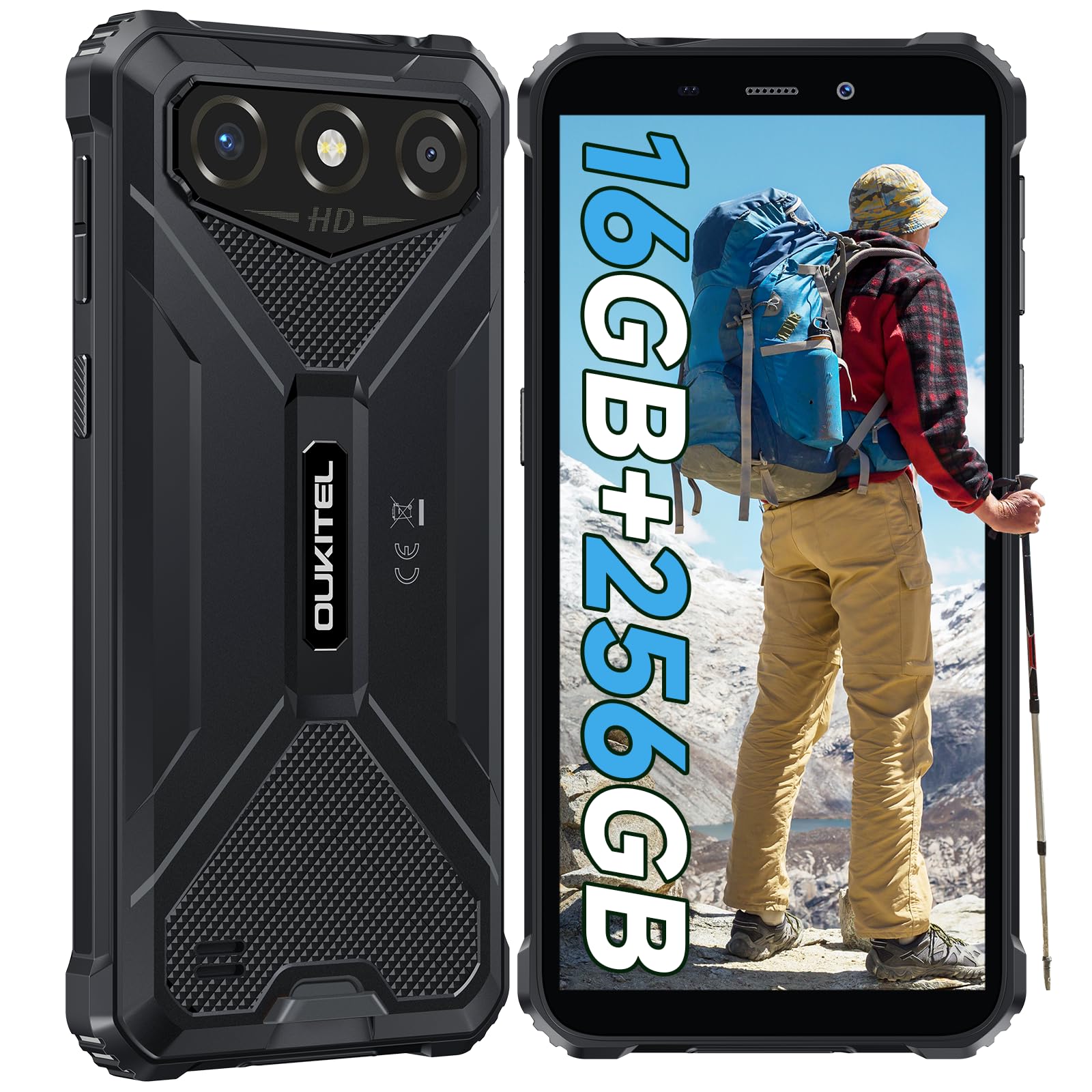
The OUKITEL G3 is a rugged smartphone designed for durability and performance in challenging environments. It features a 6.0-inch HD display, a 6300mAh battery, 16GB RAM (expandable), 256GB ROM (expandable to 1TB), and a 13MP main camera. The device is certified with IP68, IP69K, and MIL-STD-810H ratings, ensuring resistance to water, dust, and drops. It operates on Android 14 and supports 4G Dual SIM, GPS, Face ID, and OTG functionality.
2. Packungsinhalt
Überprüfen Sie, ob alle Artikel in Ihrem Paket vorhanden sind:
- 1x OUKITEL G3 Smartphone
- 1x Ladegerät
- 1x Typ-C Kabel
- 1x SIM-Karten-Auswurfstift
- 1x Benutzerhandbuch

3. Ersteinrichtung
3.1. Einlegen der SIM-Karte und der TF-Karte
- Suchen Sie das SIM-Kartenfach an der Seite des Geräts.
- Use the provided SIM ejector pin to open the tray.
- Carefully place your Nano SIM cards (up to two) and/or a TF card (for memory expansion up to 1TB) into the designated slots.
- Stellen Sie sicher, dass die Karten wie auf dem Tablett angegeben richtig ausgerichtet sind.
- Drücken Sie die Ablage vorsichtig wieder in das Telefon, bis sie einrastet.

3.2. Laden des Akkus
Before first use, fully charge the device. Connect the Type-C cable to the phone's charging port and the other end to the provided charger. Plug the charger into a power outlet. The battery indicator on the screen will show charging status. The OUKITEL G3 features a 6300mAh battery for extended use.
3.3. Ein-/Ausschalten
- Zum Einschalten: Halten Sie die Ein-/Aus-Taste gedrückt, bis das OUKITEL-Logo erscheint.
- Zum Ausschalten: Halten Sie die Ein-/Aus-Taste gedrückt und wählen Sie dann auf dem Bildschirm die Option „Ausschalten“ aus.
- Zum Neustart: Halten Sie die Ein-/Aus-Taste gedrückt und wählen Sie dann in den Optionen „Neustart“ aus.
4. Bedienungsanleitung
4.1. Anzeige und Navigation
The OUKITEL G3 features a 6.0-inch HD display with 450 nits brightness and Corning Glass 5 protection. Navigate the Android 14 interface using touch gestures: tap, swipe, pinch-to-zoom. Access quick settings by swiping down from the top of the screen.

4.2. Kamerafunktionen
The device is equipped with a 13MP rear camera and a 5MP front camera. Open the Camera app to capture photos and videos. Features include:
- Standard-Fotomodus: Für die Alltagsfotografie.
- AI Beauty Mode: Enhances facial features in portraits.
- Unterwasserkameramodus: Allows capturing photos and videos while submerged up to 1.5m for 30 minutes. Ensure all ports are securely sealed before underwater use.
- Panoramamodus: Für Landschaftsaufnahmen mit Weitwinkel.

4.3. Batteriemanagement und OTG
The 6300mAh battery provides extended usage. To optimize battery life, manage screen brightness, close unused applications, and enable power-saving modes when needed. The device supports OTG (On-The-Go) reverse charging, allowing you to use your OUKITEL G3 to charge other compatible devices via a Type-C OTG cable (sold separately).

4.4. Benutzerdefinierte Schlüssel- und Sicherheitsmerkmale
- Benutzerdefinierter Schlüssel: A programmable button on the side of the device for quick access to specific applications or functions. Configure its actions (single click, double click, long press) in the phone settings.
- Gesichtserkennung: Use facial recognition for secure unlocking of your device. Set up Face ID in the Security settings.
- GPS Navigation: The OUKITEL G3 supports GPS, GLONASS, Beidou, and Galileo navigation systems for accurate positioning.

5. Wartung und Langlebigkeit
The OUKITEL G3 is built to withstand harsh conditions, certified with IP68, IP69K, and MIL-STD-810H standards.
- IP68 Wasserbeständigkeit: Protected against continuous immersion in water up to 1.5 meters for 30 minutes. Ensure all port covers are tightly sealed before exposure to water.
- IP69K Staubbeständigkeit: Vollständig geschützt gegen das Eindringen von Staub und gegen Hochdruck- und Hochtemperatur-Wasserstrahlen.
- Fallfestigkeit nach MIL-STD-810H: Designed to withstand drops from up to 1.5 meters. The aluminum frame and rubberized corners provide enhanced shock absorption.
Verwenden Sie zum Reinigen des Geräts ein weiches, damp cloth. Avoid harsh chemicals or abrasive materials. Regularly check port covers for proper sealing to maintain water and dust resistance.

6. Fehlerbehebung
Sollten Sie Probleme mit Ihrem OUKITEL G3 haben, beachten Sie bitte die folgenden gängigen Lösungsansätze:
| Problem | Mögliche Lösung |
|---|---|
| Gerät lässt sich nicht einschalten | Stellen Sie sicher, dass der Akku geladen ist. Schließen Sie das Ladegerät an und warten Sie einige Minuten, bevor Sie versuchen, das Gerät erneut einzuschalten. |
| Schlechtes Netzwerksignal | Check if SIM cards are correctly inserted. Move to an area with better network coverage. Contact your service provider if the issue persists. |
| Anwendungen stürzen ab oder frieren ein | Close background applications. Clear the cache of the problematic app. Restart the device. Ensure sufficient storage space is available. |
| Der Akku entlädt sich schnell | Reduce screen brightness. Disable unused features like Wi-Fi, Bluetooth, GPS. Close power-intensive apps. Check battery usage in settings to identify culprits. |
| Touchscreen reagiert nicht | Starten Sie das Gerät neu. Sollte das Problem weiterhin bestehen, setzen Sie das Gerät auf die Werkseinstellungen zurück (sichern Sie vorher Ihre Daten). |
7. Technische Daten
| Besonderheit | Detail |
|---|---|
| Marke | OUKITEL |
| Modell | G3 |
| Betriebssystem | Android 14 |
| RAM | 4 GB (erweiterbar auf 16 GB virtuellen RAM) |
| Interner Speicher (ROM) | 256 GB |
| Erweiterbarer Speicher | Bis zu 1 TB (TF-Karte) |
| Anzeigegröße | 6.0 Zoll |
| Bildschirmauflösung | HD (450 nits brightness, Corning Glass 5) |
| Bildwiederholrate | 60 Hz |
| Rückfahrkamera | 13 Megapixel |
| Frontkamera | 5 Megapixel |
| Batteriekapazität | 6300 mAh |
| Ladeanschluss | USB Typ C |
| Haltbarkeitsbewertungen | IP68, IP69K, MIL-STD-810H |
| SIM-Karten-Unterstützung | Dual 4G Nano SIM |
| Navigation | GPS, GLONASS, Beidou, Galileo |
| Biometrische Sicherheit | Gesichtserkennung |
| Audio-Buchse | 3.5 mm |
Detaillierte Informationen zur Energieeffizienz finden Sie in der EU-EPREL-Datenbank: https://eprel.ec.europa.eu/qr/2400970

8. Garantie und Support
OUKITEL provides the following support for the G3 smartphone:
- Rückgaberecht: 30-day no-reason return.
- Garantie: TWO-YEAR warranty.
- Technische Unterstützung: Langfristige technische Unterstützung.
- Kundendienst: 24-Stunden-Online-Kundenservice.
For any inquiries or support, please contact OUKITEL official customer service.