
Einführung
Welcome to the Hwagol S1 Smart Watch user manual. This guide provides essential information for setting up, operating, and maintaining your new smartwatch. The Hwagol S1 features a 1.43-inch Micro-Spherical AMOLED screen, Bluetooth calling, multiple sports modes, and comprehensive health monitoring.
Lieferumfang
- Hwagol S1 Smart Watch
- Ladekabel
- Two interchangeable bands (Metal and Silicone)
- Benutzerhandbuch (dieses Dokument)
Aufstellen
1. Aufladen der Smartwatch
Before first use, fully charge your Hwagol S1 Smart Watch. Connect the provided charging cable to the charging points on the back of the watch and to a USB power source. A full charge typically takes approximately 70 minutes.

Image: The Hwagol S1 Smart Watch connected to its magnetic charging cable, illustrating the charging process and battery life indicators.
2. Armbandwechsel
Your Hwagol S1 Smart Watch comes with two interchangeable bands: a metal mesh band and a silicone band. To replace a band:
- Locate the small spring bar lever on the underside of the watch band where it connects to the watch body.
- Gently slide the lever inwards to release the pin from its housing.
- Carefully remove the band.
- To attach a new band, align one end of the spring bar with the corresponding hole on the watch lug.
- Press the lever inwards, align the other end of the spring bar with the opposite hole, and release the lever to secure the band. Ensure both ends are firmly seated.
Video: A demonstration of how to easily remove and attach the interchangeable watch bands on the Hwagol S1 Smart Watch.
3. App-Installation und -Kopplung
Download the companion app from your smartphone's app store (compatible with Android and iOS). Follow the in-app instructions to pair your Hwagol S1 Smart Watch with your device via Bluetooth. This enables full functionality, including call management, notifications, and data synchronization.
Bedienungsanleitung
Bildschirmnavigation
The Hwagol S1 features a responsive 1.43-inch AMOLED touchscreen. Swipe left, right, up, or down to access different functions and menus. The physical button on the side can be used to return to the home screen or activate specific features.

Bild: Eine detaillierte view of the Hwagol S1 Smart Watch's 1.43-inch Micro-Spherical AMOLED screen, highlighting its clear and sharp picture quality and broad color range.
Anpassen von Zifferblättern
Personalize your watch face through the companion app. You can choose from over 150 built-in dials or upload your own photos to create a custom background.
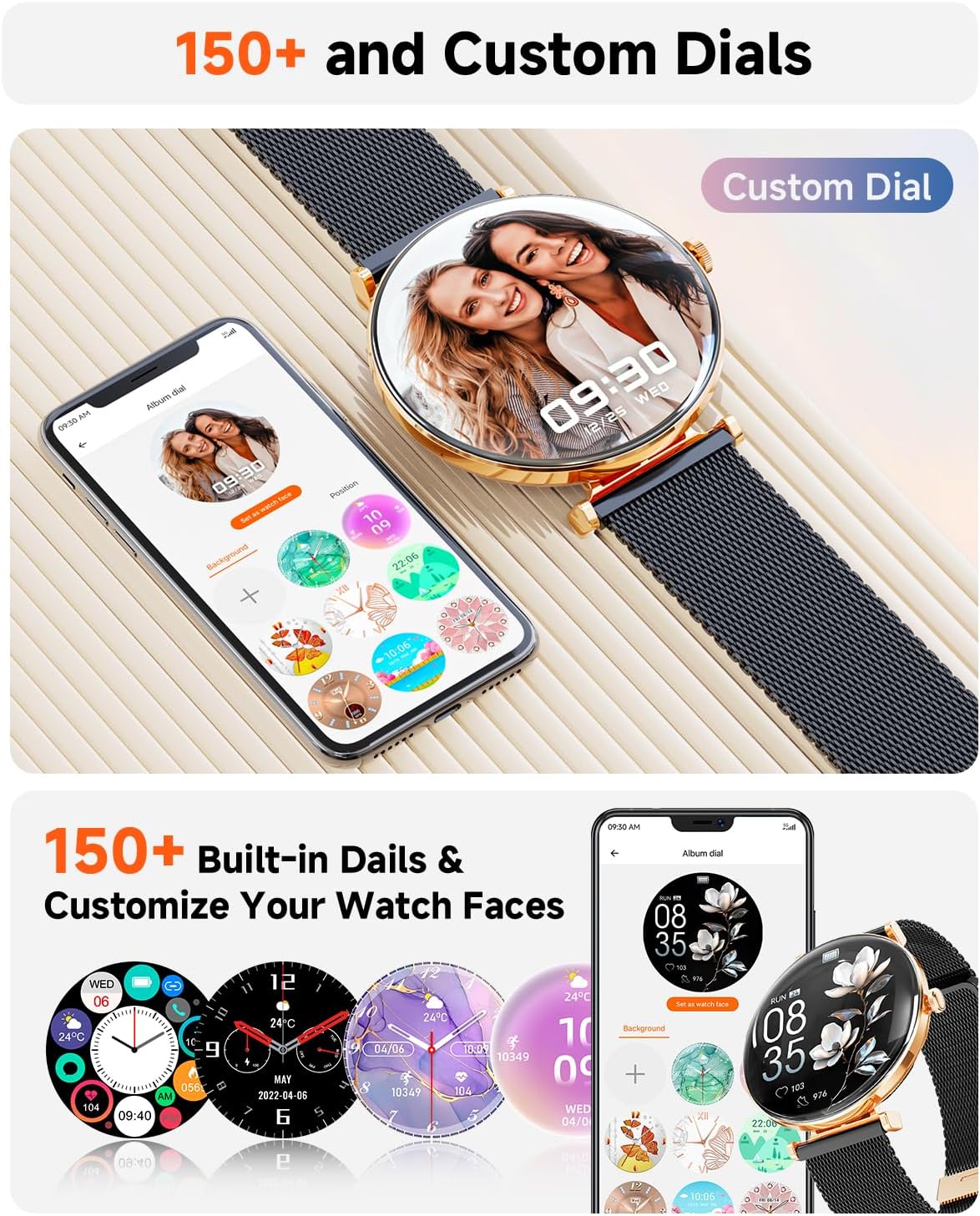
Image: The Hwagol S1 Smart Watch showcasing a customized watch face with a personal photo, demonstrating the extensive personalization options available through the companion app.
Bluetooth-Anrufe und Benachrichtigungen
Once paired with your smartphone, the Hwagol S1 allows you to make and answer calls directly from your wrist. You will also receive SMS and app notifications (e.g., Facebook, WhatsApp, Twitter) on your watch.

Image: The Hwagol S1 Smart Watch screen showing a grid of application icons and a separate image of the watch displaying a dial pad for making calls, highlighting its communication features.
Musiksteuerung
Control music playback on your connected smartphone directly from your watch. Play, pause, skip tracks, and adjust volume without needing to access your phone.
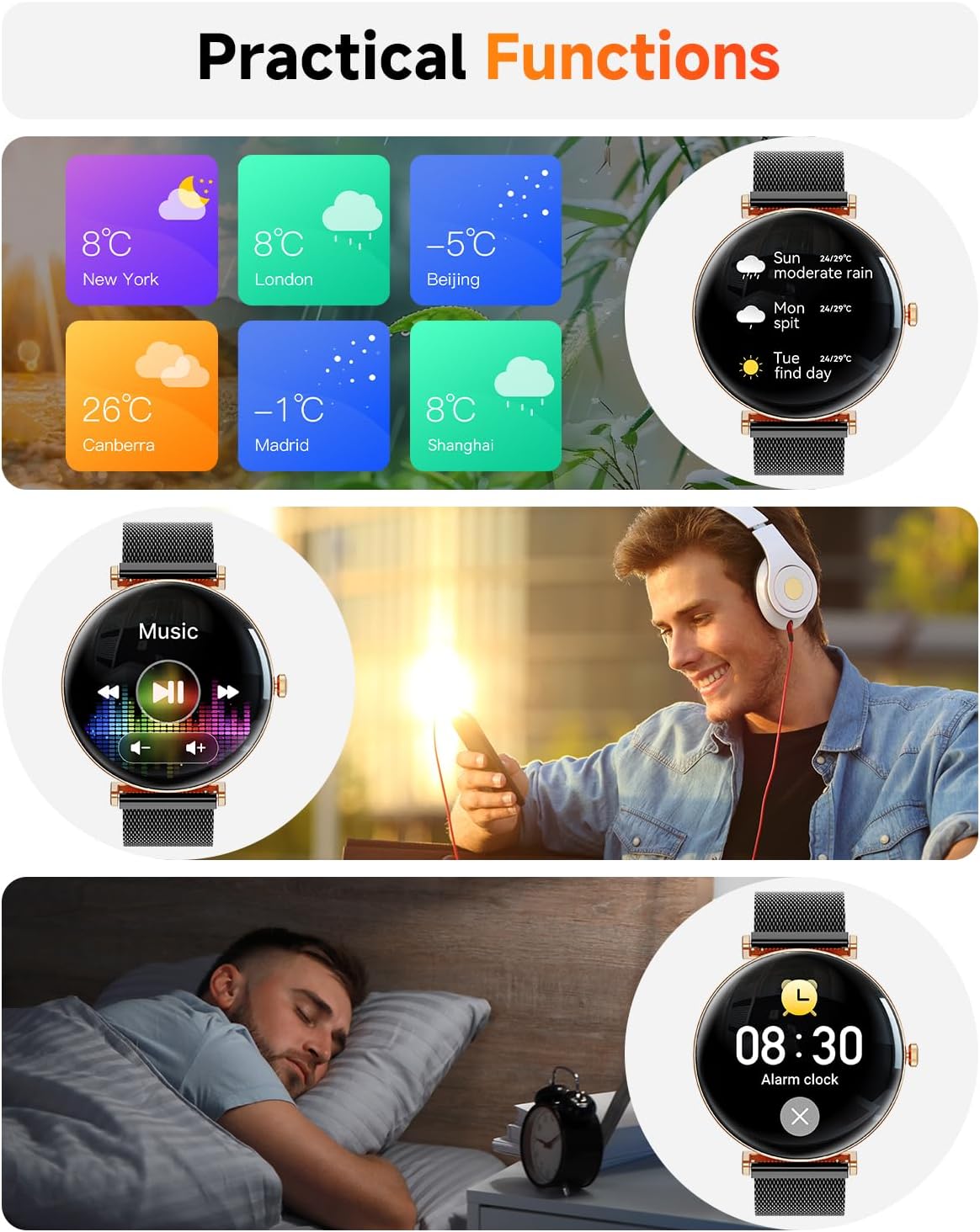
Image: The Hwagol S1 Smart Watch displaying music playback controls, shown on a wrist with a person enjoying music, illustrating its convenient media management.
Gesundheitsüberwachung
The Hwagol S1 continuously monitors key health metrics:
- Herzfrequenz: Erfasst Ihre Herzfrequenz den ganzen Tag über.
- Blutsauerstoff: Misst Ihren Blutsauerstoffgehalt.
- Schlafüberwachung: Analysiert Ihre Schlafmuster, einschließlich Tiefschlaf, Leichtschlaf und Wachphasen.

Image: The Hwagol S1 Smart Watch displaying various health metrics including heart rate, steps, calories, blood oxygen, and sleep duration, emphasizing its comprehensive health tracking.
Multisportmodi
Choose from over 150 sports modes, including walking, cycling, yoga, and basketball. The watch records exercise data such as heart rate, steps, calories burned, and distance.

Image: The Hwagol S1 Smart Watch displaying a workout tracking screen, showing heart rate, calories, and time, indicating its multi-sport functionality.
Frauengesundheits-Tracking
The watch includes features to track menstrual cycles, ovulation periods, and safe periods, providing insights into female health.

Image: The Hwagol S1 Smart Watch displaying a calendar interface for tracking menstrual cycles and related physiological data, highlighting its female health features.
Praktische Funktionen
The Hwagol S1 offers additional practical features:
- Wettervorhersage: Erhalten Sie Wetterinformationen in Echtzeit.
- Wecker: Stellen Sie Alarme direkt von Ihrem Handgelenk aus ein.
- Fotokontrolle: Steuern Sie die Kamera Ihres Smartphones aus der Ferne.
- Always-On-Display (AOD): Displays time even when the screen is asleep (may affect battery life).
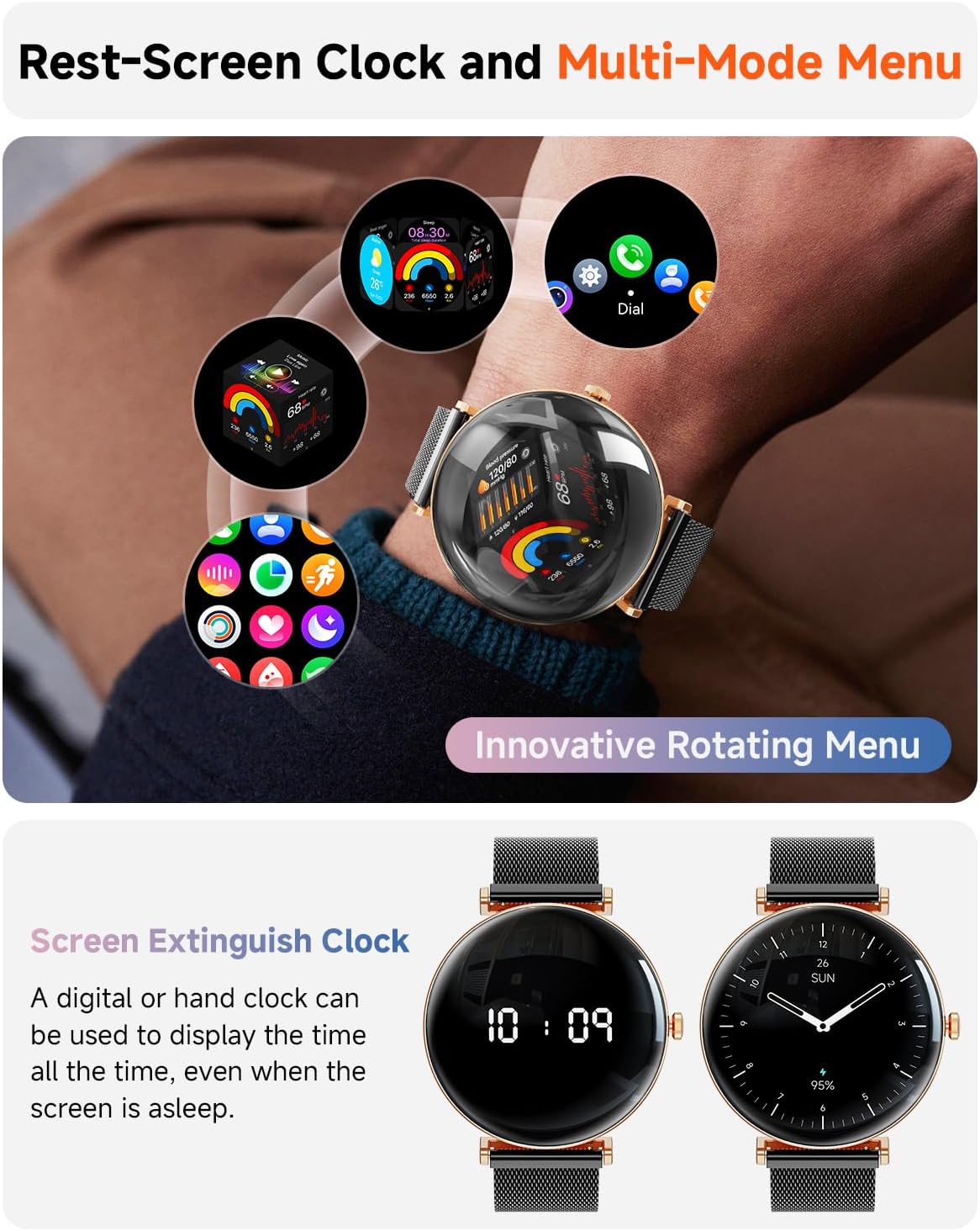
Image: The Hwagol S1 Smart Watch displaying an always-on digital clock face, showing the time, demonstrating one of its practical features.
Wartung
Wasserbeständigkeit
The Hwagol S1 Smart Watch is IP68 waterproof, suitable for daily hand washing, rain, and shallow water activities. Do not use it in hot water, baths, saunas, or for diving. Prolonged exposure to steam or hot water may damage the device.

Image: The Hwagol S1 Smart Watch submerged in water, illustrating its IP68 waterproof capability and suitability for various activities.
Reinigung
Wipe the watch and bands regularly with a soft, dry cloth. If necessary, use a slightly damp Mit einem Tuch und milder Seife abwischen, anschließend gründlich ausspülen und trocknen. Scharfe Chemikalien oder scheuernde Materialien vermeiden.
Fehlerbehebung
Verbindungsprobleme
If the watch fails to connect to your phone:
- Stellen Sie sicher, dass Bluetooth auf Ihrem Telefon aktiviert ist.
- Prüfen Sie, ob sich die Uhr in Bluetooth-Reichweite Ihres Telefons befindet.
- Starten Sie sowohl Ihr Telefon als auch die Uhr neu.
- Try unpairing and re-pairing the device in the companion app.
Ungenaue Gesundheitsdaten
For best accuracy, ensure the watch is worn snugly on your wrist, about one finger's width above your wrist bone. Keep the sensor clean and dry.
Bildschirm reagiert nicht
If the screen is unresponsive, try restarting the watch by pressing and holding the side button.
Technische Daten
| Besonderheit | Detail |
|---|---|
| Modellnummer | 619704313639 |
| Anzeigetyp | 1.43-inch Micro-Spherical AMOLED |
| Konnektivität | Bluetooth |
| Betriebssystemkompatibilität | Android, iOS |
| Wasserbeständigkeit | IP68 (1.5 meters depth) |
| Akkulaufzeit (tägliche Nutzung) | Bis zu 10 Tage |
| Ladezeit | Ca. 70 Minuten |
| Gewicht | 100 Gramm |
| Armbandmaterial | Metall, Silikon |
Garantie und Support
The Hwagol S1 Smart Watch comes with a 1-Year Manufacturer Limited Warranty. For warranty claims or technical support, please contact Hwagol customer service through the contact information provided with your purchase or on the official Hwagol webWebsite.