
1. Einleitung
This manual provides essential instructions for the safe and efficient use of your AGM M10 Basic Flip Phone. Please read this manual thoroughly before operating the device and retain it for future reference.
The AGM M10 is a rugged 4G LTE flip phone designed for durability and essential communication. It features IP68/IP69K water and dust resistance, MIL-STD-810G drop protection, large buttons, and a loud speaker.
2. Packungsinhalt
Überprüfen Sie, ob alle Artikel in Ihrem Paket vorhanden sind:
- 1 x AGM M10 Phone
- 1 x Ladegerät
- 2 x Batterie
- 1 x Schlüsselband.
- 1 x Benutzerhandbuch (dieses Dokument)
Video: Unboxing the AGM M10 Basic Flip Phone and its accessories. This video demonstrates the contents of the package and provides a first look at the device.
3. Gerät überview
Familiarize yourself with the physical components of your AGM M10 phone.

Abbildung: Vorder-, Seiten- und Rückseite views of the AGM M10 Basic Flip Phone. This image shows the phone in its closed and open states, highlighting its robust design.
Hauptmerkmale:
- Large Buttons & Font: Designed for ease of use, especially for users who prefer larger interfaces.
- 98dB-Lautsprecher: Ensures clear audio even in noisy environments.
- Externe Anzeige: Shows incoming calls, messages, and battery status without opening the phone.
- SOS-Taste: Für Notfallkontakte.
- Taschenlampe: Integriert für mehr Komfort.
4. Einrichtung
4.1 Einlegen der Batterie
The AGM M10 comes with two replaceable batteries. Before first use, ensure the battery is properly installed and any protective stickers are removed from the battery contacts.
- Entfernen Sie die hintere Abdeckung des Telefons.
- Suchen Sie das Batteriefach.
- If present, peel off the yellow protective sticker from the battery's metal contacts.
- Setzen Sie die Batterie in das Batteriefach ein und achten Sie dabei auf die korrekte Ausrichtung der Kontakte.
- Bringen Sie die Rückseite wieder an und achten Sie darauf, dass sie sicher einrastet, um die Wasser- und Staubbeständigkeit zu gewährleisten.

Image: The AGM M10 phone with its back cover removed, revealing the battery compartment and slots for SIM and SD cards. This illustrates where to insert the battery and cards.
4.2 Installation der SIM-Karte und SD-Karte
The AGM M10 supports dual Nano SIM cards and expandable memory via an SD card (up to 128GB, sold separately).
- With the back cover and battery removed, locate the SIM card slots. The phone supports two Nano SIM cards.
- Insert your Nano SIM card(s) into the designated slot(s) with the gold contacts facing down.
- If using an SD card for additional storage, insert it into the dedicated SD card slot.
- Bauen Sie den Akku und die Rückabdeckung wieder ein.

Image: A close-up of the AGM M10's internal components, specifically highlighting the dual Nano SIM card slots. This image helps users identify where to insert their SIM cards.
4.3 Aufladen des Telefons
Charge your phone using the provided USB Type-C charger or a compatible charging dock (available separately).
- Schließen Sie das USB-Typ-C-Kabel an den Ladeanschluss des Telefons an.
- Verbinden Sie das andere Ende des Kabels mit dem Netzteil und stecken Sie das Netzteil anschließend in eine Wandsteckdose.
- Alternatively, place the phone into a compatible charging dock.
- The phone will indicate charging status on its display.

Image: The AGM M10 Basic Flip Phone placed in its charging dock. This image demonstrates how to charge the phone using the optional dock.
5. Bedienungsanleitung
5.1 Ein-/Ausschalten
- Zum Einschalten: Halten Sie die Ein-/Aus-Taste gedrückt, bis der Bildschirm aufleuchtet.
- Zum Ausschalten: Halten Sie die Ein-/Aus-Taste gedrückt und wählen Sie dann in den Optionen „Ausschalten“ aus.
5.2 Anrufe tätigen und entgegennehmen
- So tätigen Sie einen Anruf: Geben Sie die Telefonnummer über die Tastatur ein und drücken Sie die grüne Anruftaste.
- Um einen Anruf zu erhalten: Wenn das Telefon klingelt, drücken Sie die grüne Anruftaste, um den Anruf anzunehmen.
- So beenden Sie einen Anruf: Drücken Sie die rote Taste zum Beenden des Anrufs.

Image: The AGM M10 Basic Flip Phone open, showcasing its large, easy-to-read buttons and clear display. This highlights the user-friendly interface for dialing and texting.
5.3 Senden und Empfangen von SMS
- Navigieren Sie zum Menü „Nachrichten“.
- Wählen Sie „Neue Nachricht“ oder „Nachricht erstellen“.
- Geben Sie die Nummer des Empfängers ein und tippen Sie Ihre Nachricht über die Tastatur.
- Drücken Sie die Option „Senden“.
5.4 SOS-Notruftaste
The dedicated SOS button can be configured to dial emergency contacts in critical situations.
- Access the phone's settings to set up emergency contacts for the SOS function.
- In an emergency, press and hold the SOS button (typically located on the back or side of the phone) to activate.
- The phone will automatically dial the pre-set emergency numbers.
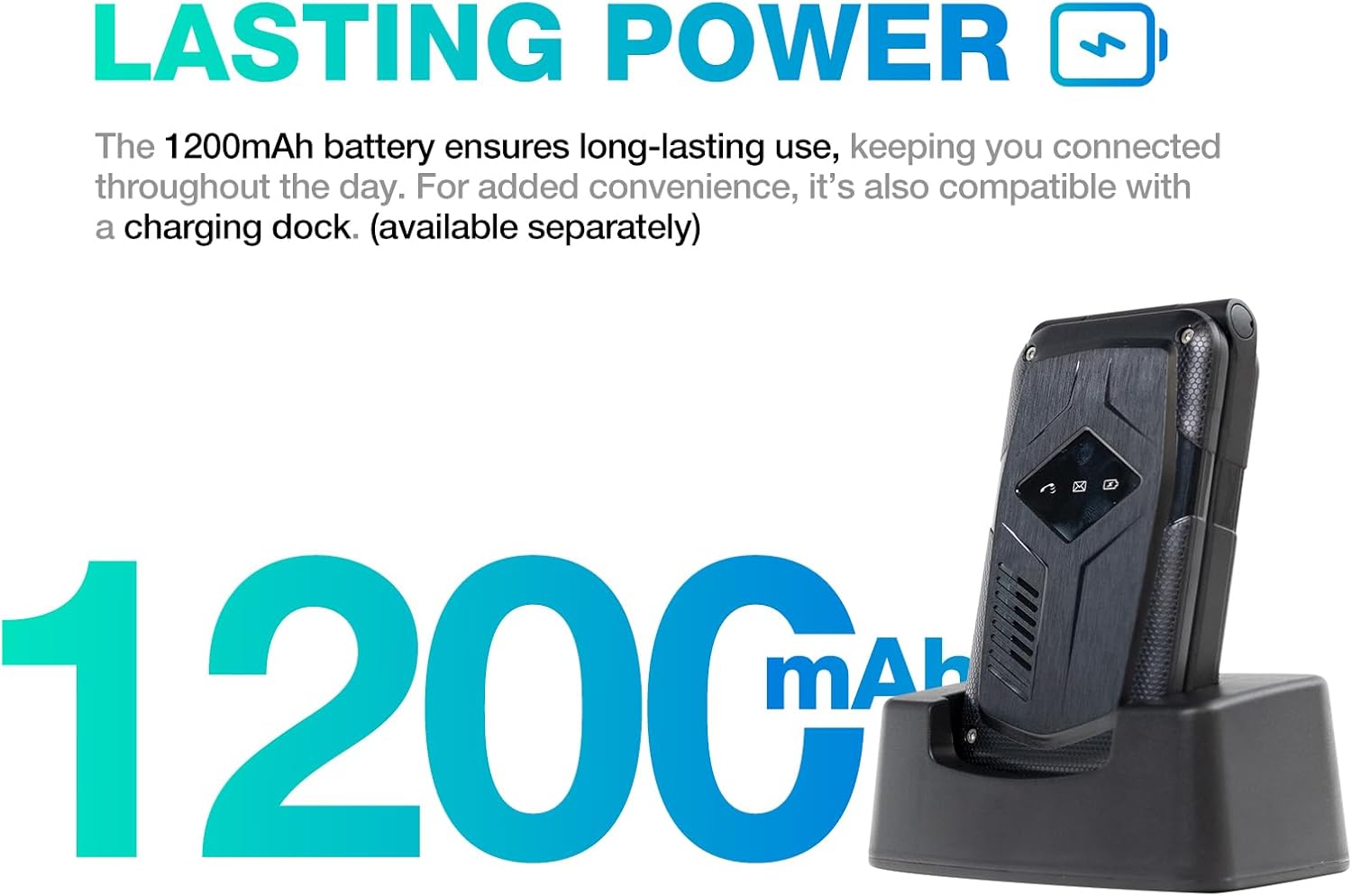
Image: A close-up of the AGM M10's keypad, with visual indicators pointing to the SOS button, FM radio function, and flashlight. This helps users locate these essential features.
5.5 Taschenlampe
To activate the built-in flashlight, locate the dedicated flashlight button or access it through the phone's menu, as indicated in the device overview.
5.6 UKW-Radio
The AGM M10 includes an FM radio function. Access it through the main menu. Headphones may be required to act as an antenna for optimal reception (if the phone has a 3.5mm jack, otherwise it might use internal antenna).
5.7 Bluetooth-Konnektivität
The phone supports Bluetooth 5.0 for connecting to compatible wireless accessories such as headsets or car kits.
- Go to "Settings" and then "Bluetooth".
- Schalten Sie Bluetooth ein.
- Suchen nach Verfügbare Geräte und wählen Sie das Gerät aus, mit dem Sie eine Kopplung vornehmen möchten.
- Befolgen Sie die Anweisungen auf dem Bildschirm, um die Kopplung abzuschließen.
6. Wartung und Pflege
6.1 Merkmale der Langlebigkeit
The AGM M10 is engineered for rugged use with IP68/IP69K water and dust resistance and MIL-STD-810G drop protection. This means it can withstand:
- Wasserimmersion: Bis zu 1.5 Meter für 30 Minuten.
- Staubeintritt: Vollständig vor Staub geschützt.
- Tropfen: Resistant to drops from a certain height onto hard surfaces.
To maintain these protections, ensure all port covers are securely closed and the back cover is properly sealed after battery or SIM card installation.

Image: The AGM M10 Basic Flip Phone partially submerged in water, demonstrating its waterproof capability.
6.2 Allgemeine Pflege
- Reinigen Sie das Telefon mit einem weichen, fusselfreien Tuch.amp Tuch. Vermeiden Sie aggressive Chemikalien.
- Do not expose the phone to extreme temperatures for prolonged periods.
- Avoid disassembling the phone, as this may void the warranty and compromise its rugged features.
7. Fehlerbehebung
7.1 Probleme mit der Netzwerkverbindung
The AGM M10 is designed to be T-Mobile compatible in the US. However, some users may experience limited network access, reduced coverage, or slower data speeds depending on specific network configurations or regional variations.
- Vergewissern Sie sich, dass Ihre SIM-Karte ordnungsgemäß eingesetzt und aktiviert ist.
- Check your network settings to confirm the correct network is selected.
- If issues persist, contact your network provider for assistance.
7.2 Telefon lässt sich nicht einschalten
- Stellen Sie sicher, dass die Batterie richtig eingesetzt und vollständig geladen ist.
- Verify that the protective sticker has been removed from the battery contacts.
- Attempt to charge the phone for at least 30 minutes before trying to power it on again.
7.3 Andere Probleme
For other operational difficulties, refer to the detailed user manual included in your package or contact AGM customer support.
8. Spezifikationen
| Besonderheit | Detail |
|---|---|
| Marke | Hauptversammlung |
| Modellname | M10A |
| Betriebssystem | Echtzeitbetriebssystem |
| Größe des installierten RAM-Speichers | 48 MB |
| Speicherkapazität | 0.12 GB (Expandable up to 128GB via SD card) |
| Bildschirmgröße | 4.33 Zoll |
| Mobilfunkanbieter | T-Mobile (US), Global (outside US) |
| Zellulartechnologie | 4G LTE |
| Farbe | Schwarz |
| Anzahl der SIM-Kartensteckplätze | Dual SIM (Nano) |
| Steckertyp | USB Typ C |
| Formfaktor | Foldable Case (Flip Phone) |
| Wasserbeständigkeit | Waterproof (IP68/IP69K) |
| Kopfhöreranschluss | Kein Kopfhöreranschluss |
| Zusätzliche Merkmale | Basic Phone, Dual SIM, Expandable Memory, Rugged Body, SOS Button, Flashlight, FM Radio, Bluetooth 5.0 |
| Batterieleistung | 1200 Milliamp Std |
| Anzeigetyp | LCD |
| Maße | 4.33 × 2.22 × 0.98 Zoll |
| Gewicht | 4.9 Unzen |
9. Garantie und Support
9.1 Garantieinformationen
The AGM M10 Basic Flip Phone comes with a 2 Jahr Garantie Diese Garantie gilt ab Kaufdatum und deckt Herstellungsfehler bei normalem Gebrauch ab. Bitte bewahren Sie Ihren Kaufbeleg für Garantieansprüche auf.
Note: Some third-party retailers may state a 1-year warranty; however, the manufacturer's stated warranty is 2 years.
9.2 Kundendienst
For technical assistance, troubleshooting, or warranty claims, please contact AGM customer support. AGM is committed to providing dedicated after-sales support and a straightforward replacement process for quality issues.
Visit the official AGM webFür weitere Informationen zum Support besuchen Sie bitte unsere Website oder konsultieren Sie die Kontaktinformationen auf Ihrer Produktverpackung.