
Einführung
Welcome to the QONBINK Smart Watch M91 user manual. This guide provides detailed instructions to help you set up, operate, and maintain your new smart watch. Please read this manual thoroughly before using the device to ensure proper functionality and a safe experience.
Lieferumfang
Upon opening your QONBINK Smart Watch M91 package, you should find the following items:
- Smart Watch (M91)
- Bedienungsanleitung
- Ladekabel

Image: Contents of the QONBINK M91 Smart Watch package.
Produkt überview
The QONBINK Smart Watch M91 features a 1.85-inch HD display and is designed for both men and women. It offers a range of functionalities including Bluetooth calls, over 120 sport modes, 24/7 heart rate and sleep monitoring, and IP68 waterproofing. The watch is compatible with iOS 10.0+ and Android 4.4+ devices.

Image: The QONBINK M91 Smart Watch with its 1.85-inch HD display showing different watch faces.
Aufstellen
1. Download und Installation der App
To utilize all features of your QONBINK Smart Watch M91, you need to download and install the Da Fit App auf Ihrem Smartphone.
- Scan the QR code provided in the watch's interface or the physical manual, or visit http://plus.crrepa.com/app-download/dafit to download the Da Fit app.
- Install the app on your iOS (10.0 or higher) or Android (4.4 or higher) smartphone.
2. Koppeln mit Ihrem Telefon
Folgen Sie diesen Schritten, um Ihre Smartwatch mit Ihrem Smartphone zu koppeln:
- Stellen Sie sicher, dass Bluetooth auf Ihrem Telefon aktiviert ist.
- Öffne die Da Fit App auf deinem Smartphone.
- In the app, navigate to the "Add Device" section and search for "M91".
- Select "M91" from the list of available devices.
- Bestätigen Sie die Bluetooth-Kopplungsanfrage sowohl auf Ihrem Telefon als auch auf der Uhr.
- Allow the smart watch to display notifications by granting the necessary permissions in your phone's settings.

Image: Visual guide for connecting the smart watch to a mobile phone.
Bedienungsanleitung
Grundlegende Navigation
The M91 Smart Watch features a full-touch screen for easy navigation.
- Nach oben/unten wischen: Durch Menüs und Benachrichtigungen scrollen.
- Nach links/rechts wischen: Greifen Sie schnell auf Funktionen oder verschiedene Bildschirme zu.
- Klopfen: Wählen Sie ein Element aus oder bestätigen Sie eine Aktion.
- Seitentaste: Drücken Sie diese Taste, um zum Startbildschirm zurückzukehren oder das Gerät zu aktivieren.
Bluetooth-Anrufe und Benachrichtigungen
Once paired, the M91 Smart Watch allows you to manage calls and receive notifications directly on your wrist.
- Anrufe annehmen/ablehnen: When a call comes in, you can answer or reject it directly from the watch using the built-in speaker and microphone.
- Viewing-Nachrichten: Empfangen und view SMS and social media messages (e.g., Snapchat, Instagram) on your watch. Note: Replying to messages is not supported directly from the watch.
- Call Logs/Dial Pad: Access recent call logs or use the dial pad to initiate calls from your watch.

Image: Smart watch displaying Bluetooth call and message notifications.
Intelligenter Stimmassistent
The smart watch includes an intelligent voice assistant for hands-free control.
- Activate the voice assistant to perform commands such as checking the weather, making phone calls, playing music, setting alarms, or other voice commands.

Image: Smart watch with voice assistant and notification features.
Anpassen von Zifferblättern
Personalize your watch with over 200 built-in watch face designs or upload your own images via the Da Fit app.

Image: Customizing watch faces on the M91 Smart Watch.
Sportarten
The M91 Smart Watch offers over 120 sport modes to track your physical activities.
- Select your desired sport mode (e.g., walking, hiking, yoga, rock climbing, skateboarding, roller skating, equestrian sports, athletics, auto racing) from the watch menu.
- The watch will record real-time data such as calories burned, distance covered, and duration.
- Synchronize the data to the Da Fit app for detailed analysis and progress tracking.

Image: Smart watch showing various sport modes.

Image: Diverse range of sports modes available on the smart watch.
Gesundheitsüberwachung
The M91 Smart Watch is equipped with advanced sensors for 24/7 health monitoring.
- Herzfrequenz-Überwachung: Continuously tracks your heart rate throughout the day. Data is automatically synchronized to the Da Fit app for analysis.
- Schlafüberwachung: Monitors your sleep quality, including restful, light, and rapid eye movement (REM) sleep stages. Provides a sleep quality score and trends in the app.
- Blutsauerstoffüberwachung: Provides real-time blood oxygen level measurements to help you understand your health status.
- Frauengesundheits-Tracking: Features for tracking menstrual cycles and providing reminders.
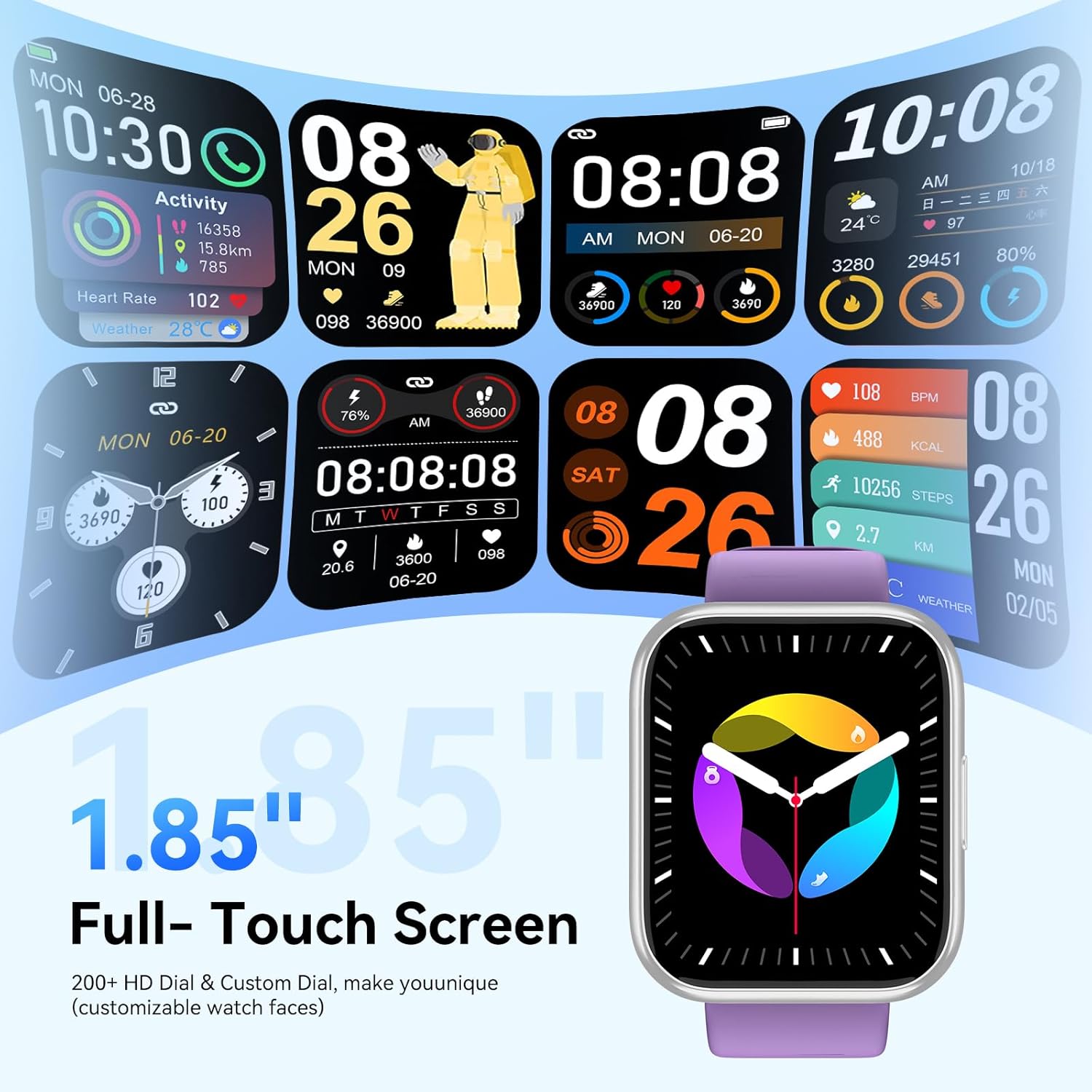
Image: Health monitoring features on the smart watch.

Image: Detailed heart rate monitoring display.

Image: Sleep monitoring interface.

Abbildung: Anzeige der Blutsauerstoffsättigung.

Image: Women's health tracking feature.
Andere Funktionen
The M91 Smart Watch includes several other practical features:
- Wettervorhersage: View daily weather updates.
- Kamerasteuerung: Steuern Sie die Kamera Ihres Telefons aus der Ferne.
- Musiksteuerung: Musikwiedergabe auf Ihrem Telefon: Wiedergabe starten, pausieren, Titel überspringen und Lautstärke anpassen.
- Telefon finden: Finden Sie Ihr gekoppeltes Smartphone, indem Sie es klingeln lassen.
- Wecker: Stellen Sie Alarme direkt über Ihre Uhr ein.
- Stoppuhr & Timer: Nutzen Sie diese Werkzeuge für verschiedene Aktivitäten.
- Sitzende Erinnerung: Lassen Sie sich nach längeren Inaktivitätsphasen zur Bewegung auffordern.
- Spiele: Access simple games on the watch.
- Taschenrechner: Eine einfache Taschenrechnerfunktion ist verfügbar.

Bild: Überview of additional smart watch functions.
Wartung
Wasserdichtigkeit (IP68)
The QONBINK M91 Smart Watch has an IP68 waterproof rating, meaning it is capable of withstanding immersion in water up to 1.5 meters for 30 minutes.
- It is rain-resistant, sweat-resistant, and oxidation-resistant.
- You can wear it during activities like swimming or surfing.
- Wichtig: Avoid prolonged exposure to hot water, steam, or high-pressure water jets, as this may compromise the waterproof seal.

Image: Smart watch demonstrating IP68 waterproofing.
Laden
The watch is equipped with a 350 mAh battery.
- Eine vollständige Aufladung dauert in der Regel 1.5-2 Stunden.
- Once fully charged, the battery can last for 5-7 days with typical use, and up to 25-30 days in standby mode.
- Use the provided charging cable to connect your watch to a USB power source.
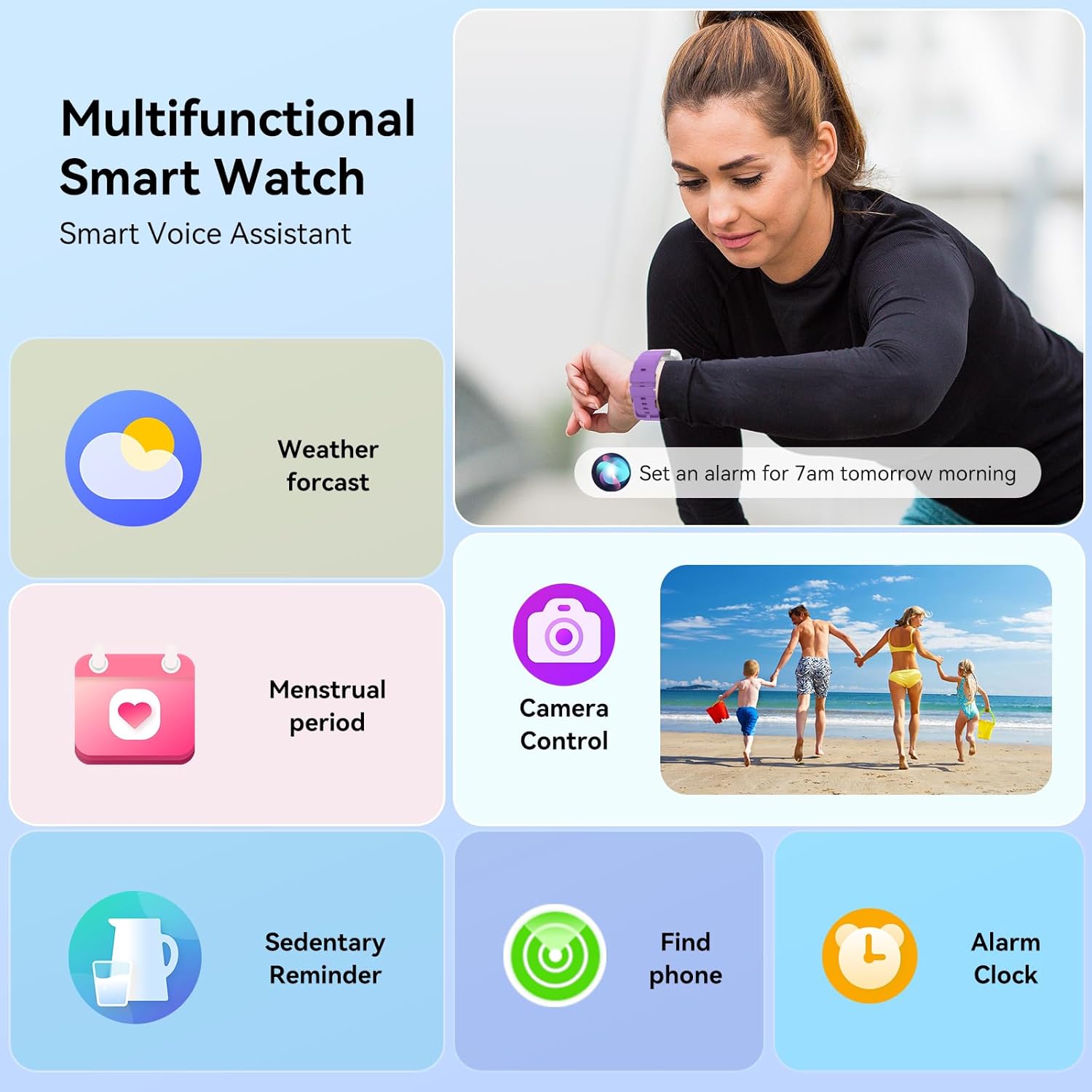
Image: Smart watch charging and battery life details.

Abbildung: Informationen zur Akkulaufzeit und zum Ladevorgang.
Fehlerbehebung
If you encounter issues with your QONBINK Smart Watch M91, try the following troubleshooting steps:
- Uhr schaltet sich nicht ein: Stellen Sie sicher, dass die Uhr vollständig aufgeladen ist. Schließen Sie sie für mindestens 30 Minuten an das Ladekabel und eine Stromquelle an.
- Kopplung mit dem Telefon nicht möglich:
- Stellen Sie sicher, dass Bluetooth auf Ihrem Telefon aktiviert ist.
- Stellen Sie sicher, dass sich die Uhr in Reichweite Ihres Telefons befindet.
- Starten Sie sowohl Ihr Telefon als auch die Uhr neu.
- Check if the Da Fit app has the necessary permissions enabled on your phone.
- Vergessen Sie das Gerät in den Bluetooth-Einstellungen Ihres Telefons und versuchen Sie erneut, es über die Da Fit-App zu koppeln.
- Benachrichtigungen werden nicht angezeigt:
- Überprüfen Sie, ob der Da Fit-App in den Einstellungen Ihres Telefons die Benachrichtigungsberechtigung erteilt wurde.
- Stellen Sie sicher, dass die Uhr per Bluetooth verbunden ist.
- Check the notification settings within the Da Fit app to ensure desired apps are enabled.
- Ungenaue Gesundheitsdaten:
- Achten Sie darauf, dass die Uhr eng am Handgelenk sitzt, aber nicht zu eng.
- Reinigen Sie den Sensor auf der Rückseite der Uhr regelmäßig.
- Avoid extreme movements during measurements.
- Kurze Akkulaufzeit:
- Reduzieren Sie die Bildschirmhelligkeit.
- Limit continuous heart rate monitoring or frequent use of GPS (if applicable via phone).
- Unnötige Benachrichtigungen deaktivieren.
- Stellen Sie sicher, dass die Uhr jedes Mal vollständig aufgeladen ist.
If these steps do not resolve your issue, please contact QONBINK customer support for further assistance.
Technische Daten
| Besonderheit | Detail |
|---|---|
| Modellnummer | M91 |
| Anzeigegröße | 1.85 Zoll |
| Konnektivität | Bluetooth 5.3 |
| Batteriekapazität | 350 mAh (Lithium-Polymer) |
| Akkulaufzeit (typische Nutzung) | 5-7 Tage |
| Standby-Zeit | 25-30 Tage |
| Ladezeit | 1.5-2 Stunden |
| Wasserdichtigkeit | IP68 |
| Betriebssystemkompatibilität | Android 4.4+, iOS 10.0+ |
| Gesundheitsüberwachung | Heart Rate, Sleep, Blood Oxygen, Women's Health |
| Sportarten | 120+ |
| Besondere Merkmale | Bluetooth Call, Message Reminder, Voice Assistant, Custom Wallpaper, Activity Tracker, Stopwatch, Timer, Weather Display, Alarm Clock, Camera Control |
| Artikelgewicht | 3.52 Unzen |
| Verpackungsabmessungen | 7.28 x 3.35 x 0.71 Zoll |
Garantie und Support
For warranty information or technical support, please refer to the contact details provided with your purchase or visit the official QONBINK webBewahren Sie Ihren Kaufbeleg als Kaufnachweis für Garantieansprüche auf.