
1. Einleitung
This manual provides essential information and instructions for the QONBINK M91 Smart Watch. Please read this manual thoroughly before using your device to ensure proper operation and to maximize its features. Keep this manual for future reference.
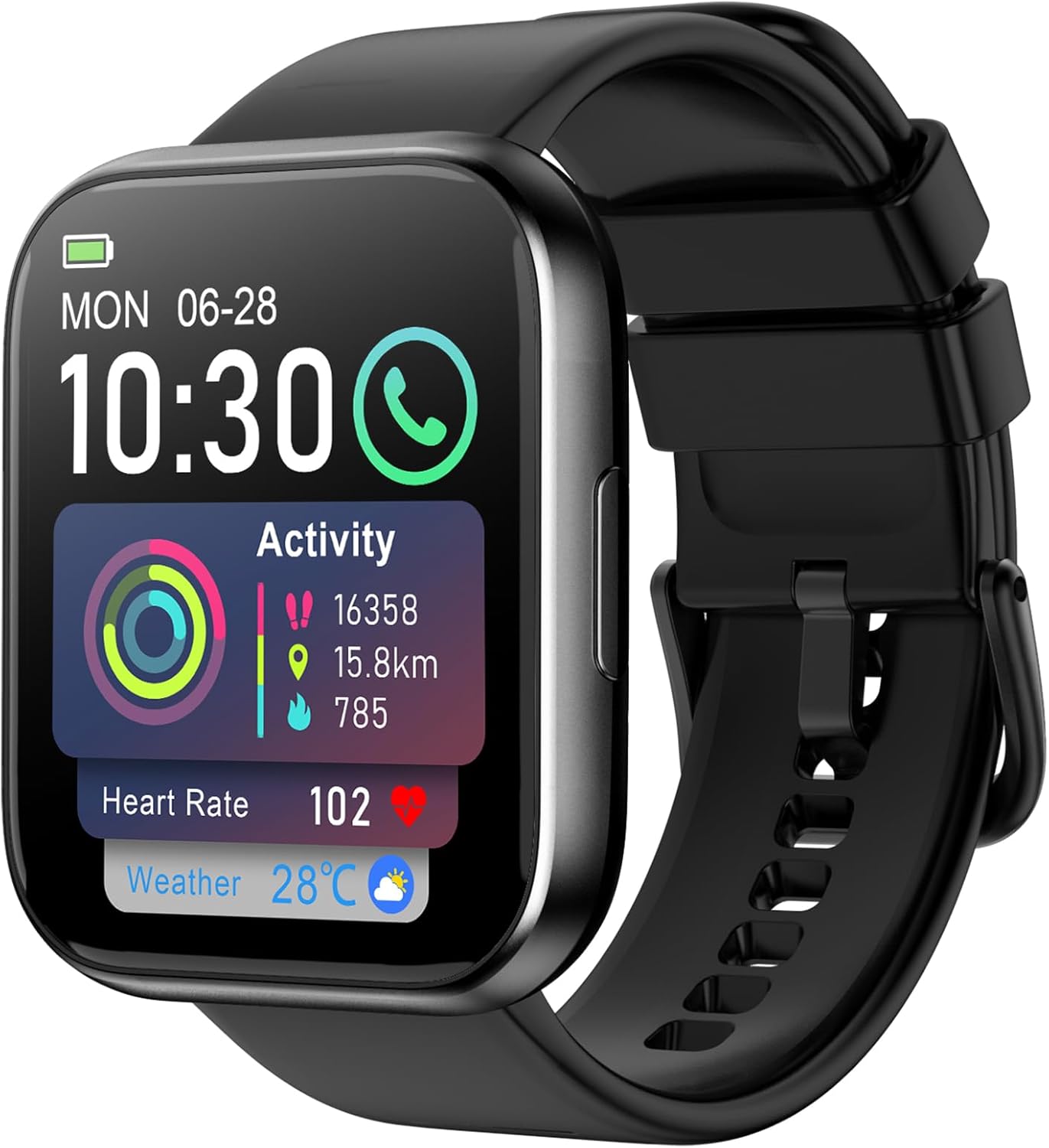
Image: The QONBINK M91 Smart Watch, displaying its main interface with various health and activity metrics.
2. Lieferumfang
Upon opening your QONBINK M91 Smart Watch package, you should find the following items:
- QONBINK M91 Smart Watch
- Benutzerhandbuch (dieses Dokument)
- Ladekabel
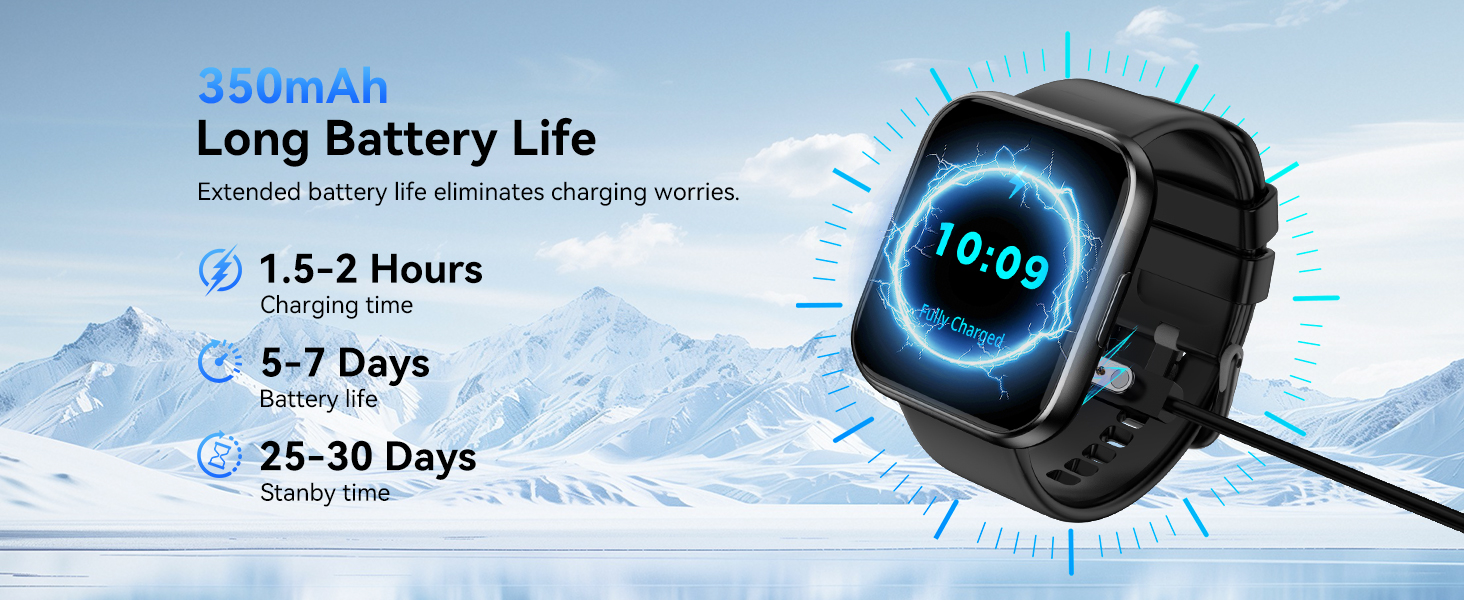
Image: Visual representation of the QONBINK M91 Smart Watch package contents, including the watch, charging cable, and user manual.
3. Produktüberschreitungview
The QONBINK M91 Smart Watch features a 1.85-inch HD full-touch display and a durable design suitable for daily wear and various activities.
Schlüsselkomponenten:
- Anzeige: 1.85-inch HD full-touch color screen.
- Seitentaste: Used for power on/off, screen wake/sleep, and menu navigation.
- Sensoren: Befindet sich auf der Rückseite zur Überwachung von Herzfrequenz, Blutsauerstoffsättigung und Schlaf.
- Ladekontakte: Magnetische Kontakte auf der Rückseite zum Aufladen.
- Lautsprecher/Mikrofon: Integrated for Bluetooth calling.

Image: The 1.85-inch full-touch screen of the QONBINK M91 Smart Watch, highlighting its display capabilities and customizable watch faces.
4. Einrichtung
4.1 Aufladen des Geräts
Before first use, fully charge your QONBINK M91 Smart Watch.
- Verbinden Sie das magnetische Ladekabel mit den Ladekontakten auf der Rückseite der Uhr.
- Stecken Sie das USB-Ende des Kabels in ein Standard-USB-Netzteil (nicht im Lieferumfang enthalten) oder in einen USB-Anschluss Ihres Computers.
- Auf dem Display der Uhr wird der Ladestatus angezeigt.
A full charge typically takes 1.5-2 hours. The watch offers 5-7 days of typical use and up to 25-30 days of standby time.
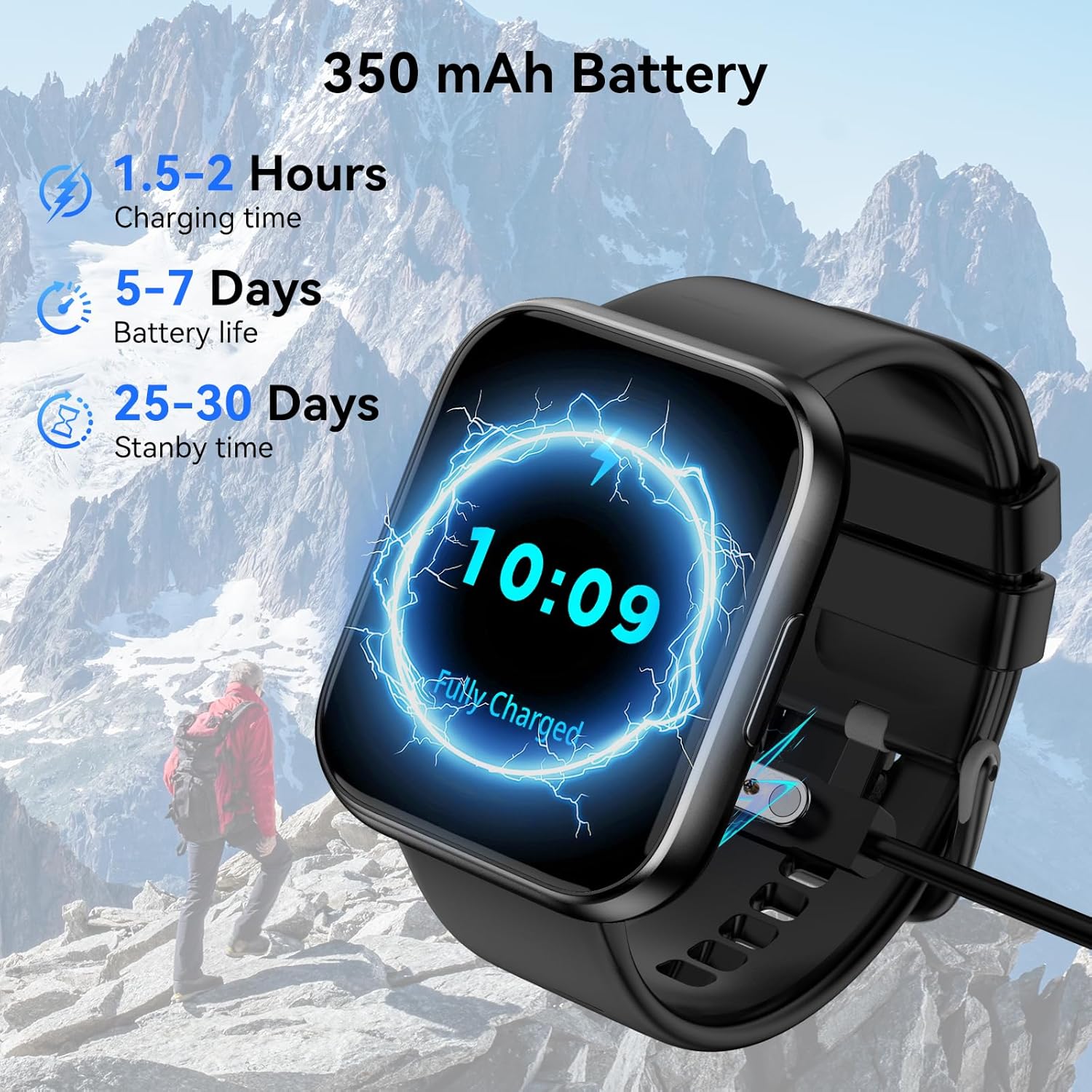
Image: The QONBINK M91 Smart Watch being charged, illustrating its battery capacity and charging specifications.
4.2 App-Installation
To unlock the full potential of your smart watch, download and install the 'Da Fit' app on your smartphone.
- Scan the QR code provided in the watch's interface or the quick start guide, or visit http://plus.crrepa.com/app-download/dafit to download the 'Da Fit' app.
- The app is compatible with iOS 10.0 or higher and Android 4.4 or higher.
4.3 Koppeln mit Ihrem Smartphone
Follow these steps to pair your QONBINK M91 Smart Watch with the 'Da Fit' app:
- Vergewissern Sie sich, dass Ihre Uhr aufgeladen und eingeschaltet ist.
- Aktivieren Sie Bluetooth auf Ihrem Smartphone.
- Öffnen Sie die App „Da Fit“ und folgen Sie den Anweisungen auf dem Bildschirm, um ein neues Gerät hinzuzufügen.
- Wählen Sie „M91“ aus der Liste der verfügbaren Geräte aus.
- Bestätigen Sie die Kopplungsanfrage sowohl auf Ihrem Telefon als auch auf der Uhr.
- Erteilen Sie die erforderlichen Berechtigungen für Benachrichtigungen und die Datensynchronisierung.
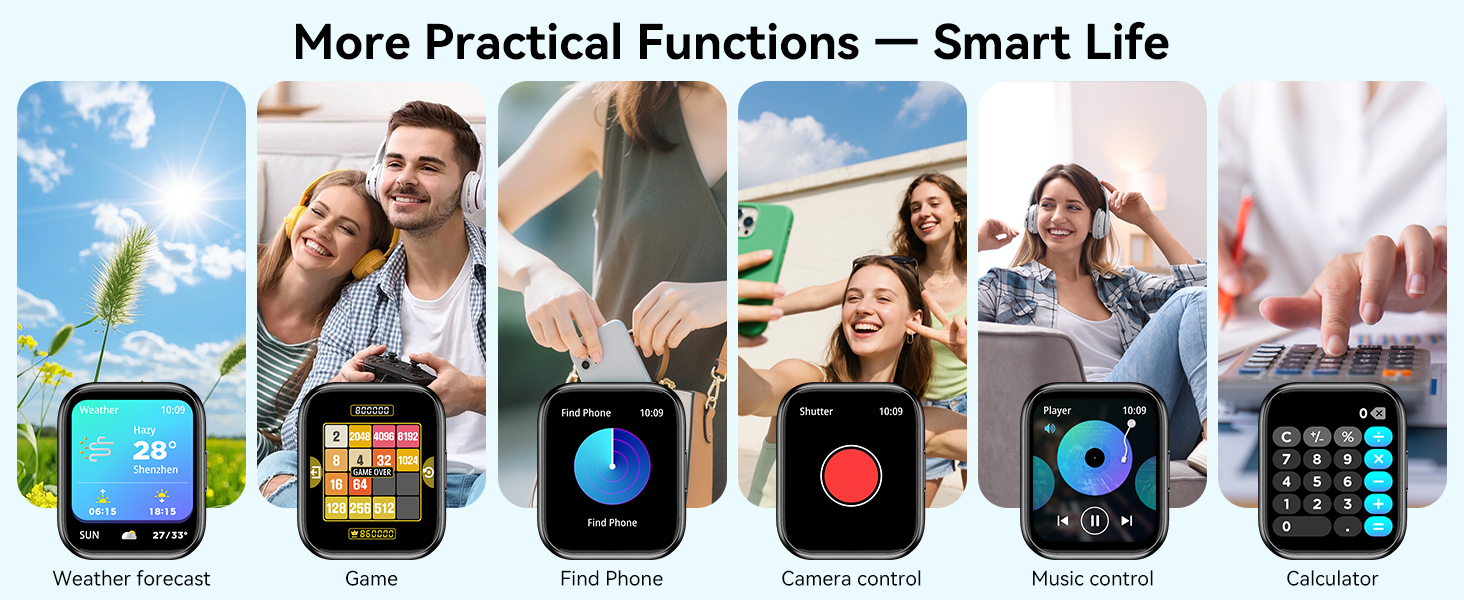
Image: A visual guide demonstrating the process of connecting the QONBINK M91 Smart Watch to a smartphone via the Da Fit application.
5. Bedienungsanleitung
5.1 Grundlegende Navigation
- Nach oben/unten wischen: Durch Menüs und Benachrichtigungen scrollen.
- Nach links/rechts wischen: Greifen Sie schnell auf Funktionen oder Widgets zu.
- Klopfen: Wählen Sie ein Element aus oder bestätigen Sie eine Aktion.
- Seitlichen Knopf drücken: Zum Startbildschirm zurückkehren oder das Gerät ein-/ausschalten.
5.2 Anpassen von Zifferblättern
The QONBINK M91 Smart Watch offers over 200 built-in watch face designs. You can also upload custom images via the 'Da Fit' app for personalization.
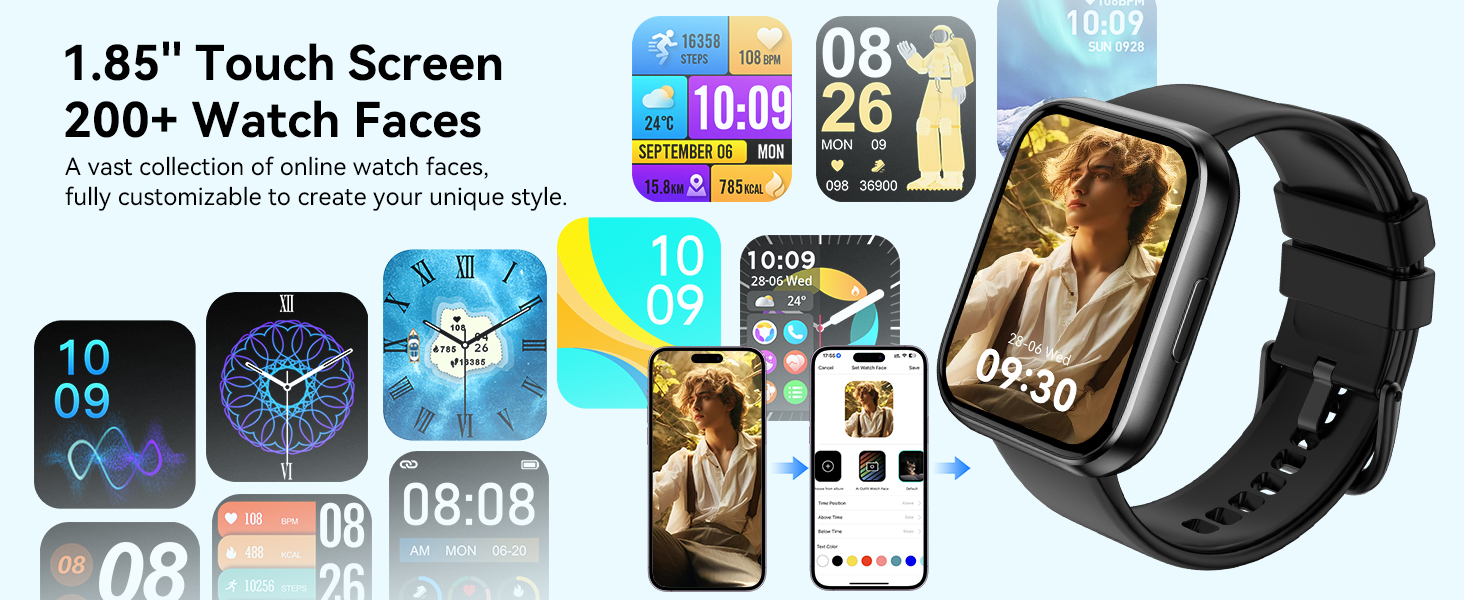
Image: A collection of watch faces available for the QONBINK M91 Smart Watch, demonstrating customization options through the Da Fit app.
5.3 Bluetooth-Anrufe und Benachrichtigungen
Once paired, the watch allows you to make and receive calls directly from your wrist using its built-in speaker and microphone. You will also receive notifications for SMS, social media messages, and other app alerts (replying to messages is not supported).

Image: The QONBINK M91 Smart Watch showing an incoming call and a text message, highlighting its Bluetooth communication capabilities.
5.4 Sprachassistent
Utilize the intelligent voice assistant for hands-free commands such as checking weather, making calls, playing music, or setting alarms.
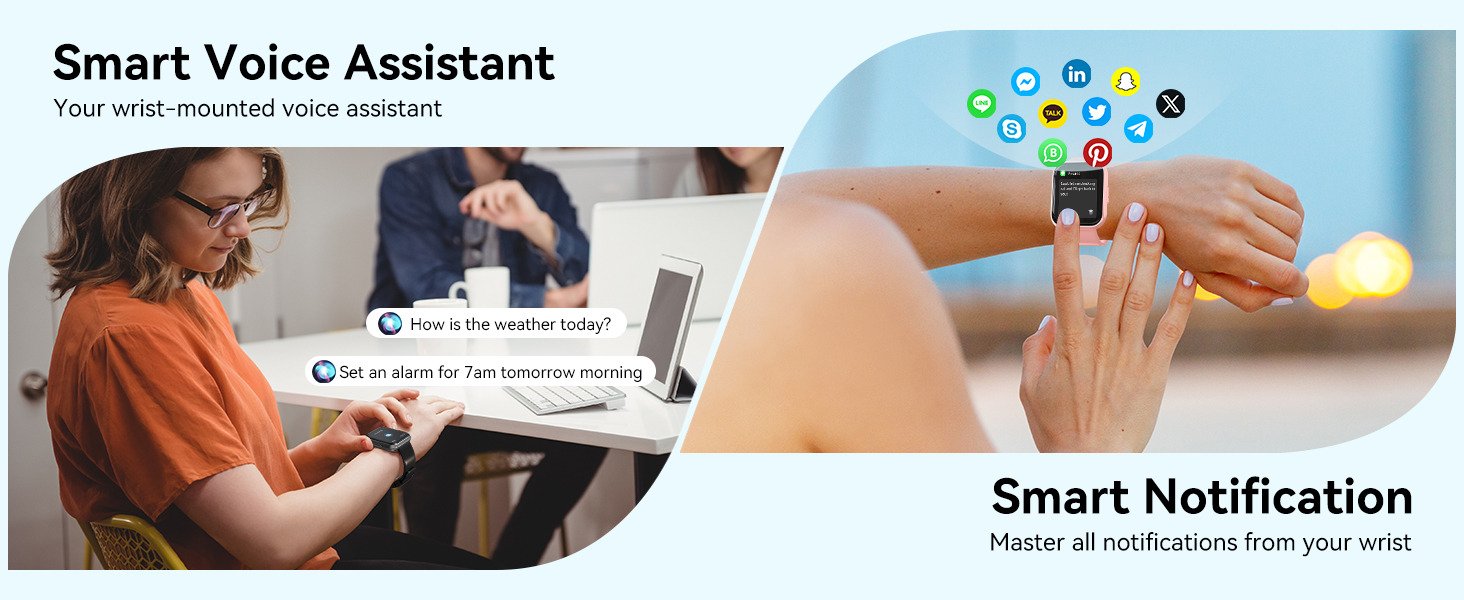
Image: The QONBINK M91 Smart Watch demonstrating its smart voice assistant and notification features.
5.5 Sportmodi
The watch supports over 120 sport modes, including walking, hiking, yoga, and more. Real-time data such as calories burned, distance, and duration are recorded and synchronized with the 'Da Fit' app.

Image: The QONBINK M91 Smart Watch showcasing its extensive range of over 120 sport modes.
5.6 Gesundheitsüberwachung
The M91 Smart Watch provides 24/7 health monitoring for key indicators.
- Herzfrequenz: Continuous measurement of heart rate, with data synchronized to the mobile app.
- Schlafqualität: Monitors sleep patterns, including restful, light, and REM sleep, providing a sleep quality score.
- Blutsauerstoff: Precise real-time monitoring of blood oxygen levels.
- Frauengesundheit: Features for tracking menstrual cycles and physiological periods.

Image: The QONBINK M91 Smart Watch displaying 24/7 health monitoring data for heart rate, blood oxygen, and sleep.
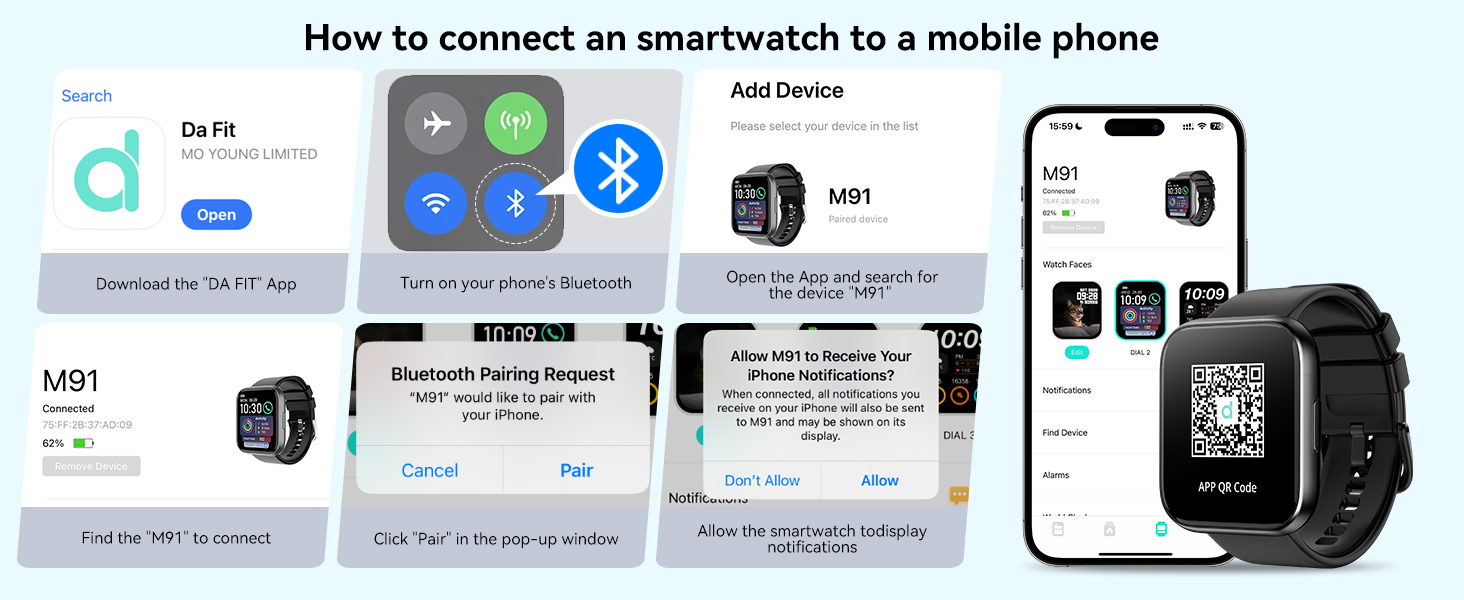
Image: The QONBINK M91 Smart Watch monitoring heart rate during physical activity.
Image: The QONBINK M91 Smart Watch providing scientific sleep monitoring and analysis.
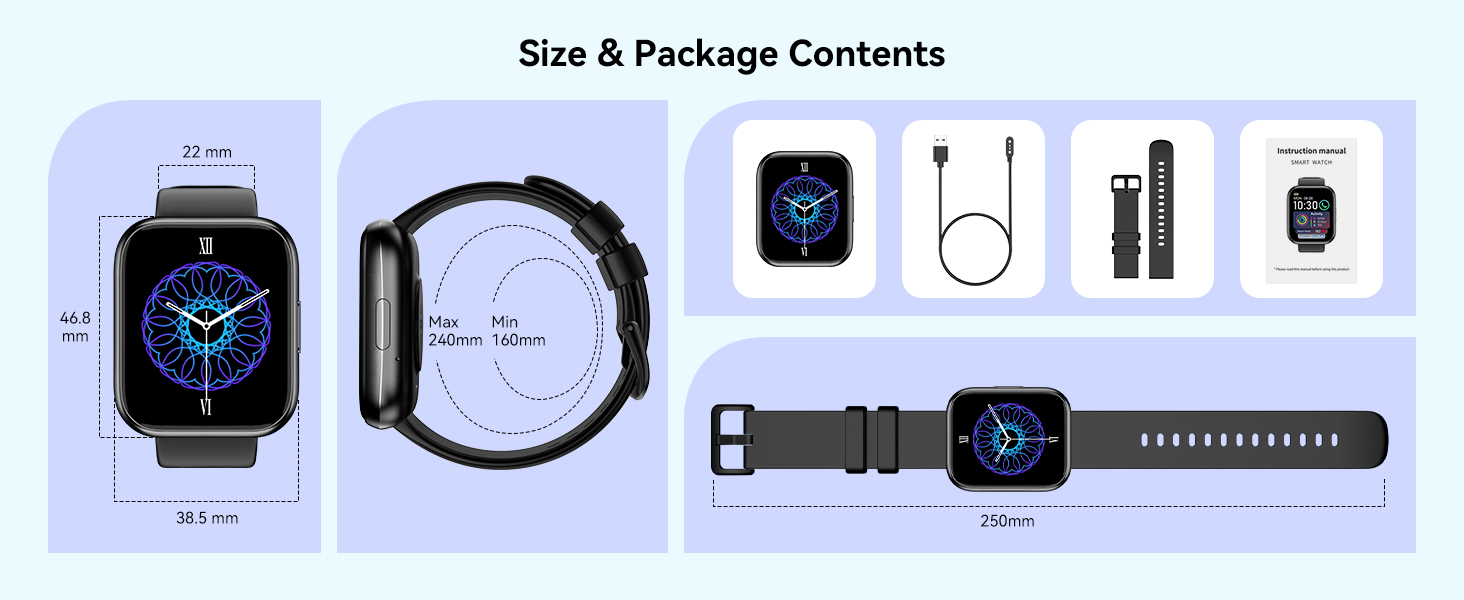
Image: The QONBINK M91 Smart Watch performing blood oxygen monitoring.

Image: The QONBINK M91 Smart Watch assisting with women's health tracking.
5.7 Weitere Funktionen
The QONBINK M91 Smart Watch includes a variety of practical features:
- Wecker
- Stoppuhr
- Timer
- Wetteranzeige
- Kamerasteuerung (Fernauslöser)
- Musiksteuerung
- Finden Sie die Telefonfunktion
- Sitzende Erinnerung
- Kalkulator
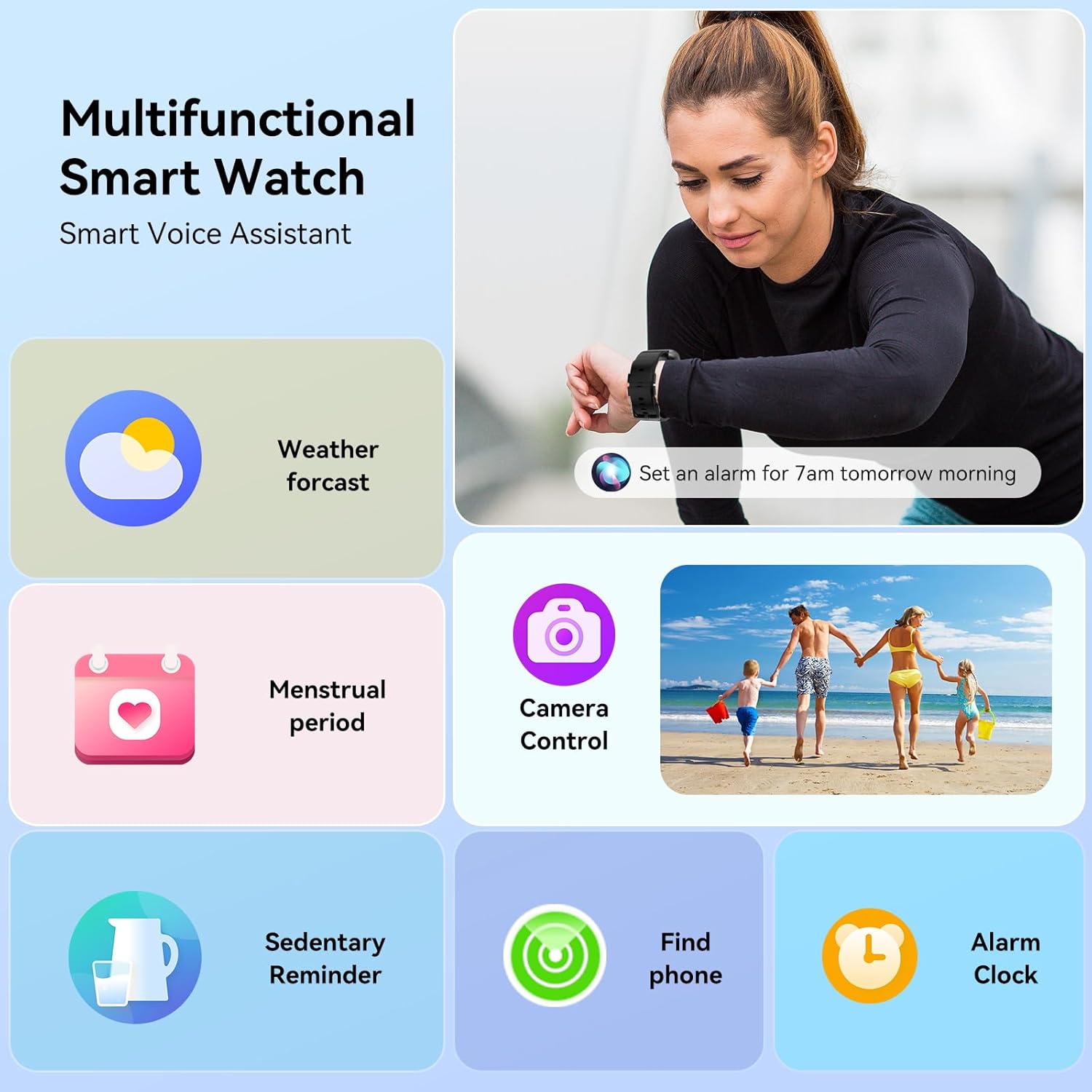
Image: The QONBINK M91 Smart Watch showcasing its multifunctional capabilities.
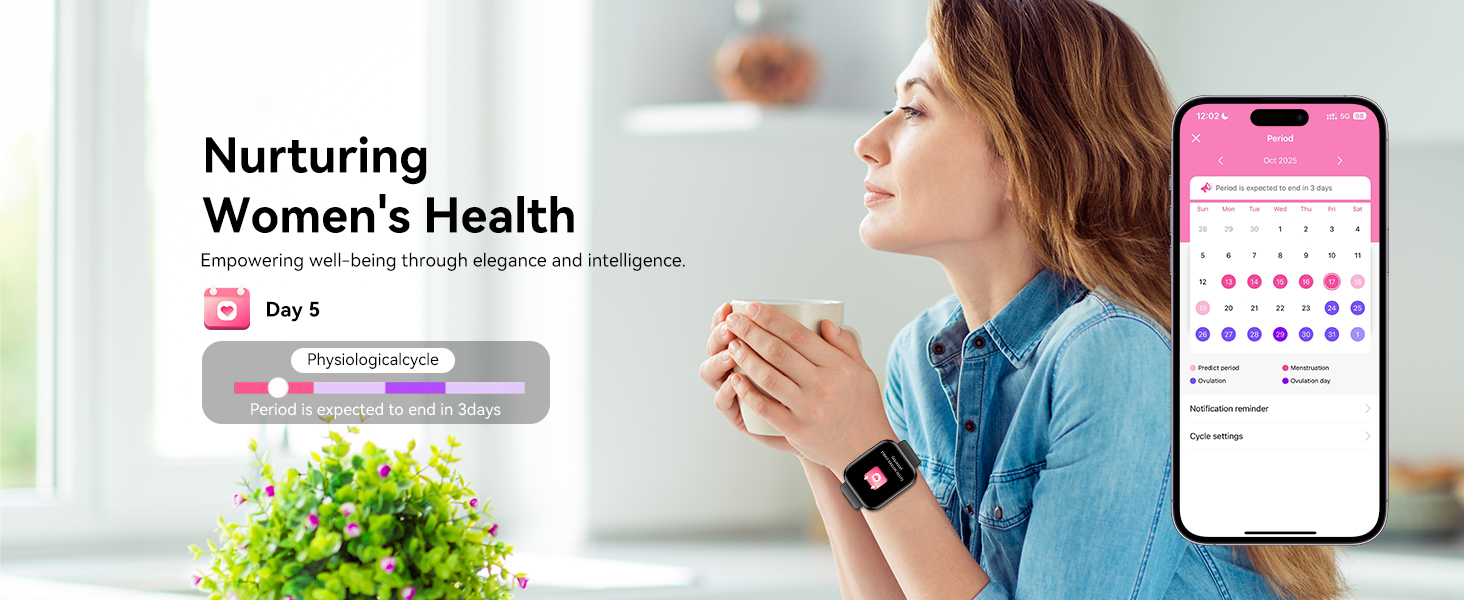
Bild: Eine visuelle Darstellung überview of additional practical functions available on the QONBINK M91 Smart Watch.
6. Wartung
6.1 Wasserdichtigkeit (IP68)
The QONBINK M91 Smart Watch is IP68 waterproof, meaning it is resistant to dust and can withstand immersion in water up to 1.5 meters for 30 minutes. It is suitable for daily use, including hand washing, rain, and swimming. However, it is not recommended for hot showers, saunas, or diving due to steam and high-pressure water which may compromise the seal.
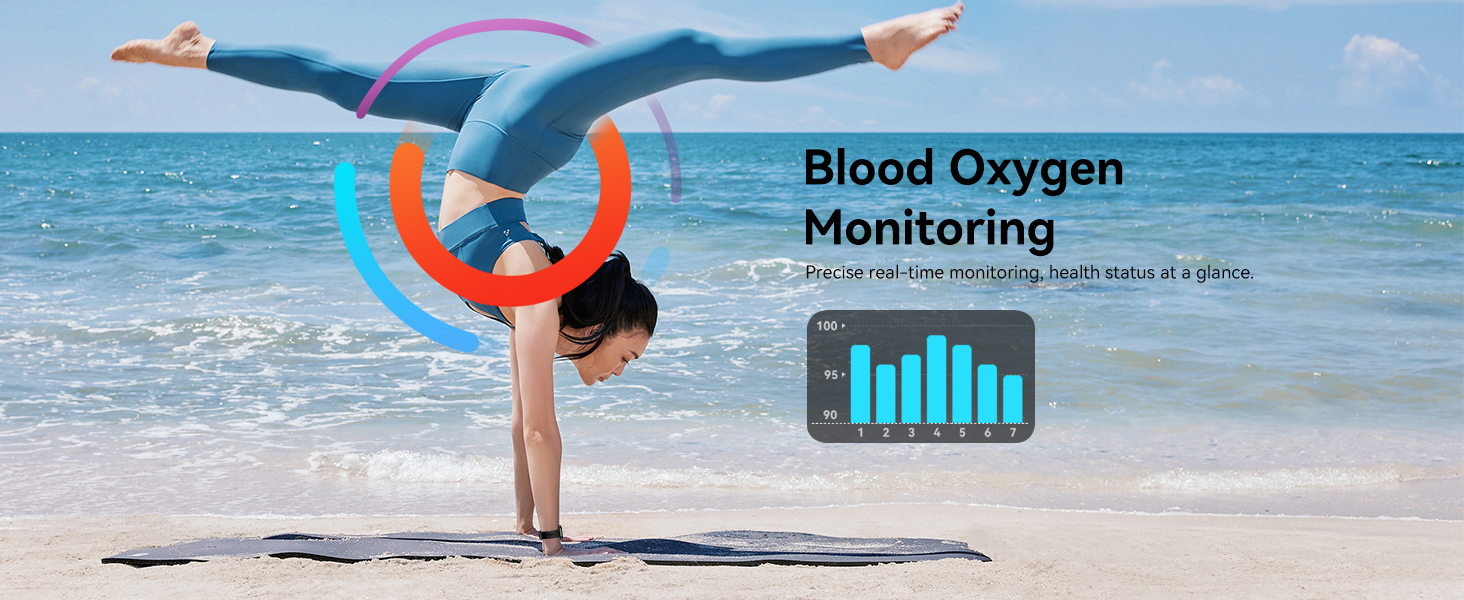
Image: The QONBINK M91 Smart Watch demonstrating its IP68 waterproofing capabilities during water activities.
6.2 Reinigung
To maintain the watch's appearance and sensor accuracy:
- Reinigen Sie Uhr und Armband regelmäßig mit einem weichen, fusselfreien Tuch.amp Tuch.
- Vor dem Laden sicherstellen, dass die Ladekontakte sauber und trocken sind.
- Vermeiden Sie die Verwendung aggressiver Chemikalien oder Scheuermittel.
6.3 Speicherung
Store the watch in a cool, dry place when not in use. Avoid extreme temperatures and direct sunlight.
7. Fehlerbehebung
If you encounter issues with your QONBINK M91 Smart Watch, please refer to the following common solutions:
- Uhr schaltet sich nicht ein: Stellen Sie sicher, dass die Uhr vollständig aufgeladen ist. Schließen Sie sie an das Ladekabel und eine Stromquelle an.
- Kopplung mit dem Telefon nicht möglich:
- Stellen Sie sicher, dass Bluetooth auf Ihrem Telefon aktiviert ist.
- Stellen Sie sicher, dass sich die Uhr in Bluetooth-Reichweite befindet (typischerweise 10 Meter).
- Starten Sie sowohl Ihr Telefon als auch die Uhr neu.
- Löschen Sie gegebenenfalls den Bluetooth-Cache Ihres Telefons und versuchen Sie es erneut mit der Kopplung.
- Ensure the 'Da Fit' app has all necessary permissions.
- Benachrichtigungen nicht erhalten:
- Check if notifications are enabled in the 'Da Fit' app settings.
- Stellen Sie sicher, dass die Benachrichtigungseinstellungen Ihres Telefons der App „Da Fit“ das Anzeigen von Benachrichtigungen erlauben.
- Vergewissern Sie sich, dass die Uhr per Bluetooth verbunden ist.
- Ungenaue Gesundheitsdaten:
- Achten Sie darauf, dass die Uhr eng am Handgelenk sitzt, nicht zu eng und nicht zu locker.
- Halten Sie den Sensorbereich auf der Rückseite der Uhr sauber.
- Note that smart watch health data is for reference only and not intended for medical diagnosis.
- Kurze Akkulaufzeit:
- Reduzieren Sie die Bildschirmhelligkeit.
- Häufiges Aufwachen des Bildschirms einschränken.
- Schalten Sie die kontinuierliche Herzfrequenzmessung aus, wenn sie nicht benötigt wird.
- Schließe gegebenenfalls nicht benötigte Hintergrund-Apps auf der Uhr.
Sollten die Probleme weiterhin bestehen, wenden Sie sich bitte an den Kundendienst.
8. Spezifikationen
| Besonderheit | Spezifikation |
|---|---|
| Modellnummer | M91 |
| Anzeigegröße | 1.85 Zoll |
| Betriebssystemkompatibilität | Android 4.4+, iOS 10.0+ |
| Konnektivitätstechnologie | Bluetooth 5.3 |
| Batteriekapazität | 350 mAh |
| Akkulaufzeit (typische Nutzung) | 5-7 Tage |
| Standby-Zeit | 25-30 Tage |
| Ladezeit | 1.5-2 Stunden |
| Wasserdichtigkeit | IP68 |
| Gesundheitsüberwachung | Heart Rate, Sleep Quality, Blood Oxygen |
| Sportarten | 120+ |
| Sprachassistent | Ja |
| GPS | Per Smartphone |
| Artikelgewicht | 3.52 Unzen |
| Verpackungsabmessungen | 7.24 x 3.31 x 0.75 Zoll |
9. Garantie und Support
QONBINK is committed to providing quality products and customer service. Your M91 Smart Watch comes with the following support:
- Kundendienst: Anfragen werden in der Regel innerhalb von 24 Stunden beantwortet.
- Rückgaberecht: 30-tägiges Rückgaberecht ohne Angabe von Gründen.
- Garantie: 1-year free replacement for manufacturing defects.
For any questions, concerns, or support needs, please contact QONBINK customer service through your purchase platform.

Bild: Überview of QONBINK's customer service commitments, including response time, return policy, and warranty.