
Einführung
This instruction manual provides detailed guidance for setting up and operating your LOUTOC Universal TV Remote Control, Model SRP9232D. This remote is designed to control a wide range of electronic devices, including televisions, DVD/Blu-ray players, soundbars, and streaming media players. Please read this manual thoroughly to ensure proper use and to maximize your remote control's functionality.
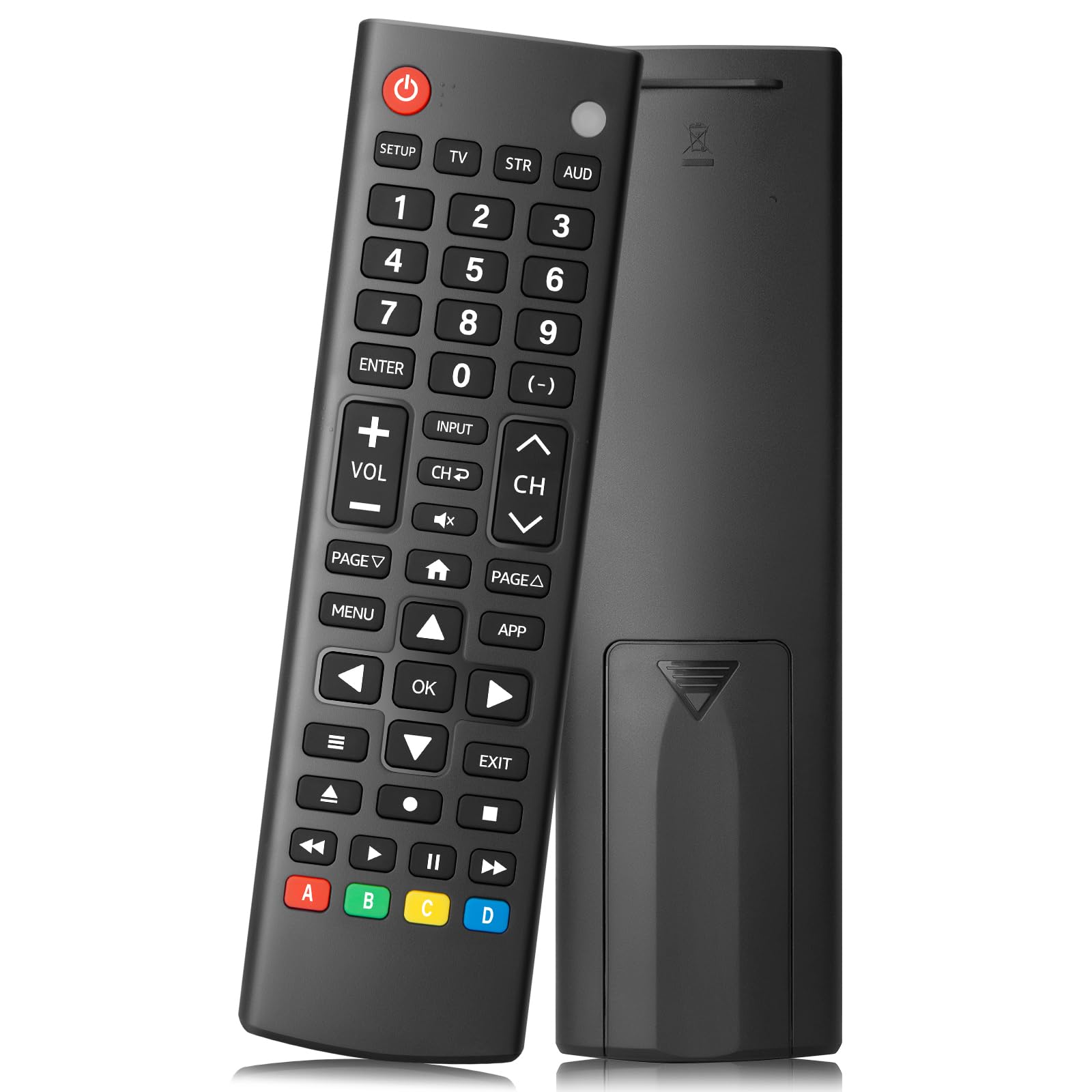
Image: The LOUTOC Universal TV Remote Control, Model SRP9232D.
Produkteigenschaften
- Universelle Kompatibilität: Controls over 5 types of devices, including TVs, DVD/Blu-ray players, soundbars, streaming media players, and set-top boxes.
- Wide Brand Support: Compatible with major TV brands such as Samsung, LG, Hisense, TCL, Vizio, Sony, Onn, Toshiba, Philips, Element, Westinghouse, Sharp, Emerson, Sanyo, RCA, and more. Also supports audio/video brands like Sony, LG, Panasonic, Samsung, Bose, Vizio.
- Erweiterte Reichweite: Operates effectively up to 26 feet (approximately 8 meters).
- Schnelle Antwort: Features a 0.2-second fast response time for immediate command execution.
- Langlebiges Design: Tested for over 50,000 presses, ensuring long-lasting durability.
- Energiequelle: Benötigt 2 AAA-Batterien (nicht im Lieferumfang enthalten).
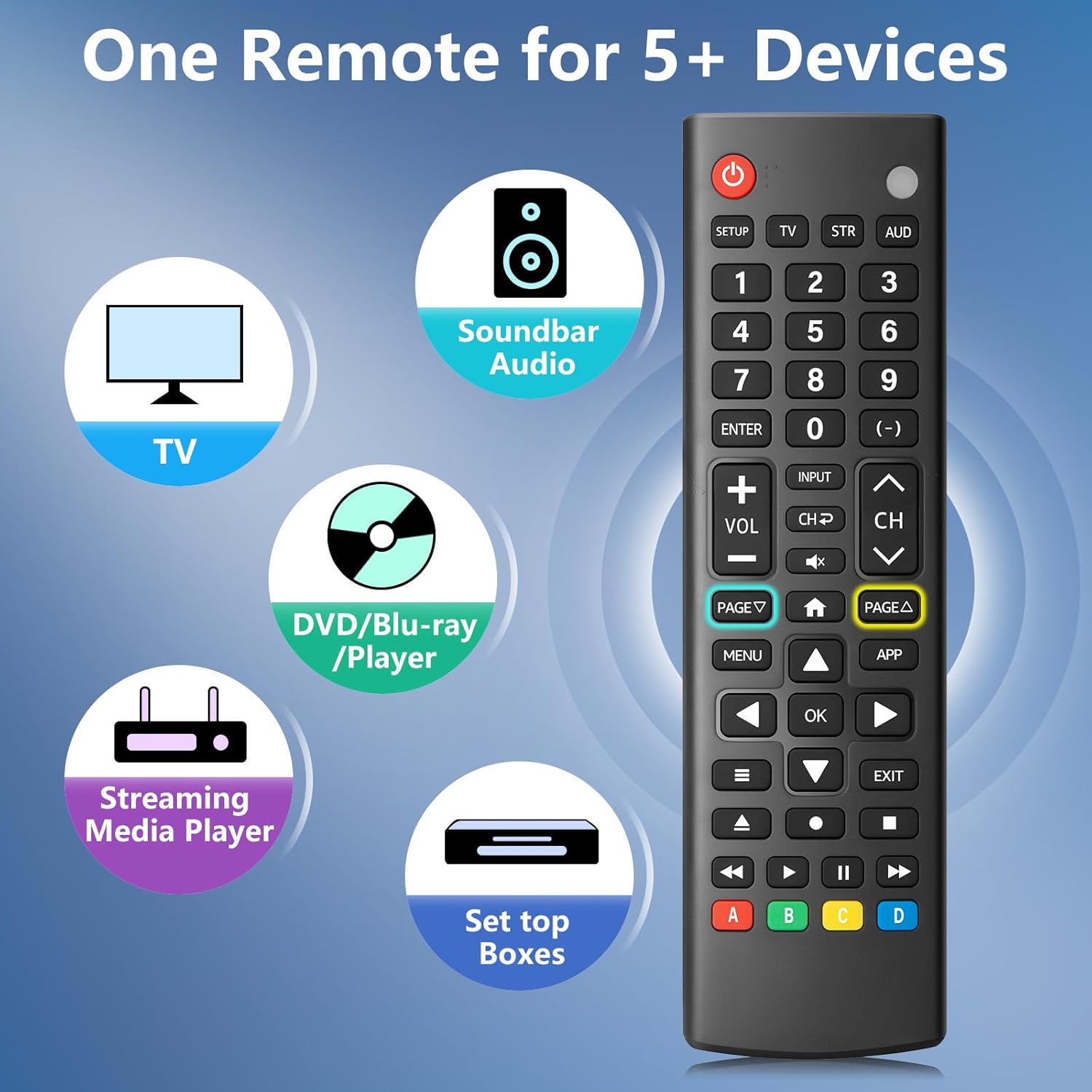
Image: The remote control is capable of operating multiple device types, including TV, Soundbar Audio, DVD/Blu-ray Player, Streaming Media Player, and Set Top Boxes.
Installationsanweisungen
1. Einlegen der Batterie
Before using the remote control, install two new 1.5V AAA batteries. Ensure correct polarity (+/-) when inserting the batteries. Do not mix old and new batteries or different battery brands.
2. Pairing-Methoden
The remote control offers two methods for pairing with your devices:
Method 1: Manual Code Entry
- Locate your device's specific 4-digit code in the provided CODE LIST.
- Halten Sie die AUFSTELLEN button on the remote until the remote's red indicator light turns on.
- Press and release the corresponding device button (e.g., TV, STR, AUD) for the device you wish to control.
- Enter the 4-digit code for your device using the number buttons. The red light will turn off after the code is entered.
- Point the remote at the device and test the buttons. If the buttons do not function as expected, repeat steps 2-5 using the next code listed for your device until proper functionality is achieved.
Method 2: Automatic Pairing
For automatic pairing, please refer to pages 8-9 of the physical user manual included with your product for detailed instructions. This method automatically scans for compatible codes.

Image: Visual guide for Method 1 (Manual Code Entry) and a reference to Method 2 (Automatic Pairing) in the manual.
Bedienungsanleitung
Once paired, your LOUTOC Universal TV Remote Control can operate your devices using its various buttons. Below is a general overview von gängigen Tastenfunktionen:

Image: Labeled diagram of the remote control, highlighting each button and its corresponding function.
- Netzschalter: Turns devices ON/OFF.
- Zifferntasten (0-9): Enter numbers for direct channel selection or code entry.
- OK-Taste: Bestätigt die Auswahl oder ruft Menüs auf.
- Steuerkreuz (Oben/Unten/Links/Rechts): Navigates on-screen menus and selections.
- Lautstärke erhöhen/verringern: Regelt die Lautstärke.
- Kanal hoch/runter: Wechselt die Fernsehkanäle.
- Stummschaltfläche: Schaltet den Ton stumm oder hebt die Stummschaltung auf.
- Eingabetaste: Selects video input sources.
- Menü-Schaltfläche: Displays the on-screen menu.
- APP Button: Quick access to popular streaming applications (e.g., Netflix, YouTube).
- Wiedergabesteuerung (Wiedergabe, Pause, Stopp, Zurückspulen, Vorspulen): Steuert die Medienwiedergabe auf kompatiblen Geräten.
- Farbige Knöpfe (A, B, C, D): Provide additional features for DVRs, cable, and satellite receivers, depending on the device.
Kompatibilität
The LOUTOC Universal TV Remote Control is designed for broad compatibility:
Compatible TV Brands:
- Samsung, LG, Hisense, TCL, Vizio, Sony, Onn, Toshiba, Philips, Element, Westinghouse, Sharp, Emerson, Sanyo, RCA, and others.
Compatible Other Devices:
- DVD Players, Blu-ray Players, Soundbars, Streaming Media Players, Set Top Boxes, DVRs, VCRs, Audio Devices.
- Supported brands include Sony, LG, Panasonic, Samsung, Bose, Vizio, and others.

Image: The remote control is compatible with numerous TV brands, including Samsung, LG, Hisense, TCL, Sony, Vizio, Onn, Toshiba, and Philips.
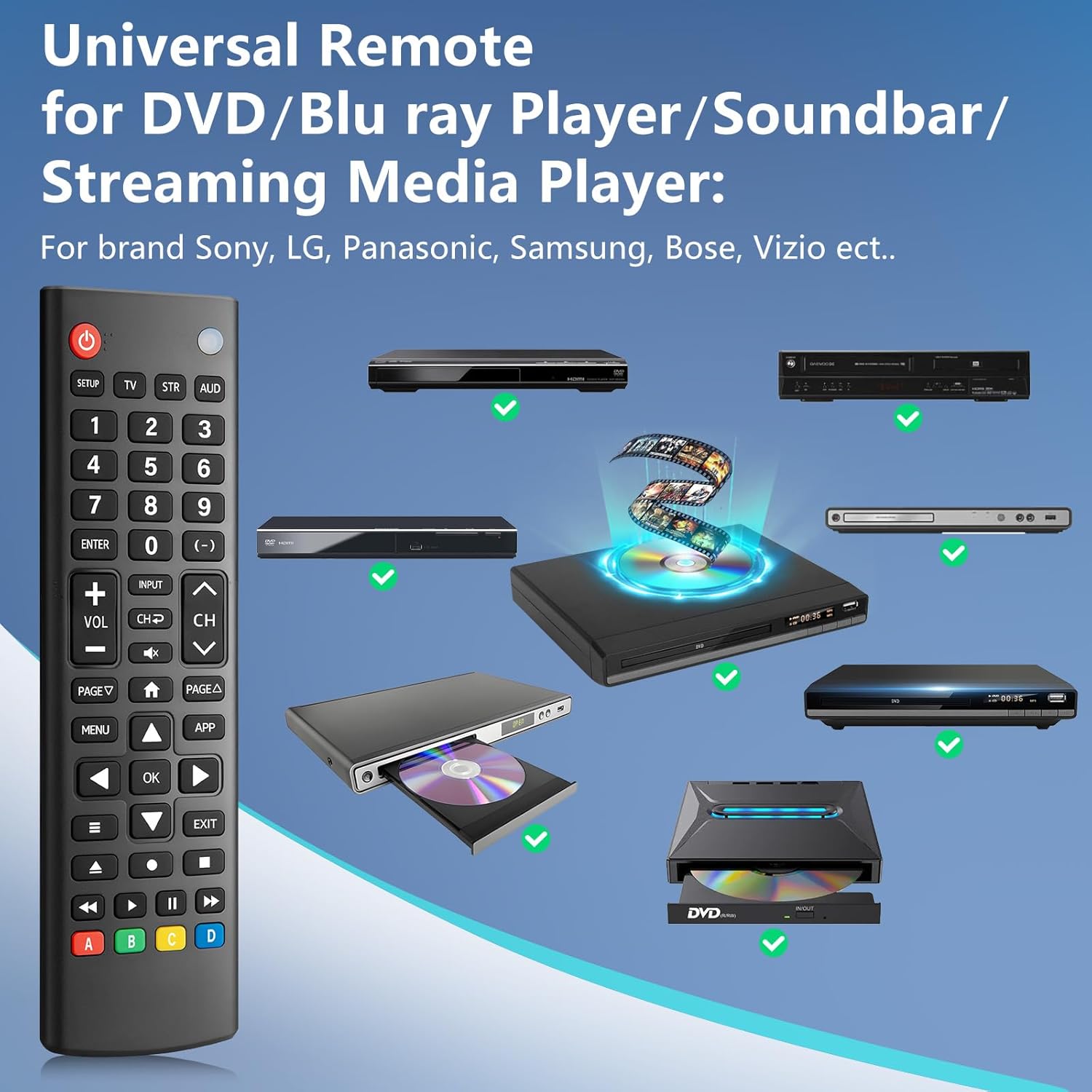
Image: The remote control is compatible with various DVD/Blu-ray players, soundbars, and streaming media players from brands like Sony, LG, Panasonic, Samsung, Bose, and Vizio.
Fehlerbehebung
If you encounter issues with your LOUTOC Universal TV Remote Control, try the following steps:
- Fernbedienung reagiert nicht: Ensure fresh AAA batteries are correctly installed. Check if the remote's red indicator light flashes when a button is pressed.
- Gerät reagiert nicht: Verify that the remote is pointed directly at the device's IR receiver. Ensure there are no obstructions between the remote and the device.
- Fehlerhafte Funktionalität: If buttons perform incorrect actions, re-attempt the pairing process (Method 1 or Method 2) using a different code from the CODE LIST for your specific device.
- Eingeschränkte Funktionalität: Some advanced or brand-specific functions may not be supported by a universal remote.
- Interferenz: Stellen Sie sicher, dass keine anderen Geräte Infrarotstörungen verursachen.
Technische Daten
| Technische Daten | 6.7 x 1.8 x 0.7 Zoll |
| Artikelgewicht | 2.08 Unzen |
| Modellnummer | SRP9232D |
| Marke | LOUTOC |
| Besonderheit | Ergonomic, Lightweight, Universal |
| Maximale Anzahl unterstützter Geräte | 1 (at a time, configured for specific device type) |
| Kompatible Geräte | DVD/Blu-ray Player, Set Top Box, Television |
Offizielles Produktvideo
Video: Ein überview of the LOUTOC Universal TV Remote Control, highlighting its compatibility with various brands like Samsung, LG, Hisense, and TCL.
Garantie und Support
For warranty information or technical support, please refer to the contact details provided with your product packaging or visit the official LOUTOC webWebsite. Bewahren Sie Ihren Kaufbeleg für Garantieansprüche auf.