
1. Produktüberschreitungview
The AJAZZ AJ139 V2 MC is a versatile tri-mode gaming mouse designed for precision and responsiveness. It features a PAW3311 sensor for accurate tracking, a 1000Hz return rate for smooth performance, and a long-lasting 500mAh battery. Its compact and lightweight design makes it suitable for extended use and portability.
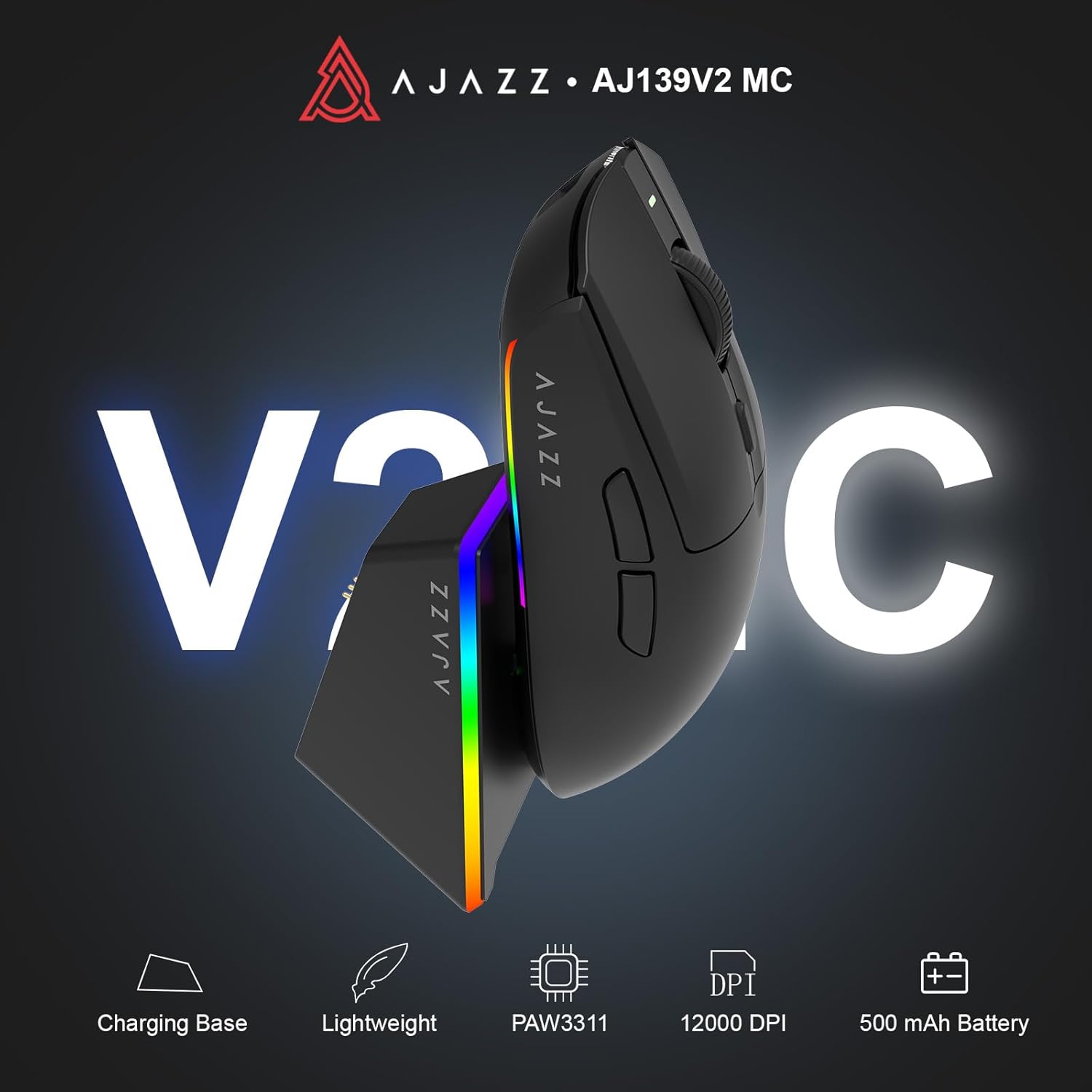
Figure 1.1: AJAZZ AJ139 V2 MC Gaming Mouse and Charging Dock.
Video 1.1: Ein überview of the AJAZZ AJ139 V2 MC Gaming Mouse, highlighting its features and design.
2. Packungsinhalt
Stellen Sie sicher, dass alle Artikel im Paket vorhanden sind:
- AJAZZ AJ139 V2 MC Gaming-Maus
- Ladestation
- USB-C-Ladekabel
- 2.4-GHz-USB-Empfänger (Dongle)
- Bedienungsanleitung
3. Hauptmerkmale
- PAW3311 Sensor Technology: Equipped with the PAW3311 sensor, this mouse ensures precise tracking and accurate cursor control for optimal performance.
- High 1000Hz Return Rate: Experience smooth and responsive performance with a 1000Hz return rate, enhancing your gaming or work experience.
- Langlebiger 500-mAh-Akku: The integrated 500mAh battery provides extended power, ensuring uninterrupted use for prolonged periods.
- Dreimodus-Konnektivität: Supports versatile connectivity options including Wired, 2.4G Wireless, and Bluetooth, adapting to various devices and setups.
- Kompaktes und leichtes Design: Weighing approximately 66 grams, the mouse features a compact design for easy portability and comfortable use during long sessions.
- Anpassbare RGB-Beleuchtung: Features integrated RGB lighting for personalized aesthetics.
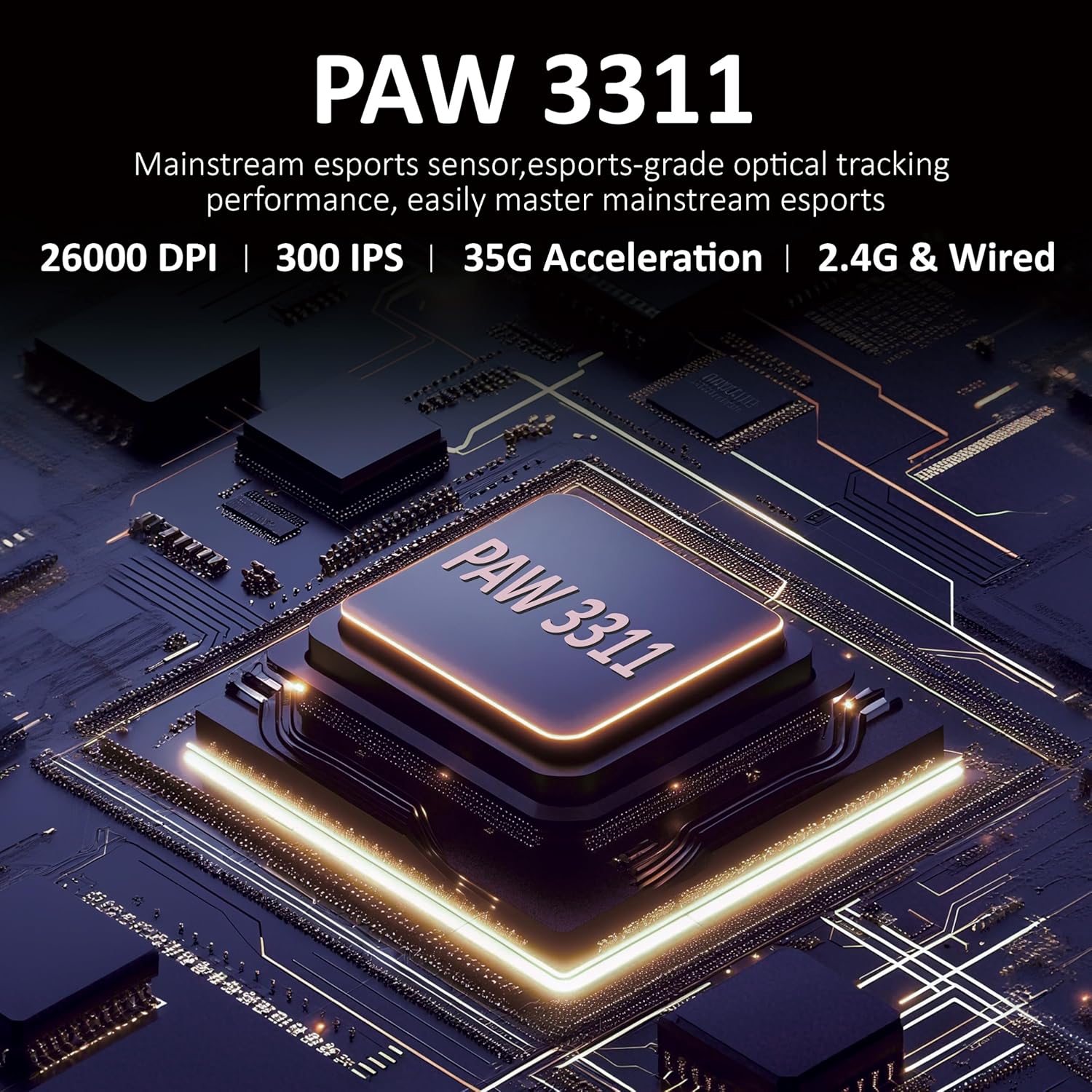
Abbildung 3.1: Ausführlich view of the PAW3311 sensor technology.
Video 3.1: Demonstration of the mouse's 500mAh battery life.

Figure 3.2: The lightweight design of the AJAZZ AJ139 V2 MC mouse.
4. Installationsanleitung
4.1. Anschließen der Maus
The AJAZZ AJ139 V2 MC offers three connection modes:
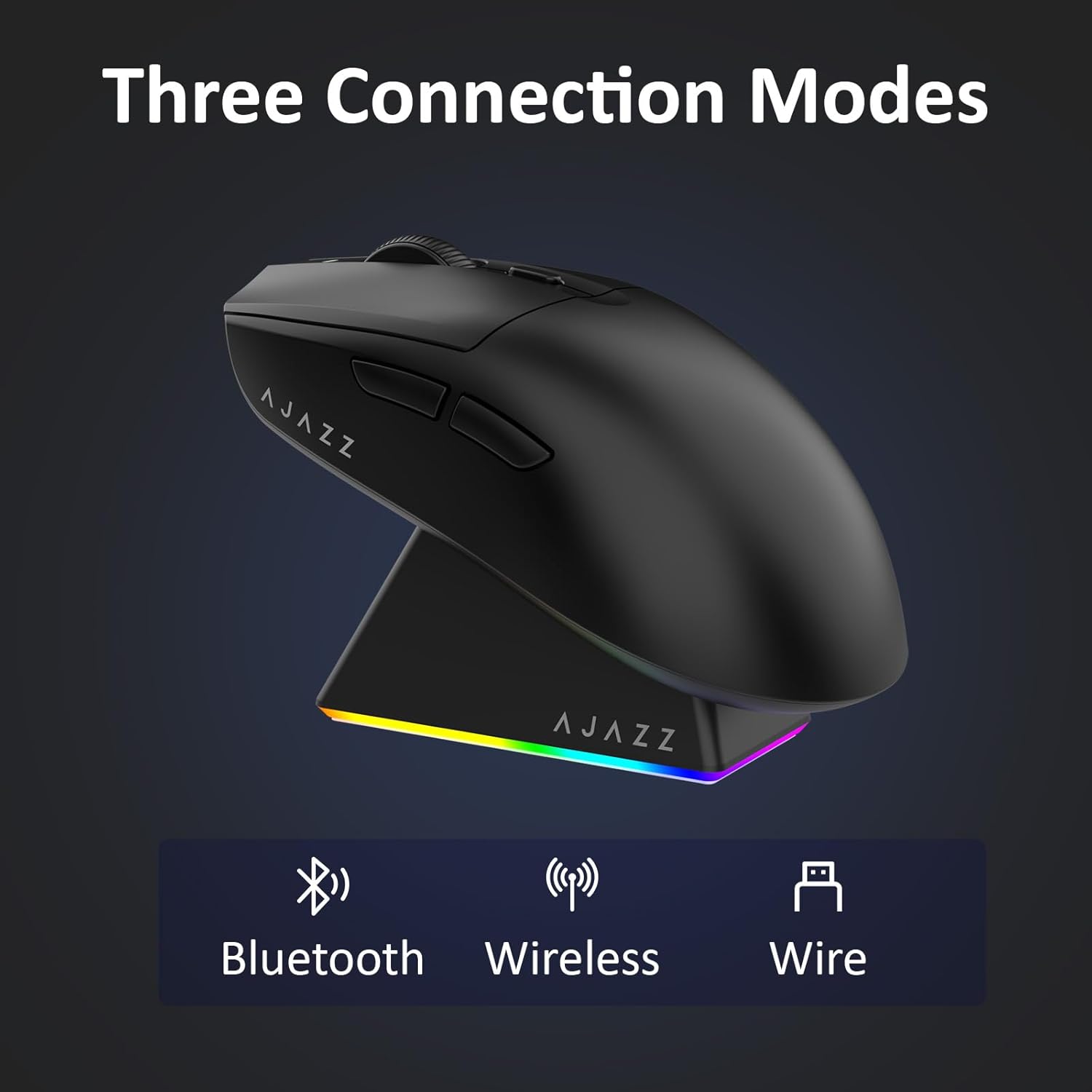
Abbildung 4.1: Visuelle Darstellung der drei Verbindungsmodi.
- 2.4G-Wireless-Modus:
- Suchen Sie den 2.4-GHz-USB-Empfänger, der sich im Fach an der Unterseite der Maus befindet.
- Stecken Sie den USB-Empfänger in einen freien USB-Port Ihres Computers.
- Slide the switch on the bottom of the mouse to the '2.4G' position. The mouse will automatically connect.
- Bluetooth-Modus:
- Schieben Sie den Schalter an der Unterseite der Maus in die Position „BT“.
- Öffnen Sie auf Ihrem Gerät die Bluetooth-Einstellungen und suchen Sie nach neuen Geräten.
- Select 'AJAZZ AJ139 V2 MC' from the list to pair.
- Kabelgebundener Modus:
- Connect the USB-C charging cable to the mouse and the other end to your computer's USB port.
- Die Maus funktioniert sowohl als kabelgebundenes Gerät als auch beim gleichzeitigen Aufladen.
4.2. Aufladen der Maus
The mouse can be charged using the included charging dock or directly via the USB-C cable.
- Verwendung der Ladestation:
- Connect the USB-C charging cable to the charging dock and then to a power source (e.g., computer USB port, USB wall adapter).
- Place the mouse onto the charging dock, aligning the magnetic contacts. The RGB lighting on the dock and mouse will indicate charging status.
- Direktes Laden über USB-C:
- Connect the USB-C charging cable directly to the mouse and a power source.
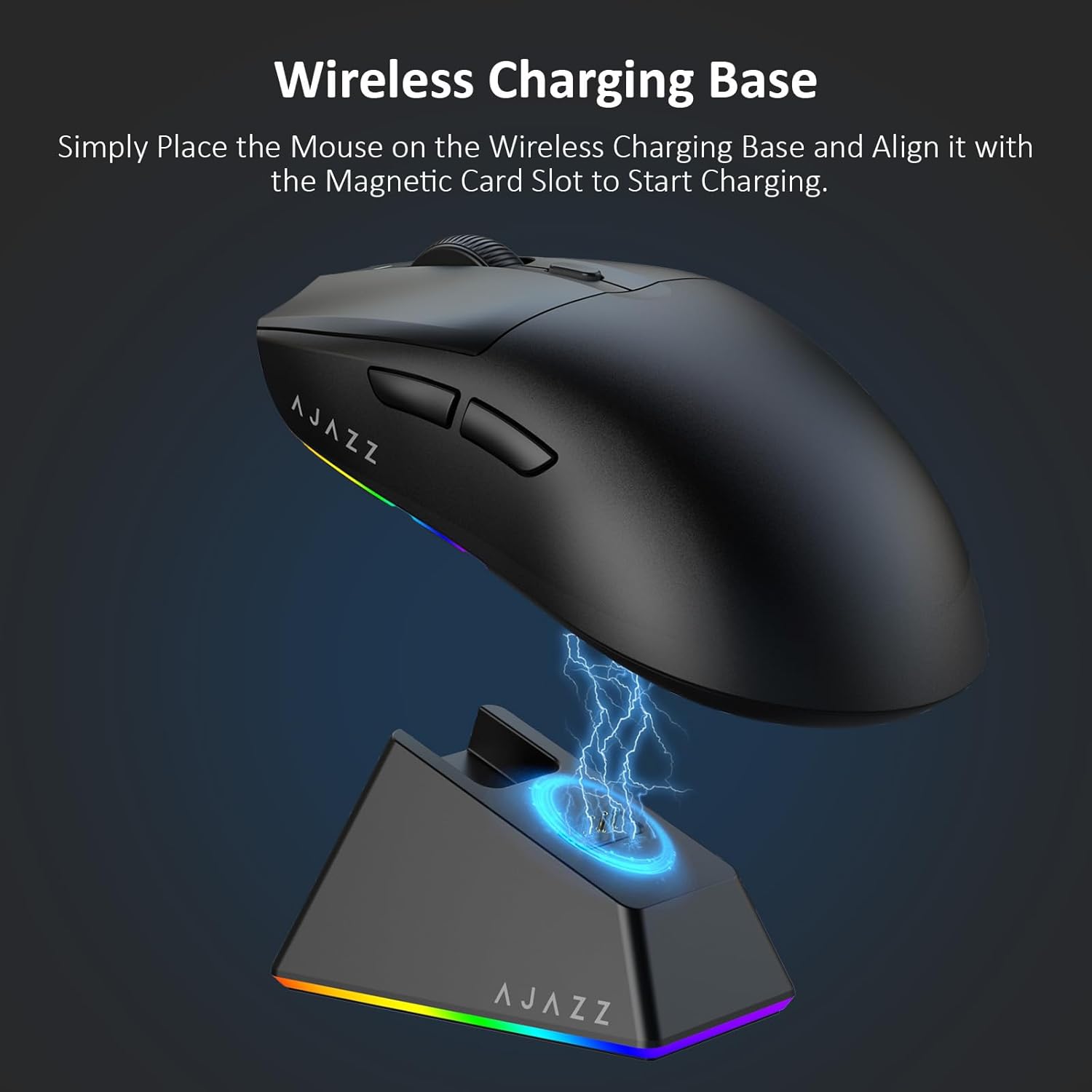
Figure 4.2: The mouse being charged on its wireless charging base.
5. Bedienungsanleitung
5.1. DPI-Anpassung
The mouse features a dedicated DPI adjustment button on its underside, allowing you to cycle through different sensitivity levels. Press the button to change the DPI setting to suit your preference.
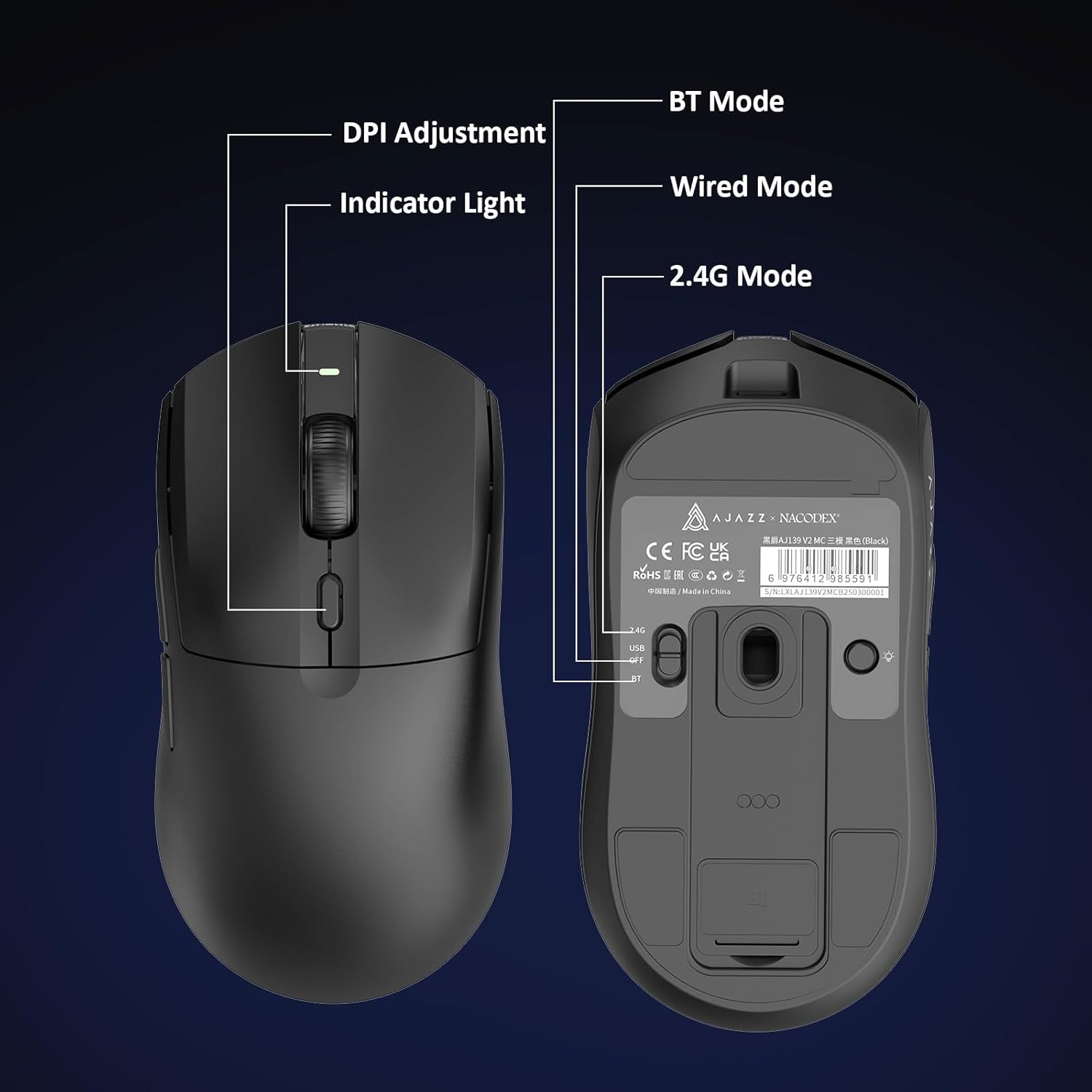
Figure 5.1: Location of the DPI adjustment button and connection mode switch on the mouse underside.
5.2. Tastenfunktionen
The mouse is equipped with 6 programmable buttons:
- Linksklick-Taste
- Rechtsklick-Taste
- Scrollrad (klickbar)
- DPI Adjustment Button (on underside)
- Two Side Buttons (typically for forward/backward navigation)
For advanced customization of button functions and macros, please refer to the official AJAZZ software (downloadable from the manufacturer's webSeite? ˅).
5.3. RGB-Beleuchtungssteuerung
The mouse and charging dock feature customizable RGB lighting. Specific controls for lighting modes and colors are typically managed through the official AJAZZ software. A dedicated light button on the underside of the mouse allows for basic cycling or turning off the lighting.
6. Wartung
- Reinigung: Reinigen Sie die Mausoberfläche mit einem weichen, trockenen Tuch. Bei hartnäckigem Schmutz kann ein leicht trocknendes Tuch hilfreich sein.amp Es kann ein Tuch verwendet werden, um sicherzustellen, dass keine Feuchtigkeit in die inneren Bauteile eindringt.
- Sensorpflege: Um die Genauigkeit der Abtastung zu gewährleisten, halten Sie den optischen Sensor an der Unterseite der Maus sauber und frei von Staub und Schmutz.
- Batterielebensdauer: Um die Batterielebensdauer zu verlängern, vermeiden Sie häufiges vollständiges Entladen der Maus. Laden Sie sie auf, sobald die Batterieanzeige schwach ist.
7. Fehlerbehebung
| Problem | Mögliche Lösung |
|---|---|
| Mouse not responding in 2.4G Wireless mode. | Ensure the 2.4G USB receiver is securely plugged into a USB port and the mouse switch is set to '2.4G'. Try a different USB port. |
| Mouse not pairing via Bluetooth. | Ensure the mouse switch is set to 'BT' and your device's Bluetooth is enabled and discoverable. Try unpairing and re-pairing the device. |
| Maus lädt nicht. | Verify the USB-C cable is properly connected to both the dock/mouse and the power source. Ensure the mouse is correctly seated on the charging dock's magnetic contacts. |
| Inconsistent tracking or cursor movement. | Reinigen Sie den optischen Sensor an der Unterseite der Maus. Stellen Sie sicher, dass Sie die Maus auf einer geeigneten Oberfläche (z. B. einem Mauspad) verwenden. |
| Die RGB-Beleuchtung funktioniert nicht. | Check the mouse's software settings for lighting control. Ensure the mouse has sufficient battery charge. |
8. Technische Daten
| Besonderheit | Spezifikation |
|---|---|
| Marke | AJAZZ |
| Modellname | Aj139 V2 MC |
| Farbe | V2 MC Black |
| Konnektivitätstechnologie | Bluetooth, USB, 2.4G Wireless |
| Bewegungserkennungstechnologie | Optischer Sensor (PAW3311) |
| Mouse Maximum Sensitivity | 12000 Dots per Inch (DPI) |
| Rücklaufquote | 1000 Hz |
| Batteriekapazität | 500 mAh |
| Anzahl der Tasten | 6 |
| Handausrichtung | Rechts |
| Kompatible Geräte | Desktop-Computer |
| Betriebssystem | Windows |
| Reichweite | 10 Meter |
| Artikelgewicht | 4 Unzen (ca. 113 Gramm) |
| Artikelabmessungen L x B | 5 Zoll L x 2.5 Zoll B (ca. 12.7 cm x 6.35 cm) |
| Verschönerungsfunktion | RGB-Beleuchtung |
| Gehäusematerial | Plastik |
| Beenden | Matt |
9. Garantie und Support
This product comes with a standard manufacturer's warranty. For detailed warranty information, please refer to the official AJAZZ webWebsite oder wenden Sie sich an Ihren Händler.
For technical support, troubleshooting assistance, or any product-related inquiries, please visit the AJAZZ official support page or contact their customer service team.
Online-Ressourcen:
AJAZZ Official Store