1. Einleitung
This manual provides detailed instructions for the installation, operation, and maintenance of your Generic 5-inch Motorcycle Multimedia System. Please read this manual thoroughly before using the device to ensure proper function and safety. Keep this manual for future reference.
2. Produktüberschreitungview und Hauptmerkmale
The Generic 5-inch Motorcycle Multimedia System is designed to enhance your riding experience with advanced connectivity and navigation features. It integrates seamlessly with your smartphone, offering wireless CarPlay and Android Auto functionality.
Hauptmerkmale:
- 5-Zoll-IPS-Touchscreen: High-resolution (800x480P) display for clear visuals and responsive touch control, even in bright sunlight.
- IP67 Wasser- und Staubbeständigkeit: Ensures durability and reliable performance in various weather conditions, protecting against rain and dust.
- Kabelloses CarPlay & Android Auto: Connect your smartphone wirelessly for navigation, music, calls, and messages directly on the device screen.
- Duale Bluetooth-Konnektivität: Pair two devices simultaneously for managing calls, streaming audio, or voice commands.
- Mehrsprachige Unterstützung: Supports multiple languages for a personalized user experience.
- Einfache Installation: Designed for motorcycle handlebar mounting with a U-shaped bracket.
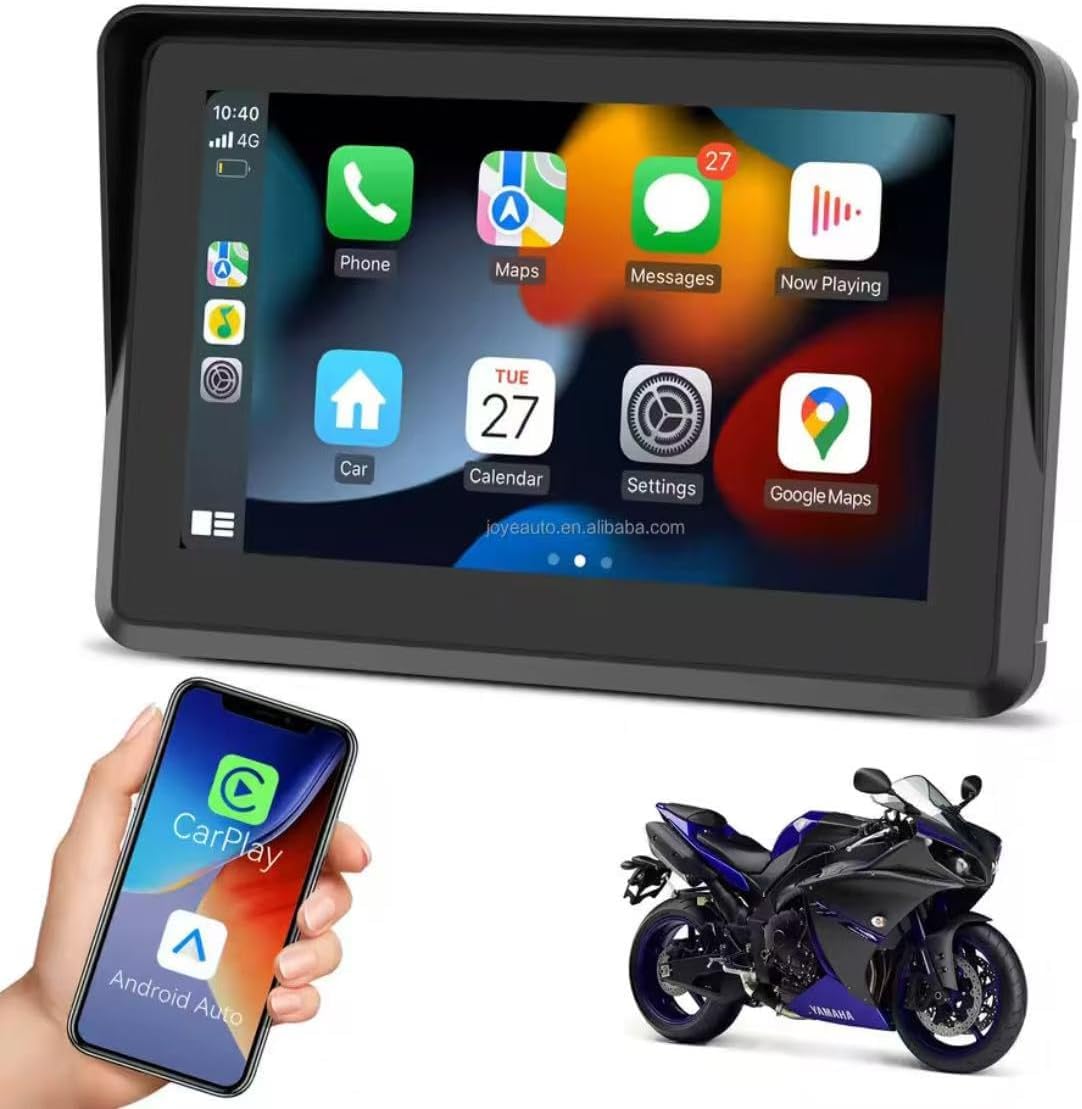
Figure 2.1: Device displaying the CarPlay interface with various applications.

Figure 2.2: Demonstrating the device's resilience in various riding conditions, including snow, dirt, water, and extreme temperatures.
3. Packungsinhalt
Bitte überprüfen Sie den Packungsinhalt nach dem Auspacken. Sollten Artikel fehlen oder beschädigt sein, wenden Sie sich bitte an Ihren Händler.
- Motorcycle Multimedia System Unit
- U-shaped Handlebar Mounting Bracket (approx. 33 mm diameter)
- Power Cable (9V-12V)
- Mounting Accessories (screws, spacers, ball joints)

Figure 3.1: Included mounting accessories and power cable.
4. Einrichtung und Installation
Follow these steps to properly install your multimedia system on your motorcycle.
4.1 Gerät montieren
- Select a suitable position on your motorcycle handlebar for mounting. Ensure it does not obstruct your view oder die Kontrolle über das Motorrad.
- Attach the U-shaped mounting bracket to the handlebar. The bracket is designed for handlebars with an approximate diameter of 33 mm. Use the provided screws and spacers to secure it firmly.
- Connect the multimedia system unit to the mounting bracket using the ball joint and tightening mechanism. Adjust the viewWinkel für optimale Sicht.

Figure 4.1: Device mounted on a handlebar bracket.
4.2 Stromanschluss
- Connect the provided power cable to the multimedia system.
- Connect the other end of the power cable to your motorcycle's 9V-12V power supply. Ensure correct polarity (red for positive, black for negative). Consult your motorcycle's manual or a professional if unsure about wiring.
- Secure all cable connections to prevent accidental disconnection or damage during riding.
5. Bedienungsanleitung
This section details how to operate your multimedia system.
5.1 Ein-/Ausschalten
- Einschalten: Once connected to power, the device should automatically power on. If not, press and hold the power button (if available) until the screen illuminates.
- Ausschalten: To turn off the device, press and hold the power button until a power-off prompt appears, then confirm. Alternatively, disconnect from the power source.
5.2-Zoll-Touchscreen-Navigation
The device features an IPS touch screen for intuitive control.
- Klopfen: Wählen Sie ein Element aus oder aktivieren Sie eine Funktion.
- Wischen: Navigate through menus or screens.
- Pinch-to-Zoom: Karte anpassen views (where applicable).
5.3 Kabellose CarPlay-/Android Auto-Verbindung
This device supports wireless connectivity for both Apple CarPlay and Android Auto.
- Stellen Sie sicher, dass Bluetooth und WLAN auf Ihrem Smartphone aktiviert sind.
- On the multimedia system, navigate to the CarPlay or Android Auto icon and tap it.
- The system will enter pairing mode. On your smartphone, search for the device's Bluetooth name (e.g., "MP5-M5" or similar) and pair with it.
- Once Bluetooth is paired, the system will automatically establish a Wi-Fi connection for CarPlay or Android Auto.
- Follow any on-screen prompts on both the device and your smartphone to complete the connection.
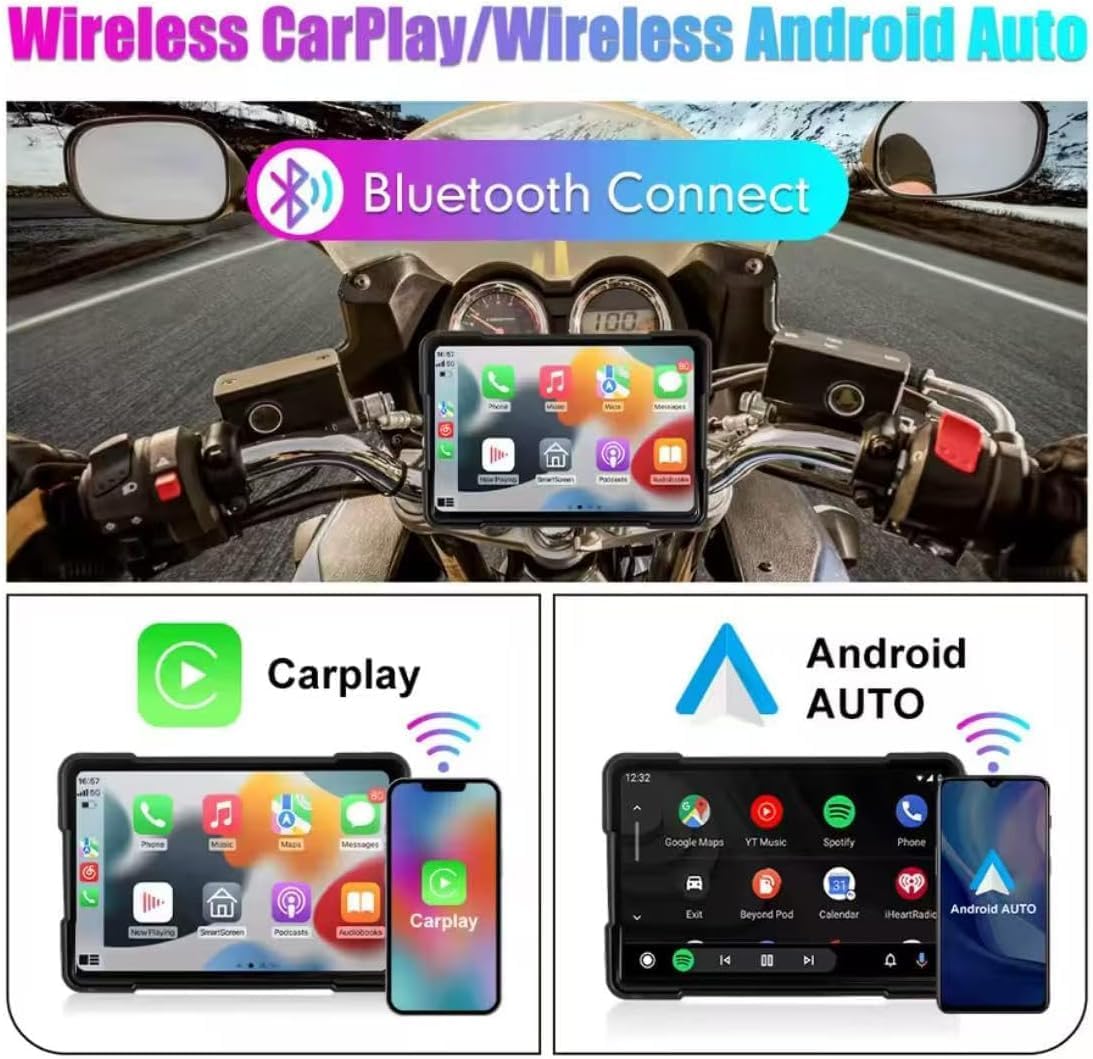
Abbildung 5.1: Drahtlose CarPlay- und Android Auto-Konnektivität.
5.4 Using Navigation, Music, and Calls
Once connected via CarPlay or Android Auto, you can access your smartphone's features directly from the multimedia system.
- Navigation: Use your preferred map application (e.g., Google Maps, Apple Maps) for turn-by-turn directions.
- Musik: Stream audio from your favorite music apps.
- Anrufe: Telefonieren Sie freihändig.
- Sprachassistent: Utilize voice commands for various functions (e.g., "Hey Siri" or "Ok Google").

Figure 5.2: Device mounted on a motorcycle, showing key functions.
5.5 Bluetooth Dual Connectivity
The device supports connecting two Bluetooth devices simultaneously. This allows for flexible use, such as connecting your phone for CarPlay/Android Auto and a Bluetooth headset for audio output.
5.6 Spracheinstellungen
So ändern Sie die Systemsprache:
- Navigieren Sie zum Menü „Einstellungen“ auf dem Gerät.
- Locate and select 'Language' or a similar option.
- Wählen Sie Ihre gewünschte Sprache aus der Liste.
6. Wartung
Proper maintenance ensures the longevity and optimal performance of your multimedia system.
- Reinigen des Bildschirms: Verwenden Sie ein weiches, fusselfreies Tuch, um den Bildschirm vorsichtig abzuwischen. Bei hartnäckigen Flecken leicht andrücken.ampReinigen Sie das Tuch mit Wasser oder einem für Bildschirme geeigneten Reiniger. Vermeiden Sie aggressive Chemikalien oder Scheuermittel.
- Wasserbeständigkeit (IP67): While the device is IP67 rated for water and dust resistance, avoid submerging it for extended periods or exposing it to high-pressure water jets. Ensure all ports are properly sealed if applicable.
- Temperatur: Operate the device within the specified temperature range (-20°C to 80°C). Avoid prolonged exposure to extreme heat or cold, which can affect battery life and screen performance.
- Kabelverbindungen: Überprüfen Sie regelmäßig alle Kabelverbindungen auf festen Sitz und Anzeichen von Verschleiß.
7. Fehlerbehebung
If you encounter issues with your multimedia system, refer to the following common problems and solutions.
- Das Gerät lässt sich nicht einschalten:
- Check the power cable connection to both the device and the motorcycle's power source.
- Ensure the motorcycle's power supply is active (e.g., ignition is on).
- Verify the power cable for any damage.
- CarPlay/Android Auto verbindet sich nicht drahtlos:
- Stellen Sie sicher, dass Bluetooth und WLAN auf Ihrem Smartphone aktiviert sind.
- Entferne das Gerät aus den Bluetooth-Einstellungen deines Telefons und versuche es erneut mit einer Kopplung.
- Restart both the multimedia system and your smartphone.
- Stellen Sie sicher, dass das Betriebssystem Ihres Telefons auf dem neuesten Stand ist.
- Touchscreen reagiert nicht:
- Starten Sie das Gerät neu.
- Stellen Sie sicher, dass der Bildschirm sauber und frei von Schmutz und Feuchtigkeit ist.
- Keine Audioausgabe:
- Check the volume settings on both the multimedia system and your connected smartphone/headset.
- Ensure your Bluetooth audio device is properly paired and selected as the output.
Sollten diese Schritte das Problem nicht beheben, wenden Sie sich bitte an den Kundendienst.
8. Spezifikationen
| Besonderheit | Spezifikation |
|---|---|
| Bildschirmgröße | 5 Zoll |
| Bildschirmtyp | IPS Touch Screen |
| Bildschirmauflösung | 800 x 480 Pixel |
| Wasserbeständigkeit | IP67 |
| Konnektivität | Kabelloses CarPlay, kabelloses Android Auto, Bluetooth |
| Stromversorgung | 9 V bis 12 V |
| Betriebstemperatur | -20 °C bis 80 °C (-4 °F bis 176 °F) |
| Handlebar Mount Diameter | Ca. 33 mm |
| Abmessungen (Verpackung) | 15 x 10 x 8 cm |
| Gewicht (Verpackung) | 500 g |
| Besondere Merkmale | Android Auto and Carplay, Touchscreen |
9. Garantie und Support
This product comes with a standard manufacturer's warranty. Please refer to your purchase documentation for specific warranty terms and duration. For technical support, troubleshooting assistance, or warranty claims, please contact your retailer or the manufacturer's customer service department.


