
1. Einleitung
The ASUS ROG RYUO IV SLC 360 ARGB is an advanced all-in-one CPU liquid cooler designed for optimal thermal performance and aesthetic customization. It features a curved 6.67-inch AMOLED display, pre-mounted daisy-chained ARGB fans, and a powerful pump to ensure efficient cooling for high-performance systems.
This manual provides essential information for the proper installation, operation, and maintenance of your ROG RYUO IV SLC 360 ARGB liquid cooler.
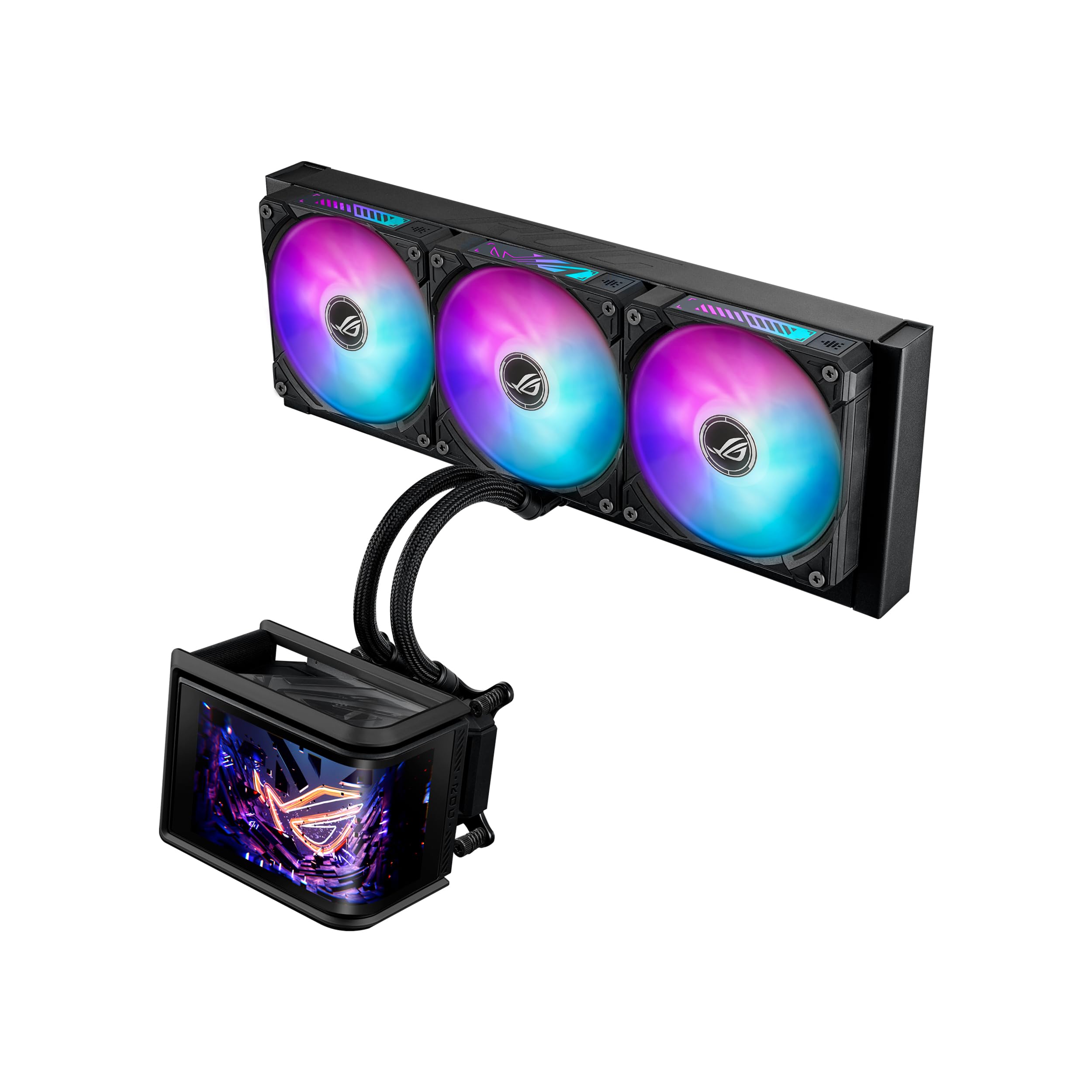
Figure 1: ASUS ROG RYUO IV SLC 360 ARGB Liquid Cooler
2. Einrichtung und Installation
2.1 Packungsinhalt
Vor Beginn der Installation überprüfen Sie bitte, ob alle Komponenten im Paket vorhanden sind:
- ROG Ryuo IV SLC 360 ARGB AIO Cooler (Radiator, Pump, Fans)
- Zubehörset mit Schrauben und Halterungen (für Intel- und AMD-Sockel)
- Kurzanleitung
- ROG Cable Organizer
- ROG-Aufkleber
- ROG VIP Card

Abbildung 2: Inhalt der Box
2.2 Kompatibilität
The ROG RYUO IV SLC 360 ARGB supports a wide range of CPU sockets:
- Intel: LGA 1851, 1700
- AMD: AM5, AM4
Ensure your motherboard and PC case are compatible with a 360mm radiator. The shortened tubing design (200mm) is optimized for a clean aesthetic and improved compatibility within most mid to large tower cases.

Figure 3: Extensive Compatibility
2.3 Installationsschritte (Allgemein)view)
- Motherboard vorbereiten: Install the appropriate mounting brackets for your CPU socket (Intel or AMD) onto the motherboard.
- Kühler montieren: Secure the 360mm radiator to an available mounting location in your PC case, typically at the top or front. The pre-mounted daisy-chained ARGB fans simplify cable management.
- Pumpe/Kühlplatte einbauen: Apply thermal paste (if not pre-applied) to the CPU. Mount the pump/cold plate assembly onto the CPU, ensuring even pressure.
- Kabel anschließen: Connect the pump and fan cables to the appropriate headers on your motherboard. Connect the display cable for the AMOLED screen.
- Softwareinstallation: Install the ASUS Armoury Crate software to customize the AMOLED display, ARGB lighting, and fan profiles.
For detailed, step-by-step instructions, please refer to the included Quick Start Guide or the official ASUS support webWebsite.

Figure 4: Pre-Installed, Daisy-Chained Fans
3. Bedienungsanleitung
3.1 Curved AMOLED Display
The 6.67-inch curved AMOLED display on the pump head supports 3D-effect videos or customized system information. Use the ASUS Armoury Crate software to:
- Monitor real-time CPU temperature, fan speed, and other system metrics.
- Display custom images, GIFs, or videos.
- Adjust display orientation and content.

Figure 5: Curved AMOLED Display
3.2 ARGB-Beleuchtungssteuerung
The pre-mounted daisy-chained ARGB fans feature front and side lighting. The lighting can be synchronized with other ASUS Aura Sync compatible components through the Armoury Crate software. Customize lighting effects, colors, and patterns to match your system's aesthetic.
3.3 Kühlleistung
The powerful pump and high-airflow fans deliver robust cooling performance, higher flow, and lower impedance. The system is designed to maintain optimal operating temperatures for your CPU even under heavy workloads, preventing thermal throttling and performance degradation.
Video 1: Endeview of the ASUS ROG RYUO IV SLC 360 ARGB Liquid Cooler's features and aesthetics.
4. Wartung
Regular maintenance ensures the longevity and optimal performance of your liquid cooler:
- Staubentfernung: Periodically clean the radiator fins and fan blades using compressed air to prevent dust buildup, which can impede airflow and cooling efficiency.
- Prüfen Sie Schläuche und Anschlüsse: Inspect the tubing for any signs of kinks, leaks, or damage. Ensure all connections to the pump, radiator, and motherboard are secure.
- Software-Updates: Keep your ASUS Armoury Crate software updated to the latest version to ensure compatibility and access to new features or performance optimizations.
- Pumpengeräusch: If you notice unusual pump noises, ensure the pump is running at an appropriate speed and that there are no air bubbles trapped in the loop. Gently tilting the PC case can sometimes help dislodge air bubbles.
5. Fehlerbehebung
5.1 Hohe CPU-Temperaturen
- Verify that the pump is functioning correctly and that its cables are securely connected.
- Ensure fans are spinning and configured for optimal airflow (intake/exhaust).
- Prüfen Sie, ob sich Staub am Heizkörper angesammelt hat, und reinigen Sie ihn gegebenenfalls.
- Confirm that the cold plate is making proper contact with the CPU and that thermal paste was applied correctly.
5.2 Lüftergeräusch
- Adjust fan curves in ASUS Armoury Crate to find a balance between cooling performance and noise levels.
- Stellen Sie sicher, dass die Lüfter fest montiert sind und nicht am Gehäuse vibrieren.
- At maximum RPM, fans may produce audible noise, which is normal for high-performance cooling.
5.3 AMOLED Display Issues
- Ensure the display cable is properly connected to the motherboard.
- Update ASUS Armoury Crate software and display drivers.
- If the display prevents your OLED monitor from entering sleep mode, check for updated software or firmware from ASUS that addresses this specific issue.
5.4 ARGB Lighting Malfunctions
- Verify all ARGB cables are correctly connected to the motherboard's ARGB headers.
- Ensure ASUS Armoury Crate is installed and updated, and that lighting effects are properly configured.
6. Spezifikationen
| Besonderheit | Spezifikation |
|---|---|
| Technische Daten | 4.72 Zoll L x 0.98 Zoll B x 4.72 Zoll H |
| Marke | ASUS |
| Typ des Stromanschlusses | 4-pin PWM, 3-pin 5V ARGB |
| Bandtage | 0.55 Volt |
| Wastage | 120 Watt |
| Kühlmethode | Ventilator, Wasser |
| Kompatible Geräte | AMD: AM5, AM4, Intel: LGA 1851, 1700 |
| Geräuschpegel | 39.6 Dezibel |
| Material | Aluminium, Kupfer |
| Maximale Drehzahl | 1500 U/min |
7. Garantie und Support
7.1 Garantieinformationen
The ASUS ROG RYUO IV SLC 360 ARGB Liquid Cooler comes with the following warranty:
- Anzeige: 2 Jahr Garantie
- AIO Cooler: 6 Jahr Garantie
Bitte bewahren Sie Ihren Kaufbeleg für Garantieansprüche auf. Die Garantiebedingungen können je nach Region variieren.
7.2 Technischer Support
Für weitere Hilfe, technischen Support oder zum Herunterladen der neuesten Treiber und Software besuchen Sie bitte die offizielle ASUS-Supportseite. webWebsite:
Besuchen Sie auch die ASUS Store auf Amazon für weitere Produktinformationen.