
Einführung
Thank you for choosing the LogiLink BT0070 BT 6.0 Gaming Headset. This manual provides essential information for the proper setup, operation, and maintenance of your headset. Please read these instructions carefully before using the product to ensure optimal performance and longevity.
The LogiLink BT0070 is a versatile wireless gaming headset designed for clear communication and immersive audio experiences. It features a 360° microphone, comfortable ear pads, an adjustable headband, and a long-lasting battery.
Sicherheitshinweise
- Setzen Sie das Headset keinen extremen Temperaturen, hoher Luftfeuchtigkeit oder korrosiven Substanzen aus.
- Vermeiden Sie es, das Headset fallen zu lassen oder starken Stößen auszusetzen.
- Versuchen Sie nicht, das Headset zu zerlegen oder zu verändern. Dadurch erlischt die Garantie und es können Schäden entstehen.
- Halten Sie das Headset von Wasser und anderen Flüssigkeiten fern.
- Verwenden Sie nur die angegebene Ladespannung.tage und aktuell.
- Längeres Hören bei hoher Lautstärke kann zu Gehörschäden führen. Stellen Sie die Lautstärke auf ein sicheres Niveau ein.
Packungsinhalt
Bitte prüfen Sie das Paket auf folgende Artikel:
- LogiLink BT0070 Gaming Headset
- USB-Ladekabel
- 3.5-mm-AUX-Audiokabel
- Benutzerhandbuch (dieses Dokument)
Produkt überview
Familiarize yourself with the components of your LogiLink BT0070 Gaming Headset.

Bild: Überview of the LogiLink BT0070 headset highlighting its adjustable headband, adjustable microphone, soft memory earmuffs, and flexible design for various head shapes.
- Verstellbares Kopfband: Allows for a customized and comfortable fit.
- Verstellbares Mikrofon: A 360° noise-isolating microphone for clear voice communication.
- Soft Memory Ear Pads: Designed for extended comfort during long gaming sessions.
- Bedientasten: (Specific button functions will be detailed in the Operating section).
- 3.5-mm-AUX-Anschluss: Für kabelgebundene Verbindungen zu Geräten.
- Ladeanschluss: Zum Aufladen des internen Akkus.
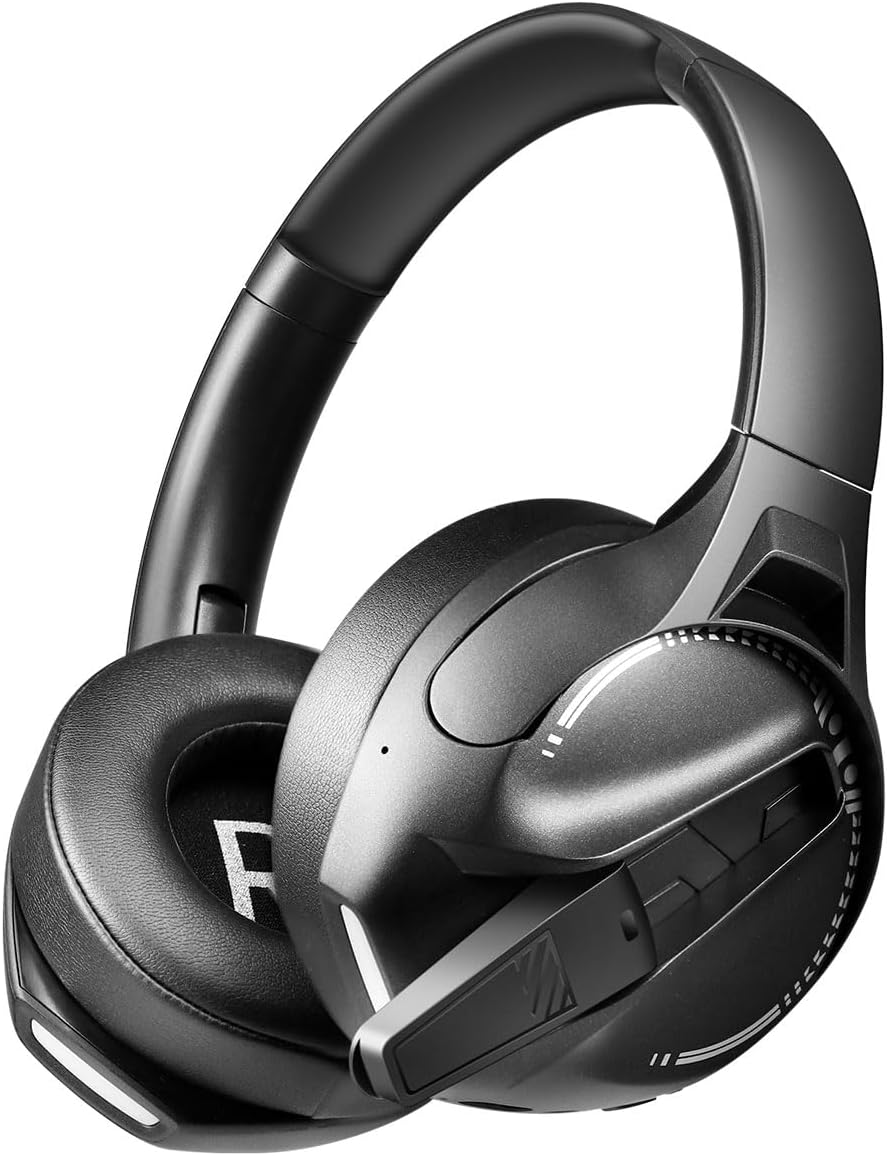
Bild: Seite view of the LogiLink BT0070 headset, showing the extended microphone arm and ear cup design.

Bild: Front view of the LogiLink BT0070 headset, showcasing sein Gesamtdesign.
Aufstellen
1. Laden des Headsets
Before first use, fully charge the headset. Connect the USB charging cable to the headset's charging port and the other end to a compatible USB power source (e.g., computer USB port, USB wall adapter).

Bild: Illustration of power adapter requirements. Use a 3.0-3.0W power adapter. Note that a power adapter is not included with the headset.
- A full charge typically takes approximately [X] hours (specific time not provided, refer to product packaging or LED indicator).
- The LED indicator on the headset will change color or turn off once charging is complete.
- Ensure the power source provides 3.0-3.0W for optimal charging.
2. Ein-/Ausschalten
- So schalten Sie das Gerät ein: Halten Sie den Ein-/Ausschalter etwa 3 Sekunden lang gedrückt, bis die LED-Anzeige aufleuchtet.
- So schalten Sie das Gerät aus: Halten Sie den Netzschalter etwa 5 Sekunden lang gedrückt, bis die LED-Anzeige erlischt.
3. Bluetooth-Kopplung
So verbinden Sie Ihr Headset drahtlos mit einem Gerät:
- Stellen Sie sicher, dass das Headset ausgeschaltet ist.
- Halten Sie den Ein-/Ausschalter etwa 5-7 Sekunden lang gedrückt, bis die LED-Anzeige schnell blinkt (normalerweise blau und rot). Dies signalisiert den Kopplungsmodus.
- Aktivieren Sie auf Ihrem Gerät (Smartphone, Laptop usw.) Bluetooth und suchen Sie nach neuen Geräten.
- Select "LogiLink BT0070" from the list of available devices.
- Once paired, the LED indicator on the headset will typically flash slowly or turn solid blue.
4. Kabelgebundener Anschluss (3.5-mm-AUX)
For a wired connection, use the included 3.5mm AUX audio cable:
- Stecken Sie ein Ende des 3.5-mm-Audiokabels in den AUX-Anschluss des Headsets.
- Stecken Sie das andere Ende in die 3.5-mm-Audiobuchse Ihres Geräts.
- The headset will operate in passive mode, drawing no power from its battery.
5. Passform anpassen
For optimal comfort and sound quality, adjust the headset to fit your head:
- Extend or retract the adjustable headband until the ear cups comfortably cover your ears.
- Ensure the soft memory ear pads create a good seal around your ears.
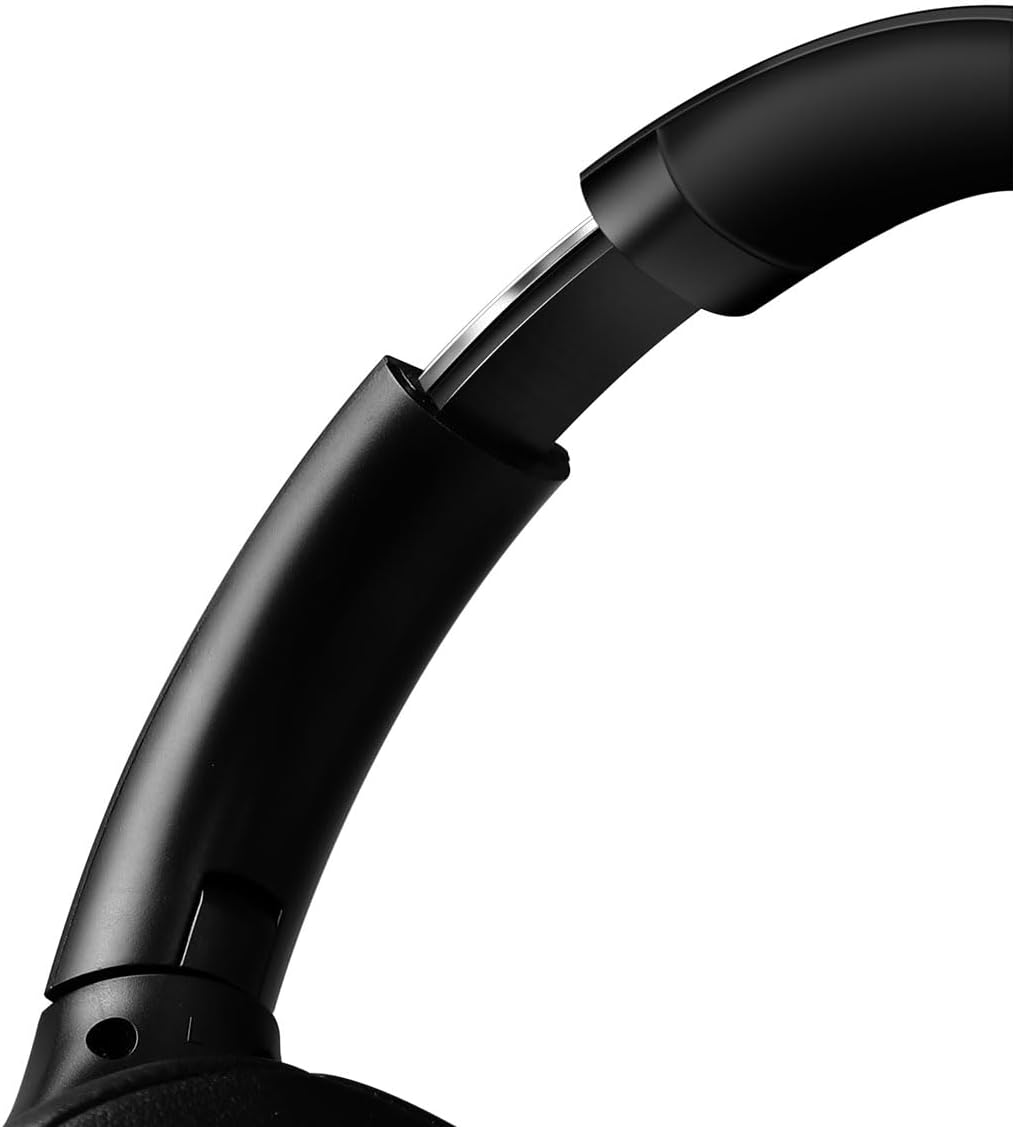
Bild: Nahaufnahme view of the adjustable headband mechanism, demonstrating how to customize the fit.
Bedienung des Headsets
1. Grundlegende Steuerelemente
The headset features intuitive controls, typically located on the ear cups:
- Netzschalter: Press and hold to power on/off. Short press for [X function, e.g., play/pause, answer call - specifics not provided, common functions listed].
- Lauter/Nächster Titel: Kurz drücken für höhere Lautstärke. Lang drücken für nächsten Titel.
- Lautstärke verringern/vorheriger Titel: Kurz drücken zum Verringern der Lautstärke. Lang drücken zum vorherigen Titel.
- Multifunktionstaste (MFB): (Often combined with Power button) Single press to Play/Pause music or Answer/End calls. Double press to Redial last number.
2. Mikrofonnutzung
The integrated 360° noise-isolating microphone is designed for clear communication.
- Einstellen des Mikrofons: Positionieren Sie das Mikrofon nah an Ihrem Mund, um eine optimale Sprachaufnahme zu gewährleisten.
- Stummschalten/Stummschaltung aufheben: (Specific button for mute not provided, common methods listed) Look for a dedicated mute button on the headset or use your device's software controls.
3. Aktive Geräuschunterdrückung (ANC)
The headset features Active Noise Cancellation to reduce ambient noise.
- ANC aktivieren: (Specific button for ANC not provided, common methods listed) Look for a dedicated ANC button or a combination press on existing buttons.
- When ANC is active, you may notice a slight change in audio characteristics.

Bild: Users experiencing immersive audio with the LogiLink BT0070 headset, emphasizing its 3D surround sound capabilities for gaming.
Wartung
1. Reinigung
- Reinigen Sie das Headset mit einem weichen, trockenen, fusselfreien Tuch.
- Verwenden Sie keine Scheuermittel, Alkohol oder chemische Lösungsmittel.
- Reinigen Sie die Ohrpolster vorsichtig, um eventuelle Ablagerungen zu entfernen.
2. Speicherung
- Bewahren Sie das Headset an einem kühlen, trockenen Ort fern von direkter Sonneneinstrahlung und extremen Temperaturen auf.
- Bei längerer Lagerung sollte darauf geachtet werden, dass der Akku nur teilweise geladen ist (etwa 50 %), um seine Lebensdauer zu verlängern.

Bild: The LogiLink BT0070 headset shown in a folded configuration, suitable for compact storage or transport.
3. Batteriepflege
- Vermeiden Sie häufiges vollständiges Entladen des Akkus.
- Laden Sie das Headset regelmäßig auf, auch wenn es nicht benutzt wird, um die Batterieleistung zu erhalten.
Fehlerbehebung
Sollten Sie Probleme mit Ihrem Headset haben, beachten Sie bitte die folgenden häufig auftretenden Probleme und Lösungen:
| Problem | Mögliche Lösung |
|---|---|
| Das Headset lässt sich nicht einschalten. | Ensure the headset is fully charged. Press and hold the Power button for the required duration. |
| Kopplung via Bluetooth nicht möglich. | Ensure the headset is in pairing mode (rapidly flashing LED). Turn off and on your device's Bluetooth. Move closer to the device. Clear previous Bluetooth connections on your device. |
| Kein Ton oder geringe Lautstärke. | Check headset and device volume levels. Ensure the headset is properly connected (Bluetooth or AUX). For Bluetooth, check audio output settings on your device. |
| Mikrofon funktioniert nicht. | Ensure the microphone is not muted. Check microphone input settings on your device. Ensure the microphone is positioned correctly. |
| Die Klangqualität ist schlecht. | Ensure the headset is within Bluetooth range. Check for interference from other wireless devices. For wired connection, ensure the 3.5mm cable is fully inserted. |
Technische Daten
Key technical specifications for the LogiLink BT0070 Gaming Headset:
| Besonderheit | Detail |
|---|---|
| Modell | BT0070 |
| Konnektivitätstechnologie | Bluetooth 6.0, 3.5-mm-AUX-Anschluss |
| Drahtlose Kommunikation | Bluetooth |
| Headset-Typ | Over-Ear |
| Treiberdurchmesser | 40 mm |
| Impedanz | 32 Ohm |
| Mikrofon | 360° Noise-isolating, Omnidirectional |
| Lärmschutz | Aktive Geräuschunterdrückung |
| Akkulaufzeit | Bis zu 50 Stunden |
| Farbe | Schwarz |
| Artikelgewicht | 500 Gramm |
| Technische Daten | 16.8 x 17.8 x 7.5 cm |
| Kompatibel mit | Smartphone & Laptop |
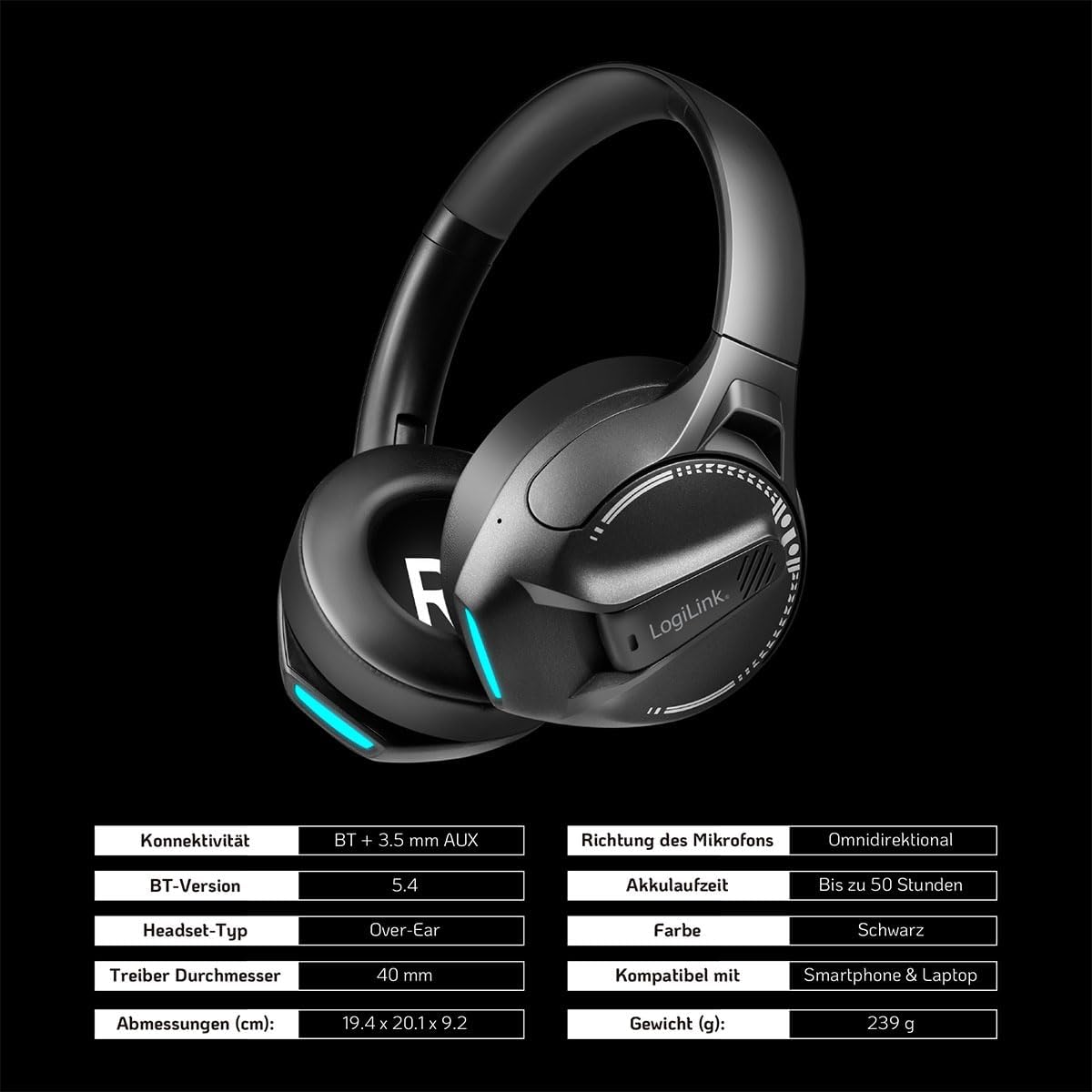
Bild: Visual representation of key specifications for the LogiLink BT0070 headset, including connectivity, battery life, and dimensions. Note: The image lists Bluetooth version 5.4, while the product title specifies 6.0.
Garantie und Support
LogiLink products are designed and manufactured to the highest quality standards. For warranty information and technical support, please refer to the warranty card included with your product or visit the official LogiLink webWebsite.
Bitte bewahren Sie Ihren Kaufbeleg für Garantieansprüche auf.