
1. Einleitung
The GODOX Litemons LE600Bi is a high-performance bi-color LED light designed for professional photography, videography, live streaming, and portraiture. It features an integrated power supply for ease of use, exceptional brightness, and accurate color rendition. This manual provides essential information for the safe and effective operation of your LE600Bi LED light.
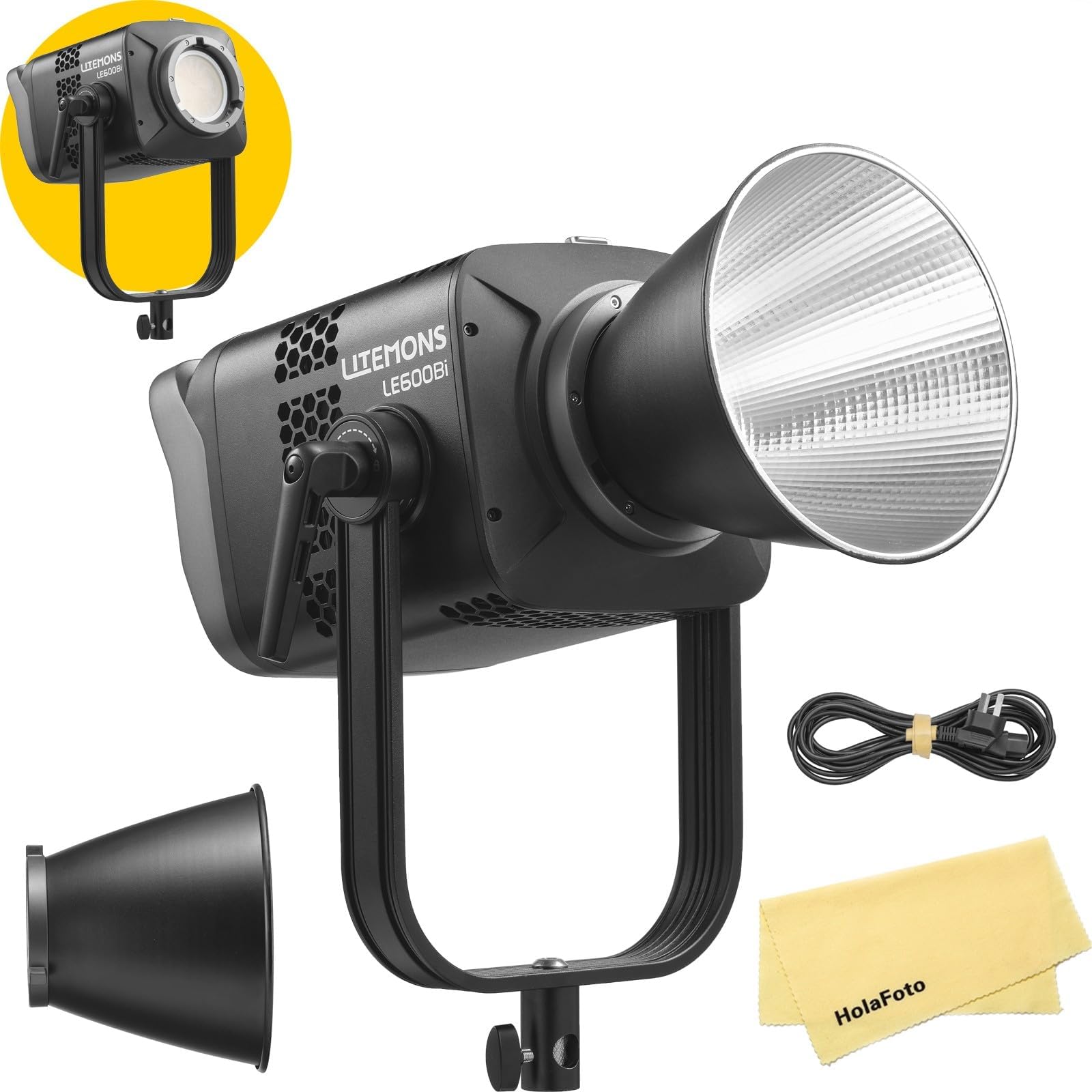
Image 1.1: GODOX Litemons LE600Bi Bi-Color LED Light with reflector.
2. Packungsinhalt
Bitte überprüfen Sie, ob alle Artikel in Ihrem Paket enthalten sind:
- LE600Bi Light Body x1
- Reflektor BR30A x1
- AC-Netzkabel x1
- HolaFoto Cloth x1
3. Sicherheitshinweise
To prevent damage to the product or injury to yourself or others, read the following safety precautions completely before using this product. Keep these safety instructions where users can read them.
- Do not disassemble or modify the product. If the product fails, it must be repaired by an authorized maintenance center.
- Dieses Produkt trocken halten. Nicht mit nassen Händen anfassen oder in Wasser tauchen.
- Das Produkt darf nicht in Gegenwart von brennbaren Gasen, Chemikalien oder anderen Stoffen verwendet werden.
- Do not leave or store the product in high-temperature environments or in direct sunlight.
- Stellen Sie sicher, dass die Stromversorgungslautstärketage entspricht den Produktanforderungen.
- Always disconnect the power cord before cleaning or when not in use.
- Avoid direct eye exposure to the LED light, especially at high brightness settings, as it may cause eye damage.
- Sorgen Sie während des Betriebs für eine ausreichende Belüftung, um eine Überhitzung zu vermeiden.
4. Produktmerkmale
- All-in-One-Design: The LE600Bi features an integrated power supply, eliminating the need for an external adapter. This design simplifies setup and enhances portability.
- Unmatched Brightness: Equipped with premium LED chips, the LE600Bi delivers high levels of illumination suitable for various professional applications.
- Außergewöhnliche Farbgenauigkeit: Boasting TLCI and CRI ratings of up to 98, the LE600Bi ensures accurate color reproduction, making it suitable for professional filmmaking, live streaming, and podcasting.
- Adjustable CCT with Built-in Creative FX: The light offers a wide color temperature range (2800K-6500K) and 11 built-in special effects (FX) such as TV flicker, lightning, and candlelight to enhance creative productions.
- Professional and Efficient Control: Control options include wired DMX, CRMX network integration with TimoLink RX (optional), and wireless Bluetooth control via the Godox Light App for seamless adjustments.
- One-Click Reset: Features a Bluetooth reset button and NFC addition for quick and easy setup of multiple lights.
- Ultra-Cool and Whisper-Quiet: Constructed with a robust metal body and an ultra-quiet fan, ensuring efficient heat dissipation and consistent performance during extended use.
- Kompatibilität der Bowens-Montage: Supports both flat and standard Bowens accessories, offering flexibility for various light modifiers.

Image 4.1: Illumination data example for similar models (LE200Bi/LE300Bi) with BR30A Reflector at 5600K, 1m.

Image 4.2: Visual representation of high TLCI and CRI ratings (TLCI≈98 | CRI≈98).

Image 4.3: Demonstration of adjustable color temperature from warm (2800K) to cool (6500K).
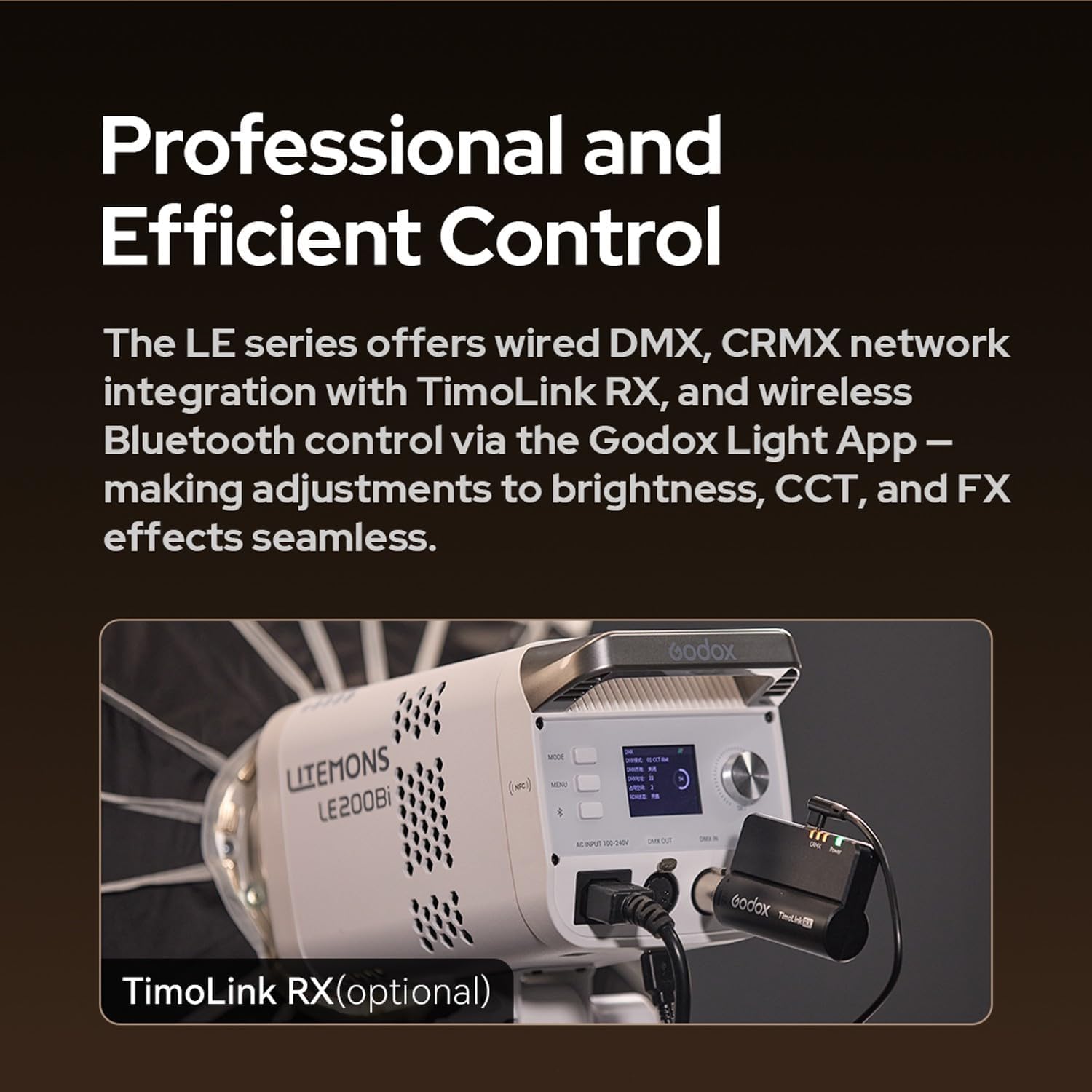
Image 4.4: Control panel of a Litemons LE200Bi light, showing DMX IN/OUT ports and an optional TimoLink RX module.
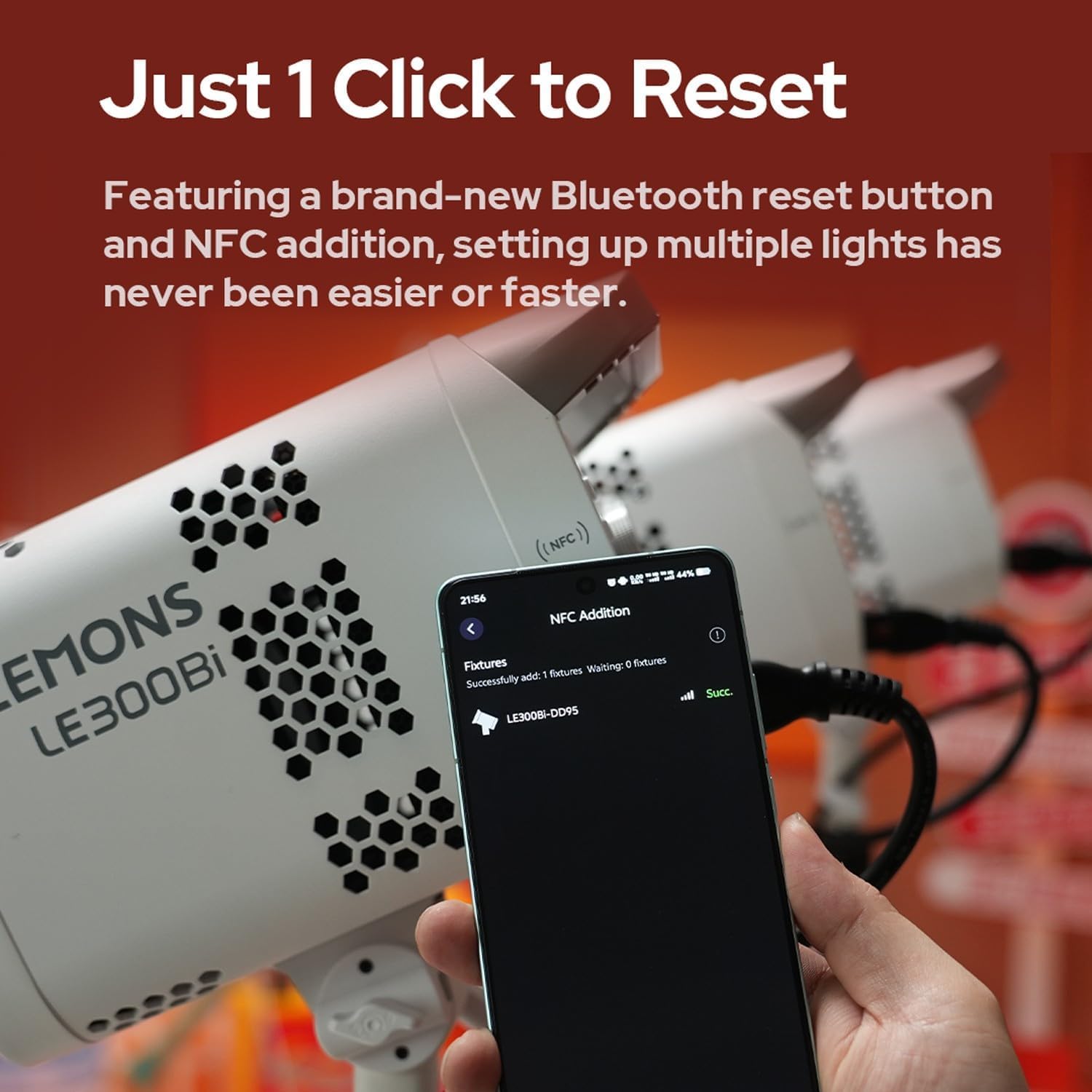
Image 4.5: A smartphone screen displaying successful NFC addition of a LE300Bi fixture.

Image 4.6: Visual representation of the LE300Bi's cooling system, showing heat dissipation.
5. Installationsanleitung
5.1 Auspacken und erste Inspektion
Carefully remove all components from the packaging. Inspect the light body and accessories for any signs of damage. If any damage is found, do not use the product and contact your retailer.
5.2 Zusammenbau des Lichts
- Mount the LE600Bi light body onto a compatible light stand using the mounting bracket. Secure it firmly.
- Attach the BR30A reflector (or other Bowens mount accessory) to the front of the light by aligning the three mounting points and twisting clockwise until it locks into place.
5.3 Stromanschluss
- Connect the AC power cord to the power input port on the back of the LE600Bi light.
- Plug the other end of the AC power cord into a suitable power outlet.
6. Bedienungsanleitung
6.1 Ein-/Ausschalten
Press the power button located on the control panel to turn the light on or off. The display screen will illuminate upon power-on.
6.2 Einstellen der Farbtemperatur (CCT)
Use the CCT adjustment dial or buttons on the control panel to change the color temperature. The range is typically 2800K (warm) to 6500K (cool). Observe the display for the current CCT value.
6.3 Helligkeit anpassen
Rotate the brightness adjustment dial or use the corresponding buttons to increase or decrease the light intensity. The brightness level will be shown on the display.
6.4 Spezialeffekt-Modi (FX)
Access the FX mode menu via the control panel. Select from the 11 available effects such as TV, lightning, candlelight, broken bulb, etc. Adjust parameters for each effect as needed.
6.5 Wireless Control (Bluetooth/DMX)
- Bluetooth-App-Steuerung: Download the Godox Light App on your smartphone. Enable Bluetooth on your device and follow the app's instructions to connect to the LE600Bi. You can then control brightness, CCT, and FX effects wirelessly.
- DMX-Steuerung: For professional setups, connect the LE600Bi to a DMX controller using DMX cables. Refer to the DMX channel chart in the full manual for specific control parameters.
- CRMX Control (with TimoLink RX): If using the optional TimoLink RX, integrate it with your CRMX system for advanced wireless control.
6.6 Reset-Funktion
The LE600Bi features a dedicated Bluetooth reset button. Pressing this button will reset Bluetooth connections, facilitating quick pairing with new devices or resolving connection issues. NFC functionality can also aid in rapid pairing.
7. Wartung
7.1 Reinigung
Reinigen Sie das Lampengehäuse und den Reflektor regelmäßig mit einem weichen, trockenen Tuch. Bei hartnäckigem Schmutz verwenden Sie ein leicht dämpfendes Tuch.amp cloth with a mild detergent, then wipe dry immediately. Do not use harsh chemicals or solvents.
7.2 Speicherung
When not in use, store the LE600Bi in a cool, dry place, away from direct sunlight and excessive humidity. Use the original packaging or a padded case for protection during transport and storage.
8. Fehlerbehebung
| Problem | Mögliche Ursache | Lösung |
|---|---|---|
| Die Lampe geht nicht an. | No power supply; faulty power cord; power button not pressed. | Check power cord connection; try a different outlet; ensure power button is fully pressed. |
| Das Licht flackert oder ist instabil. | Loose power connection; incorrect power supply; overheating. | Secure power connections; ensure correct voltage; allow light to cool down. |
| Verbindung via Bluetooth nicht möglich. | Bluetooth nicht aktiviert; Leuchte nicht im Kopplungsmodus; Störungen. | Ensure Bluetooth is on; press the Bluetooth reset button on the light; try pairing in a different location. |
| Licht überhitzt. | Blocked ventilation; prolonged use at high power in confined space. | Ensure ventilation openings are clear; reduce power output; operate in a well-ventilated area. |
9. Spezifikationen
| Besonderheit | Detail |
|---|---|
| Marke | GODOX |
| Modellnummer | LE600Bi |
| Farbtemperatur (CCT) | 2800K bis 6500K |
| CRI | ≥98 |
| TLCI | ≥98 |
| FX-Effekte | 11 integrierte Effekte |
| Montagetyp | Bowens Mount (Flat and Standard) |
| Kontrollmethoden | On-board, Bluetooth App, Wired DMX, CRMX (with TimoLink RX) |
| Kühlung | Ultra-quiet fan, efficient heat dissipation |
| Stromversorgung | Integrated AC power supply |
10. Garantie und Support
GODOX products are designed for reliability and performance. For warranty information, please refer to the warranty card included with your product or visit the official GODOX website. For technical support, troubleshooting assistance, or service inquiries, please contact your authorized GODOX dealer or the GODOX customer service department. Keep your purchase receipt as proof of purchase for warranty claims.