
Produkt überview
The Abovsare Digital Clock (Model 8833B) is a versatile timekeeping device featuring a large LED display, customizable colors, ambient lighting, and multiple functions designed for convenience and aesthetic appeal. This manual provides detailed instructions for the setup, operation, and maintenance of your digital clock.

Packungsinhalt
Überprüfen Sie, ob alle Artikel im Paket vorhanden sind:
- Abovsare Digital Clock (Model 8833B)
- USB-C-Stromkabel
- Netzteil
- Bedienungsanleitung

Aufstellen
Stromanschluss
The Abovsare Digital Clock requires continuous power via the provided USB-C cable and power adapter.
- Connect the USB-C cable to the "INPUT DC 5V" port on the back or side of the clock.
- Stecken Sie das USB-A-Ende des Kabels in das Netzteil.
- Stecken Sie den Netzadapter in eine normale Wandsteckdose.
Batterie-Backup (Speicherfunktion)
Für Machttage memory, install 2 AAA batteries (not included) into the battery compartment on the back of the clock. These batteries only retain time and date settings during brief power interruptions and do not power the display.
Bedienungsanleitung
Einstellen von Uhrzeit und Datum
Use the "TIME SET" button to adjust the time and date.
- Press and hold "TIME SET" for 2 seconds to enter time setting mode. The hour will flash.
- Verwenden Sie die Tasten "+" und "-", um die Stunde einzustellen.
- Press "TIME SET" again to move to minute setting, then year, month, and day. Adjust each with "+" and "-".
- Press "TIME SET" to exit.
12/24 Hour Format & Temperature Unit (°C/°F)
To switch between 12-hour and 24-hour time formats, or Celsius and Fahrenheit temperature units:
- Briefly press the "TIME SET" button to cycle between 12/24 hour display.
- Press and hold the "-" (Brightness) button for 2 seconds to switch between Celsius (°C) and Fahrenheit (°F).
Sommerzeit (DST)
So aktivieren oder deaktivieren Sie die Sommerzeit:
- Press and hold the "+" (Multicolor) button for 2 seconds to toggle DST on/off. The DST indicator will appear/disappear.
The clock also supports auto-DST adjustment in March/November.
Alarmeinstellungen
Die Uhr verfügt über zwei unabhängige Wecker.
- Press and hold "ALARM SET" for 2 seconds to enter Alarm 1 setting mode. The alarm hour will flash.
- Use "+" and "-" to adjust the hour, then press "ALARM SET" to move to minutes.
- Press "ALARM SET" again to set the alarm volume (L1-L3).
- Repeat for Alarm 2.
- Briefly press "ON/OFF" to activate/deactivate Alarm 1 or Alarm 2. An alarm icon will appear/disappear.
Schlummerfunktion
When an alarm sounds, press the "SNOOZE/LIGHT" button to activate snooze for 10 minutes.
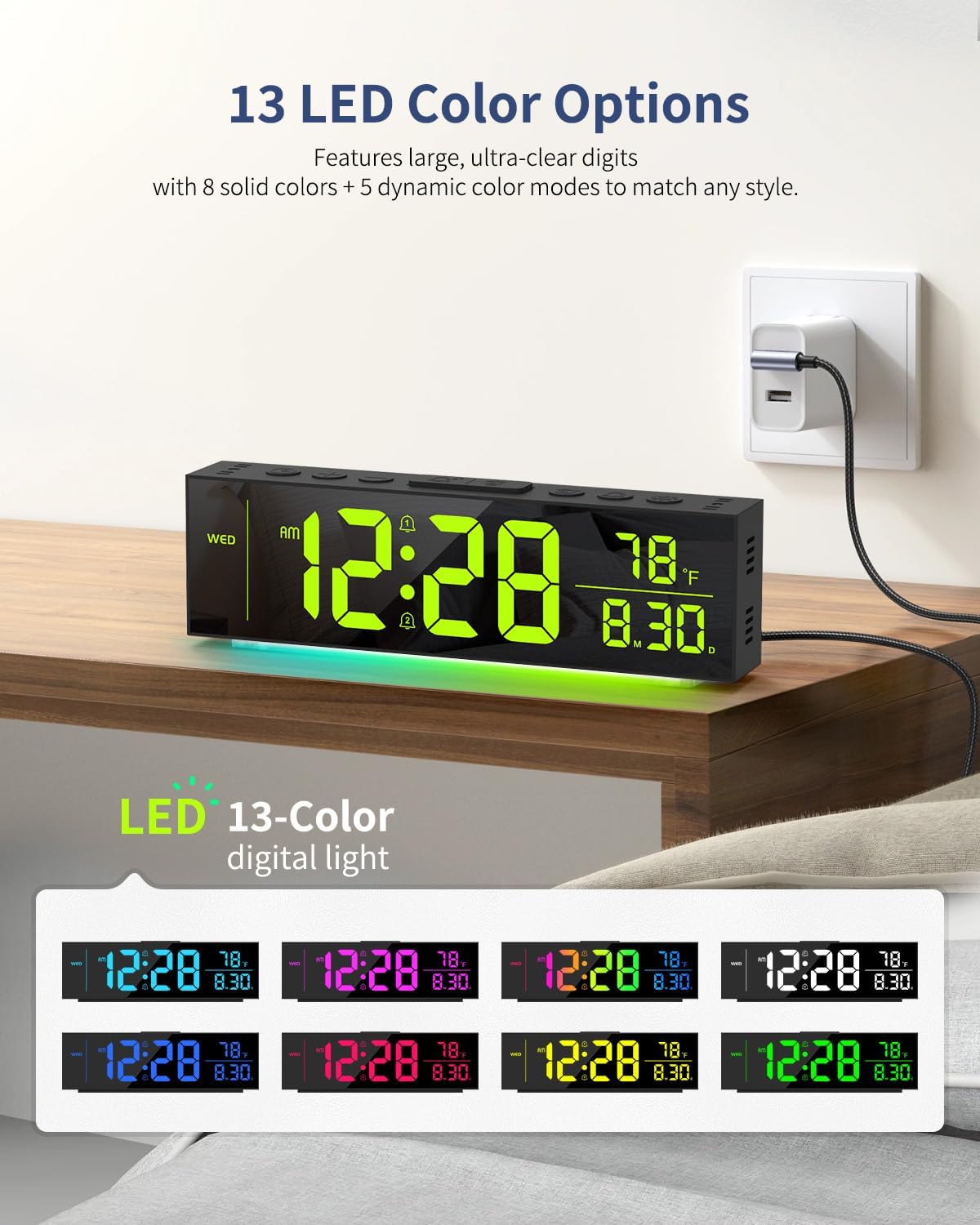
Display Color Options (13 LED Colors)
Customize the main time display digits with 13 color options.
- Briefly press the "MULTICOLOR" button to cycle through 8 solid colors and 5 dynamic color modes.
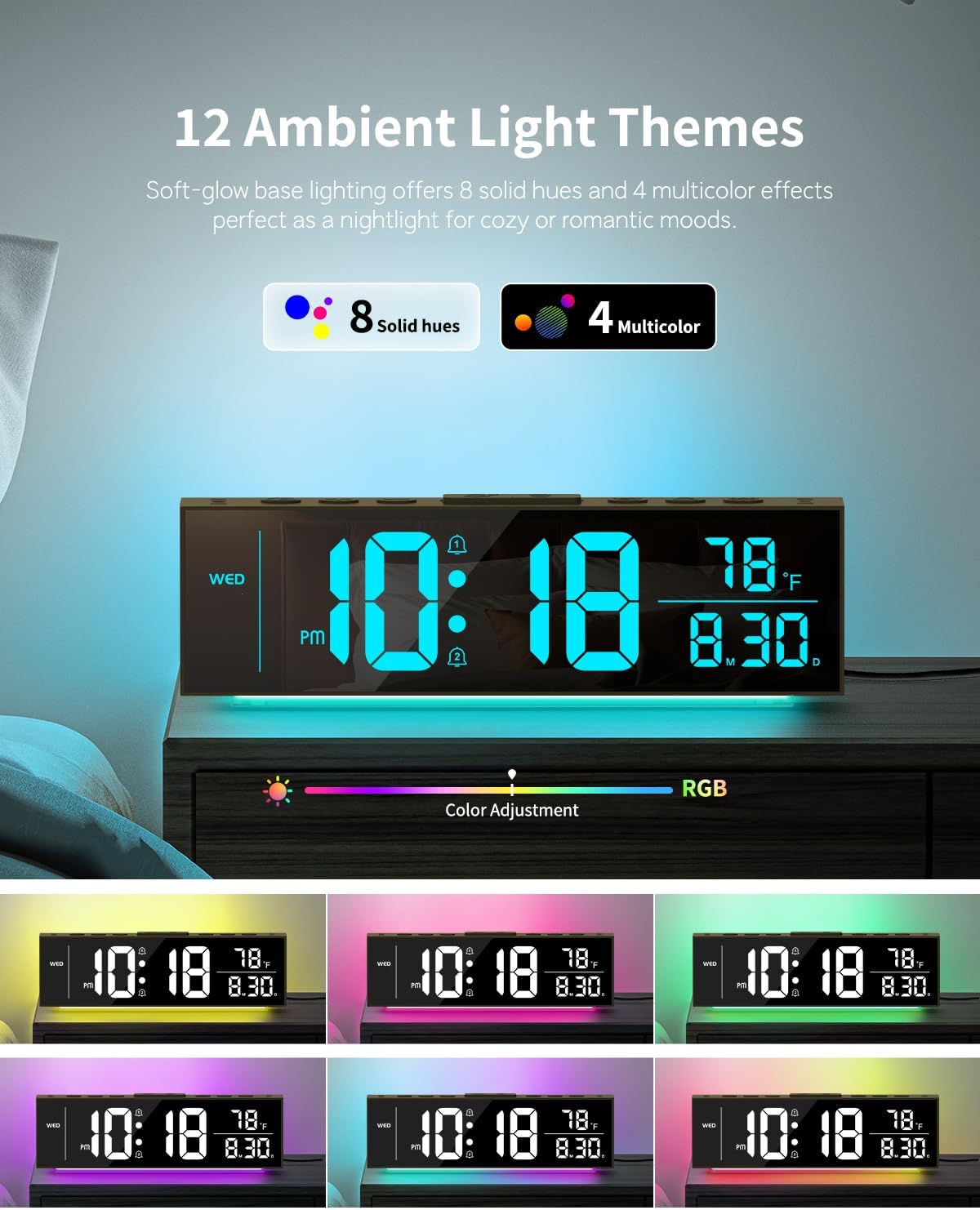
Ambient Light Themes (12 Options)
The clock features a soft-glow base light with 12 themes.
- Briefly press the "SNOOZE/LIGHT" button to cycle through 8 solid hues and 4 multicolor effects for the ambient light.
Brightness Control (Dual & Auto-Dimming)
Adjust the brightness of both the clock digits and ambient lights independently across 5 levels.
- Briefly press the "BRIGHTNESS" button to cycle through 5 brightness levels for the main display digits (100%, 75%, 50%, 25%, 0% - off).
- Briefly press the "DIMMER" button to cycle through 5 brightness levels for the ambient light (including off).
- To activate auto-brightness for the main display, press and hold "DIMMER" for 2 seconds. The clock will intelligently adapt to room lighting conditions.

Wartung
Reinigung
Gently wipe the clock's surface with a soft, dry cloth. Avoid abrasive cleaners or solvents.
Lagerung
If storing the clock for an extended period, remove the AAA backup batteries.
Fehlerbehebung
Display is Off
- Ensure the USB-C power cable is securely connected to both the clock and the power adapter, and the adapter is plugged into a working outlet.
- Check if the display brightness is set to 0% (off). Briefly press the "BRIGHTNESS" button to increase brightness.
Time/Date Incorrect After Power Outage
- Verify that 2 AAA batteries are correctly installed in the battery compartment. These batteries maintain settings during power interruptions.
- If batteries were not installed or are depleted, reset the time and date manually.
Ambient Light is Off
- Briefly press the "SNOOZE/LIGHT" button to cycle through ambient light options.
- Check if the ambient light brightness is set to 0% (off) using the "DIMMER" button.
Technische Daten
| Besonderheit | Detail |
|---|---|
| Marke | Abovsare |
| Modellnummer | Nr. 8833B |
| Anzeigetyp | Digitale LED |
| Anzeigefarben | 13 Options (8 solid, 5 dynamic) |
| Umgebungslichtfarben | 12 Options (8 solid, 4 multicolor) |
| Helligkeitsstufen | 5 for display, 5 for ambient light |
| Stromquelle | Kabelgebundenes Elektrogerät (Gleichstrom 5V) |
| Batterie-Backup | 2 x AAA batteries (for memory only) |
| Technische Daten | 9.2 Zoll B x 2.6 Zoll H |
| Material | Plastik |
| Besondere Merkmale | Dual Alarms, Snooze, Temperature Display (°C/°F), Date/Day Display, Auto-Dimming, DST |

Garantie und Support
For warranty information or technical support, please refer to the contact details provided on the product packaging or the official Abovsare webWebsite. Bewahren Sie Ihren Kaufbeleg für Garantieansprüche auf.