
1. Zu Endeview
The VILTROX AF 9mm F2.8 Air lens is an ultra-wide-angle autofocus lens designed for APS-C Sony E-Mount cameras. It offers a 113.8° field of view, making it ideal for capturing expansive landscapes, architectural shots, and vlogging. Its lightweight and compact design ensures portability without compromising optical performance.

Image: VILTROX AF 9mm F2.8 Air APS-C Lens on a camera.
Hauptmerkmale
- Ultra-Wide Angle of View: Equivalent to approximately 13.5mm in full-frame format, with a 113.8° ultra-wide angle, suitable for diverse scenes.
- Klare Bildqualität: Features a 13 elements in 11 groups optical structure, including aspherical, extra-low dispersion, and high-refractive index elements for sharp, low-distortion images.
- 0.13m Minimum Focusing Distance: Allows for stunning close-up shots with detailed backgrounds.
- Reliable Autofocus: Equipped with a Viltrox STM silent motor for precise and fast autofocus, ideal for capturing dynamic subjects.
- Lightweight & Stable: Weighs approximately 175g, ensuring portability. Minimal focus breathing for smooth video transitions.
- Unique Starburst Charm: HD multi-layer nano-coating technology reduces flare and ghosting, creating captivating starbursts.
- Excellent Low-Light Shooting: F2.8 aperture allows for increased light intake, enabling slower shutter speeds and purer night scenes.

Bild: Überview of VILTROX AF 9mm F2.8 Air E lens features including ultra-wide vision, autofocus, optical structure, and lightweight design.
Produktvideo
Video: Official Viltrox video showcasing the AF 9mm F2.8 Air Lens in various shooting scenarios, highlighting its ultra-wide angle, lightweight design, and autofocus capabilities.
2. Packungsinhalt
Verify that all items listed below are included in your product package.
- VILTROX AF 9mm F2.8 Air Lens
- Gegenlichtblende
- Objektivtasche
- Linse hintere Kappe
- Objektiv-Frontkappe
- Elektronisches Handbuch
- Verpackungsbox

Image: Contents of the standard package for the VILTROX AF 9mm F2.8 Air E lens, including the lens, caps, hood, bag, and documentation.
3. Einrichtung
Anbringen des Objektivs
- Stellen Sie sicher, dass Ihre Kamera ausgeschaltet ist.
- Remove the rear lens cap from the VILTROX AF 9mm F2.8 Air lens and the body cap from your camera.
- Align the white index mark on the lens barrel with the corresponding index mark on your camera's lens mount.
- Montieren Sie das Objektiv, indem Sie es im Uhrzeigersinn drehen, bis es einrastet. Wenden Sie dabei keine Gewalt an.
Abnehmen des Objektivs
- Stellen Sie sicher, dass Ihre Kamera ausgeschaltet ist.
- While pressing the lens release button on your camera body, rotate the lens counter-clockwise until it stops.
- Nehmen Sie das Objektiv vorsichtig vom Kameragehäuse ab.
- Bringen Sie den hinteren Objektivdeckel am Objektiv und den Gehäusedeckel an der Kamera an, um sie vor Staub und Beschädigungen zu schützen.

Image: A VILTROX AF 9mm F2.8 Air E lens being attached to a Sony E-Mount camera body.
4. Bedienung des Objektivs
Autofokus (AF) und manueller Fokus (MF)
The lens features an AF/MF switch on the barrel for quick selection between autofocus and manual focus modes. In AF mode, the STM motor provides fast and precise focusing. In MF mode, rotate the focus ring to adjust focus manually.
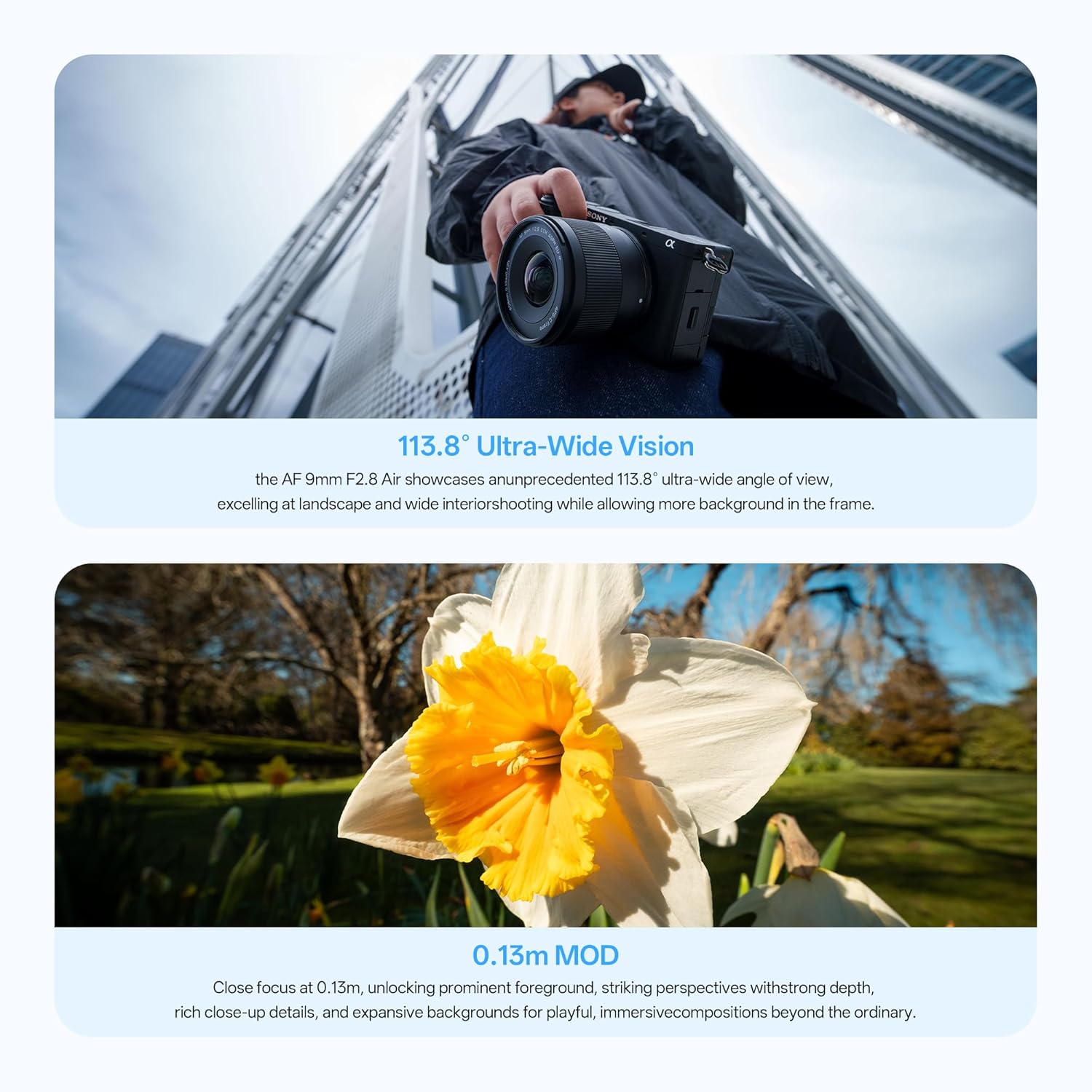
Image: Close-up of the VILTROX AF 9mm F2.8 Air E lens barrel, showing the AF/MF switch.
Blendensteuerung
The lens has a maximum aperture of F2.8, allowing for excellent low-light performance and shallow depth of field. The aperture can be adjusted via your camera's settings.
Firmware-Aktualisierungen
The lens is equipped with a Type-C upgrade interface for future firmware updates. Connect the lens to a computer using a USB-C cable to perform updates as instructed by VILTROX.

Bild: Detailliert view of the VILTROX AF 9mm F2.8 Air E lens, highlighting the Type-C upgrade interface.
5. Wartung
- Always use a soft, clean microfiber cloth to clean the lens elements. Avoid using harsh chemicals or abrasive materials.
- When not in use, keep the lens caps on and store the lens in its bag in a dry, dust-free environment.
- Avoid exposing the lens to extreme temperatures, humidity, or direct sunlight for prolonged periods.
- Do not attempt to disassemble or repair the lens yourself, as this may void the warranty.
6. Fehlerbehebung
- Autofokus funktioniert nicht: Ensure the AF/MF switch on the lens is set to AF. Check camera settings to confirm autofocus is enabled. Clean lens and camera contacts.
- Bild ist verschwommen: Verify that the lens is properly attached and securely mounted. Check focus mode (AF/MF) and ensure correct focus. Adjust aperture and shutter speed as needed.
- Objektiv wird von der Kamera nicht erkannt: Ensure the lens is correctly mounted. Turn the camera off and on again. Check for available firmware updates for both the lens and camera.
- Dust or spots on images: Clean the front and rear lens elements carefully with a lens cleaning kit. If spots persist, check your camera's sensor for dust.
7. Spezifikationen
| Marke | VILTROX |
| Modellname | VILTROX AF 9mm F2.8 Air |
| Objektivtyp | Wide Angle, Prime |
| Kompatible Halterungen | Sony E |
| Brennweite | 9 Millimeters (Ultra Wide Angle) |
| Minimale Blende | 2.8 f |
| Maximale Blendenöffnung | 16 f |
| Anzahl der Membranblätter | 7 |
| Photo Filter Size | 58 Millimeter |
| Fokustyp | Auto/Manuell |
| Bildstabilisierung | Keine Bildstabilisierung |
| Realwinkel von View | 113.8 Grad |
| Herstellerteilenummer | WY-9mm F2.8 E |

Image: MTF (Modulation Transfer Function) chart illustrating the optical performance of the VILTROX AF 9mm F2.8 Air E lens.
8. Garantie und Support
For warranty information and customer support, please contact the seller directly.
- Garantiebeschreibung: Kontakt mit dem Verkäufer
- Verkäuferkontakt: Weeylite US Store