
1. Einleitung
This manual provides detailed instructions for the safe and effective use of your Moukey MPS5 Portable Karaoke Machine. Please read this manual thoroughly before operating the device and retain it for future reference. The MPS5 is a versatile portable speaker system designed for various audio playback needs, including karaoke, music streaming, and public address, featuring wireless microphones and multiple connectivity options.
2. Lieferumfang
Carefully unpack all items from the box. Ensure all components listed below are present and in good condition.
- Moukey MPS5 Portable Karaoke Machine (1 unit)
- Drahtlose Mikrofone (2 Stück)
- USB-Ladekabel (1 Stück)
- 3.5mm AUX Cable (1 unit)
- Schultergurt (1 Stück)
- Benutzerhandbuch (1 Stück)
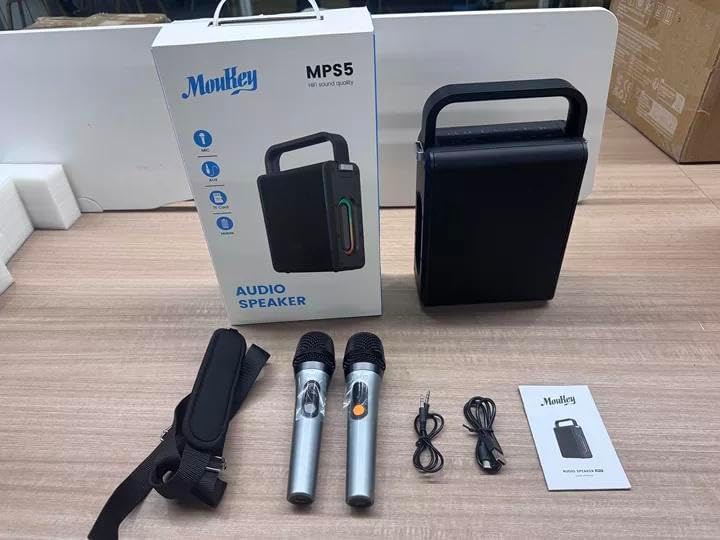
Image: All components included in the Moukey MPS5 package.
3. Produktüberschreitungview
The Moukey MPS5 is a compact yet powerful portable karaoke machine. It features a robust design with integrated LED lighting on the sides, enhancing the user experience. A sturdy handle and an included shoulder strap provide convenient portability.
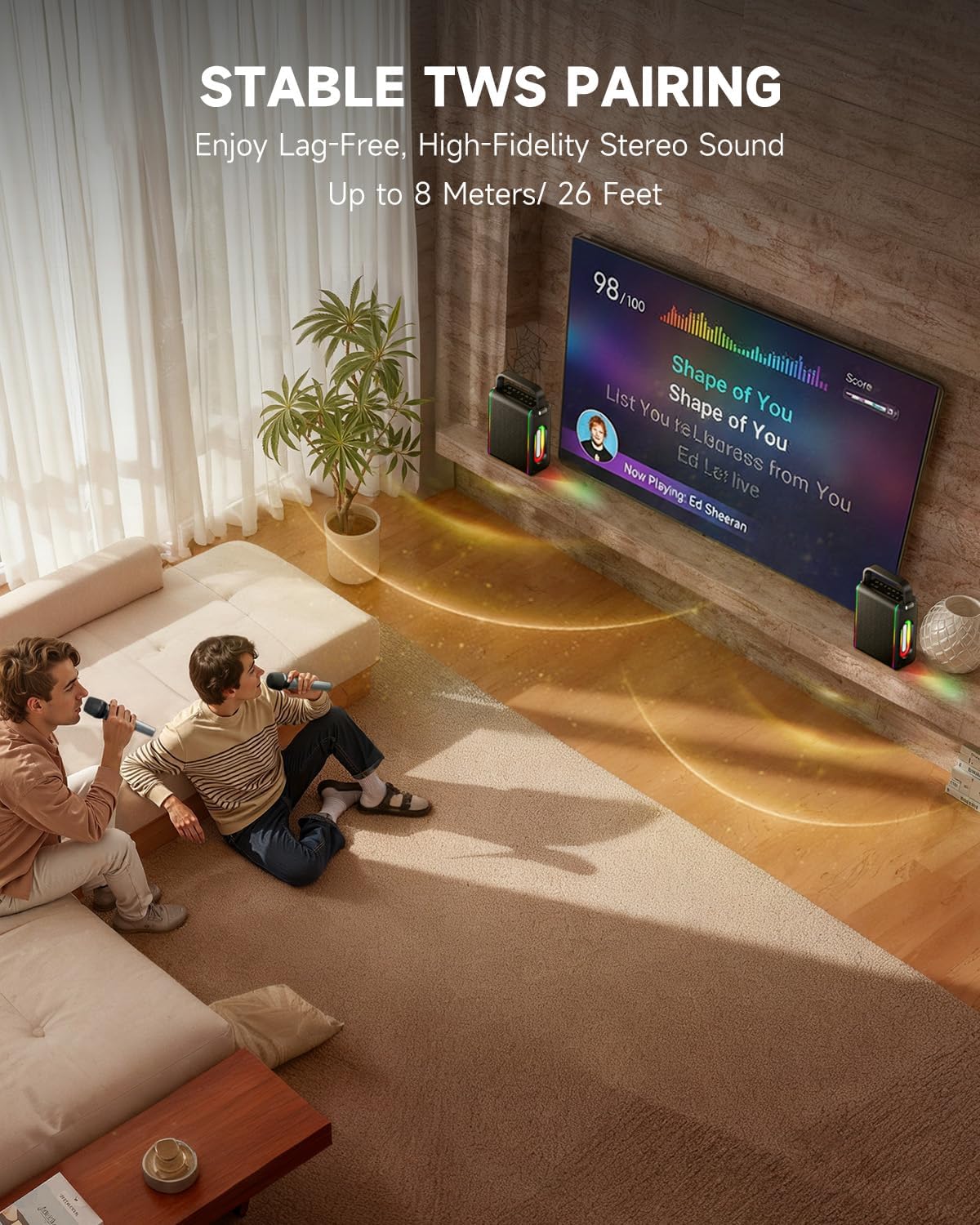
Bild: Vorderseite view of the Moukey MPS5 speaker.

Abbildung: Seite view of the Moukey MPS5, showing the LED lighting.
4. Hauptmerkmale
- Excellent Sound Output: The MPS5 delivers 200W peak power (RMS 60W) through a 4-inch woofer and two 2-inch tweeters, providing full-range stereo sound with enhanced bass.
- Powerful Functionality: Supports Bluetooth 5.3 for wireless connection to various devices. Also includes Micro TF card, Flash USB, MP3, and AUX IN playback options. Features stable TWS (True Wireless Stereo) pairing for connecting two MPS5 units for a wider stereo soundstage.
- Ultralange Akkulaufzeit: The rechargeable battery provides up to 8 hours of continuous music playback on a 2-hour charge, suitable for extended use indoors or outdoors.
- Leichtes und tragbares Design: Weighing only 2kg, the MPS5 is designed for easy transport. It can be carried by hand using the integrated handle or with the included shoulder strap.
- Duale drahtlose Mikrofone: Includes two 2.4Ghz rechargeable microphones with a connection range of up to 60 feet and up to 8 hours of use time per charge (2-3 hours charging time). Features one-tap connectivity for effortless pairing.

Image: Internal speaker components of the MPS5.

Image: MPS5 connected to multiple devices via Bluetooth.

Image: Battery life and charging details for the MPS5.

Image: Demonstrating the portability of the MPS5 with hand and shoulder strap options.

Image: The two wireless microphones for the MPS5.
5. Einrichtung
5.1 Aufladen von Lautsprecher und Mikrofonen
Before first use, fully charge the MPS5 speaker and both wireless microphones.
- Lautsprecher: Connect the provided USB Type-C cable to the charging port on the speaker and to a compatible USB power adapter (not included). The charging indicator light will show charging status. A full charge takes approximately 2 hours.
- Mikrofone: Each microphone has a charging port. Connect them to a USB power source using the provided USB cable. Charging time for microphones is 2-3 hours.
5.2 Ein-/Ausschalten
- Zum Einschalten des Lautsprechers die Ein-/Aus-Taste gedrückt halten (U) on the top panel for 2 seconds.
- Zum Ausschalten den Netzschalter gedrückt halten (U) erneut für 2 Sekunden.
5.3 Bluetooth-Kopplung
- Ensure the MPS5 speaker is powered on and in Bluetooth mode (indicated by a blue LED). If not, press the 'M' (Mode) button to switch to Bluetooth mode.
- Aktivieren Sie auf Ihrem Mobilgerät (Smartphone, Tablet usw.) Bluetooth und suchen Sie nach verfügbaren Geräten.
- Select 'Moukey MPS5' from the list of devices to pair. A voice prompt will confirm successful connection.
5.4 TWS (True Wireless Stereo) Kopplung
To achieve stereo sound, you can pair two Moukey MPS5 speakers together.
- Ensure both MPS5 speakers are powered on and in Bluetooth mode, but not connected to any other device.
- On one of the speakers, double-press the 'M' (Mode) button. The speaker will enter TWS pairing mode.
- Die beiden Lautsprecher verbinden sich automatisch miteinander. Eine Sprachansage bestätigt die erfolgreiche TWS-Kopplung.
- Once TWS is established, connect your mobile device to one of the MPS5 speakers via Bluetooth as described in section 5.3. Both speakers will then play audio in stereo.
Video: Ein kurzer Überblickview of the MPS5 Karaoke Machine, demonstrating TWS pairing and other features.
6. Bedienungsanleitung
6.1 Kontrollen überview
The top panel of the MPS5 speaker features several buttons for controlling playback, volume, and microphone settings.
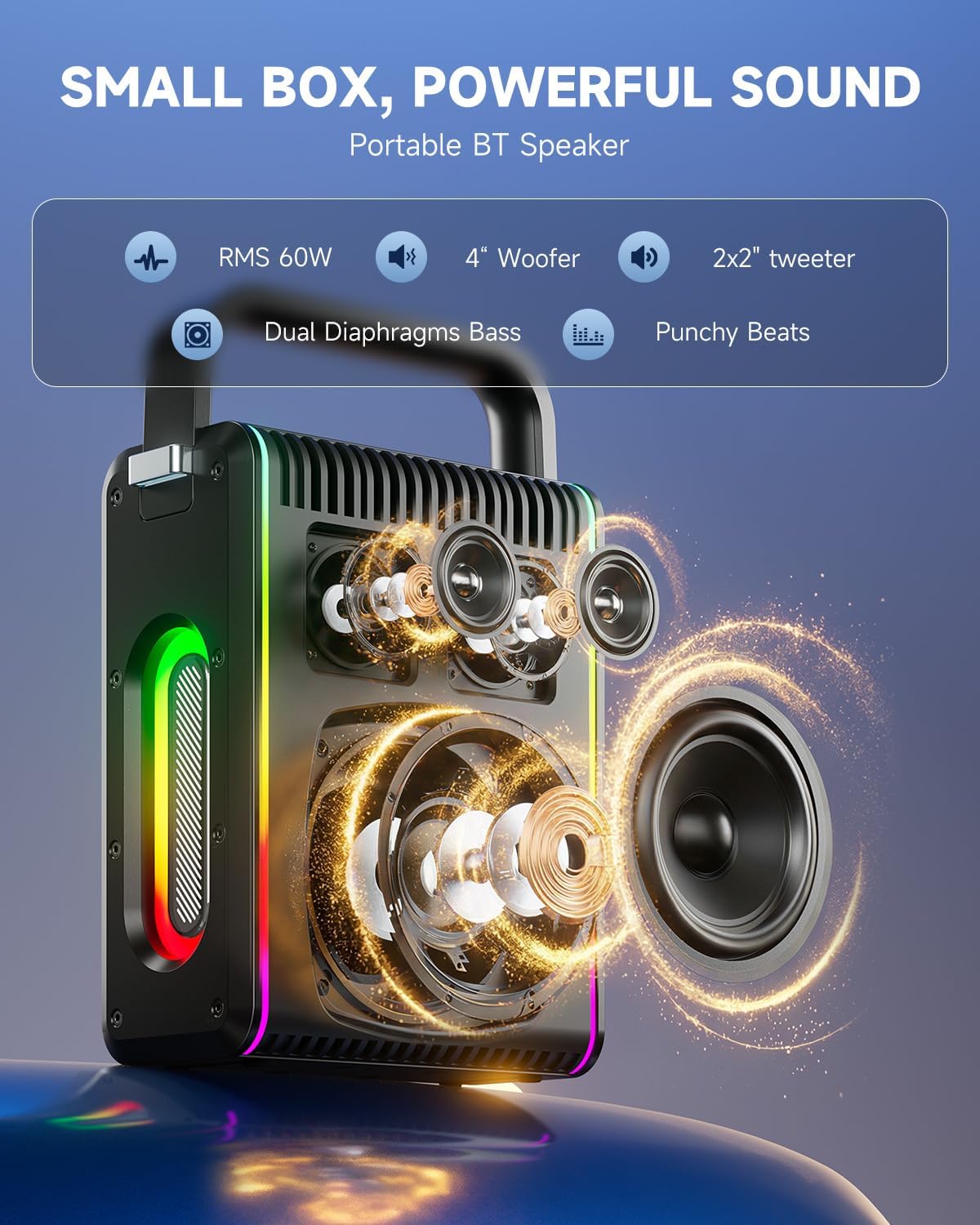
Image: Top control panel of the MPS5.
- Power-Taste (U): Zum Ein-/Ausschalten 2 Sekunden lang gedrückt halten.
- Modus-Taste (M): Short press to cycle through input modes (Bluetooth, AUX, USB, TF Card). Double-press to initiate TWS pairing.
- Microphone Volume (Mic - / Mic +): Regelt die Lautstärke der angeschlossenen Mikrofone.
- Echo Adjustment (R- / R+): Passt den Echoeffekt für die Mikrofone an.
- Spielpause (▶): Spielt den aktuellen Titel ab oder pausiert ihn.
- Lautstärke verringern (-): Decreases the main speaker volume.
- Lautstärke erhöhen (+): Increases the main speaker volume.
- EQ A/E: Short press to switch between EQ modes. Long press to toggle between original sound and accompaniment elimination.
6.2 Mikrofonnutzung
The MPS5 comes with two wireless microphones for karaoke and vocal performances.
- Ein-/Ausschalten: Zum Ein- oder Ausschalten des Mikrofons den Netzschalter gedrückt halten.
- Paarung: The microphones are pre-paired with the speaker. If re-pairing is needed, ensure the speaker is on, then power on the microphone. They should connect automatically.
- Microphone Disconnect/Reconnect: Press the dedicated microphone button on the speaker's control panel to quickly disconnect or reconnect the microphones.
6.3 Audioeingangsmodi
In addition to Bluetooth, the MPS5 supports several wired and local storage input options.

Image: Input ports on the MPS5 speaker.
- AUX-Eingang: Connect an external audio device using the 3.5mm AUX cable. Select AUX mode using the 'M' button.
- USB-Wiedergabe: Stecken Sie einen USB-Stick mit MP3-Audiodateien ein. fileStecken Sie das Kabel in den USB-Anschluss. Der Lautsprecher schaltet automatisch in den USB-Modus und beginnt mit der Wiedergabe.
- TF-Kartenwiedergabe: Insert a Micro TF card containing MP3 audio fileStecken Sie die TF-Karte in den Steckplatz. Der Lautsprecher schaltet automatisch in den TF-Kartenmodus und beginnt mit der Wiedergabe.
6.4 LED-Beleuchtung
The MPS5 features dynamic LED lighting on its sides. Use the dedicated LED button (if available, or refer to the 'M' button for light control if combined) to cycle through different light modes or turn them off.
7. Wartung
- Reinigung: Reinigen Sie die Außenseite des Lautsprechers mit einem weichen, trockenen Tuch. Verwenden Sie keine flüssigen Reinigungsmittel oder Scheuermittel.
- Lagerung: Bewahren Sie das Gerät an einem kühlen, trockenen Ort fern von direkter Sonneneinstrahlung und extremen Temperaturen auf.
- Batteriepflege: Um die Akkulaufzeit zu verlängern, vermeiden Sie häufiges vollständiges Entladen des Akkus. Laden Sie das Gerät regelmäßig auf, auch wenn es längere Zeit nicht benutzt wird.
8. Fehlerbehebung
If you encounter issues with your Moukey MPS5, refer to the following common problems and solutions:
| Problem | Mögliche Ursache | Lösung |
|---|---|---|
| Kein Strom | Batterie ist leer. | Laden Sie den Lautsprecher mit dem mitgelieferten USB-Typ-C-Kabel auf. |
| Kein Ton vom Lautsprecher | Die Lautstärke ist zu niedrig oder der Ton ist stummgeschaltet. Der falsche Eingangsmodus wurde ausgewählt. | Increase volume using the '+' button. Press 'M' to cycle through input modes. |
| Bluetooth-Kopplung fehlgeschlagen | Der Lautsprecher befindet sich nicht im Kopplungsmodus. Das Gerät ist zu weit entfernt. | Ensure speaker is in Bluetooth mode. Move device closer to speaker. Try restarting both devices. |
| Mikrofon funktioniert nicht | Microphone is off or uncharged. Microphone is disconnected. | Ensure microphone is charged and powered on. Press the microphone button on the speaker to reconnect. |
| TWS-Kopplung fehlgeschlagen | Die Lautsprecher sind bereits mit einem anderen Gerät verbunden. | Stellen Sie sicher, dass beide Lautsprecher vor dem Starten der TWS-Kopplung mit keinem anderen Bluetooth-Gerät verbunden sind. |
9. Spezifikationen
- Marke: Moukey
- Modellnummer: MPS5
- Ausgang Wattage: 200 Watt (Spitzenleistung)
- Konnektivitätstechnologie: Bluetooth 5.3
- Audioeingang: Bluetooth, TF card, USB, MP3, AUX, Wired microphones
- Anzahl der Kanäle: 2
- Energiequelle: Batteriebetrieben
- Steckertyp: USB Typ C
- Artikelabmessungen (L x B x H): 2.36 x 6.3 x 12.2 Zoll
- Artikelgewicht: Ca. 2 kg
- Kompatible Geräte: Smartphone, Tablet, Laptop, MP3 Player, Microphone
- Farbe: Schwarz mit silbernen Akzenten
10. Garantie und Support
The Moukey MPS5 Portable Karaoke Machine comes with a 1 Jahr Garantie Diese Garantie gilt ab Kaufdatum und deckt Herstellungs- und Verarbeitungsfehler bei normalem Gebrauch ab. Bitte bewahren Sie Ihren Kaufbeleg für Garantieansprüche auf.
For technical support, troubleshooting assistance, or warranty inquiries, please contact Moukey customer service through the retailer where the product was purchased or visit the official Moukey webWebsite für Kontaktinformationen.