
Einführung
Thank you for choosing the Spacetronik Manual Height-Adjustable Sit-Stand Desk. This ergonomic desk is designed to provide a flexible workspace, allowing you to easily switch between sitting and standing positions to promote better posture and reduce fatigue. This manual provides essential information for the safe assembly, operation, and maintenance of your desk.
The desk features a robust steel frame and a silent, smooth crank mechanism for height adjustment. It supports a load capacity of up to 40 kg, making it suitable for various office or gaming setups.
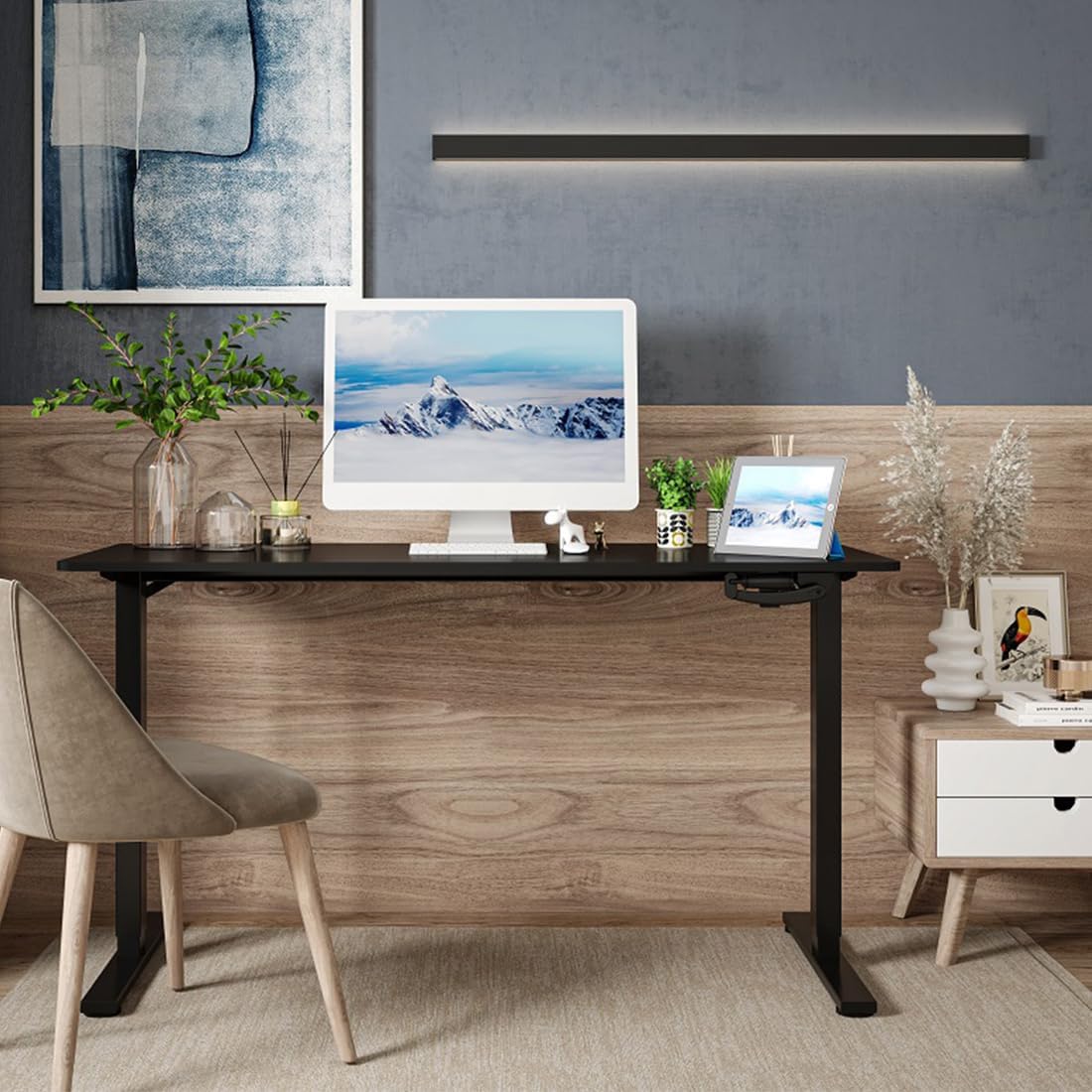
Image: The Spacetronik desk in a contemporary office environment, showcasing sein Design und seine Funktionalität.
Sicherheitshinweise
- Lesen Sie alle Anweisungen vor dem Zusammenbau und der Verwendung sorgfältig durch.
- Halten Sie Kinder und Haustiere während der Montage und des Betriebs vom Schreibtisch fern.
- Vor Gebrauch sicherstellen, dass alle Schrauben und Bolzen fest angezogen sind. Regelmäßig überprüfen und gegebenenfalls nachziehen.
- Überladen Sie den Schreibtisch nicht. Die maximale Tragfähigkeit beträgt 40 kg.
- Avoid placing liquids directly on the desk surface without protective coasters.
- When adjusting the height, ensure there are no obstructions above or below the desk that could cause damage or injury.
- Use the desk on a level surface to ensure stability.
Packungsinhalt
Please check the package contents against the list provided in your separate assembly instructions. Ensure all parts are present and undamaged before beginning assembly. If any parts are missing or damaged, please contact Spacetronik customer support.
Typische Komponenten sind:
- Schreibtisch-Tischplatte
- Schreibtischbeine und Füße
- Crank mechanism and handle
- Querträger-/Rahmenkomponenten
- Hardware-Set (Schrauben, Bolzen, Werkzeuge)
- Montageanleitung
Einrichtung und Montage
Assembly of the Spacetronik desk is designed to be straightforward. Follow the detailed step-by-step instructions provided in the separate assembly manual included with your product. Ensure you have adequate space and the necessary tools (usually included in the hardware kit) before starting.
- Komponenten auspacken: Carefully remove all parts from the packaging and lay them out on a clean, soft surface to prevent scratches. Verify all parts are present using the provided parts list.
- Rahmen zusammenbauen: Attach the crossbar and side frames to the desk legs according to the diagrams in the assembly manual. Ensure all connections are secure.
- Install Crank Mechanism: Mount the crank mechanism and handle onto the designated area of the frame. Test the mechanism for smooth rotation.
- Tischplatte anbringen: Carefully place the tabletop onto the assembled frame. Align the pre-drilled holes and secure the tabletop using the provided screws.
- Endkontrolle: Once assembled, ensure all screws are tightened, and the desk is stable.

Image: A technical drawing illustrating the dimensions and structure of the Spacetronik desk, useful for assembly reference.
Bedienungsanleitung
The Spacetronik desk features a manual crank system for height adjustment, allowing you to effortlessly switch between sitting and standing positions.
Schreibtischhöhe anpassen:
- Locate the Crank Handle: The crank handle is typically located on the front or side of the desk frame.
- Zum Einstellen drehen: To raise the desk, turn the crank handle clockwise. To lower the desk, turn the crank handle counter-clockwise.
- Reibungsloser Betrieb: The crank mechanism is designed for smooth and quiet operation, adjusting the desk height by approximately 8 mm per turn.
- Optimale Höhe: Adjust the desk to a height that allows for comfortable posture, whether sitting or standing. For standing, your elbows should form a 90-degree angle when typing.

Bild: Eine detaillierte view of the manual crank system, highlighting its smooth and precise adjustment capability.

Image: Illustration of the desk's height adjustment range, demonstrating comfortable sitting (72 cm) and standing (109.5 cm) positions.
Wartung
Regular maintenance will help prolong the life and appearance of your Spacetronik desk.
- Reinigung: Wischen Sie die Schreibtischoberfläche mit einem weichen,amp Mit einem Tuch abwischen. Bei hartnäckigen Flecken ein mildes, nicht scheuerndes Reinigungsmittel verwenden. Scharfe Chemikalien vermeiden, die die Oberfläche beschädigen könnten.
- Rahmenpflege: Der Stahlrahmen kann mit Wasser gereinigt werden.amp cloth. Ensure it is dried thoroughly to prevent rust.
- Kurbelmechanismus: The crank mechanism is generally maintenance-free. If it becomes stiff, a small amount of silicone-based lubricant can be applied to the moving parts, avoiding excessive application.
- Hardwareprüfung: Überprüfen Sie regelmäßig alle Schrauben und Bolzen, um sicherzustellen, dass sie fest sitzen. Ziehen Sie sie gegebenenfalls nach.
Fehlerbehebung
If you encounter any issues with your Spacetronik desk, refer to the following common problems and solutions:
- Der Schreibtisch wackelt:
- Stellen Sie sicher, dass alle Montageschrauben und -bolzen fest angezogen sind.
- Check that the desk is placed on a level surface. Adjust the leveling feet if present.
- Crank mechanism is stiff or difficult to turn:
- Ensure the desk is not overloaded beyond its 40 kg capacity.
- Check for any obstructions preventing the mechanism from moving freely.
- Apply a small amount of silicone lubricant to the moving parts of the crank mechanism.
- Desk does not adjust evenly:
- This is unlikely with a manual crank system but ensure the crank is fully engaged and turning both legs simultaneously.
- Verify that the desk is not obstructed on one side.
If these solutions do not resolve the issue, please contact Spacetronik customer support for further assistance.
Technische Daten
| Besonderheit | Detail |
|---|---|
| Marke | Raumfahrttechnik |
| Modellnummer | SPEO113 |
| Farbe (Aktuelles Produkt) | Weiß |
| Abmessungen (L x B x H) | 120 x 60 x 72-109.5 cm (approx. 60P x 120l x 109H cm) |
| Höhenverstellbereich | 72 cm bis 109.5 cm |
| Höhenverstellmechanismus | Manual Crank (approx. 8 mm per turn) |
| Tragfähigkeit | 40 kg |
| Rahmenmaterial | Robuster Stahl |
| Artikelgewicht | 20 Kilogramm |
| Available Tabletop Sizes | 100 x 60 cm, 120 x 60 cm, 140 x 60 cm |
| Available Tabletop Colors | White, Black, Dark Wood |

Image: Visual representation of the three available tabletop sizes for the Spacetronik desk.

Image: The desk supporting a computer, monitor, and other accessories, illustrating its robust 40 kg load capacity.
Garantie und Support
Spacetronik products are designed for durability and performance. For specific warranty information, please refer to the documentation included with your purchase or visit the official Spacetronik webWebsite.
For customer support, technical assistance, or to inquire about replacement parts, please contact Spacetronik directly through their official channels. When contacting support, please have your model number (SPEO113) and purchase details ready.
Hersteller: Raumfahrttechnik
Ursprungsland: China