
Einführung
Thank you for choosing the TMEZON C680 Indoor Window Security Camera. This manual provides essential information for setting up, operating, and maintaining your camera. Please read it thoroughly before use and retain it for future reference.
Sicherheitshinweise
- Verwenden Sie nur das mitgelieferte Netzteil.
- Setzen Sie die Kamera keinen extremen Temperaturen oder hoher Luftfeuchtigkeit aus.
- Diese Kamera ist nur für die Verwendung in Innenräumen konzipiert.
- Außerhalb der Reichweite von Kindern aufbewahren.
Packungsinhalt
Bitte prüfen Sie, ob alle Artikel in Ihrem Paket enthalten sind. Sollten Artikel fehlen oder beschädigt sein, kontaktieren Sie bitte unseren Kundenservice.
- TMEZON C680 Indoor Window Security Camera
- Netzteil
- USB-Stromkabel
- Montagesatz (Schrauben, Dübel)
- Bedienungsanleitung
Produkt überview
Familiarize yourself with the components of your TMEZON C680 camera.
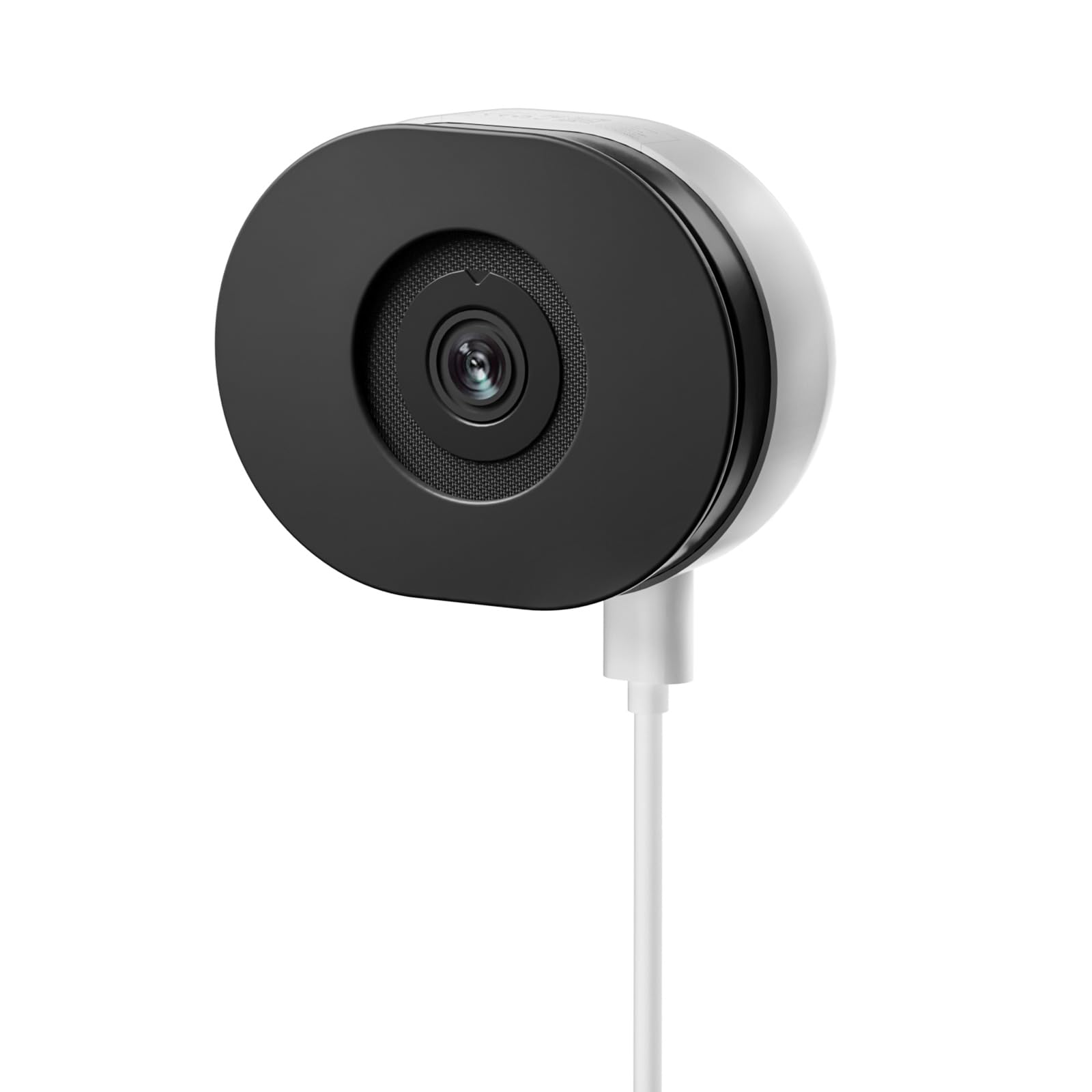
Image: The TMEZON C680 Indoor Window Security Camera. This image displays the camera's compact, circular form factor, highlighting the main lens and overall design.
Kamerakomponenten
- Kameraobjektiv: Captures 4MP 2.5K video.
- Statusanzeigeleuchte: Indicates camera status (e.g., solid blue for connected, flashing red for disconnected).
- Mikrofon: For audio input and two-way audio communication.
- Lautsprecher: For audio output and two-way audio communication.
- Stromanschluss: Wird mit dem Netzteil verbunden.
- Reset-Taste: Press and hold for 5 seconds to reset the camera to factory settings.
- MicroSD-Kartensteckplatz: For local storage (card not included).
Aufstellen
Schritt 1: Laden Sie die App herunter
Suchen nach the "TMEZON Smart" app (or similar, as specified in your product documentation) in your mobile device's app store (App Store for iOS, Google Play Store for Android). Download and install the app.
Schritt 2: Schalten Sie die Kamera ein
Connect the USB power cable to the camera's power port and plug the power adapter into a wall outlet. The camera's status indicator light will turn on. Wait for it to flash red, indicating it's ready for pairing.
Schritt 3: Gerät in der App hinzufügen
- Open the TMEZON Smart app and create an account or log in.
- Tap the "+" icon (or "Add Device") to add a new camera.
- Wählen Sie in der Geräteliste „Sicherheitskamera“ oder „Smart-Kamera“ aus.
- Follow the on-screen instructions to connect the camera to your 2.4GHz Wi-Fi network. Ensure your phone is connected to the same 2.4GHz Wi-Fi network.
- The app will display a QR code. Position your camera to scan this QR code from your phone screen. You will hear a confirmation sound from the camera once scanned successfully.
- Sobald die Verbindung hergestellt ist, leuchtet die Statusanzeigeleuchte durchgehend blau.
Step 4: Window Mounting
The TMEZON C680 is designed for easy window mounting.
- Choose a clean, flat window surface for optimal viewing.
- Use the provided mounting kit to secure the camera to the window frame or a nearby wall, ensuring the lens faces outwards.
- Adjust the camera angle to cover your desired surveillance area.
Bedienungsanleitung
Live View
Open the TMEZON Smart app and select your camera from the device list to access the live video feed.
Aufnahme und Wiedergabe
The camera supports 24/7 continuous recording to a local MicroSD card (not included).
- MicroSD-Karte einlegen: Power off the camera, insert a MicroSD card (up to 128GB, Class 10 or higher recommended) into the slot, then power on.
- View Aufnahmen: In der Live-Ansicht der App view, tap the "Playback" or "History" icon to access recorded footage.
Zwei-Wege-Audio
Im Live view interface, tap the microphone icon to speak through the camera's speaker. Tap the speaker icon to listen to audio from the camera's microphone.
Farb-Nachtsicht
The camera automatically switches to color night vision in low-light conditions, providing clear, vivid footage up to 32 feet. No manual adjustment is typically required.
Bewegungserkennung und Alarme
The camera features motion-only alert type.
- Navigieren Sie in der App zu den Kameraeinstellungen.
- Find "Motion Detection" or "Alert Settings."
- Enable motion detection and customize sensitivity levels and alert schedules as needed.
- You will receive push notifications on your mobile device when motion is detected.
Wartung
Reinigung
Reinigen Sie Objektiv und Gehäuse der Kamera vorsichtig mit einem weichen, trockenen Tuch. Verwenden Sie keine flüssigen Reinigungsmittel oder Scheuermittel.
Firmware-Aktualisierungen
Periodically check the TMEZON Smart app for available firmware updates to ensure optimal performance and security. Follow the in-app instructions for updating.
Lagerung
When not in use for extended periods, store the camera in a cool, dry place, away from direct sunlight.
Fehlerbehebung
| Problem | Lösung |
|---|---|
| Die Kamera lässt sich nicht einschalten. | Vergewissern Sie sich, dass das Netzteil fest mit der Kamera und einer funktionierenden Steckdose verbunden ist. Versuchen Sie es mit einer anderen Steckdose. |
| Es kann keine Verbindung zum WLAN hergestellt werden. |
|
| Keine Aufzeichnung auf MicroSD-Karte. |
|
| Schlechte Videoqualität. |
|
Technische Daten
- Modell: C680
- Auflösung: 4 Megapixel (2.5K)
- Nachtsicht: Color Night Vision, up to 32 feet
- Konnektivität: 2.4 GHz WLAN
- Lagerung: MicroSD-Karte (bis zu 128 GB, nicht im Lieferumfang enthalten)
- Audio: Zwei-Wege-Audio (eingebautes Mikrofon und Lautsprecher)
- Leistung: Corded Electric, 5W
- Verwendung im Innen-/Außenbereich: Nur für den Innenbereich
- Viewing-Winkel: 120 Grad
- Abmessungen: Ungefähr 3.5 x 3.5 x 3.5 Zoll
- Material: Plastik
- Alarmtyp: Nur Bewegung
Garantie und Support
TMEZON products are designed for reliability and performance. For warranty information, technical support, or customer service inquiries, please refer to the contact information provided on the product packaging or visit the official TMEZON webWebsite.
You can also visit the TMEZON store on Amazon for additional product information and support: TMEZON Amazon Store.