
Einführung
This manual provides detailed instructions for the safe installation, operation, and maintenance of your TCL 62-inch ceiling fan. Please read this manual thoroughly before installation and keep it for future reference. Ensure all safety precautions are followed to prevent injury or damage.
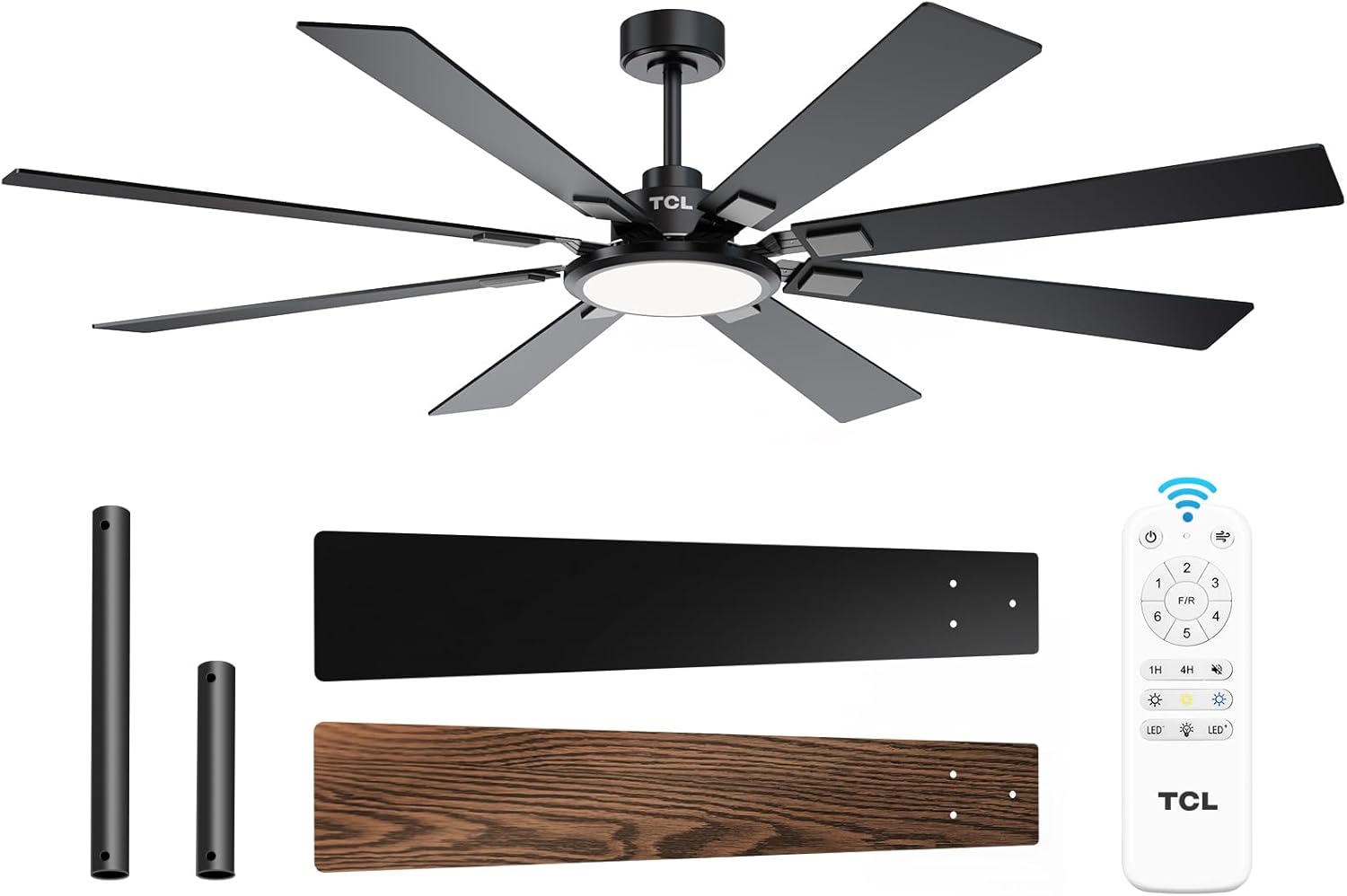
Figure 1: TCL 62-Inch Ceiling Fan Overview
Sicherheitshinweise
Beachten Sie bei der Installation und dem Betrieb dieses Geräts stets die grundlegenden Sicherheitsvorkehrungen, um das Risiko von Bränden, Stromschlägen und Verletzungen zu verringern.
- Lies alle Anweisungen: Familiarize yourself with the fan's components and installation steps before beginning.
- Elektrische Sicherheit: Ensure the power is turned off at the circuit breaker before installation or servicing. All wiring must be in accordance with national and local electrical codes.
- Montage: The fan must be mounted to a structurally sound ceiling joist or outlet box capable of supporting the fan's weight (12.4 lbs).
- Klingenabstand: Halten Sie einen Mindestabstand von 7 Fuß (ca. 2,1 m) zwischen Boden und Ventilatorflügeln ein.
- Professionelle Installation: Wenn Sie sich bezüglich der Verkabelung oder Installation unsicher sind, konsultieren Sie einen qualifizierten Elektriker.
Setup und Installation
Im Lieferumfang enthaltene Komponenten
Before beginning installation, verify that all parts are present:
- 1 Deckenventilator mit 8 Flügeln
- Bedienungsanleitung (dieses Dokument)
- Fernbedienung
- Downrods (10-inch and 5-inch switchable)

Figure 2: Fan Components and Features
Installationsschritte
- Strom ausschalten: Disconnect power at the main circuit breaker to avoid electrical shock.
- Installation der Montagehalterung: Securely attach the mounting bracket to the ceiling outlet box or a structural support. Ensure it can safely hold the fan's weight.
- Montage der Verlängerungsstange: Choose the appropriate downrod (5-inch or 10-inch) and assemble it with the fan motor unit.
- Hängeventilator: Heben Sie die Lüftereinheit vorsichtig an und hängen Sie sie in die Montagehalterung ein.
- Verdrahtung: Schließen Sie die elektrischen Leitungen gemäß dem Schaltplan in der separaten Installationsanleitung an. Stellen Sie sicher, dass alle Verbindungen fest sitzen.
- Klingen anbringen: Securely attach the 8 fan blades to the motor housing. Note that blades are reversible with black and wood-grain sides.
- Beleuchtungsset installieren: Connect and install the LED light panel to the bottom of the fan.
- Strom wiederherstellen: Sobald die Installation abgeschlossen und alle Verbindungen überprüft wurden, stellen Sie die Stromversorgung am Leistungsschalter wieder her.
Installationsvideo-Anleitung
Video 1: Step-by-step guide on how to install the TCL ceiling fan, demonstrating the ease of assembly and mounting.
Bedienungsanleitung
Your TCL ceiling fan is operated using the included remote control. Ensure batteries are correctly installed in the remote.
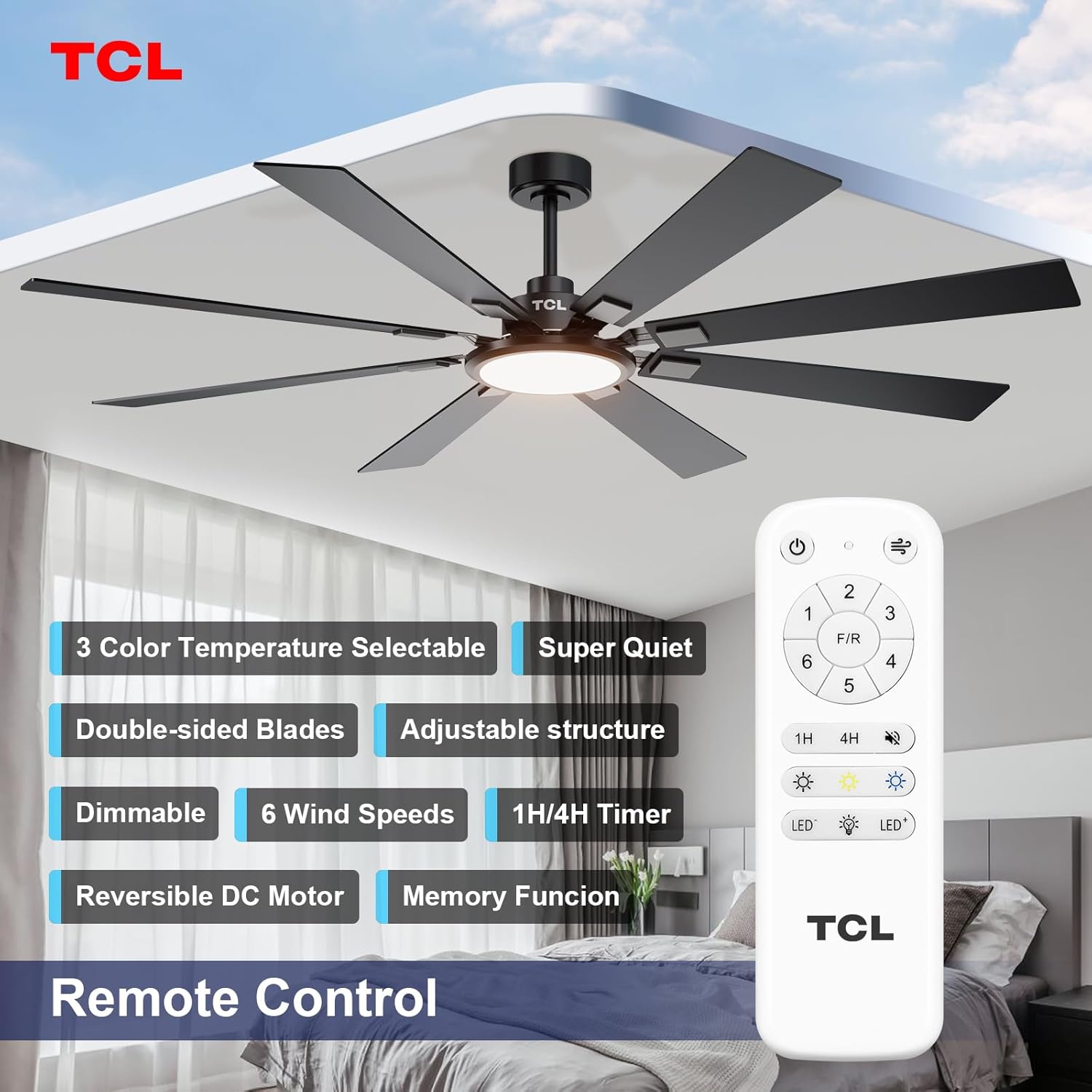
Abbildung 3: Layout der Fernbedienung
Lüfterdrehzahlregelung
The fan features 6 adjustable speeds to suit your comfort needs. Use the '1' through '6' buttons on the remote to select your desired speed.
- Level 1-2: Schwacher, angenehmer Wind für sanfte Luftzirkulation.
- Level 3-4: Mäßiger, natürlicher Wind sorgt für moderate Kühlung.
- Level 5-6: High, powerful wind for maximum cooling.
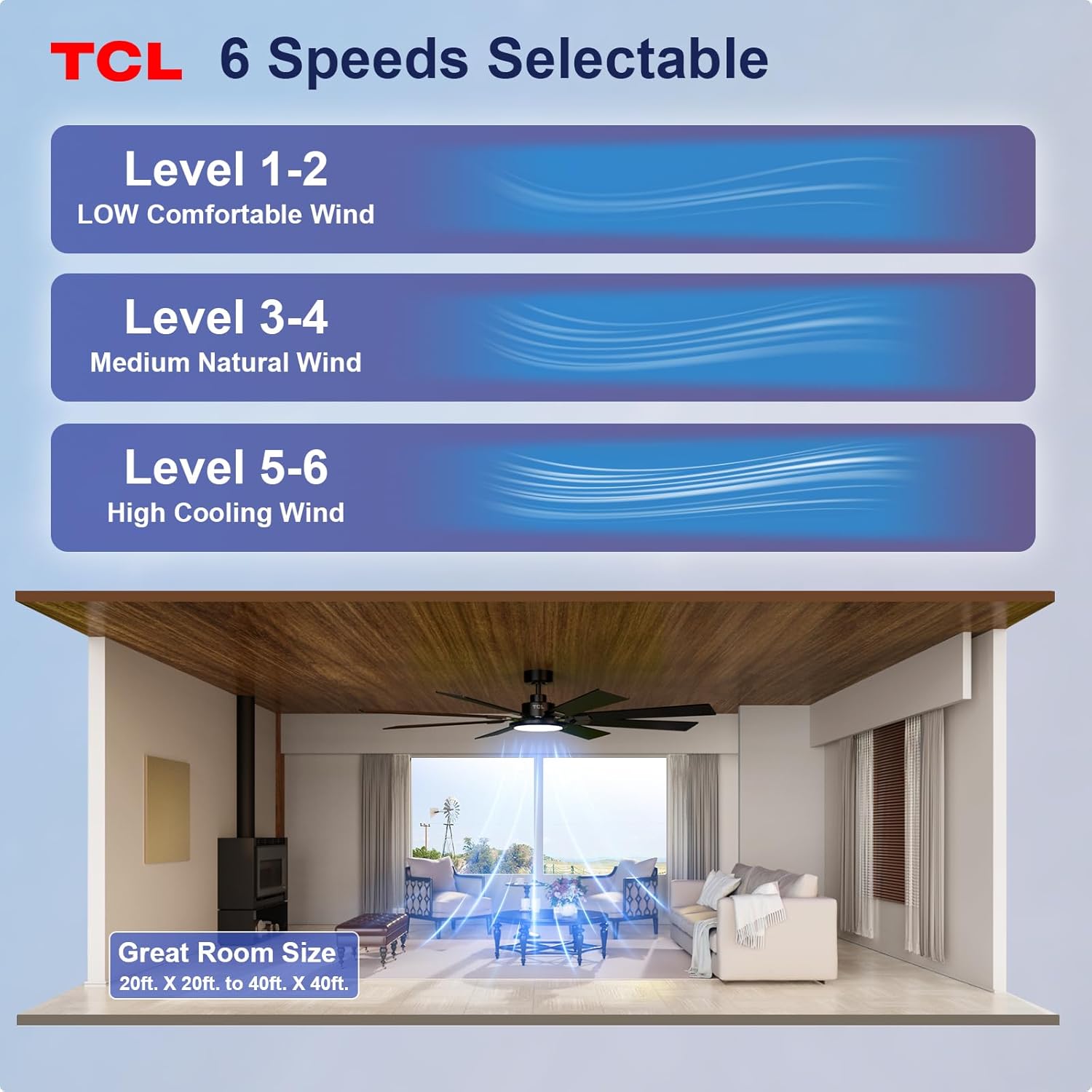
Figure 4: Fan Speed Settings
Lichtbetrieb
The integrated LED light offers dimmable brightness and 3 color temperature options:
- Ein/Aus: Use the light button on the remote to turn the light on or off.
- Dimmen: Use the dimming buttons (up/down arrows) to adjust brightness from 10% to 100%.
- Farbtemperatur: Cycle through 3000K (Warm White), 4000K (Natural White), and 6000K (Cool White) using the color temperature button.
- Speicherfunktion: The fan remembers your last light setting (brightness and color temperature) when turned off and on again. To ensure memory function works correctly, wait at least 20 seconds after turning off the light before turning it back on.

Figure 5: Customizable Light Settings
Umkehrbarer Gleichstrommotor
The fan features a reversible DC motor, allowing you to change the direction of airflow for year-round comfort. Use the 'F/R' button on the remote control.
- Sommermodus (Luftstrom nach unten): Blades rotate counter-clockwise, creating a downward breeze that provides a cooling effect.
- Wintermodus (Luftstrom nach oben): Blades rotate clockwise, drawing cool air up and pushing warm air down from the ceiling, helping to balance indoor heating.

Figure 6: Reversible DC Motor Function
Timerfunktion
Set the fan to automatically turn off after a specified period using the timer buttons (1H/4H) on the remote control.
Leiser Betrieb
The fan is designed for noiseless operation, ensuring a peaceful environment.

Figure 7: Noiseless Operation Comparison
Betriebsvideos
Video 2: Endeview of the TCL ceiling fan, highlighting its modern design and large size suitable for various rooms.
Video 3: Demonstrates the cooling power and stylish lighting features of the TCL ceiling fan.
Video 4: Ein umfassender Überblickview of the TCL ceiling fan's features and benefits.
Wartung
Regelmäßige Wartung gewährleistet optimale Leistung und verlängert die Lebensdauer Ihres Deckenventilators.
- Reinigung: Reinigen Sie die Lüfterflügel und das Motorgehäuse regelmäßig mit einem weichen, feuchten Tuch.amp Mit einem Tuch abwischen. Keine Scheuermittel oder Lösungsmittel verwenden. Vor der Reinigung sicherstellen, dass das Gerät ausgeschaltet ist.
- Klingeninspektion: Prüfen Sie die Lüfterflügel auf Risse oder Beschädigungen. Beschädigte Flügel müssen umgehend ausgetauscht werden.
- Schrauben festziehen: Over time, screws may loosen. Periodically check and tighten all screws on the motor housing and blade attachments.
- Lampenabdeckung: Stellen Sie sicher, dass die Lampenabdeckung fest angebracht ist.
Fehlerbehebung
Sollten Sie Probleme mit Ihrem Lüfter haben, beachten Sie bitte die folgenden häufig auftretenden Probleme und Lösungen:
| Problem | Mögliche Ursache | Lösung |
|---|---|---|
| Lüfter startet nicht | Der Ventilator erhält keinen Strom; lose Kabelverbindungen; Batterie der Fernbedienung leer. | Prüfen Sie den Sicherungsautomaten; Vergewissern Sie sich, dass alle Drahtverbindungen fest sitzen; Ersetzen Sie die Batterien der Fernbedienung. |
| Licht funktioniert nicht | Loose wire connection; LED panel issue. | Check light kit wiring; Contact customer support if LED panel is faulty. |
| Übermäßiges Wackeln | Lose Klingen oder Befestigungsteile; Unwuchtige Klingen. | Stellen Sie sicher, dass alle Klingenschrauben und Befestigungsschrauben fest angezogen sind; verwenden Sie gegebenenfalls ein Auswuchtset (nicht im Lieferumfang enthalten). |
| Lauter Betrieb | Lose Schrauben; Motorproblem. | Tighten all screws; If noise persists, contact customer support. |
Technische Daten
Detailed technical specifications for the TCL 62-inch ceiling fan:
| Besonderheit | Detail |
|---|---|
| Marke | TCL |
| Modellnummer | HFSB-000000D |
| Größe | 62 Zoll |
| Farbe | Schwarz |
| Material | Metall, Holz |
| Stil | Modern |
| Verwendung im Innen- und Außenbereich | Innenbereich, Außenbereich |
| Stromquelle | DC |
| Kontrollmethode | Fernbedienung |
| Lichtquelle | LED |
| Anzahl der Lichtquellen | 1 |
| Bandtage | 120 Volt |
| Lichtfarbe | Warm to Cool White (2700K-6500K) |
| Wastage | 66 Watt |
| Helligkeit | 3000 Lumen (Max.) |
| Effizienz | LED, dimmbar |
| Artikelgewicht | 12.4 Pfund |
| Abmessungen (L x B x H) | 72"L x 72"W x 20"H (Note: Product is 62-inch, this dimension might refer to overall span) |
| UPC | 846042019989 |
Garantie und Support
Garantieinformationen
This TCL ceiling fan is covered by a limited manufacturer's warranty. Please refer to the warranty card included in your product packaging for specific terms, conditions, and duration. Retain your proof of purchase for warranty claims.
Kundenservice
For technical assistance, troubleshooting not covered in this manual, or warranty inquiries, please contact TCL customer service. Contact information can typically be found on the product packaging or the official TCL webWebsite.