
Produkt überview
The DIERYA DK68 is a 60% compact mechanical keyboard designed for versatility and performance. It features triple-mode connectivity, allowing seamless switching between Bluetooth 5.0, 2.4GHz wireless, and USB-C wired connections. Equipped with clicky blue mechanical switches and vibrant RGB backlighting, it offers a responsive and customizable typing experience for both gaming and office use.

Figure 1: DIERYA DK68 Wireless Mechanical Keyboard showcasing sein kompaktes Design und die RGB-Beleuchtung.
Packungsinhalt
Stellen Sie sicher, dass alle Artikel im Paket vorhanden sind:
- DIERYA DK68 Kabellose mechanische Tastatur
- USB-C-auf-USB-A-Kabel
- Tastenkappenabzieher
- 2.4-GHz-USB-Empfänger (im hinteren Fach der Tastatur aufbewahrt)
- Benutzerhandbuch (dieses Dokument)
Einrichtung und Konnektivität
The DK68 keyboard supports three connection modes: USB-C wired, 2.4GHz wireless, and Bluetooth 5.0. Choose the mode that best suits your needs.
1. Kabelgebundener USB-C-Modus
- Verbinden Sie das mitgelieferte USB-C-Kabel mit dem USB-C-Anschluss der Tastatur.
- Verbinden Sie das USB-A-Ende des Kabels mit einem freien USB-Anschluss an Ihrem Computer.
- Die Tastatur wird automatisch erkannt und ist sofort einsatzbereit.
2. 2.4-GHz-Funkmodus
- Suchen Sie den 2.4-GHz-USB-Empfänger im Fach auf der Rückseite der Tastatur.
- Nehmen Sie den Empfänger heraus und stecken Sie ihn in einen freien USB-Anschluss Ihres Computers.
- Turn on the keyboard using the switch located on the back.
- Die Tastatur sollte sich automatisch mit dem Empfänger verbinden. Falls nicht, drücken Sie Fn + G (labeled '2.4G' on the key) to activate 2.4GHz pairing mode.

Figure 2: Triple-mode connectivity options including 2.4GHz wireless.
3. Bluetooth 5.0-Modus
Die Tastatur kann mit bis zu drei Bluetooth-Geräten verbunden werden.
- Turn on the keyboard using the switch on the back.
- Drücken und halten Fn+Z (labeled 'BT1'), Fn + X (labeled 'BT2'), or Fn+C (labeled 'BT3') for 3-5 seconds until the corresponding key's backlight flashes rapidly. This indicates pairing mode.
- On your device (PC, laptop, tablet, phone), enable Bluetooth and search for "DIERYA DK68".
- Select the keyboard to pair. The key's backlight will stop flashing once connected.
- Um zwischen gekoppelten Bluetooth-Geräten zu wechseln, drücken Sie einfach Fn + Z/X/C.

Abbildung 3: Bluetooth-Konnektivität für mehrere Geräte.
Bedienungsanleitung
RGB-Hintergrundbeleuchtungssteuerung
The DK68 features 20 built-in RGB lighting effects and 16.8 million customizable colors. Use the following key combinations to control the lighting:
- Fn + Rücktaste: Turn backlighting On/Off.
- Fn + Umschalt: Switch light colors.
- Fn + Eingabetaste: Switch light modes (20 dynamic RGB modes).
- Fn + Aufwärtspfeil: Helligkeit erhöhen.
- Fn + Pfeil nach untenHelligkeit verringern.
- Fn + Pfeil nach linksVerringern Sie die Lichtgeschwindigkeit.
- Fn + Pfeil nach rechts: Erhöhung der Lichtgeschwindigkeit.

Figure 4: RGB lighting control key combinations for the DK68 keyboard.
Tastenanpassung und Makros
The DIERYA DK68 supports full key anti-ghosting and N-Key Rollover (NKRO) for accurate input. For advanced customization, including key remapping, macro programming, and additional lighting effects, dedicated software is available. Please refer to the official DIERYA webWebseite für Software-Downloads und Anleitungen.

Figure 5: Full N-Key Rollover and software customization capabilities.
Mechanische blaue Schalter
The keyboard is equipped with clicky blue mechanical switches, providing a distinct tactile bump and an audible click with each keystroke. These switches are ideal for users who prefer clear feedback and a satisfying typing experience. They feature a medium 60gf actuation force (±15gf) and 2.3mm travel (±0.6mm), with a lifespan of 50 million clicks.

Abbildung 6: Ausführlich view of mechanical blue switches and their specifications.
Wartung
Batteriemanagement
The keyboard is powered by a 3000mAh lithium battery. To charge, connect the keyboard via the USB-C cable to a power source. The keyboard can be used while charging.
- Usage Time (Backlighting On): Bis zu 12 Stunden.
- Usage Time (Backlighting Off): Bis zu 333 Stunden.
- Auto-Sleep-Modus: The keyboard enters auto-sleep mode after 3 minutes of inactivity to conserve power.
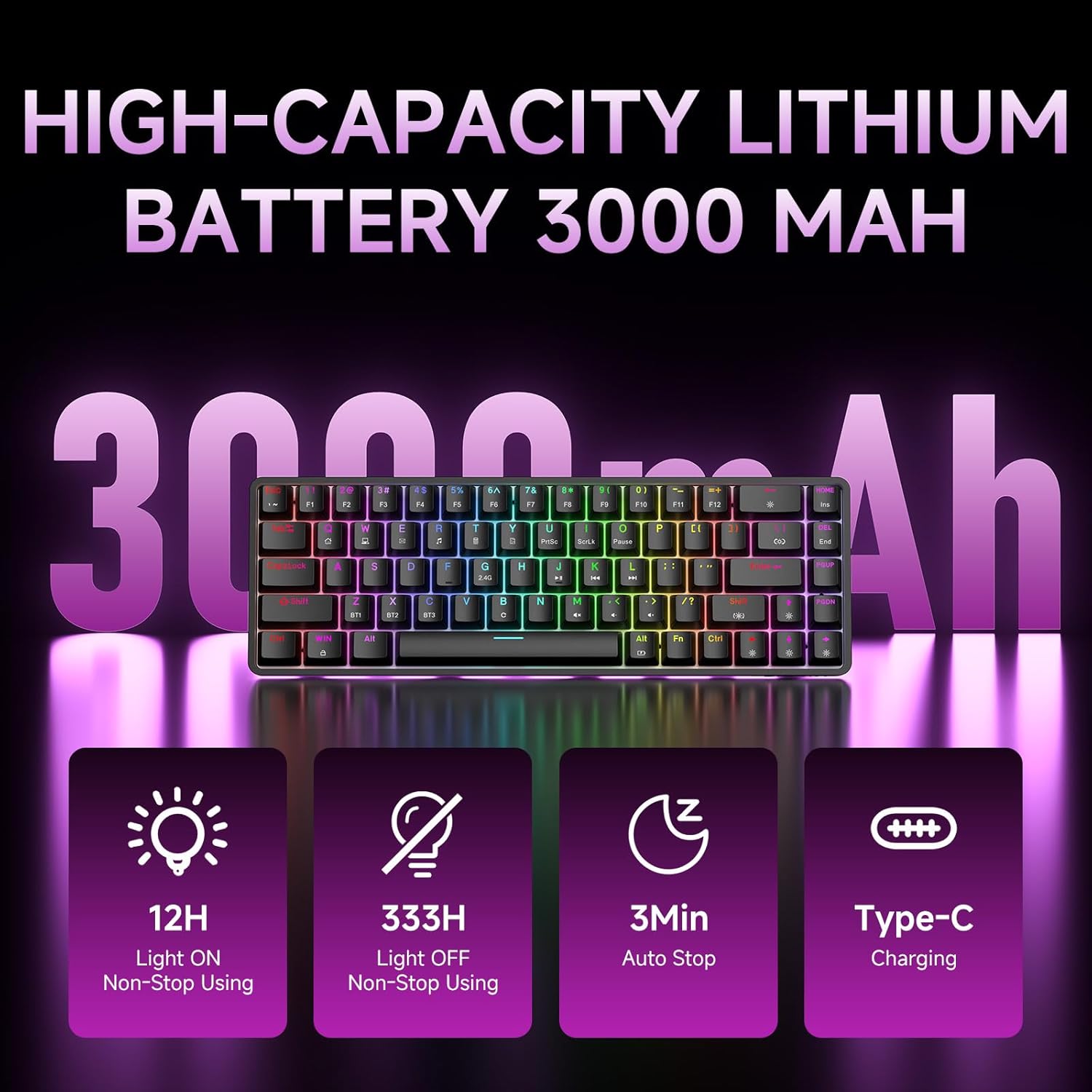
Figure 7: Battery capacity and power-saving features of the DK68.
Reinigung und Pflege
- Use the provided keycap puller to carefully remove keycaps for cleaning.
- Clean the keyboard surface with a soft, damp Tuch. Übermäßige Feuchtigkeit vermeiden.
- Verwenden Sie keine aggressiven Chemikalien oder Scheuermittel.
- Stellen Sie sicher, dass die Tastatur vor der Reinigung ausgeschaltet ist.
Fehlerbehebung
- Tastatur reagiert nicht:
- Check the power switch on the back of the keyboard.
- Ensure the correct connection mode (wired, 2.4GHz, or Bluetooth) is selected.
- Bei 2.4 GHz muss sichergestellt sein, dass der USB-Empfänger fest eingesteckt ist.
- Stellen Sie bei Bluetooth-Verbindungen sicher, dass die Tastatur gekoppelt und auf Ihrem Gerät ausgewählt ist. Versuchen Sie gegebenenfalls, die Kopplung erneut durchzuführen.
- Wenn Sie den kabelgebundenen Modus verwenden, versuchen Sie es mit einem anderen USB-Anschluss oder Kabel.
- Hintergrundbeleuchtung funktioniert nicht:
- Drücken Fn + Rücktaste to toggle the backlighting.
- Prüfen Sie den Batteriestand; ein niedriger Batteriestand kann die Hintergrundbeleuchtung deaktivieren.
- Schlüssel werden nicht registriert:
- Stellen Sie sicher, dass die Tastatur ordnungsgemäß angeschlossen und eingeschaltet ist.
- If specific keys are not working, try removing and re-seating their keycaps.
Technische Daten
| Besonderheit | Detail |
|---|---|
| Modellnummer | DK68 |
| Konnektivitätstechnologie | 2.4-GHz-Funk, Bluetooth 5.0, USB-C-Kabel |
| Schaltertyp | Klickende blaue mechanische Schalter |
| Tastenbelegung | 68 Tasten (60%-Layout) |
| Hintergrundbeleuchtung | RGB (16.8 Millionen Farben, 20 Effekte) |
| Batteriekapazität | 3000 mAh Lithium-Polymer |
| Kompatible Geräte | Gaming Console, Laptop, PC, Tablet |
| Anti-Ghosting | Full Key Anti-Ghosting & NKRO |
| Material | Plastik |
| Artikelgewicht | 1.76 Pfund (ca. 800 g) |
| Verpackungsabmessungen | 14.33 x 4.37 x 1.73 Zoll |

Figure 8: Keyboard dimensions and compact 68-key layout.
Garantie und Support
For warranty information and technical support, please refer to the documentation included with your product or visit the official DIERYA website. Amazon's return policy for this product is 30 days from the date of receipt.