
Einführung
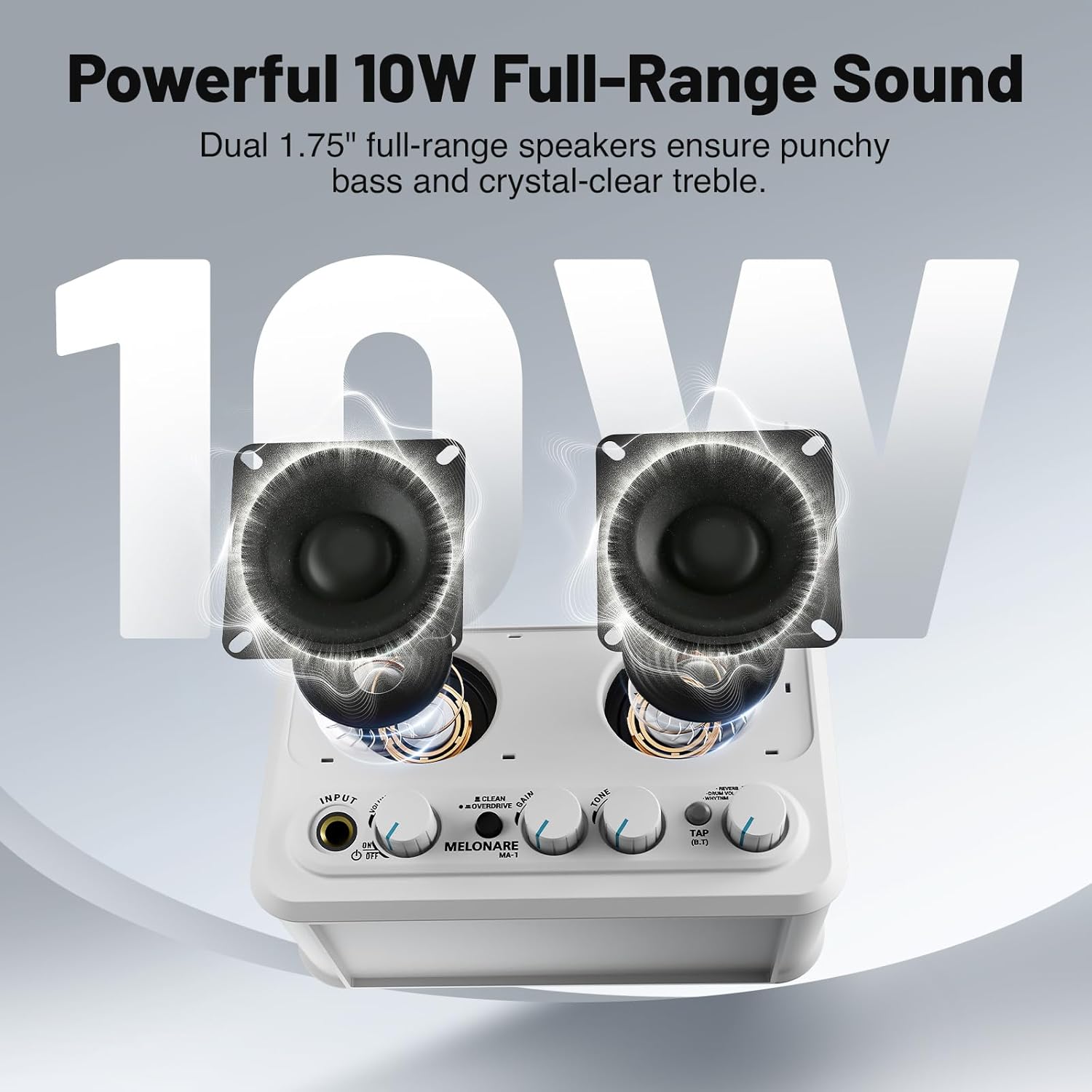
The MELONARE MA-1 Mini Guitar Amplifier is a versatile and portable 10W electric guitar amplifier designed for practice and recording. It features 30 built-in rhythm patterns, switchable clean and overdrive channels, adjustable reverb, and Bluetooth 5.3 connectivity. Its compact design and long-lasting rechargeable battery make it an ideal companion for musicians on the go.
Lieferumfang
- Gitarre AmpReiniger *1
- Bedienungsanleitung *1
- USB-Ladekabel *1
- Gitarre Amplifier packaging bag *1
- Charging cable packaging bag *1
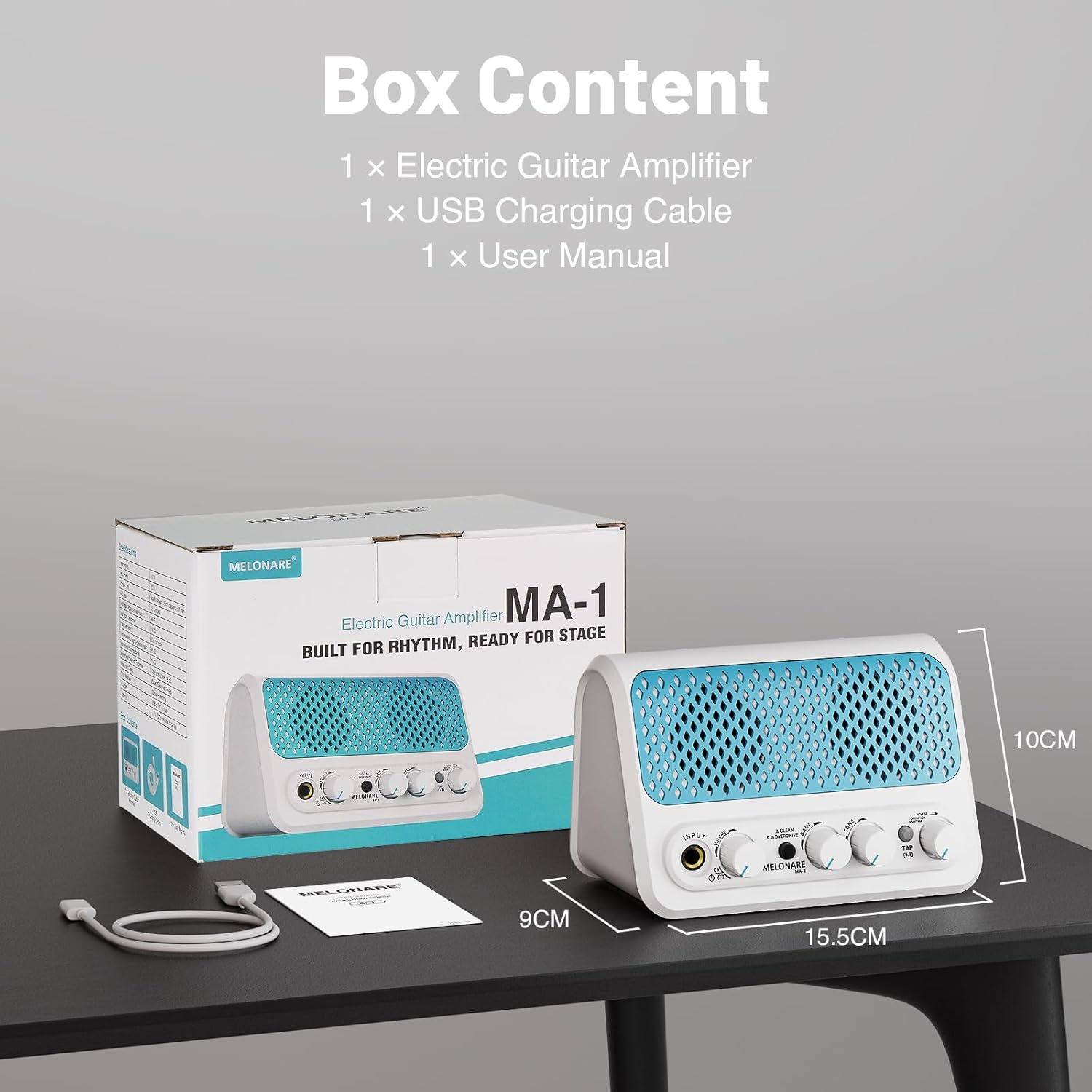
Produkt überview und Kontrollen
Machen Sie sich vertraut mit dem amplifier's front panel controls:
- EINGANG: 6.35mm jack for connecting your electric guitar.
- VOLUMEN: Passt die Gesamtlautstärke des Ausgangssignals an ampschwerer.
- Ein / Aus Schalter: Schaltet das Gerät ein oder aus.
- CLEAN/OVERDRIVE Button: Toggles between clean and overdrive sound modes.
- DAZUGEWINNEN: Controls the amount of distortion or overdrive in the signal.
- TON: Shapes the treble and bass frequencies of your sound.
- TAP (B.T) Button: Used for tap tempo for rhythms and Bluetooth pairing.
- REVERB/DRUM VOL/RHYTHM Knob: This multi-function knob controls reverb depth, drum volume, and selects rhythm patterns.

Aufstellen
1. Laden des Akkus
The MA-1 features a built-in 2000mAh rechargeable battery, providing approximately 6-7 hours of continuous playtime on a full charge (actual playtime may vary based on volume and mode). To charge, connect the amplifier to a USB power source (power bank, computer, or wall adapter) using the provided USB charging cable. A full charge typically takes about 3 hours.

2. Gitarre anschließen
Plug your electric guitar into the EINGANG 6.35mm jack on the front panel. Ensure the amplifier is powered on using the ON/OFF switch.
3. Bluetooth-Konnektivität
To stream audio wirelessly from your phone or other Bluetooth-enabled device, press and hold the TAP (B.T) button until the indicator light flashes, indicating pairing mode. On your device, search for and select 'MELONARE MA-1' to connect. Once connected, the indicator light will remain solid.

4. AUX-Eingang
For wired audio input, connect your phone, MP3 player, tablet, or computer to the 3.5mm AUX IN jack located on the rear of the ampschwerer.
5. Kopfhörerausgang
For personal monitoring or quiet practice, plug your 3.5mm headphones into the HEADPHONE OUT jack on the rear of the amplifier. This mutes the main speakers.
Bedienung des Ampschwerer
1. Clean and Overdrive Modes
Drücken Sie die CLEAN/OVERDRIVE button to switch between the two primary sound modes:
- Reinigungsmodus: Delivers a clear, transparent sound suitable for daily practice or acoustic-style performances.
- Overdrive Mode: Adds a heavy, powerful tone for improvisation or solos.
Passen Sie die GEWINNEN Und TON knobs to fine-tune your sound in either mode.
2. Metronome and Rhythm Patterns
Der amplifier includes 30 built-in rhythm patterns. To activate and control them:
- Rhythmus auswählen: Drücken Sie die REVERB/DRUM VOL/RHYTHM knob to cycle through the modes. A green LED indicates rhythm selection mode. Turn the knob to choose from the 30 patterns.
- Tempo anpassen: Tippen Sie auf das TAP (B.T) button three times to set the desired tempo.
- Schlagzeuglautstärke anpassen: Drücken Sie die REVERB/DRUM VOL/RHYTHM knob again. A red LED indicates drum volume mode. Turn the knob to adjust the volume of the rhythm pattern independently.

3. Reverb Control
When no LED is lit on the REVERB/DRUM VOL/RHYTHM knob, you are in reverb control mode. Turn the knob to fine-tune the depth of the reverb effect, adding space and atmosphere to your sound.
4. Videodemonstration
Wartung
To ensure the longevity and optimal performance of your MELONARE MA-1 Mini Guitar AmpVerstärker, befolgen Sie diese Wartungsrichtlinien:
- Reinigung: Reinigen Sie die Außenseite des ampVerwenden Sie keine scheuernden Reiniger, Lösungsmittel oder Wachse, da diese die Oberfläche beschädigen können.
- Lagerung: Speichern Sie die ampDer Verstärker sollte an einem kühlen, trockenen Ort ohne direkte Sonneneinstrahlung, extreme Temperaturen und hohe Luftfeuchtigkeit aufgestellt werden.
- Batteriepflege: For best battery life, avoid fully discharging the battery frequently. Charge the amplifier regularly, even if not in use, to maintain battery health. If storing for an extended period, charge the battery to approximately 50% every few months.
- Handhabung: Behandeln Sie die amplifier with care to prevent drops or impacts, which can damage internal components.
Fehlerbehebung
If you encounter issues with your MELONARE MA-1 Mini Guitar AmpBei Problemen mit dem Verstärker sollten Sie die folgenden allgemeinen Schritte zur Fehlerbehebung beachten:
- Kein Ton:
- Stellen Sie sicher, dass ampDer Verstärker ist eingeschaltet und vollständig aufgeladen.
- Check that your guitar cable is securely connected to both the guitar and the ampEingangsbuchse des Verstärkers.
- Verify that the VOLUME knob is turned up.
- If using headphones, ensure they are properly plugged into the HEADPHONE OUT jack and that the main speakers are muted.
- Poor Sound Quality/Distortion (in Clean Mode):
- Reduce the guitar's volume or the amplifier's GAIN setting.
- Check for damaged cables or faulty guitar pickups.
- Probleme mit der Bluetooth-Verbindung:
- Stellen Sie sicher, dass amplifier is in Bluetooth pairing mode (flashing blue LED).
- Deaktivieren und aktivieren Sie Bluetooth auf Ihrem Gerät erneut.
- Bewegen Sie Ihr Gerät näher an die ampVerstärker zur Sicherstellung eines starken Signals.
- Löschen Sie das Gerät aus Ihren Bluetooth-Einstellungen und versuchen Sie die Kopplung erneut.
- Rhythm Pattern Not Playing:
- Stellen Sie sicher, dass amplifier is in rhythm selection mode (green LED on REVERB/DRUM VOL/RHYTHM knob).
- Check the drum volume setting.
- Tap the TAP (B.T) button to start the rhythm.
Technische Daten
| Marke | MELONARE |
| Modell | MA-1 |
| Ausgang Wattage | 10 Watt |
| Artikelgewicht | 1.21 Pfund |
| Technische Daten | 5.5 x 3.5 x 1.4 Zoll |
| Akku-Typ | Lithium-Ionen-Akku (2000 mAh) |
| Stromquelle | Batteriebetrieben |
| Materialtyp | Plastik |
| Farbe | Türkis |
| Konnektivität | Bluetooth 5.3, 3.5mm Jack (AUX IN, Headphone OUT), 6.35mm Jack (Guitar INPUT), USB (Charging) |
Garantie und Support
For warranty information and customer support, please refer to the contact details provided on the product packaging or visit the official MELONARE webBewahren Sie Ihren Kaufbeleg als Kaufnachweis für eventuelle Garantieansprüche auf.