
Einführung
Thank you for choosing the Altec Lansing Comfort Pro Over Ear Bluetooth Headphones. These headphones are designed to provide a high-quality audio experience with advanced features such as Active Noise Cancellation (ANC), Environmental Noise Cancellation (ENC), Spatial Audio, and a long-lasting battery. This manual will guide you through the setup, operation, and maintenance of your new headphones.
Lieferumfang
- Altec Lansing Comfort Pro Wireless Headphones
- USB-C-Ladekabel (nicht explizit aufgeführt, aber implizit zum Laden geeignet)
- Audio Cable (not explicitly listed but common for wired use)
- Carrying Case (implied by images)
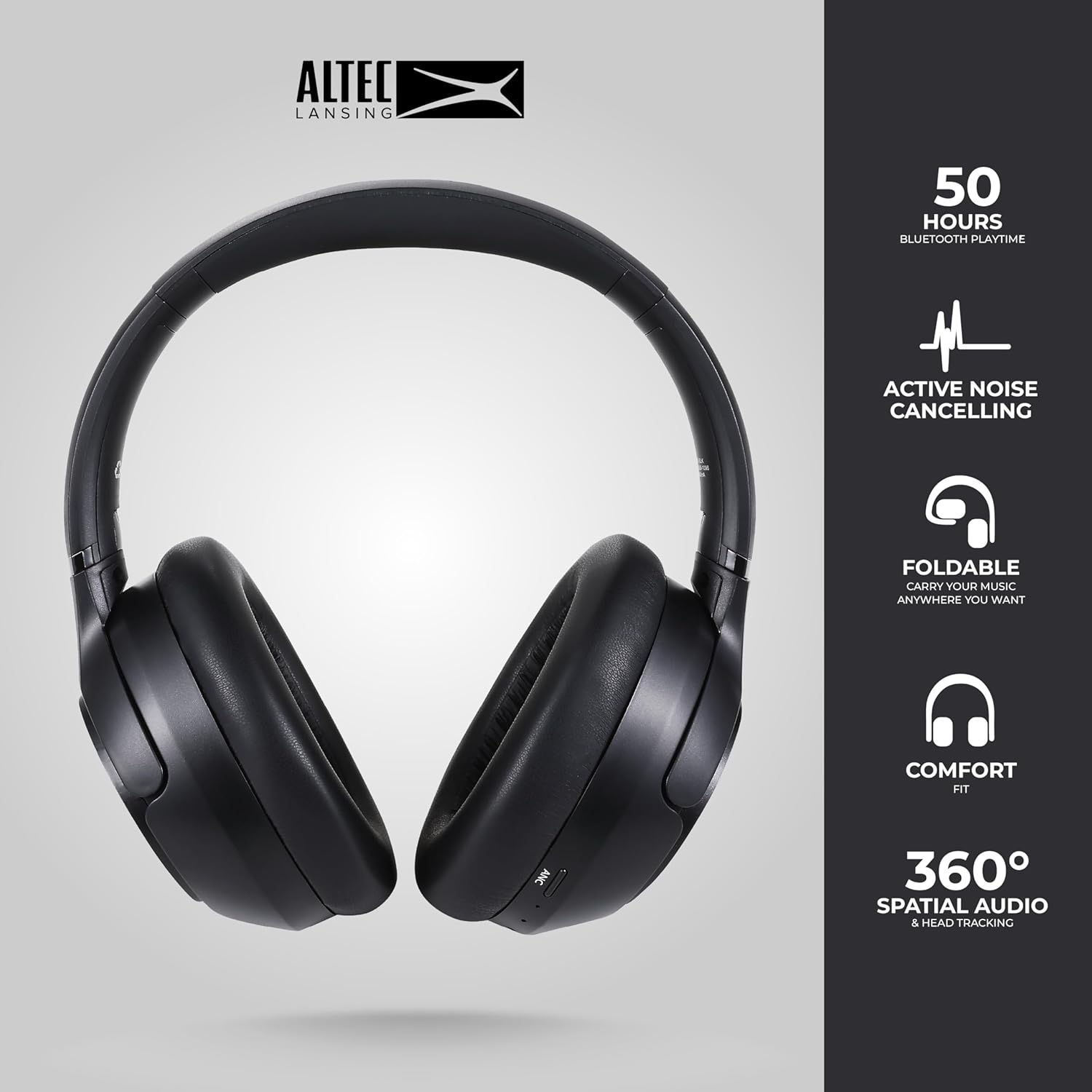
Image: The Altec Lansing Comfort Pro headphones, showcasing their sleek design and key features like 50 hours Bluetooth playtime, Active Noise Cancelling, foldable design, comfort fit, and 360° Spatial Audio & Head Tracking.
Aufstellen
1. Aufladen der Kopfhörer
Before first use, fully charge your headphones. Connect the provided USB-C charging cable to the charging port on the headphones and the other end to a USB power source. The LED indicator will show charging status and turn off or change color when fully charged. A full charge typically takes approximately two hours.
2. Ein-/Ausschalten
- So schalten Sie das Gerät ein: Halten Sie den Ein-/Ausschalter etwa 3 Sekunden lang gedrückt, bis die LED-Anzeige aufleuchtet.
- So schalten Sie das Gerät aus: Halten Sie den Netzschalter etwa 3 Sekunden lang gedrückt, bis die LED-Anzeige erlischt.
3. Bluetooth-Kopplung
The headphones support Bluetooth 5.4 for stable connectivity and multipoint pairing for connecting to two devices simultaneously.
- Stellen Sie sicher, dass die Kopfhörer ausgeschaltet sind.
- Halten Sie den Ein-/Ausschalter etwa 5-7 Sekunden lang gedrückt, bis die LED-Anzeige schnell blinkt (normalerweise blau und rot). Dies signalisiert den Kopplungsmodus.
- Gehen Sie auf Ihrem Gerät (Smartphone, Laptop, Tablet) zu den Bluetooth-Einstellungen und aktivieren Sie Bluetooth.
- Suchen nach available devices and select "Altec Lansing Comfort Pro" from the list.
- Sobald die Verbindung hergestellt ist, hört die LED-Anzeige auf zu blinken und leuchtet durchgehend blau.
- For multipoint pairing, connect to the first device, then put the headphones back into pairing mode and connect to the second device. The headphones will intelligently switch between the two connected devices.

Bild: Eine detaillierte view of the Altec Lansing Comfort Pro headphones highlighting the adjustable headband and the soft, lightweight ear cushions designed for comfort during extended use.
Betrieb
Kopfhörersteuerung
The headphones feature intuitive controls located on the earcups. Refer to the image below for button identification.

Bild: Eine Nahaufnahme view of the right earcup of the Altec Lansing Comfort Pro headphones, showing the power button, volume controls, and other function buttons.
- Netzschalter: Zum Ein-/Ausschalten gedrückt halten. Kurzes Drücken für Wiedergabe/Pause, Anrufe annehmen/beenden.
- Lauter (+): Kurz drücken, um die Lautstärke zu erhöhen. Lang drücken, um zum nächsten Titel zu springen.
- Lautstärke runter (-): Kurz drücken, um die Lautstärke zu verringern. Lang drücken, um zum vorherigen Titel zu springen.
- ANC-Taste: Press to cycle through Active Noise Cancellation modes (ANC On, Ambient Mode, ANC Off).
- Multifunktionstaste (MFB): Double press to activate Voice Assistant (Siri/Google Voice). Triple press to activate Low Latency Mode.
Active Noise Cancellation (ANC) & Environmental Noise Cancellation (ENC)
The Comfort Pro headphones feature powerful ANC to block out external noise and ENC for clear calls. Press the dedicated ANC button to toggle between ANC On, Ambient Mode (allowing some environmental sounds for awareness), and ANC Off. ENC is automatically active during calls to ensure your voice is clear.
Räumliches Audio
Experience immersive sound with Spatial Audio. This feature creates a 3D soundstage, making audio feel more lifelike. Spatial Audio is automatically enabled when supported by your device and content.
Modus mit geringer Latenz
For gaming or video playback where audio-visual synchronization is critical, activate Low Latency Mode by triple-pressing the MFB. This reduces audio delay for a more synchronized experience.
Sprachassistent
Access your device's voice assistant (Siri or Google Voice) by double-pressing the MFB. You can then issue commands through the headphone's microphone.
Anruf-Management
- Anruf annehmen/beenden: Drücken Sie kurz die Einschalttaste.
- Anruf ablehnen: Halten Sie die Einschalttaste 2 Sekunden lang gedrückt.
Wartung
Reinigung
Um die Leistung und das Aussehen Ihrer Kopfhörer zu erhalten:
- Wischen Sie die Ohrmuscheln und den Kopfbügel mit einem weichen, trockenen, fusselfreien Tuch ab.
- Bei hartnäckigem Schmutz leicht dampBefeuchten Sie das Tuch mit Wasser. Vermeiden Sie die Verwendung von scharfen Chemikalien, Lösungsmitteln oder Scheuermitteln.
- Achten Sie darauf, dass keine Feuchtigkeit in die Öffnungen eindringt.
Lagerung
When not in use, store your headphones in the provided carrying case to protect them from dust, scratches, and impacts. The foldable design allows for compact storage.

Image: The Altec Lansing Comfort Pro headphones neatly folded and stored inside their protective carrying case, emphasizing portability and protection.
Batteriepflege
- Vermeiden Sie häufiges vollständiges Entladen des Akkus.
- Bewahren Sie die Kopfhörer mit einer Teilladung auf, wenn Sie sie längere Zeit nicht benutzen.
- Vermeiden Sie extreme Temperaturen, da diese die Lebensdauer des Akkus beeinträchtigen können.
Fehlerbehebung
If you encounter any issues with your Altec Lansing Comfort Pro headphones, refer to the following common solutions:
- Die Kopfhörer lassen sich nicht einschalten: Stellen Sie sicher, dass die Kopfhörer vollständig aufgeladen sind. Schließen Sie sie an eine Stromquelle an und versuchen Sie es nach einigen Minuten erneut.
- Kopplung mit dem Gerät nicht möglich:
- Stellen Sie sicher, dass sich die Kopfhörer im Kopplungsmodus befinden (LED blinkt schnell).
- Schalten Sie Bluetooth auf Ihrem Gerät aus und wieder ein.
- Delete "Altec Lansing Comfort Pro" from your device's Bluetooth list and attempt to pair again.
- Versuchen Sie, ein anderes Gerät zu koppeln, um gerätespezifische Probleme auszuschließen.
- Kein Ton oder geringe Lautstärke:
- Überprüfen Sie die Lautstärke sowohl an den Kopfhörern als auch an Ihrem angeschlossenen Gerät.
- Stellen Sie sicher, dass die Kopfhörer ordnungsgemäß über Bluetooth verbunden sind.
- If using a wired connection, ensure the audio cable is fully inserted into both the headphones and the audio source.
- ANC funktioniert nicht effektiv:
- Stellen Sie sicher, dass die ANC-Funktion durch Drücken der ANC-Taste aktiviert ist.
- Passen Sie den Sitz der Kopfhörer so an, dass sie gut um Ihre Ohren abdichten.
- ANC is most effective against low-frequency, constant noise. It may not completely block out voices or sudden, high-frequency sounds.
- Sprachassistent reagiert nicht: Ensure your device's voice assistant is enabled and that the headphones are properly connected. Double-press the MFB firmly.
Technische Daten
| Modellname | MX3050 (MZX3050-BLK-STK-6) |
| Konnektivitätstechnologie | Kabellos (Bluetooth) |
| Bluetooth-Version | 5.4 |
| Akkulaufzeit | Up to 60 Hours (40 Hours with ANC activated) |
| Geräuschunterdrückungsmerkmale | Aktive Geräuschunterdrückung (ANC), Umgebungsgeräuschunterdrückung (ENC) |
| Form der Hörmuschel | Over-Ear |
| Kontrollmethode | App, Voice, On-headphone buttons |
| Kompatible Geräte | Smartphones, Laptops, Tablets |
| Material | Fabric/Silicone and Plastic/Metal (Combination) |
| Artikelgewicht | 1 Pfund |
| Wasserbeständigkeit | Wasserdicht |
Garantie und Support
For warranty information and customer support, please refer to the documentation included with your purchase or visit the official Altec Lansing website. You can typically find detailed warranty terms, FAQs, and contact information for technical assistance there.
Online-Ressourcen: www.alteclansing.com