
1. Einleitung
The House of Marley Get Together Go is a portable Bluetooth speaker designed for high-quality audio and outdoor durability. It features sustainable materials, multiple sound modes, and a robust, adventure-ready design.

Figure 1: Get Together Go Speaker in an outdoor environment.
Key features include IP67 waterproof and dustproof rating, up to 20 hours of playtime, customizable EQ modes, and Auracast multi-speaker pairing. The speaker is crafted from renewable bamboo and REGRIND silicone, reflecting a commitment to sustainable design.

Abbildung 2: Überview of main features including EQ settings, playtime, IP67 protection, and ambient lighting.
2. Packungsinhalt
Stellen Sie sicher, dass alle Artikel im Paket vorhanden sind:
- House of Marley Get Together Go Portable Bluetooth Speaker
- USB-C-Ladekabel
- Kurzanleitung (nicht in diesem Handbuch enthalten)
3. Einrichtung
3.1 Aufladen des Lautsprechers
- Schließen Sie das mitgelieferte USB-C-Ladekabel an den Ladeanschluss des Lautsprechers an.
- Verbinden Sie das andere Ende des Kabels mit einem kompatiblen USB-Netzteil (nicht im Lieferumfang enthalten).
- Die Ladeanzeigeleuchte leuchtet während des Ladevorgangs und erlischt, sobald der Akku vollständig geladen ist.
3.2 Ein-/Ausschalten
- To power on, press and hold the Power button until the indicator lights activate.
- Zum Ausschalten den Netzschalter erneut gedrückt halten, bis die Kontrollleuchten erlöschen.

Abbildung 3: Vorderseite view of the speaker, illustrating general layout and control area.
3.3 Bluetooth-Kopplung
- Stellen Sie sicher, dass der Lautsprecher eingeschaltet ist.
- Press and hold the Bluetooth button on the speaker until the Bluetooth indicator light begins to flash, indicating pairing mode.
- Aktivieren Sie auf Ihrem Gerät (Smartphone, Tablet usw.) Bluetooth und suchen Sie nach verfügbaren Geräten.
- Select "Get Together Go" from the list of devices.
- Sobald die Verbindung hergestellt ist, leuchtet die Bluetooth-Anzeigeleuchte dauerhaft.
3.4 Auracast Multi-Speaker Pairing
The Get Together Go supports Auracast for connecting multiple compatible speakers for a larger sound experience. Refer to the official House of Marley website for detailed instructions on Auracast setup.
4. Bedienungsanleitung
4.1 Audiowiedergabe
- Sobald die Verbindung via Bluetooth hergestellt ist, können Sie Audio von Ihrem verbundenen Gerät abspielen.
- Use the Volume Up (+) and Volume Down (-) buttons on the speaker to adjust the volume.
- Drücken Sie die Wiedergabe-/Pause-Taste, um die Wiedergabe zu steuern.

Figure 4: Speaker control panel for power, Bluetooth, volume, and playback.
4.2 Custom EQ Modes
The speaker features three customizable EQ modes to optimize sound for different environments:
- Marley Signature Sound: Balanced Audio Profile.
- Bassverstärkung: Verbessertes Tieftonverhalten.
- Outdoor-Modus: Optimized for open-air listening.
To switch between EQ modes, briefly press the Power button while the speaker is on. The ambient lighting may change to indicate the active mode.

Figure 5: Speaker in an outdoor setting, demonstrating its durability and suitability for various environments, where EQ modes can be adjusted.
4.3 Umgebungsbeleuchtung
The speaker includes ambient lighting at its base. This lighting can be toggled or adjusted by pressing a dedicated button (refer to the speaker's physical controls for exact button location, often integrated with power or EQ controls).
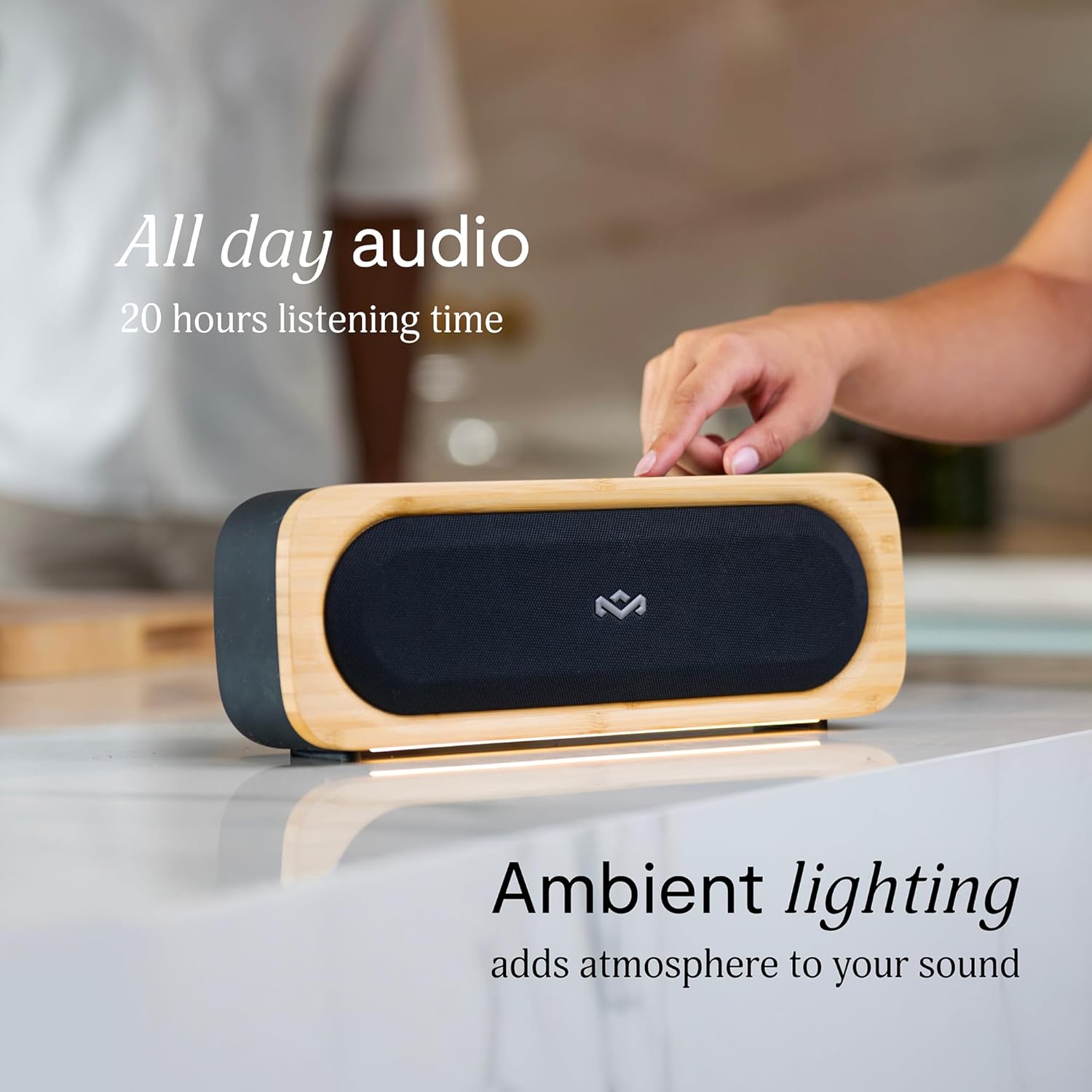
Figure 6: Speaker with ambient lighting active.
4.4 Eingebauter Flaschenöffner
A bottle opener is integrated into the speaker's design for convenience. Locate the bottle opener on the rear or side of the speaker and use it as you would a standard bottle opener.

Figure 7: Demonstrating the use of the built-in bottle opener.
5. Wartung
5.1 Reinigung
- The speaker features a removable grill for easy cleaning. Gently detach the grill to clean any dust or debris from the speaker drivers.
- Wischen Sie die Außenseite des Lautsprechers mit einem weichen, fusselfreien Tuch ab.amp Tuch. Vermeiden Sie die Verwendung aggressiver Chemikalien oder Scheuermittel.
- Ensure the speaker is completely dry before reattaching the grill or using it near water.

Figure 8: Speaker with removable grill detached for cleaning.
5.2 Wasser- und Staubschutz (IP67)
- The IP67 rating means the speaker is protected from dust ingress and can withstand immersion in water up to 1 meter for 30 minutes.
- Always ensure the charging port cover is securely closed before exposing the speaker to water or dust.
- Nach Kontakt mit Wasser muss der Lautsprecher vor dem Aufladen gründlich getrocknet werden.
5.3 Batteriepflege
- Um eine optimale Akkulaufzeit zu gewährleisten, sollte der Lautsprecher nicht häufig vollständig entladen werden.
- Bewahren Sie den Lautsprecher an einem kühlen, trockenen Ort auf, wenn er längere Zeit nicht benutzt wird.
6. Fehlerbehebung
6.1-Lautsprecher lässt sich nicht einschalten
- Stellen Sie sicher, dass der Akku geladen ist. Schließen Sie den Lautsprecher an eine Stromquelle an und lassen Sie ihn mindestens 30 Minuten lang aufladen, bevor Sie ihn wieder einschalten.
- Press and hold the Power button for a few seconds to ensure it's not a brief press.
6.2 Probleme beim Bluetooth-Pairing
- Stellen Sie sicher, dass sich der Lautsprecher im Kopplungsmodus befindet (blinkende Bluetooth-Anzeige).
- Ensure your device's Bluetooth is enabled and within range (typically 10 meters or 33 feet).
- Try forgetting the speaker from your device's Bluetooth settings and re-pairing.
- Starten Sie sowohl den Lautsprecher als auch Ihr Bluetooth-Gerät neu.
6.3 Kein Ton oder geringe Lautstärke
- Überprüfen Sie die Lautstärke sowohl am Lautsprecher als auch an Ihrem angeschlossenen Gerät.
- Stellen Sie sicher, dass der Lautsprecher ordnungsgemäß mit Ihrem Gerät gekoppelt und verbunden ist.
- Versuchen Sie, Audio von einer anderen Anwendung oder Quelle auf Ihrem Gerät abzuspielen.
7. Spezifikationen
| Besonderheit | Detail |
|---|---|
| Modellname | GEMEINSAM GEHEN |
| Artikelmodellnummer | EM-JA036-SB |
| Konnektivitätstechnologie | Bluetooth |
| Maximale Lautsprecherausgangsleistung | 20 Watt |
| IP-Schutzart | IP67 (wasserdicht und staubdicht) |
| Spielzeit | Bis zu 20 Stunden |
| Technische Daten | 5.75"T x 16.13"B x 4.75"H |
| Artikelgewicht | 4.05 Pfund |
| Materialien | Renewable Bamboo, REGRIND Silicone, REWIND Fabric |
| UPC | 846885011706 |
8. Garantie und Support
For warranty information and technical support, please refer to the official House of Marley webBesuchen Sie die Website oder kontaktieren Sie direkt den Kundenservice. Bewahren Sie Ihren Kaufbeleg für Garantieansprüche auf.
9. Sustainability Commitment
The House of Marley Get Together Go speaker is designed with sustainability in mind, utilizing:
- Renewable Bamboo: Crafted from one of the world's fastest-growing plants.
- REWIND Fabric: Made from recycled plastic bottles for a durable finish.
- REGRIND Silicone: Produced using reclaimed and upcycled post-process and post-consumer waste.

Figure 9: Details on the sustainable materials used in the speaker's construction.