
1. Einleitung
This manual provides detailed instructions for the LAXASFIT GT1 Smart Watch. Please read this manual thoroughly before using your device to ensure proper operation and to maximize its features. Keep this manual for future reference.
2. Produktüberschreitungview
2.1 Packungsinhalt
Prüfen Sie nach dem Öffnen der Verpackung, ob alle Artikel vorhanden sind:
- LAXASFIT GT1 Smart Watch
- USB-Ladekabel
- Benutzerhandbuch (dieses Dokument)
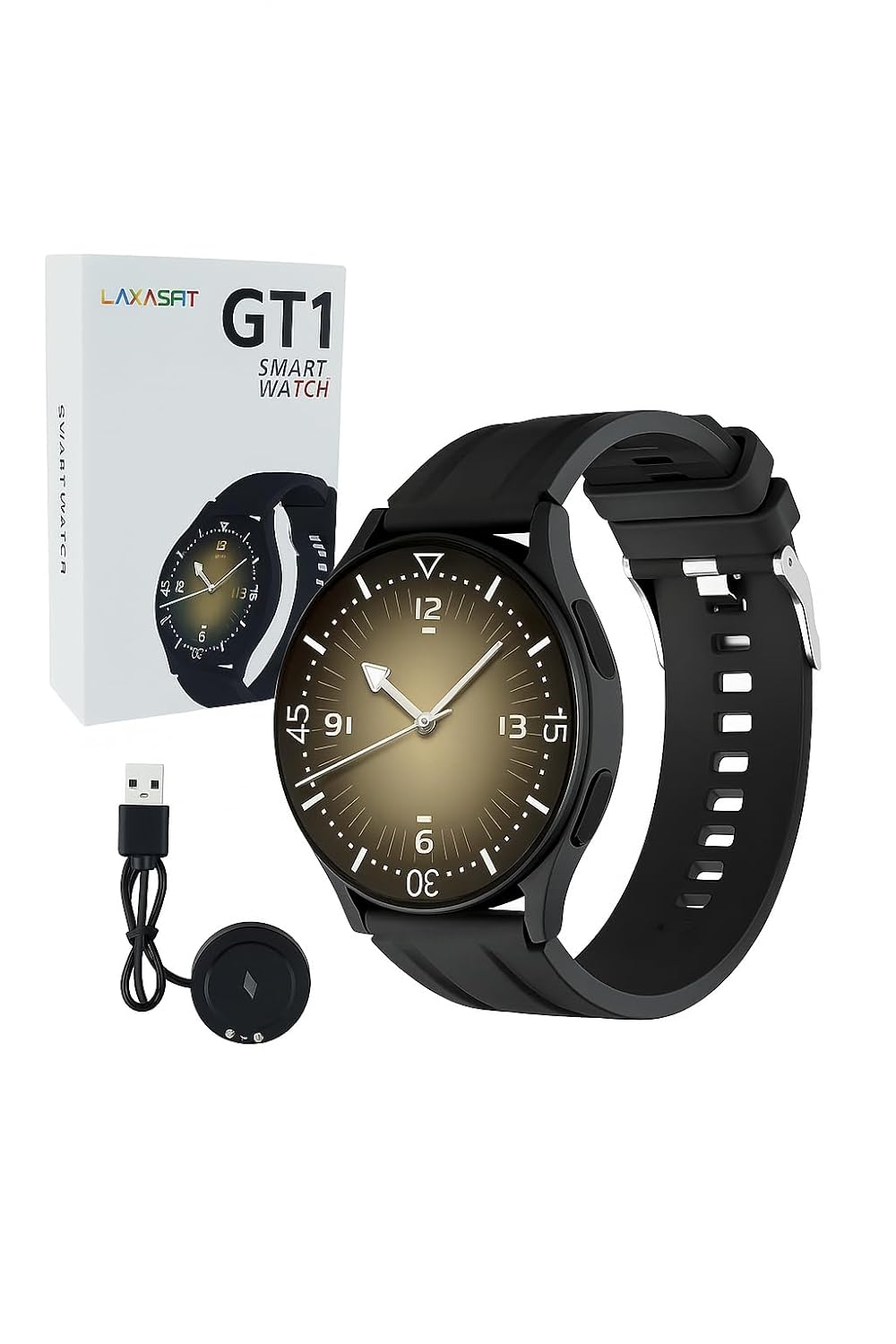
Image: The LAXASFIT GT1 Smart Watch, its retail packaging, and the included USB charging cable.
2.2 Hauptmerkmale
The LAXASFIT GT1 Smart Watch offers a range of functionalities designed to enhance your daily life:
- 1.32" IPS Pure Round Full Touch Screen: Vibrant and responsive display for clear interaction.
- Bluetooth-Anruffunktion: Tätigen und empfangen Sie Anrufe direkt von Ihrem Handgelenk aus.
- Schlafüberwachung: Tracks sleep patterns to help assess sleep quality.
- Mehrere Sportmodi: Records data for various physical activities.
- Wasserdichtigkeitsklasse IP67: Resistant to splashes and brief immersion.
- SpO2-Monitor: Misst den Sauerstoffsättigungsgrad im Blut.
- Herzfrequenz-Überwachung: Kontinuierliche Herzfrequenzmessung.
- Schrittzähler: Tracks daily steps and activity.
- Benachrichtigungen: Receives alerts for calls, messages, and app notifications.
- Langlebiges Design: Features a black silicone strap with ventilation for comfort.
3. Installationsanleitung
3.1 Aufladen der Smartwatch
Before initial use, fully charge your LAXASFIT GT1 Smart Watch.
- Schließen Sie das USB-Ladekabel an ein Standard-USB-Netzteil (nicht im Lieferumfang enthalten) oder an einen USB-Anschluss Ihres Computers an.
- Attach the magnetic charging pins to the charging contacts on the back of the watch. Ensure a secure connection.
- Das Display der Uhr zeigt den Ladestatus an. Eine vollständige Aufladung dauert in der Regel etwa 2 Stunden.
3.2 Ein-/Ausschalten
- So schalten Sie das Gerät ein: Press and hold the side button until the LAXASFIT logo appears on the screen.
- So schalten Sie das Gerät aus: From the watch face, swipe down to access the quick settings, then tap the power icon, or navigate to Einstellungen > System > Ausschalten. Bestätigen Sie Ihre Auswahl.
3.3 App-Installation und Gerätekopplung
To unlock the full potential of your LAXASFIT GT1 Smart Watch, install the companion application on your smartphone.
- Laden Sie die App herunter: Suchen nach "Laxasfit" in the Google Play Store (for Android devices) or the Apple App Store (for iOS devices).
- Installiere die App: Befolgen Sie die Anweisungen auf dem Bildschirm, um die Anwendung zu installieren.

Image: Screenshot of the Laxasfit app listing on the Google Play Store.

Image: Screenshot of the Laxasfit app listing on the Apple App Store.
- Bluetooth aktivieren: Stellen Sie sicher, dass Bluetooth auf Ihrem Smartphone aktiviert ist.
- Öffnen Sie die App: Launch the Laxasfit app and follow the on-screen prompts to create an account or log in.
- Gerät koppeln: Within the app, navigate to the device section and select "Add Device" or "Search Device." The app will scan for available smartwatches. Select "GT1" or the corresponding device name when it appears.
- Kopplung bestätigen: Es kann vorkommen, dass sowohl auf Ihrem Smartphone als auch auf Ihrer Smartwatch eine Kopplungsanfrage angezeigt wird. Bestätigen Sie die Kopplung auf beiden Geräten.
4. Bedienungsanleitung
4.1 Grundlegende Navigation
- Touch-Screen: Wischen Sie nach links, rechts, oben oder unten, um durch Menüs und Funktionen zu navigieren. Tippen Sie, um ein Element auszuwählen.
- Seitentaste: Press the side button to return to the watch face or to wake the screen. A long press may access power options or other functions depending on context.
4.2 Bluetooth-Anruffunktion
After successful pairing with your smartphone, you can use the watch for Bluetooth calls:
- Stellen Sie sicher, dass die Uhr über Bluetooth mit Ihrem Telefon verbunden ist.
- To make a call, access the dialer on the watch or select a contact from your synced phonebook.
- To answer an incoming call, tap the green answer icon on the watch screen.
- To reject a call, tap the red reject icon.
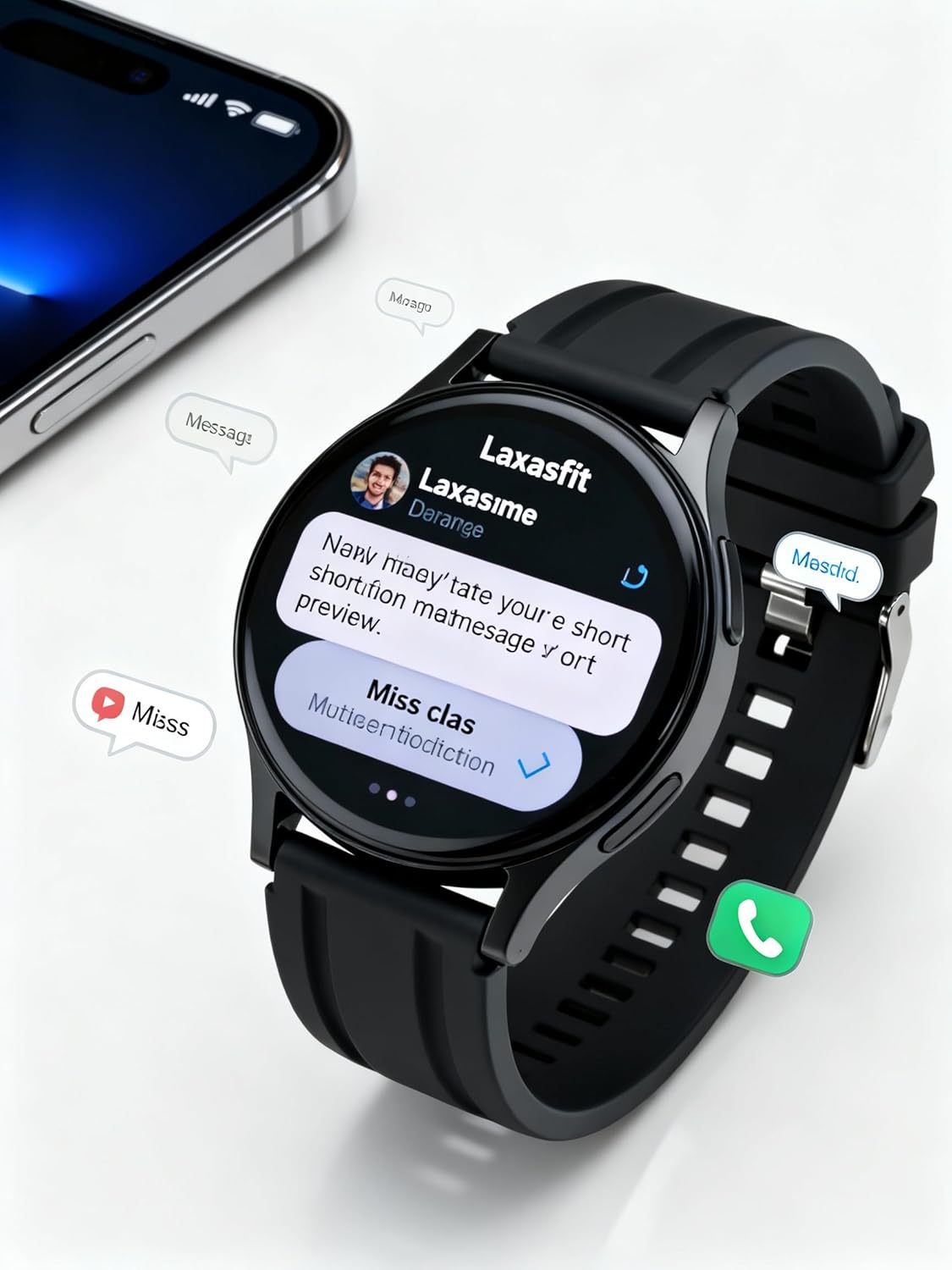
Image: The smart watch screen showing incoming message notifications and an icon for a phone call, indicating its communication features.
4.3 Gesundheitsüberwachung
The GT1 Smart Watch provides various health tracking features:
- Herzfrequenz: Access the heart rate monitor from the main menu. The watch will automatically measure and display your current heart rate. Continuous monitoring can be enabled via the app.
- SpO2 (Blutsauerstoff): Navigate to the SpO2 function. Keep your arm still during measurement for accurate results.
- Schlafüberwachung: Wear the watch to bed. It will automatically track your sleep duration and quality. View detailed sleep data in the Laxasfit app.
- Schrittzähler: Die Uhr zeichnet den ganzen Tag über kontinuierlich Ihre Schritte, die zurückgelegte Strecke und den Kalorienverbrauch auf.

Image: The smart watch on a user's wrist, displaying sleep duration and quality metrics, with a person sleeping in the background.

Image: The smart watch screen showing a heart rate reading in BPM and the total number of steps taken.
4.4 Sportmodi
The watch supports various sports modes to track your workouts:
- Navigieren Sie auf Ihrer Uhr zum Menü „Sport“ oder „Training“.
- Wählen Sie Ihre gewünschte Aktivität (z. B. Laufen, Spazierengehen, Radfahren).
- The watch will begin recording data such as duration, distance, calories burned, and heart rate.
- End the workout by following the on-screen prompts. Data will sync to the Laxasfit app.
4.5 Benachrichtigungen
Receive notifications from your smartphone directly on your watch:
- Ensure notification permissions are granted to the Laxasfit app on your smartphone.
- Enable specific app notifications within the Laxasfit app settings.
- Wenn eine Benachrichtigung eingeht, vibriert die Uhr und zeigt den Nachrichteninhalt an.
5. Wartung
5.1 Reinigung Ihrer Smartwatch
- Reinigen Sie das Uhrendisplay und das Armband regelmäßig mit einem weichen, fusselfreien Tuch.amp Tuch.
- Vermeiden Sie die Verwendung von aggressiven Chemikalien, Scheuermitteln oder Lösungsmitteln, da diese das Gerät beschädigen können.
- Um Korrosion zu vermeiden, stellen Sie vor dem Laden sicher, dass die Ladekontakte sauber und trocken sind.
5.2 Wasserdichtigkeit (IP67)
The LAXASFIT GT1 Smart Watch is rated IP67, meaning it is resistant to dust and can withstand immersion in water up to 1 meter for 30 minutes. However, it is not suitable for swimming, diving, or high-pressure water activities. Avoid exposure to hot water or steam.
5.3 Bewährte Verfahren beim Laden
- Verwenden Sie ausschließlich das mitgelieferte Ladekabel.
- Vermeiden Sie ein Überladen des Geräts; trennen Sie es vom Stromnetz, sobald es vollständig aufgeladen ist.
- Do not charge the watch in wet conditions.
6. Fehlerbehebung
If you encounter issues with your LAXASFIT GT1 Smart Watch, refer to the following common solutions:
- Uhr schaltet sich nicht ein: Stellen Sie sicher, dass die Uhr vollständig aufgeladen ist. Schließen Sie sie für mindestens 10 Minuten an das Ladegerät an.
- Kopplung mit dem Telefon nicht möglich:
- Stellen Sie sicher, dass Bluetooth auf Ihrem Telefon und Ihrer Uhr aktiviert ist.
- Stellen Sie sicher, dass sich die Uhr in Reichweite Ihres Telefons befindet.
- Starten Sie sowohl Ihr Telefon als auch die Uhr neu.
- Löschen Sie den Bluetooth-Cache auf Ihrem Telefon (Android) oder entkoppeln Sie das Gerät und koppeln Sie es erneut (iOS/Android).
- Ungenaue Gesundheitsdaten: Achten Sie darauf, dass die Uhr eng am Handgelenk sitzt, weder zu eng noch zu locker. Halten Sie den Sensor sauber.
- Benachrichtigungen nicht erhalten:
- Überprüfen Sie die App-Benachrichtigungsberechtigungen auf Ihrem Telefon.
- Verify that notifications are enabled within the Laxasfit app.
- Stellen Sie sicher, dass die Uhr mit Ihrem Telefon verbunden ist.
- Bildschirm reagiert nicht: Versuchen Sie, die Uhr durch langes Drücken der Seitentaste neu zu starten. Sollte sie nicht reagieren, lassen Sie den Akku vollständig entladen und laden Sie ihn anschließend wieder auf.
Wenn die Probleme weiterhin bestehen, wenden Sie sich für weitere Unterstützung an den Kundendienst.
7. Spezifikationen
| Besonderheit | Detail |
|---|---|
| Marke | LAXASFIT |
| Modellname | GT1 (Zt1) |
| Artikelmodellnummer | H9proMax |
| Anzeigetyp | AMOLED |
| Anzeigegröße des Standbildschirms | 1.9 Zoll (Note: Product title states 1.32" IPS, specifications state 1.9" AMOLED. Using 1.9" from specifications for consistency in this section.) |
| Betriebssystem | WatchOS (Note: This is likely a generic term or placeholder, as WatchOS is Apple's OS. The actual OS is typically proprietary for such devices.) |
| Speicherkapazität | 500 MB |
| Größe des installierten RAM-Speichers | 0.13 MB |
| Besondere Merkmale | GPS |
| Kompatible Geräte | iPhone (Note: Also compatible with Android via the Laxasfit app.) |
| Durchschnittliche Batterielebensdauer | 1 Tage |
| Ladezeit | 2 Stunden |
| Batteriekapazität | 100 Amp Std (Note: This unit is unusual for smartwatches, typically mAh. Assuming it refers to 100mAh or similar capacity.) |
| Kabelloser Typ | Bluetooth |
| Steckertyp | Bluetooth |
| Geräteschnittstelle – Primär | Touch-Screen |
| Material | Silikon |
| Artikelgewicht | 200 g |
| Wasserbeständigkeit | IP67 |
8. Garantie und Support
For warranty information and customer support, please refer to the documentation provided with your purchase or contact LAXASFIT customer service through their official website or the Laxasfit application. Keep your proof of purchase for warranty claims.