
1. Einführung und Endeview
The pTron Dynamo Storm 20000mAh Powerbank is a high-capacity portable charging solution designed to keep your devices powered on the go. Featuring 22.5W fast charging, multiple output ports, and convenient built-in cables, this power bank ensures reliable and efficient charging for a wide range of smartphones, tablets, and other USB-powered devices.
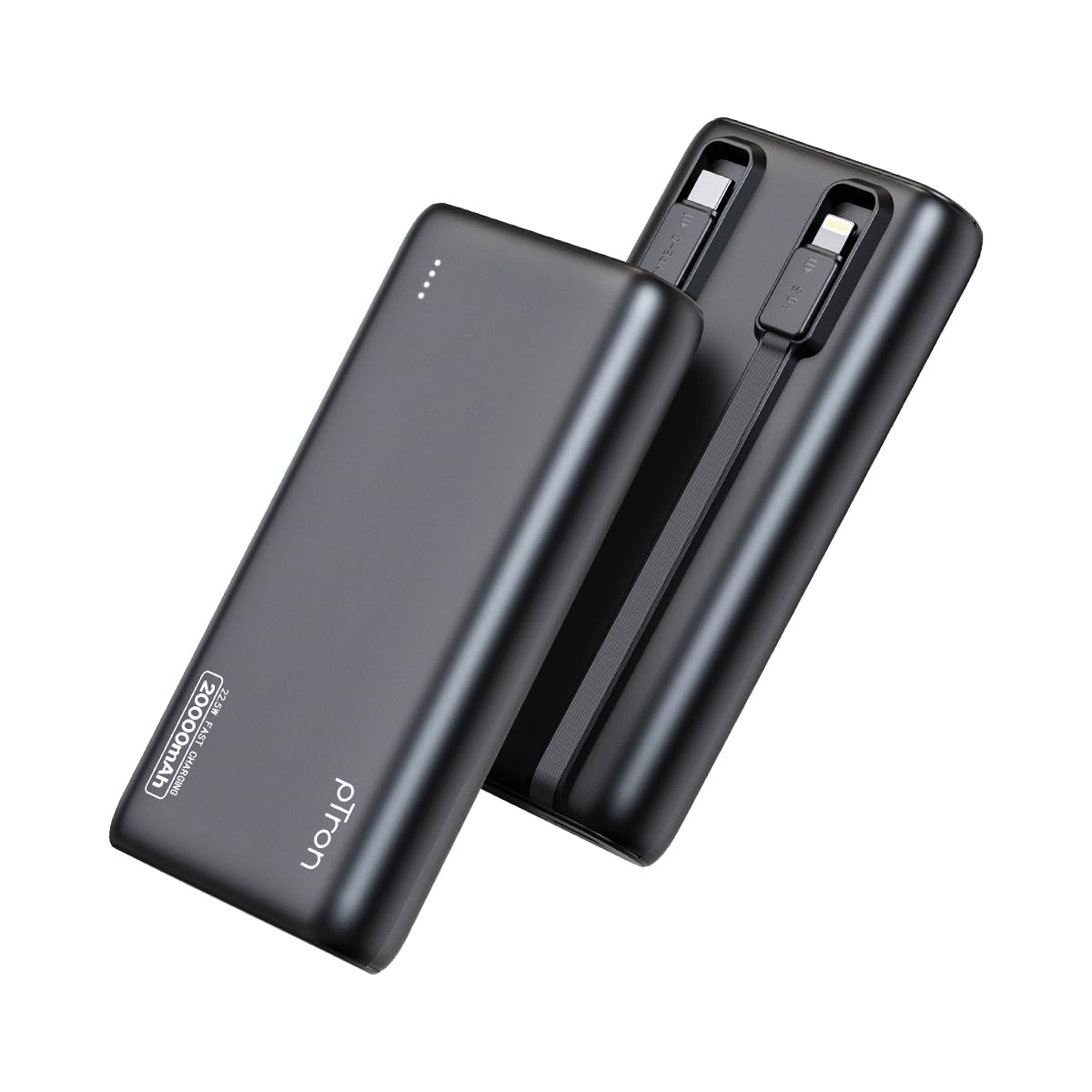
Image: The pTron Dynamo Storm 20000mAh Powerbank, showcasing sein kompaktes und schlankes Design.
2. Produktmerkmale
- Hohe Kapazität von 20000 mAh: Provides multiple charges for smartphones and tablets, ensuring extended device usage.
- 22.5W Schnellladung: Supports rapid charging for compatible devices via USB-A and Type-C ports.
- Eingebaute Kabel: Includes integrated Type-C (22.5W) and iOS (10W) cables for convenient charging without carrying extra accessories.
- Mehrere Ausgangsports: Equipped with 1x USB-A port, 1x Type-C/PD port, 1x built-in Type-C cable, and 1x built-in iOS cable, allowing simultaneous charging of up to 4 devices.
- Universelle Kompatibilität: Compatible with various fast charging protocols including PD3.0 (Power Delivery), Quick Charge (QC3.0), VOOC/WARP/DASH, and PPS.
- Erweiterte Sicherheitsfunktionen: Multiple layers of protection in the chipset guard against over-charging, over-discharging, over-current, and short circuits.
- LED-Anzeigeleuchten: Four LED lights indicate the remaining battery level of the power bank.
- Reisefreundliches Design: Compact and portable, ideal for daily use and travel.

Image: Diagram illustrating the pTron Dynamo Storm Powerbank's built-in Type-C and iOS cables, along with USB and Type-C output ports.

Image: The pTron Dynamo Storm Powerbank actively charging two smartphones and a tablet, demonstrating its multi-device capability.
3. Einrichtung
3.1 Erstes Aufladen der Powerbank
- Before first use, fully charge your pTron Dynamo Storm Powerbank.
- Connect the power bank to a compatible wall charger (not included) using the built-in Type-C cable or a separate Type-C to Type-C cable via the Type-C port. The power bank supports 18W input.
- Die LED-Anzeigeleuchten leuchten auf, um den Ladefortschritt anzuzeigen. Alle vier LEDs leuchten dauerhaft, wenn der Akku vollständig geladen ist.
3.2 Batteriestand prüfen
Press the power button once to check the remaining battery level. The LED indicators will light up:
- 1 LED: 0-25 %
- 2 LEDs: 25-50 %
- 3 LEDs: 50-75 %
- 4 LEDs: 75-100 %
4. Bedienungsanleitung
4.1 Laden Ihrer Geräte
The pTron Dynamo Storm Powerbank offers multiple ways to charge your devices:
- Verwendung der integrierten Kabel:
- For Type-C devices: Pull out the built-in Type-C cable and connect it to your device's charging port.
- For iOS devices: Pull out the built-in iOS cable and connect it to your device's charging port.
- Verwendung des USB-A-Anschlusses: Connect your device's standard USB charging cable to the USB-A output port on the power bank.
- Using Type-C/PD Port: Connect your device's Type-C charging cable to the Type-C/PD output port on the power bank. This port supports 22.5W fast charging.
Charging will begin automatically. If not, press the power button once. You can charge multiple devices simultaneously using different output options.
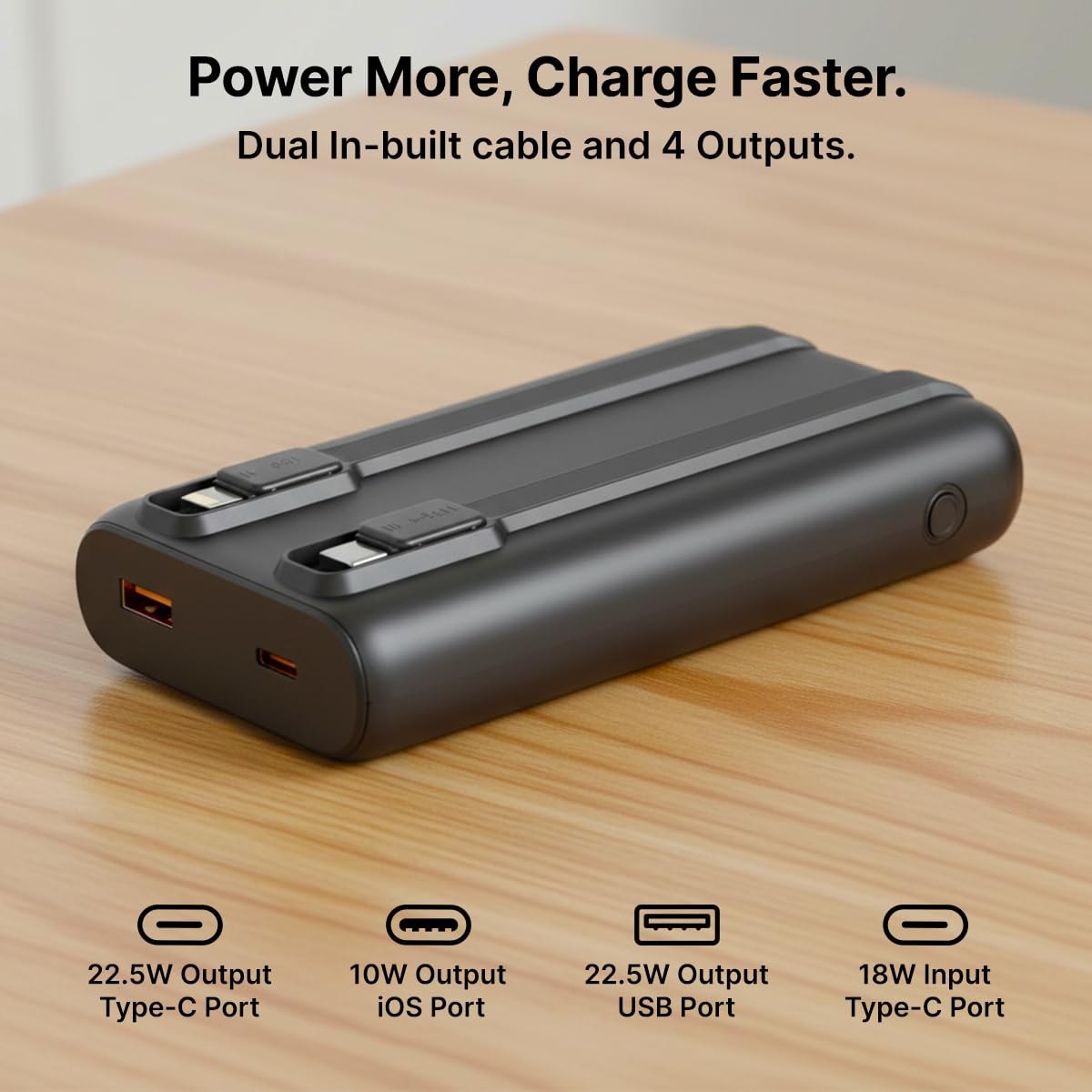
Bild: Eine detaillierte view of the pTron Dynamo Storm Powerbank's various charging outputs, including the USB-A port, Type-C port, and the integrated Type-C and iOS cables.
4.2 Offizielles Produktvideo
Video: A short demonstration of the pTron Dynamo Storm 20000mAh Powerbank, highlighting its sleek design, multiple charging options, and built-in cables for convenient use.
5. Wartung
- Lagerung: Bewahren Sie die Powerbank an einem kühlen, trockenen Ort fern von direkter Sonneneinstrahlung und extremen Temperaturen auf.
- Reinigung: Reinigen Sie die Powerbank mit einem weichen, trockenen Tuch. Verwenden Sie keine flüssigen Reinigungsmittel oder Scheuermittel.
- Batteriepflege: Um die Akkulaufzeit zu verlängern, laden Sie die Powerbank mindestens einmal alle drei Monate vollständig auf, wenn sie nicht regelmäßig benutzt wird. Vermeiden Sie es, den Akku häufig vollständig zu entladen.
- Handhabung: Vermeiden Sie das Fallenlassen oder starke Stöße auf die Powerbank.
6. Fehlerbehebung
6.1 Powerbank lädt nicht
- Stellen Sie sicher, dass das Ladekabel sowohl mit der Powerbank als auch mit dem Wandladegerät fest verbunden ist.
- Vergewissern Sie sich, dass das Wandladegerät ordnungsgemäß funktioniert und an eine funktionierende Steckdose angeschlossen ist.
- Try using a different Type-C cable or wall charger.
6.2 Gerät lädt nicht über Powerbank
- Prüfen Sie, ob die Powerbank ausreichend geladen ist (siehe LED-Anzeigen).
- Ensure the device's charging cable (built-in or external) is securely connected to both the power bank and the device.
- Drücken Sie den Ein-/Ausschalter an der Powerbank, um den Ladevorgang zu starten, falls dieser nicht automatisch beginnt.
- Try using a different port or built-in cable.
- Prüfen Sie, ob Ihr Gerät mit den Ausgangsspezifikationen der Powerbank kompatibel ist.
6.3 Langsames Laden
- Ensure both the power bank and your device support fast charging protocols (PD, QC, etc.).
- Verwenden Sie ein hochwertiges, Schnellladekabel.
- Das gleichzeitige Laden mehrerer Geräte kann die Ladegeschwindigkeit der einzelnen Geräte verringern.
7. Spezifikationen
| Modellnummer | Dynamo Storm |
| Batteriekapazität | 20000 mAh |
| Eingang (Typ-C) | 18 W |
| Ausgang (USB-A-Anschluss) | 22.5 W |
| Output (Type-C/PD Port) | 22.5 W |
| Ausgang (integriertes Typ-C-Kabel) | 22.5 W |
| Output (Built-in iOS Cable) | 10 W |
| Steckertyp | USB Typ A, USB Typ C |
| Besondere Merkmale | Built-in Cables, Fast Charging, LED Indicator Lights, Over Charging Protection, Pocket Size |
| Farbe | Schwarz |
| Artikelgewicht | 414 g |
| Verpackungsabmessungen | 14.6 x 6.9 x 3.6 cm |
| Hersteller | Palred Electronics Pvt. Ltd. |
8. Garantie und Support
8.1 Garantieinformationen
This pTron Dynamo Storm Powerbank comes with a 6 Months manufacturer warranty Die Garantie gilt ab Kaufdatum und deckt ausschließlich Herstellungsfehler ab. Bitte bewahren Sie Ihren Kaufbeleg für Garantieansprüche auf.
8.2 Kundendienst
Bei Fragen, technischem Support oder Garantieansprüchen wenden Sie sich bitte an den pTron-Kundendienst:
- E-Mail: support@ptron.in
- Telefon: 040-67138888
© 2026 pTron. Alle Rechte vorbehalten.