
1. Einleitung
Thank you for choosing the AULA F3018 Mechanical Keyboard. This keyboard is designed for high-level mechanical performance and robust construction, offering precision for gaming and comfort for typing. It features Blue switches for a tactile and audible click, an ABNT2 layout with 'Ç' for Brazilian Portuguese compatibility, and full RGB lighting with multiple customizable effects. The reinforced braided cable enhances durability and ensures a stable connection. This manual provides essential information for setup, operation, and maintenance of your keyboard.
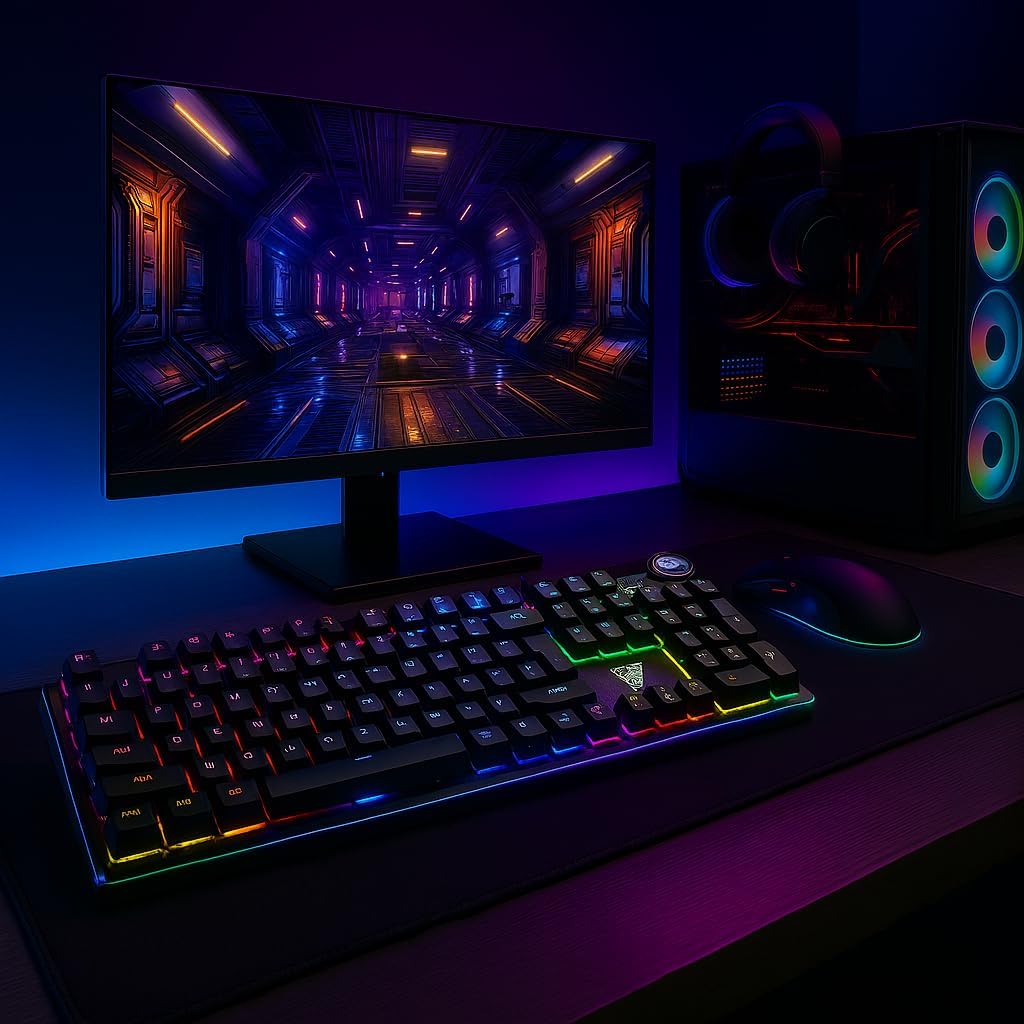
Image 1.1: AULA F3018 Mechanical Keyboard in a typical desktop setup, showcasing its RGB lighting and full-size design.
2. Packungsinhalt
Stellen Sie sicher, dass alle Artikel im Paket vorhanden sind:
- AULA F3018 Mechanische Tastatur
- USB-Kabel (fest angeschlossen)
- Benutzerhandbuch (dieses Dokument)
3. Einrichtung
Follow these steps to connect your AULA F3018 Mechanical Keyboard:
- Auspacken der Tastatur: Nehmen Sie die Tastatur vorsichtig aus der Verpackung.
- Mit Computer verbinden: Insert the USB connector of the keyboard's reinforced cable into an available USB port on your computer (PC, Notebook, or MacBook). The keyboard supports USB 2.0 and USB 3.0 ports.
- Treiberinstallation: The keyboard is plug-and-play. Your operating system will automatically detect and install the necessary drivers. No additional software installation is required for basic functionality.
- Verbindung überprüfen: Once connected, the keyboard's RGB lighting should illuminate, indicating a successful connection. You can now begin using your keyboard.

Bild 3.1: Schräg view of the AULA F3018 keyboard, highlighting the durable, reinforced USB cable for connection.
4. Bedienungsanleitung
4.1. Grundfunktionen
The AULA F3018 is a full-size ABNT2 layout keyboard with 108 keys, providing all standard typing and navigation functions.
4.2. RGB-Beleuchtungssteuerung
The keyboard features full RGB backlighting with multiple effects. Use the following key combinations to control the lighting:
- Fn + [Taste]: Specific keys may have secondary functions for lighting control. Refer to the keycaps for symbols indicating lighting adjustments.
- Beleuchtungsmodi: Cycle through various lighting effects and patterns.
- Helligkeitsanpassung: Increase or decrease the brightness of the backlighting.
- Geschwindigkeitsanpassung: Change the speed of dynamic lighting effects.

Image 4.1: The AULA F3018 keyboard illuminated with vibrant RGB lighting, demonstrating customizable visual effects.
4.3. Multimedia Controls
The keyboard includes dedicated multimedia keys and a volume control knob for convenient media management:
- Lautstärkeregler: Rotate the knob clockwise to increase volume, counter-clockwise to decrease volume. Press the knob to mute/unmute audio.
- Spezielle Multimedia-Tasten: Located above the numeric keypad, these keys provide quick access to functions like Play/Pause, Stop, Previous Track, and Next Track.

Abbildung 4.2: Detailansicht view of the volume control knob and adjacent multimedia keys on the AULA F3018 keyboard.
5. Wartung
Durch sachgemäße Wartung wird die Langlebigkeit und optimale Leistung Ihrer Tastatur gewährleistet:
- Reinigung: Wischen Sie die Tastaturoberfläche mit einem weichen, trockenen Tuch ab. Staub und Schmutz zwischen den Tasten entfernen Sie mit Druckluft. Vermeiden Sie aggressive Chemikalien oder Scheuermittel.
- Verhinderung von Verschüttungen: While the keyboard is moisture-resistant, avoid direct liquid spills. In case of a spill, immediately disconnect the keyboard and allow it to dry completely before reconnecting.
- Kabelpflege: Do not bend or twist the reinforced cable excessively. Store it neatly to prevent damage.
- Lagerung: Bei längerer Nichtbenutzung sollte die Tastatur an einem sauberen, trockenen Ort ohne direkte Sonneneinstrahlung und extreme Temperaturen aufbewahrt werden.
6. Fehlerbehebung
If you encounter issues with your AULA F3018 keyboard, refer to the following common problems and solutions:
- Tastatur reagiert nicht:
- Stellen Sie sicher, dass das USB-Kabel sowohl mit der Tastatur als auch mit dem Computer fest verbunden ist.
- Versuchen Sie, die Tastatur an einen anderen USB-Anschluss Ihres Computers anzuschließen.
- Starten Sie Ihren Computer neu.
- Testen Sie die Tastatur an einem anderen Computer, um ein computerspezifisches Problem auszuschließen.
- RGB-Beleuchtung funktioniert nicht:
- Check if the lighting is turned off or set to minimum brightness using the keyboard's lighting control functions (e.g., Fn + [Key]).
- Stellen Sie sicher, dass die Tastatur ordnungsgemäß angeschlossen ist und mit Strom versorgt wird.
- Tasten werden nicht registriert oder es werden doppelte Eingaben getätigt:
- Clean the affected key(s) with compressed air to remove any debris.
- If the issue persists, it might indicate a hardware fault. Contact customer support.
- Multimedia-Tasten funktionieren nicht:
- Ensure your operating system's media player is active and in focus.
- Check for any conflicting software or drivers.
7. Spezifikationen
| Besonderheit | Beschreibung |
|---|---|
| Modellname | AULA F3018 Mechanische Tastatur |
| Modellnummer | F3018 |
| Marke | AULA (Generic) |
| Schaltertyp | Tactile Blue Switch |
| Tastaturlayout | ABNT2 (Portuguese) |
| Anzahl der Schlüssel | 108 |
| Konnektivität | Wired (USB, USB 2.0, USB 3.0) |
| Hintergrundbeleuchtung | Full RGB, Adjustable |
| Kompatible Geräte | MacBook, Notebook, PC |
| Material | Acrylnitril-Butadien-Styrol (ABS) |
| Farbe | Schwarz |
| Abmessungen (L x B x H) | 44 cm x 14 cm x 3 cm |
| Wasserbeständigkeit | Feuchtigkeitsbeständig |
| Empfohlene Verwendung | Gaming, Personal, Programming |
| Im Lieferumfang enthaltene Komponenten | USB-Kabel |
| Ursprungsland | China |

Image 7.1: Dimensions of the AULA F3018 Mechanical Keyboard, showing its length, width, and height.

Image 7.2: Key features of the AULA F3018 keyboard, including switch type, layout, and connectivity.
8. Garantie und Support
The AULA F3018 Mechanical Keyboard comes with a 30-day seller warranty Ab Kaufdatum. Diese Garantie deckt Herstellungsfehler bei normalem Gebrauch ab.
For technical support, warranty claims, or any questions regarding your product, please contact your retailer or the seller directly. Please retain your proof of purchase for warranty validation.