
1. Einleitung
This manual provides detailed instructions for the installation, operation, and maintenance of your GNCC GT1Pro-W-1P Outdoor Security Camera. This product is designed to enhance your home security with features such as 2K resolution, motion detection, color night vision, and two-way audio. Please read this manual thoroughly before use to ensure proper functionality and safety.
2. Packungsinhalt
Bitte prüfen Sie, ob alle Artikel in Ihrem Paket enthalten sind. Sollten Artikel fehlen oder beschädigt sein, kontaktieren Sie bitte unseren Kundenservice.
- GNCC GT1Pro-W-1P Outdoor Security Camera (2 units)
- Bedienungsanleitung
- Befestigungsschrauben und Dübel
- Power Adapters (2 units)
- Mounting Stands (2 units)
3. Einrichtung und Installation
3.1 Physische Installation
The GNCC GT1Pro-W-1P camera is designed for wall mounting. Choose a location that provides the desired viewing angle and is within reach of a power outlet. Ensure the camera is positioned to cover the area you wish to monitor.
- Bohrpunkte markieren: Use the included mounting stand as a template to mark the screw holes on the wall.
- Bohrlöcher: Drill pilot holes at the marked positions. Insert the wall plugs if mounting on masonry.
- Sichern Sie den Ständer: Attach the mounting stand to the wall using the provided screws.
- Kamera anschließen: Befestigen Sie die Kamera sicher am Montageständer. Passen Sie den Kamerawinkel nach Bedarf an.
- Strom anschließen: Connect the power adapter to the camera and plug it into a suitable outdoor-rated power outlet.

Image: The GNCC GT1Pro-W-1P camera mounted on a wall, highlighting its IP65 waterproof rating, suitable for outdoor use.
3.2 App-Download und Kontoerstellung
The GNCC camera operates with the Osaio app. Download the app to your smartphone to manage your camera settings and view Live-Feeds.
- Osaio-App herunterladen: Suchen nach "Osaio" in your smartphone's app store (Apple App Store or Google Play Store) and download the application.
- Benutzerkonto erstellen: Open the Osaio app and follow the on-screen instructions to create a new user account.
3.3 Mit WLAN verbinden
Ensure your Wi-Fi network is 2.4 GHz, as the camera is compatible only with this frequency band. If your router uses both 2.4 GHz and 5 GHz, ensure the 2.4 GHz band is enabled and accessible.
- Kamera einschalten: Plug in the camera. Wait for the indicator light to flash, indicating it's ready for pairing.
- Gerät in der App hinzufügen: Open the Osaio app, tap the "+" icon to add a new device. Select your camera model from the list.
- Folgen Sie den Anweisungen in der App: The app will guide you through connecting the camera to your 2.4 GHz Wi-Fi network. This typically involves scanning a QR code generated by the app with the camera lens.
- Bestätigung: Sobald die Verbindung hergestellt ist, ändert sich die Kontrollleuchte der Kamera, und die App bestätigt die erfolgreiche Kopplung.
4. Bedienung
4.1 Live View und 2K-Auflösung
Access the live video feed from your camera through the Osaio app. The camera provides 2K Ultra HD resolution, offering clear and detailed images of your monitored area.

Bild: Example of 2K HDR video quality, showcasing the camera's ability to capture clear details.
4.2 Zwei-Wege-Audio
The camera features built-in two-way audio, allowing you to communicate with individuals near the camera through the Osaio app. This is useful for speaking to visitors or deterring unwanted guests.
- Mikrofon aktivieren: Im Live view interface of the Osaio app, tap the microphone icon to speak.
- Hören: The camera's speaker will transmit your voice, and you can hear responses through your phone's speaker.

Image: Illustration of the camera's two-way audio feature, enabling communication with people near the camera.
4.3 Bewegungserkennung und Benachrichtigungen
The camera is equipped with advanced motion detection. When motion is detected, the camera can record footage and send instant notifications to your smartphone via the Osaio app.
- Bewegungserkennung aktivieren: Navigate to the camera settings in the Osaio app to enable motion detection.
- Empfindlichkeit anpassen: Passen Sie die Empfindlichkeit der Bewegungserkennung an, um Fehlalarme zu minimieren.
- Benachrichtigungen erhalten: Ensure app notifications are enabled on your smartphone to receive alerts.
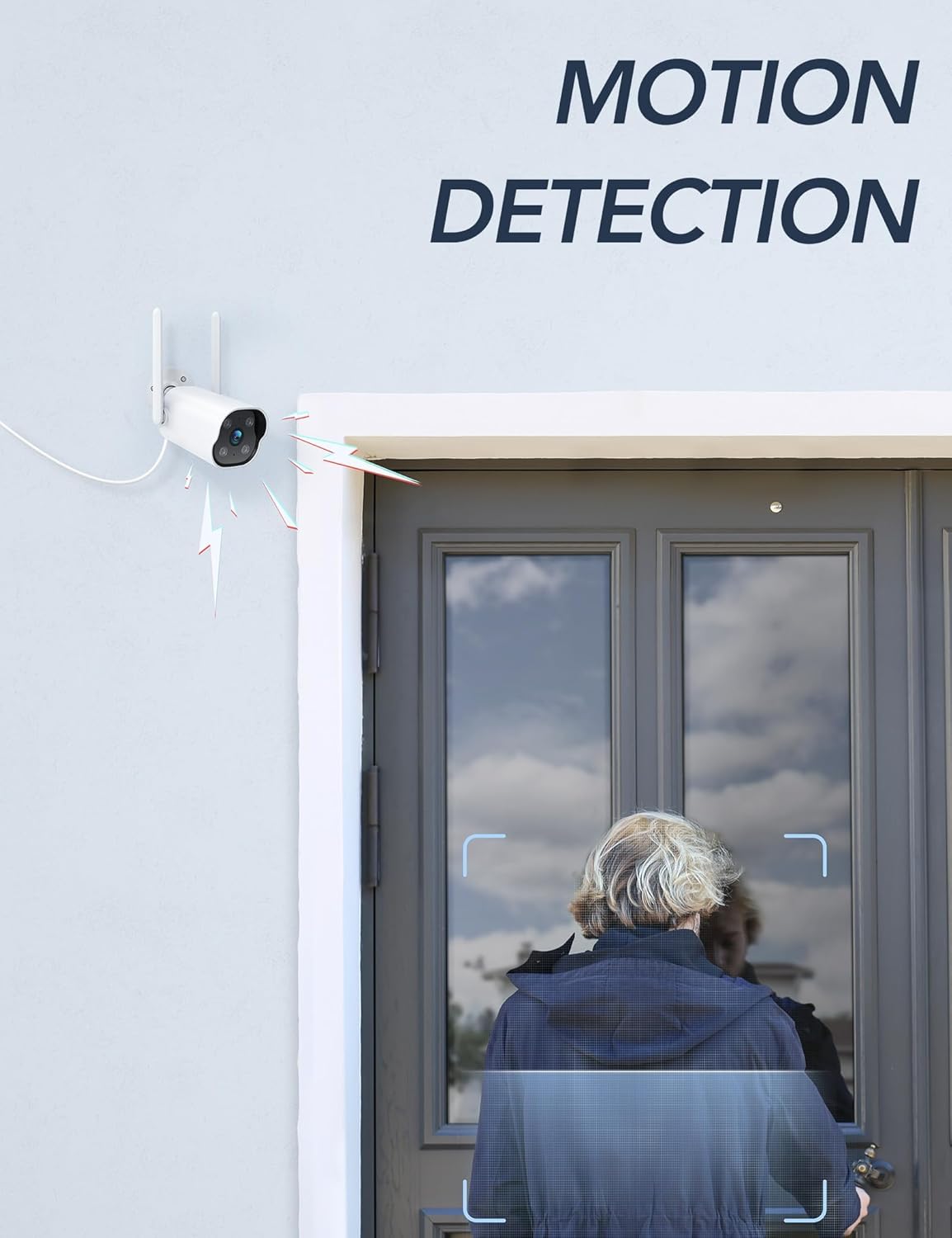
Image: The camera's motion detection feature, showing it identifying a person at a doorway.

Bild: Example of push notifications received on a smartphone when motion or sound is detected by the camera.
4.4 Nachtsicht
The camera provides enhanced night vision, allowing clear visibility up to 50 feet (15 meters) in low-light conditions. It supports color night vision for improved detail.
4.5 24/7-Aufnahme
The camera supports continuous 24/7 recording, ensuring constant surveillance of your property. Recorded footage can be accessed via the Osaio app.

Image: The Osaio app interface displaying a timeline of continuous 24/7 video recording, with thumbnails of captured events.
5. Videospeicheroptionen
Your GNCC camera offers flexible options for storing recorded video footage.
- Lokaler Speicher (SD-Karte): The camera supports local storage via a Micro SD card (not included). Insert an SD card (up to 128 GB) into the designated slot on the camera for continuous recording or event-triggered footage.
- Cloud-Speicher: Optional cloud storage services are available through the Osaio app. This provides off-site backup of your recordings. A free trial period may be offered.

Image: Visual representation of the camera's dual storage options: cloud storage and local SD card storage (up to 128GB).
6. Wartung
- Reinigung: Reinigen Sie das Kameraobjektiv regelmäßig mit einem weichen, trockenen Tuch, um eine klare Bildqualität zu gewährleisten. Verwenden Sie keine scharfen Chemikalien.
- Firmware-Updates: Check the Osaio app regularly for available firmware updates. Keeping your camera's firmware updated ensures optimal performance and security.
- Stromanschluss: Ensure the power connection remains secure and free from damage.
7. Fehlerbehebung
| Problem | Lösung |
|---|---|
| Die Kamera kann keine Verbindung zum WLAN herstellen. | Ensure your Wi-Fi network is 2.4 GHz. The camera does not support 5 GHz Wi-Fi. Check Wi-Fi password and signal strength. Restart your router and camera. |
| Es wurden keine Benachrichtigungen empfangen. | Verify that motion detection is enabled in the Osaio app. Check your smartphone's notification settings to ensure the Osaio app has permission to send alerts. |
| Schlechte Bildqualität. | Reinigen Sie das Kameraobjektiv. Stellen Sie sicher, dass sich keine Hindernisse im Sichtfeld der Kamera befinden. viewÜberprüfen Sie Ihre Internetverbindungsgeschwindigkeit. |
| Zwei-Wege-Audio funktioniert nicht. | Ensure your smartphone's microphone and speaker are enabled and not muted. Check the volume settings in the Osaio app. |
| SD-Karte zeichnet nicht auf. | Ensure the SD card is correctly inserted and formatted within the Osaio app. Check if the SD card has sufficient free space. The camera supports up to 128 GB. |
8. Spezifikationen
| Besonderheit | Detail |
|---|---|
| Modellnummer | GT1Pro-W-1P |
| Videoauflösung | 2K Ultra HD |
| Konnektivität | 2.4 GHz Wi-Fi, Wired (Power) |
| Besondere Merkmale | 2-Way Audio, Motion Sensor, Night Vision (Color), Weather Proof (IP65) |
| Speicheroptionen | Micro-SD-Karte (bis zu 128 GB, nicht im Lieferumfang enthalten), Cloud-Speicher (optional) |
| Innen-/Außenbereich | Im Freien |
| Stromquelle | Kabelgebundene Elektrik |
| Kompatible Geräte | Smartphone (via Osaio App) |
| Abmessungen (L x B x H) | 11 x 7.6 x 5 cm |
| Gewicht | 608 g |
| Im Lieferumfang enthaltene Komponenten | Instruction Manual, Mounting Screws, Power Adapter, Stand |
9. Garantie und Support
For warranty information or technical support, please refer to the warranty card included with your product or visit the official GNCC website. You can also contact GNCC customer service through the Osaio app or their webWebsite für Unterstützung bei Produktanfragen, Fehlerbehebung oder Serviceanfragen.
Online-Hilfe: www.gncc.com/support