
1. Einleitung
This manual provides detailed instructions for the installation, operation, and maintenance of your SENTKENG Y05009 Indoor Camera. Please read this manual thoroughly before using the product to ensure proper function and safety. The SENTKENG Y05009 is a 1080P WiFi camera designed for indoor monitoring, featuring pan/tilt capabilities, two-way audio, IR night vision, and motion detection.
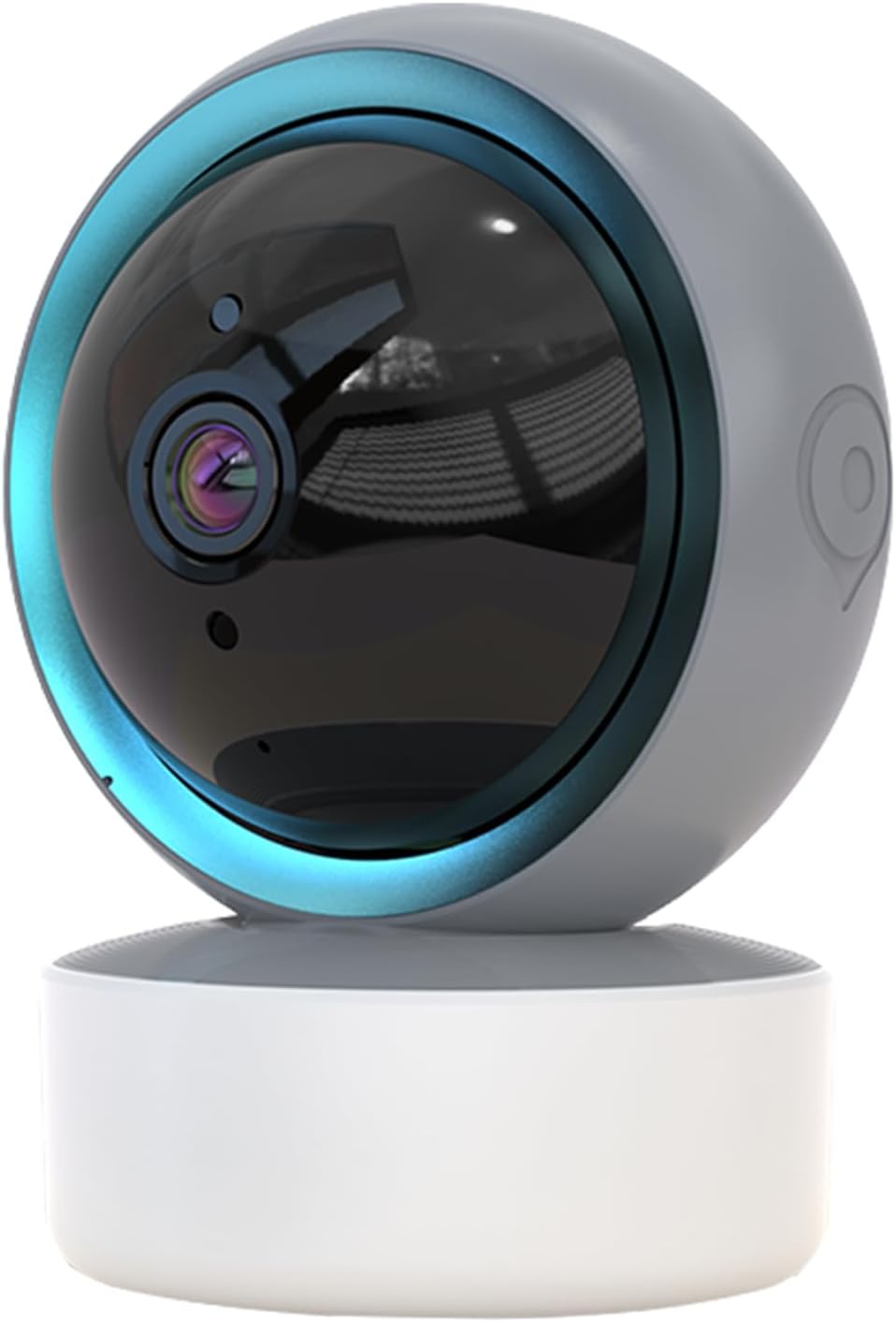
Image 1.1: SENTKENG Y05009 Indoor Camera. This image displays the compact, spherical design of the camera with its lens and base.
2. Packungsinhalt
Bitte überprüfen Sie, ob alle Artikel im Paket vorhanden sind:
- SENTKENG Y05009 Indoor Camera
- USB-Stromkabel
- Power Adapter (not explicitly listed but implied for a plug-in device)
- Montagehalterung und Schrauben
- Bedienungsanleitung

Image 2.1: Package Contents. This image shows the camera, USB cable, mounting accessories, and the user manual included in the box.
3. Produktüberschreitungview
The SENTKENG Y05009 camera features a compact design with essential components for effective indoor monitoring.
3.1 Kamerakomponenten
- Linse: Nimmt Videos in 1080p auf.
- Infrarot-LEDs: Nachtsichtfähigkeit bereitstellen.
- Mikrofon: Für Audioeingabe und Zwei-Wege-Kommunikation.
- Lautsprecher: Für Audioausgabe und Zwei-Wege-Kommunikation.
- MicroSD-Kartensteckplatz: Unterstützt lokalen Speicher bis zu 128 GB (Karte nicht im Lieferumfang enthalten).
- Reset-Taste: Used for factory reset or pairing mode.
- Stromanschluss: USB port for connecting the power cable.
Image 3.1: Camera Component Details. This image highlights the speaker, microSD card slot, reset button, and power port on the camera.
4. Einrichtung
Follow these steps to set up your SENTKENG Y05009 Indoor Camera.
4.1 Einschalten
- Schließen Sie das USB-Stromkabel an den Stromanschluss der Kamera an.
- Stecken Sie das andere Ende des USB-Kabels in den mitgelieferten Netzadapter.
- Stecken Sie den Netzadapter in eine normale Steckdose. Die Kamera schaltet sich ein und startet ihren Startvorgang.
4.2 App-Installation und Kontoerstellung
- Laden Sie die InstaVision App aus dem App Store Ihres Smartphones (iOS oder Android).
- Open the InstaVision app and create a new account or log in if you already have one.

Image 4.1: InstaVision App Interface. This image shows the 'Welcome to InstaVision' screen on a smartphone, illustrating the initial app setup.
4.3 Mit WLAN verbinden
The camera supports 2.4GHz Wi-Fi networks only.
- In the InstaVision app, tap 'Add Device' or the '+' icon.
- Select your camera model or 'Smart Camera'.
- Follow the on-screen instructions to connect the camera to your 2.4GHz Wi-Fi network. This typically involves scanning a QR code generated by the app with the camera's lens or listening for an audio prompt.
- Once connected, the camera's indicator light will change, and you will receive a confirmation in the app.
4.4 Aufstellung und Montage
The camera can be placed on a flat surface or mounted to a ceiling.
- Tischmontage: Place the camera on a stable, flat surface such as a table or shelf.
- Deckenmontage: Use the provided mounting bracket and screws to secure the camera to the ceiling. Ensure the camera is oriented correctly for optimal viewing.
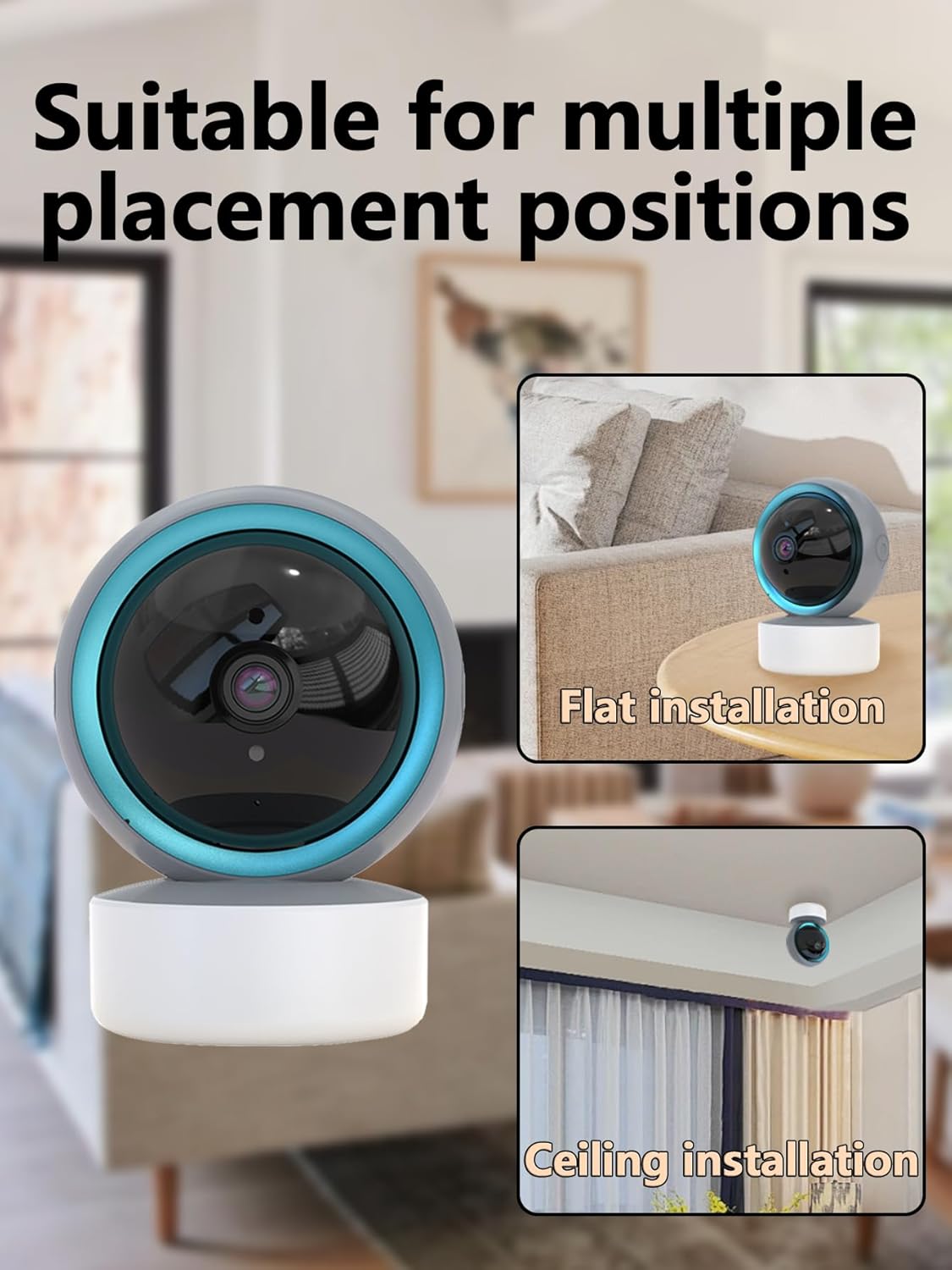
Image 4.2: Multiple Placement Positions. This image illustrates the camera placed on a flat surface and mounted on a ceiling.
5. Bedienungsanleitung
Learn how to use the various features of your SENTKENG Y05009 camera.
5.1 Live View und Schwenk-/Neigesteuerung
- Open the InstaVision app and select your camera from the device list.
- Sie werden den Live-Videostream sehen.
- Use the directional controls within the app to remotely rotate the camera lens: 355° horizontal Und 90° vertikal.

Image 5.1: Multi-Angle Rotation. This image demonstrates the camera's ability to rotate 355 degrees horizontally and 90 degrees vertically.
5.2 Zwei-Wege-Audio
The camera features a built-in microphone and speaker for real-time communication.
- Während im Leben viewTippen Sie in der App auf das Mikrofonsymbol.
- Speak into your phone to transmit audio through the camera's speaker.
- The camera's microphone will capture audio from its surroundings, which you can hear through your phone.
5.3 Bewegungserkennung und Benachrichtigungen
Die Kamera kann Bewegungen erkennen und sofortige Benachrichtigungen an Ihr Telefon senden.
- Enable motion detection in the InstaVision app settings for your camera.
- Passen Sie die Empfindlichkeitseinstellungen nach Bedarf an.
- When motion is detected, you will receive a push notification on your smartphone.
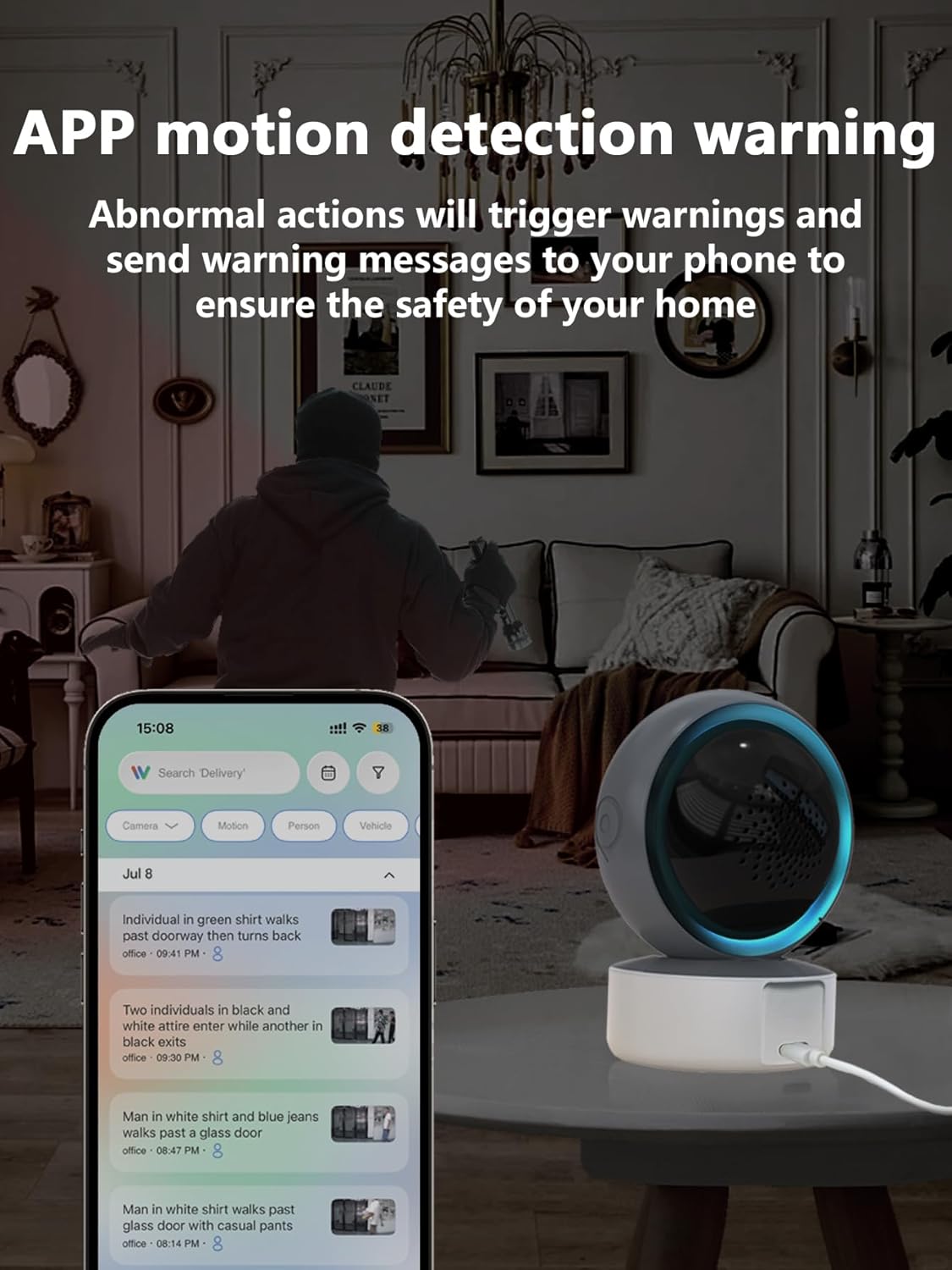
Image 5.2: APP Motion Detection Warning. This image shows a smartphone displaying motion detection alerts from the InstaVision app, with the camera monitoring a room.
5.4-Zoll-Infrarot-Nachtsichtgerät
Die Kamera schaltet bei schlechten Lichtverhältnissen automatisch auf Infrarot-Nachtsicht um.
- Infrared LEDs provide clear black-and-white images up to 8 meters in complete darkness.
- No manual activation is required; the camera adjusts automatically.

Image 5.3: Clear IR Night Vision. This image depicts the camera providing a clear view in a dark room, with a smartphone displaying the night vision feed.
5.5 Videospeicher
Die Kamera bietet zwei Speicheroptionen für aufgezeichnete Inhalte.tage:
- MicroSD-Karte: Insert a microSD card (up to 128GB, not included) into the camera's slot for local storage. Recordings will be saved directly to the card.
- Cloud-Dienst: An optional cloud storage subscription is available through the InstaVision app for remote and secure storage of your video recordings.

Image 5.4: Video Playback & Storage Function. This image shows the camera, a microSD card, and a smartphone displaying cloud storage icons, illustrating the dual storage options.
5.6 AI Detection (Subscription)
Advanced AI-powered detection features are available with a paid InstaVision app subscription. These features may include:
- Personenerkennung
- Haustiererkennung
- Specific human action recognition
5.7 Mehrbenutzer Viewing
The InstaVision app allows multiple users to view gleichzeitig das Kamerabild.
- In the app, navigate to the camera settings and find the 'Share Device' option.
- Invite other users by entering their InstaVision account details.
- Shared users will receive an invitation and can then access the camera feed.

Image 5.5: Simultaneous Online Viewing by Multiple Users. This image shows several individuals viewing the camera feed on their smartphones, indicating the family share function.
6. Wartung
Regelmäßige Wartung trägt dazu bei, die Langlebigkeit und optimale Leistung Ihrer Kamera zu gewährleisten.
- Reinigung: Reinigen Sie Objektiv und Gehäuse der Kamera vorsichtig mit einem weichen, trockenen Tuch. Vermeiden Sie die Verwendung von scharfen Chemikalien oder scheuernden Materialien.
- Software-Updates: Periodically check the InstaVision app for firmware updates for your camera. Keeping the firmware updated ensures you have the latest features and security enhancements.
- Aus- und Wiedereinschalten: Falls die Kamera Probleme bereitet, versuchen Sie, sie für 10 Sekunden vom Stromnetz zu trennen und sie dann wieder anzuschließen.
7. Fehlerbehebung
If you encounter problems with your SENTKENG Y05009 camera, refer to the following common issues and solutions.
- Kamera ist offline:
- Ensure the camera is properly powered on and the power adapter is securely plugged in.
- Check your Wi-Fi network connection. Ensure the camera is within range of your 2.4GHz Wi-Fi router.
- Starten Sie die Kamera neu, indem Sie sie vom Stromnetz trennen und wieder anschließen.
- If the issue persists, try resetting the camera and re-pairing it with the app.
- Es kann keine WLAN-Verbindung hergestellt werden:
- Vergewissern Sie sich, dass Ihr WLAN-Netzwerk mit 2.4 GHz arbeitet. Die Kamera unterstützt keine 5-GHz-Netzwerke.
- Stellen Sie sicher, dass Sie das richtige WLAN-Passwort eingeben.
- Move the camera closer to your Wi-Fi router during the setup process.
- Reset the camera and attempt the connection process again.
- Bewegungserkennungsalarme werden nicht empfangen:
- Check the motion detection settings in the InstaVision app to ensure it is enabled and sensitivity is adjusted appropriately.
- Verify that your smartphone's notification settings allow alerts from the InstaVision app.
- Stellen Sie sicher, dass die Kamera über eine stabile Internetverbindung verfügt.
- Schlechte Videoqualität:
- Stellen Sie sicher, dass die Kameralinse sauber und frei von Staub und Fingerabdrücken ist.
- Überprüfen Sie Ihre WLAN-Signalstärke. Ein schwaches Signal kann die Streaming-Qualität beeinträchtigen.
- Für optimale Videoaufnahmen bei Tageslicht ist eine ausreichende Beleuchtung sicherzustellen.
8. Spezifikationen
| Besonderheit | Spezifikation |
|---|---|
| Modellname | Y05009 |
| Verwendung im Innen- und Außenbereich | Innenbereich |
| Auflösung der Videoaufnahme | 1080p |
| Konnektivitätstechnologie | Drahtlos (2.4-GHz-WLAN) |
| Stromquelle | Kabelgebundene Elektrik |
| Schwenk-/Neigebereich | Horizontal 355°, Vertikal 90° |
| Nachtsichtbereich | 8 Meter |
| Speicheroptionen | MicroSD-Karte (bis zu 128 GB), Cloud-Speicher (Abonnement) |
| Zwei-Wege-Audio | Ja |
| Bewegungserkennung | Ja |
| KI-Funktionen | Optional (subscription required) |
| Kompatible Geräte | Smartphone (iOS, Android) |
| Technische Daten | 3.58 x 2.97 x 4.69 Zoll |
| Artikelgewicht | 9 Unzen |
9. Support-Informationen
For further assistance or technical support, please refer to the contact information provided with your product packaging or visit the official SENTKENG webWebsite.