
Einführung
Thank you for choosing the NBD 5K Digital Camera. This manual provides essential information for setting up, operating, and maintaining your camera to ensure optimal performance. Please read this manual thoroughly before using the camera and keep it for future reference.
Lieferumfang
Überprüfen Sie, ob alle Artikel in Ihrem Paket vorhanden sind:
- NBD 5K Digital Camera Body
- Wide-angle/Macro Lens
- 64GB-Speicherkarte
- Mikrofon
- USB-Kabel
- Two (2) Lithium-Ion Batteries
- Ladegerät
- Kartenleser
- Camera Neck Rope (Strap)
- Black Leather Bag
- Objektiv-Reinigungstuch

Image: The complete NBD 5K Digital Camera kit, showcasing the camera body, wide-angle/macro lens, microphone, two batteries, charger, USB cable, 64GB memory card, card reader, neck strap, leather bag, and cleaning cloth.
Aufstellen
1. Laden des Akkus
Insert the provided Lithium-Ion batteries into the charger. Connect the charger to a power source. The indicator light will show charging status. Ensure batteries are fully charged before first use.
2. Einlegen der Speicherkarte
Locate the memory card slot on the camera body. Insert the 64GB microSD card with the gold contacts facing down until it clicks into place. To remove, press the card gently until it springs out.
3. Anbringen des Objektivs
Align the wide-angle/macro lens with the lens mount on the camera body. Rotate the lens clockwise until it locks securely. Ensure the lens is firmly attached before operation.
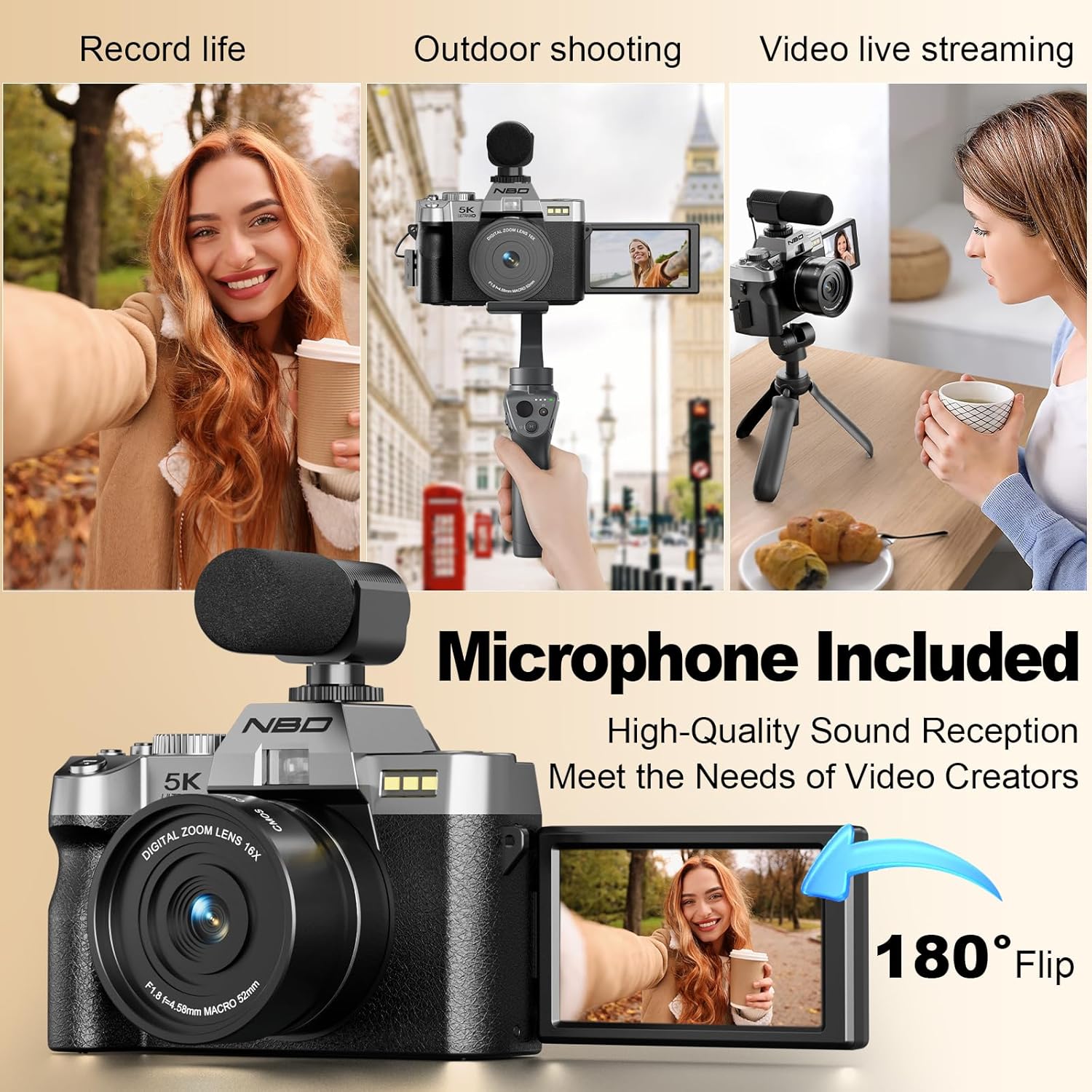
Image: The NBD 5K Digital Camera with the macro lens mounted, ready for close-up photography.
4. Anschließen des Mikrofons
Connect the external microphone to the designated microphone input port on the camera. Ensure it is securely plugged in for optimal audio recording.

Image: The NBD 5K Digital Camera configured for vlogging, showing the 180-degree flip screen and the attached external microphone.
5. Ein-/Ausschalten
Press and hold the power button located on the camera body to turn the camera on or off.
6. Wi-Fi-Konnektivität
To connect your camera to a smartphone via Wi-Fi for remote control and image transfer, navigate to the Wi-Fi settings in the camera menu. Enable Wi-Fi and follow the on-screen instructions to connect to your device using the dedicated mobile application.
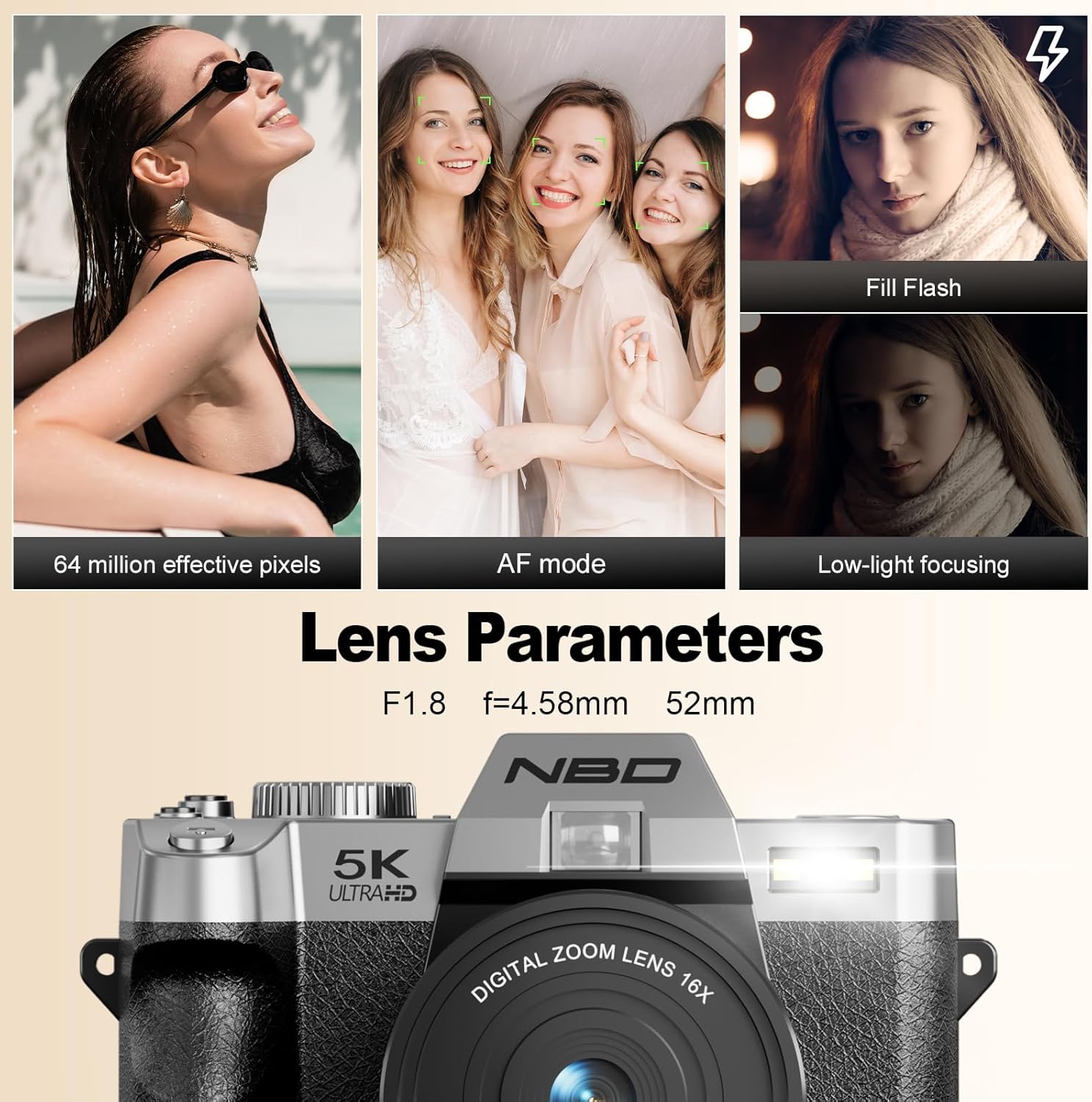
Image: The camera's screen shows Wi-Fi connection details, while a smartphone displays a live preview from the camera, illustrating wireless connectivity.
Bedienung der Kamera
1. Modusauswahl
Use the mode switching dial on the top of the camera to select between various shooting modes, including Photo, Video, Playback, and Scene modes.

Image: The camera's mode dial allows selection of various creative options such as time-lapse, different effects, specific scene settings, and automatic shooting.
2. Fotos machen
- Auslöser: Press halfway to focus, then fully press to capture an image.
- Auflösung: The camera supports up to 64MP still images.
- Digitalzoom: Utilize the 16X digital zoom for distant subjects. Note that digital zoom may reduce image quality compared to optical zoom.
- Makroobjektiv: Attach the macro lens for detailed close-up shots of small objects like flowers or insects.
- Autofokus: The camera features an F1.8 aperture lens for low-light autofocus and portrait mode for natural background blur.

Bild: Eine detaillierte view of a yellow flower captured using the camera's macro lens, highlighting its ability for close-up photography.

Image: Demonstrates the camera's HDR function and various levels of digital zoom (4x, 8x, 16x), showcasing its 64-megapixel resolution and zoom capabilities.
3. Videos aufnehmen
- Videoauflösung: Supports 5K at 25 frames per second (fps) and 1080P at 60fps for smooth video recording.
- Flip-Screen: The 180-degree flip screen is ideal for vlogging and self-recording, allowing you to monitor your shot.
- Time-lapse and Slow-motion: Access these modes via the mode dial for creative video effects.

Image: The camera is shown in various use cases, including personal recording, outdoor photography, and live streaming, highlighting its versatility with the flip screen and external microphone.
4. Image and Video Transfer
Connect the camera to a computer using the provided USB cable for direct file transfer. Alternatively, use the Wi-Fi function and the dedicated mobile application for wireless transfer and instant sharing.
Wartung
1. Reinigung der Kamera und des Objektivs
Use the provided lens cleaning cloth to gently wipe the lens surface. For the camera body, use a soft, dry cloth. Avoid using harsh chemicals or abrasive materials.
2. Batteriepflege
Store batteries in a cool, dry place. Do not expose them to extreme temperatures. Fully charge batteries before extended storage and recharge periodically to maintain their lifespan.
3. Speicherung
When not in use, store the camera in the provided leather bag to protect it from dust and scratches. This camera is nicht wasserbeständig; Kontakt mit Wasser oder hoher Luftfeuchtigkeit vermeiden.
Fehlerbehebung
| Problem | Mögliche Ursache | Lösung |
|---|---|---|
| Die Kamera lässt sich nicht einschalten | Die Batterie ist leer oder falsch eingesetzt. | Stellen Sie sicher, dass der Akku vollständig geladen und korrekt eingesetzt ist. |
| Schlechte Bildqualität | Lens is dirty, lighting conditions are poor, or digital zoom is overused. | Clean the lens. Improve lighting. Minimize use of digital zoom for critical shots. |
| Keine Verbindung zum WLAN möglich | Wi-Fi is disabled, incorrect password, or app issue. | Ensure Wi-Fi is enabled on camera and phone. Verify password. Restart camera and app. |
| Speicherkartenfehler | Die Karte ist voll, beschädigt oder inkompatibel. | Unnötiges löschen files, format the card (this will erase all data), or try a different compatible microSD card. |
Technische Daten
| Besonderheit | Detail |
|---|---|
| Marke | Keine Angabe |
| Modellname | Keine Angabe |
| Effektive Standbildauflösung | 64 Megapixel |
| Videoauflösung | 5K (2160p) at 25fps, 1080p at 60fps |
| Digital Zoom | 16X |
| Objektivtyp | Wide-angle/Macro Lens |
| Öffnung | F1.8 |
| Bildschirmgröße | 3 Zoll (180°-Klappbildschirm) |
| Bildstabilisierung | Digitales |
| Konnektivität | WLAN, USB |
| Speichermedien | microSD (64GB card included) |
| Akku-Typ | Lithium-Ionen |
| Wasserbeständigkeit | Nicht wasserfest |
| Fokustyp | Auto Focus (Hybrid) |
| Unterstützt File Format | JPEG, MP4 |
Garantie und Support
NBD products are designed for reliability and performance. For warranty information or technical support, please refer to the documentation included with your purchase or visit the official NBD webBewahren Sie Ihren Kaufbeleg für Garantieansprüche auf.
For further assistance, you may contact NBD customer support through their official channels.