
Einführung
Thank you for choosing the Acedeck L01 Super Loud Alarm Clock. This device is designed to provide a reliable and powerful wake-up experience, especially for heavy sleepers, with its 115dB dual alarms and adjustable features. This manual will guide you through the setup, operation, and maintenance of your new alarm clock.
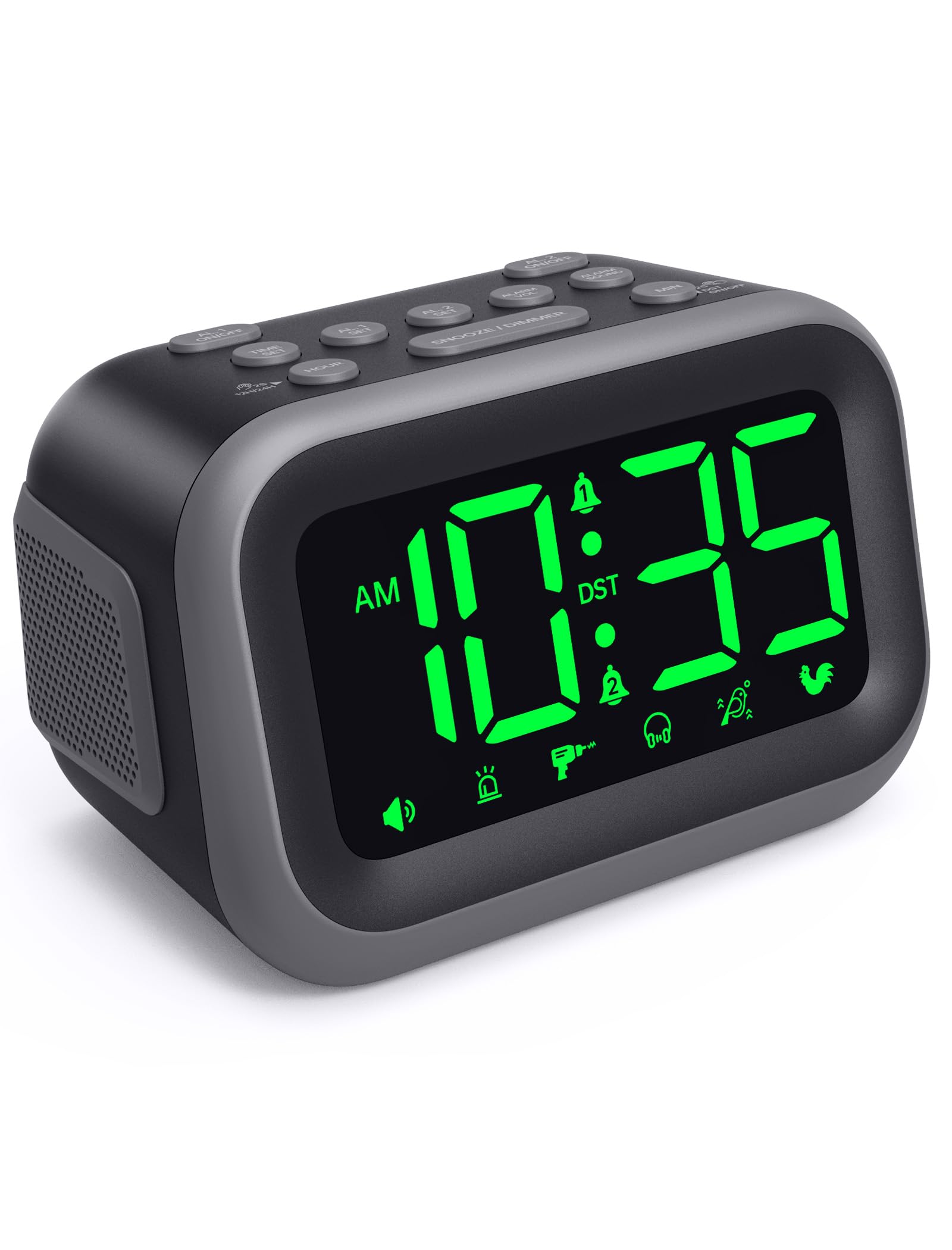
Figure 1: Acedeck L01 Super Loud Alarm Clock with green digits.
Aufstellen
1. Stromanschluss
Connect the provided AC adapter to the DC 5V port on the back of the alarm clock and plug it into a standard wall outlet. The display will light up, indicating the clock is powered on.
2. Batterie-Backup (optional)
Für den kontinuierlichen Betrieb während eines Stromausfallstages, insert 3 AAA batteries (not included) into the battery compartment on the bottom of the clock. The battery backup system retains time and alarm settings and will activate the alarm function during a power loss, though the display will turn off to conserve power.

Figure 2: Power connection and battery backup functionality.
3. Uhrzeit einstellen
- Drücken Sie die ZEITEINSTELLUNG Taste. Die Stundenziffern blinken.
- Verwenden Sie die STUNDE Taste zum Einstellen der Stunde. Zum schnelleren Einstellen gedrückt halten.
- Drücken Sie die MIN button to adjust the minutes. Press and hold for faster adjustment.
- Drücken ZEITEINSTELLUNG Zur Bestätigung und zum Verlassen des Zeiteinstellungsmodus erneut den Zeiteinstellungsmodus aufrufen.
To toggle between 12-hour and 24-hour format, press the 12 Std./24 Std. Taste während der Zeiteinstellung.

Abbildung 3: Umschalten zwischen 12-Stunden- und 24-Stunden-Anzeige.
4. Sommerzeit (DST)
Drücken Sie die Sommerzeit EIN / AUS button to activate or deactivate Daylight Saving Time. The clock will adjust automatically.
5. Knopf obenview

Figure 4: Labeled buttons for clear function and fast setup.
Video: Setting the Time
This video demonstrates how to set the current time on your Acedeck L01 alarm clock, including toggling between 12-hour and 24-hour formats.
Bedienungsanleitung
1. Alarme einstellen (Doppelalarme)
The Acedeck L01 features two independent alarms (AL1 and AL2). This allows you to set different wake-up times for different schedules.
- Drücken Sie die AL1-SATZ or AL2-SATZ button. The hour digits for the selected alarm will flash.
- Verwenden Sie die STUNDE Taste, um die Weckzeit einzustellen.
- Verwenden Sie die MIN Taste zum Einstellen der Alarmminuten.
- Drücken Sie die jeweilige Taste AL-SATZ Drücken Sie erneut, um die Alarmzeit zu bestätigen.
- Zum Aktivieren oder Deaktivieren eines Alarms drücken Sie die Taste AL1 EIN/AUS or AL2 EIN/AUS button. An alarm icon will appear on the display when an alarm is active.
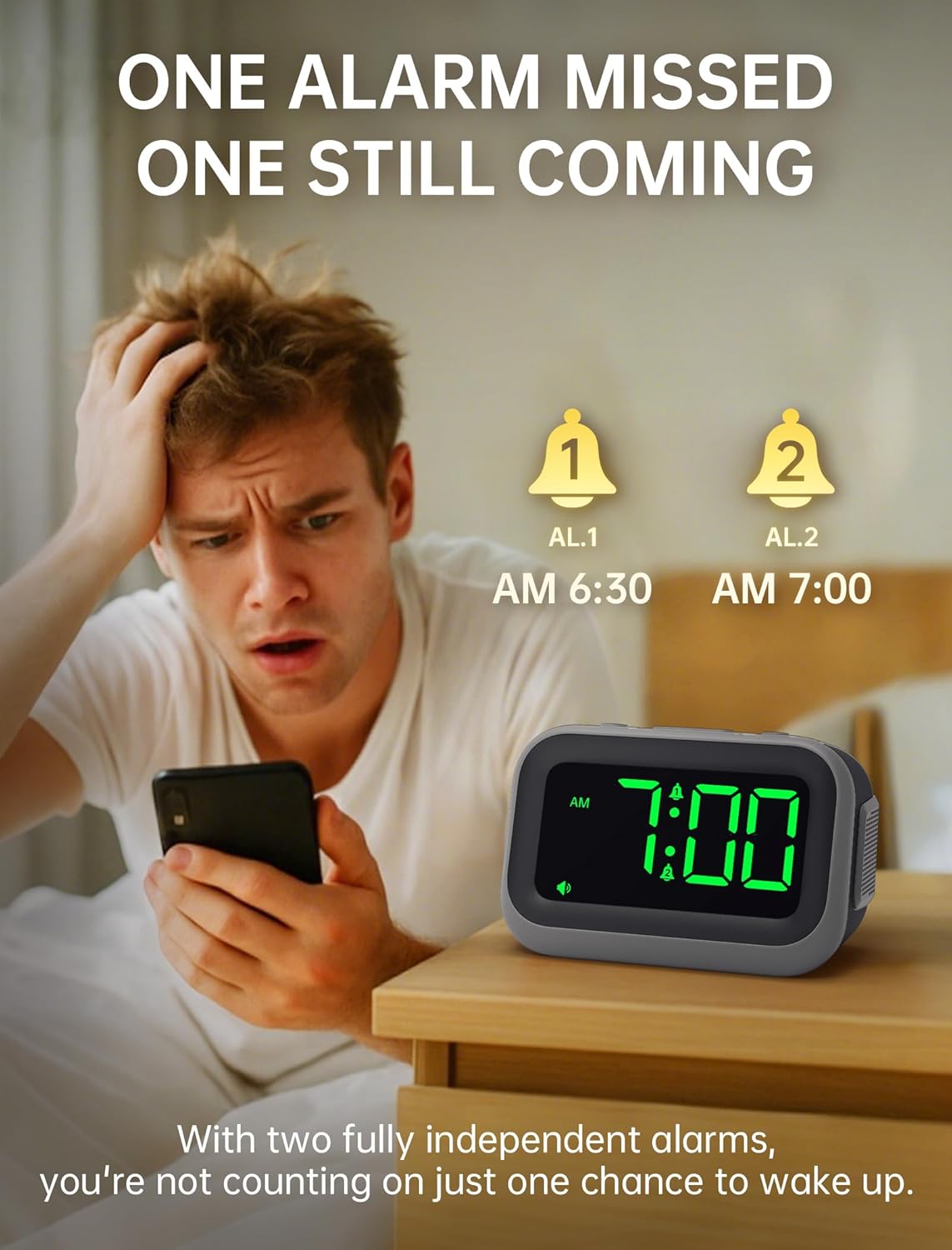
Figure 5: Dual alarm functionality for flexible scheduling.
2. Alarmtöne
Choose from 6 distinct alarm sounds to suit your preference. While setting the alarm, press the ALARMTON button to cycle through the available sounds: Beep, Siren, Jackhammer, Music, Bird Song, and Rooster.
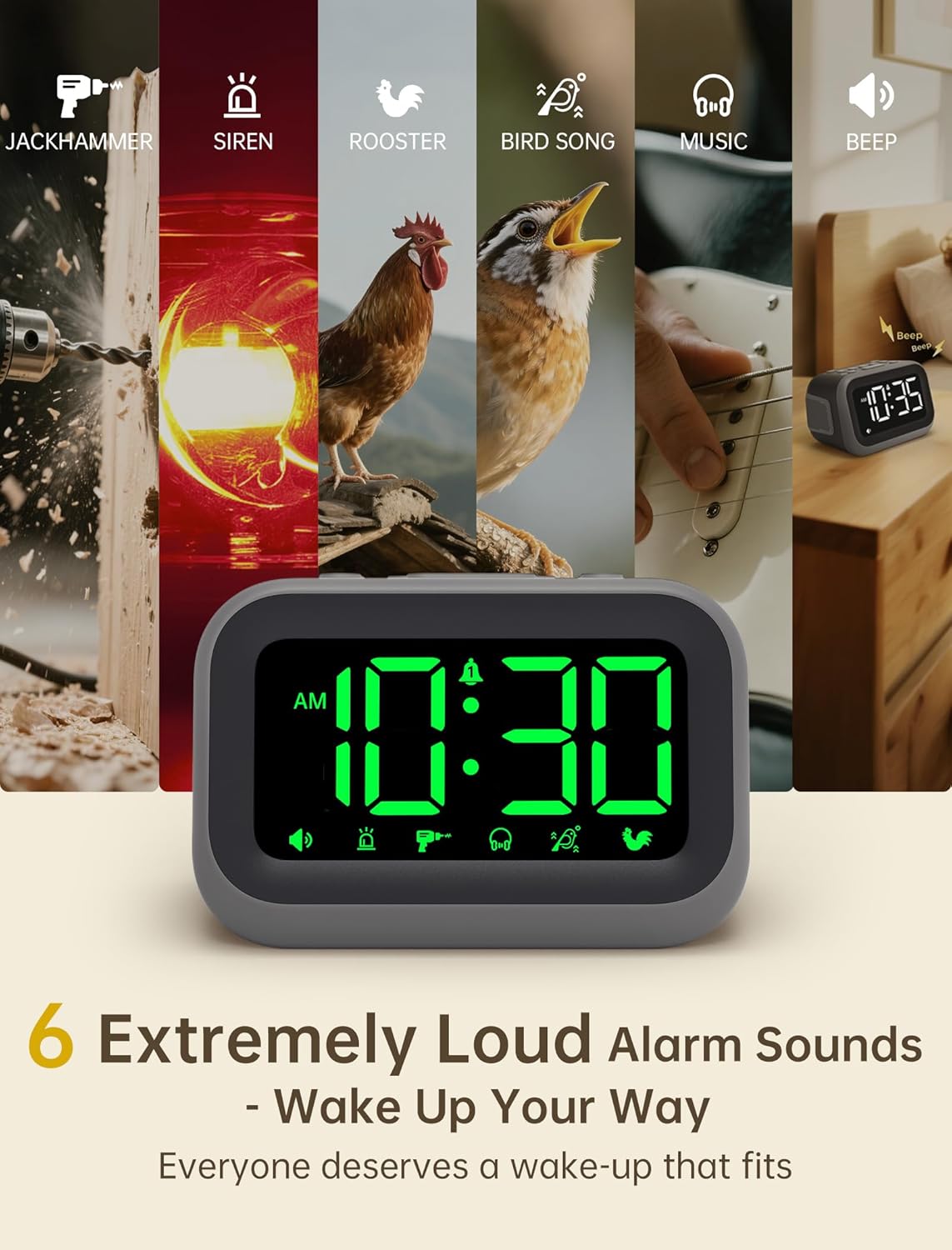
Figure 6: Selection of 6 unique alarm sounds.
3. Alarmlautstärke
The Acedeck L01 features an extra-loud 115dB alarm, ideal for heavy sleepers. You can adjust the alarm volume through 6 levels. Press the ALARM VOL button to cycle through the volume settings. The default volume is set to maximum, so adjust to a comfortable level before first use.

Figure 7: Adjustable volume levels for the alarm.
4. Schlummerfunktion
Wenn der Alarm ertönt, drücken Sie die große Taste. SCHLUMMER/DIMMER button to temporarily silence the alarm for a few minutes. The alarm will sound again after the snooze period ends.

Abbildung 8: Verwendung der Schlummerfunktion.
5. Einstellbare Helligkeit
The 4.2-inch LED display offers 5 levels of adjustable brightness. Press the SCHLUMMER/DIMMER button (when the alarm is not sounding) to cycle through the brightness levels, from brightest to completely off. This allows for comfortable viewing day or night without disturbing sleep.

Figure 9: Adjusting the display brightness.
6. USB-Ladeanschluss
A built-in USB port on the back of the clock allows you to charge your smartphone or other USB-powered devices overnight. This feature is active when the clock is connected to AC power.

Abbildung 10: USB-Ladeanschluss in Gebrauch.
Video: Den Wecker stellen
This video demonstrates how to set and activate the dual alarms on your Acedeck L01 alarm clock.
Video: Product Features Overview
This video provides a detailed demonstration of the Acedeck L01 alarm clock's features, including alarm sounds, volume, and brightness settings.
Wartung
To ensure the longevity and optimal performance of your Acedeck L01 alarm clock, follow these simple maintenance guidelines:
- Reinigung: Reinigen Sie die Uhr mit einem weichen, trockenen Tuch. Verwenden Sie keine Scheuermittel oder Lösungsmittel, da diese die Oberfläche beschädigen können.
- Batteriewechsel: If using battery backup, replace the AAA batteries annually or when the battery indicator suggests low power to ensure continuous functionality during power outages.
- Platzierung: Stellen Sie die Uhr auf eine stabile, ebene Fläche, fern von direkter Sonneneinstrahlung, übermäßiger Hitze oder Feuchtigkeit.
Fehlerbehebung
| Problem | Lösung |
|---|---|
| Die Uhranzeige ist aus. | Ensure the AC adapter is securely plugged into both the clock and a working power outlet. If using battery backup, the display turns off to save power, but the alarm function remains active. |
| Der Alarm ertönt nicht. | Check if the alarm (AL1 or AL2) is activated (icon visible on display). Verify the alarm time is set correctly. Ensure the alarm volume is not set to zero. If running on battery backup, ensure batteries are fresh. |
| Die Uhrzeit ist falsch. | Re-set the time following the 'Setting the Time' instructions. Check for power interruptions; if frequent, ensure battery backup is installed and functional. |
| Das Laden über USB funktioniert nicht. | Ensure the alarm clock is connected to AC power. The USB charging port does not function when the clock is running on battery power. Check the USB cable and the device being charged. |
Technische Daten
- Marke: Acedeck
- Modell: L01
- Anzeigetyp: Digitale LED
- Anzeigefarbe: Grüne Ziffern
- Alarmlautstärke: Bis zu 115 dB
- Alarmtöne: 6 einzigartige Klänge
- Helligkeitsstufen: 5 einstellbare Stufen
- Energiequelle: Kabelgebundenes Elektrogerät (Wechselstrom 100-240 V)
- Batterie-Backup: 3 x AAA-Batterien (nicht im Lieferumfang enthalten)
- USB Ladeanschluss: Ja (für externe Geräte)
- Produktabmessungen: 4.8 Zoll B x 3.15 Zoll H
- Artikelgewicht: 11 Unzen
- Material: Plastik

Abbildung 11: Produktabmessungen.
Garantie und Support
Your Acedeck L01 Super Loud Alarm Clock comes with an 18-month warranty from the date of purchase. This warranty covers manufacturing defects and malfunctions under normal use.
For technical support, troubleshooting assistance, or warranty claims, please contact Acedeck customer service through the retailer where you purchased the product or visit the official Acedeck webWebsite für Kontaktinformationen.