
1. Produktüberschreitungview
The Cuifati 50000mAh Solar Power Bank is a robust and versatile portable charging solution designed for outdoor enthusiasts and emergency preparedness. Featuring a high-capacity battery and solar charging capabilities, it ensures your devices remain powered in various environments.
Hauptmerkmale:
- Riesige Kapazität von 50,000 mAh: Provides multiple recharges for smartphones, tablets, and other USB-powered devices.
- Solarladefähigkeit: Allows for emergency recharging using sunlight, ideal for off-grid situations.
- Crush-Proof Aluminum Alloy Casing: Durable exterior offers protection against impacts and aids in heat dissipation.
- Integrated LED CampLicht: Features high-brightness LED with constant, breathing, and SOS flashing modes for illumination and emergency signaling.
- Vielseitiges Schnellladen: Supports USB-A, Type-C, and QC Fast Charging protocols for efficient power delivery to a wide range of digital devices.
- Multi-Schutzsystem: Eingebaute Schutzmechanismen gegen Überladung und Überspannungtage, overcurrent, overpower, overdischarge, and temperature fluctuations.

Bild 1.1: Vorderseite view of the Cuifati Solar Power Bank, showcasing the integrated solar panel.

Abbildung 1.2: Seite view displaying the various charging ports and the LED light panel.
2. Einrichtung und Erstgebrauch
2.1 Aufladen der Powerbank
Before first use, fully charge the power bank using a wall adapter to ensure optimal battery performance. Solar charging is primarily for emergency use and maintaining charge, not for rapid full charging.
- Via USB Wall Adapter: Connect the included USB charging cable (or a compatible Type-C cable) to the power bank's input port and plug the other end into a USB wall adapter (not included). The indicator lights will show charging progress.
- Über Solarpanel: Place the power bank in direct sunlight. The solar indicator light will illuminate, indicating that solar charging is active. For best results, ensure the solar panel is clean and unobstructed.

Abbildung 2.1: Oben view of the power bank, showing the solar panel and a USB charging cable.
2.2 Batteriestand prüfen
Drücken Sie einmal die Einschalttaste, um view Der aktuelle Batteriestand wird durch die LED-Leuchten angezeigt.
3. Bedienungsanleitung
3.1 Laden externer Geräte
Connect your device's charging cable to one of the power bank's output ports (USB-A or Type-C). The power bank will automatically begin charging your device. If charging does not start, press the power button once.
3.2 Using the LED CampLicht
The integrated LED light offers multiple modes for various situations.
- Ein-/Ausschalten: Long press the power button to turn the LED light on or off.
- Zyklusmodi: Once the light is on, short press the power button to cycle through the modes: Constant Brightness > Breathing Light > SOS Flashing > Burst Flash.

Image 3.1: The power bank demonstrating its LED bright light feature, useful for camping oder Notfälle.
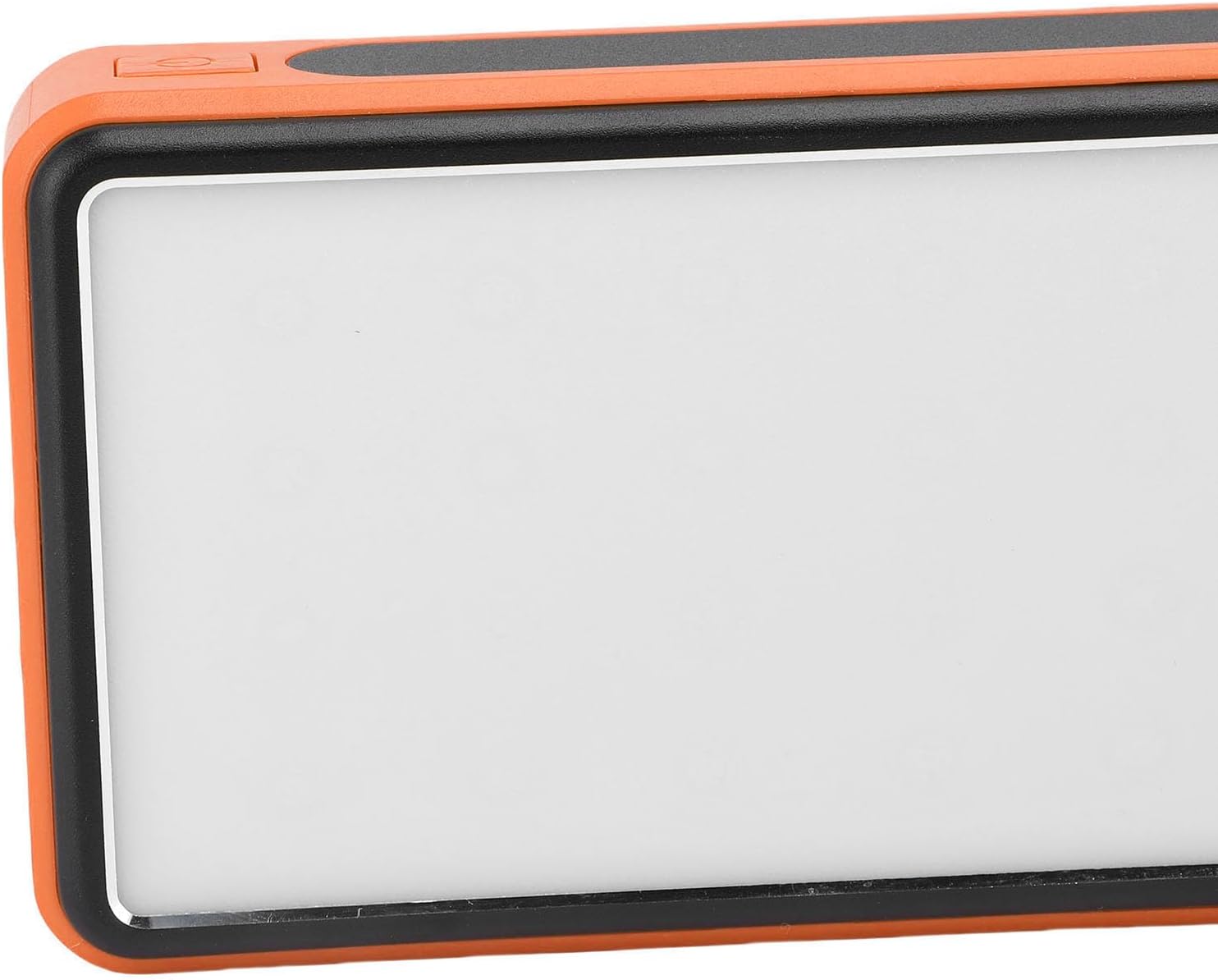
Abbildung 3.2: Seite view highlighting the power button used for operating the device and LED light.
4. Wartung und Pflege
- Reinigung: Wipe the power bank with a soft, dry cloth. Avoid using harsh chemicals or abrasive materials. Ensure the solar panel is clean for efficient charging.
- Lagerung: Store the power bank in a cool, dry place away from direct sunlight and extreme temperatures. For long-term storage, charge the power bank to about 50-75% every 3-6 months to preserve battery health.
- Umgebungsbedingungen: While crush-proof, avoid intentional drops or impacts. Do not expose to water or high humidity.

Image 4.1: Icons representing the power bank's multiple protection features, including overcharge, overvoltage, and temperature prevention.
5. Fehlerbehebung
- Powerbank lädt nicht: Ensure the charging cable is securely connected to both the power bank and the power source. Try a different cable or wall adapter. For solar charging, ensure direct sunlight and a clean solar panel.
- Gerät lädt nicht über die Powerbank: Ensure the power bank has sufficient charge. Press the power button once to activate output. Try a different USB port or charging cable.
- LED-Licht funktioniert nicht: Long press the power button to turn it on. If it still doesn't work, ensure the power bank has sufficient charge.
- Langsames Laden: Ensure you are using a fast-charging compatible cable and your device supports fast charging. Solar charging is inherently slower than wall charging.
6. Spezifikationen
| Besonderheit | Spezifikation |
|---|---|
| Batteriekapazität | 50,000 mAh |
| Kompatible Geräte | Smartphones, Tablets, USB-powered devices (including some laptops) |
| Ladeprotokolle | USB-A, Type-C, QC Fast Charging |
| LED-Lichtmodi | Constant, Breathing, SOS Flashing, Burst Flash |
| Casing Material | Aluminiumlegierung |
| Farbe | Orange |
| Verpackungsabmessungen | 19 x 13 x 5 cm |
| Gewicht | 552 Gramm |
| Ursprungsland | China |
7. Garantieinformationen
This Cuifati Solar Power Bank comes with a 2 Jahr Herstellergarantie ab Kaufdatum. Diese Garantie deckt Material- und Verarbeitungsfehler bei normalem Gebrauch ab. Schäden durch Missbrauch, Unfälle, unbefugte Modifikationen oder normale Abnutzung sind nicht abgedeckt. Bitte bewahren Sie Ihren Kaufbeleg für Garantieansprüche auf.
8. Unterstützung
For technical support, warranty claims, or further inquiries, please contact Cuifati customer service. Refer to the product packaging or the retailer's webDie aktuellsten Kontaktinformationen finden Sie auf dieser Website.
We recommend visiting the official Cuifati webWebsite für Produktregistrierung, FAQs und weitere Support-Ressourcen.


