
1. Einleitung
Welcome to the user manual for your LAXASFIT T900 Ultra2 Smartwatch. This guide provides essential information on setting up, operating, and maintaining your device. The T900 Ultra2 is designed to be a comprehensive fitness companion and personal assistant, featuring a 2.19-inch HD IPS display and various health monitoring capabilities.
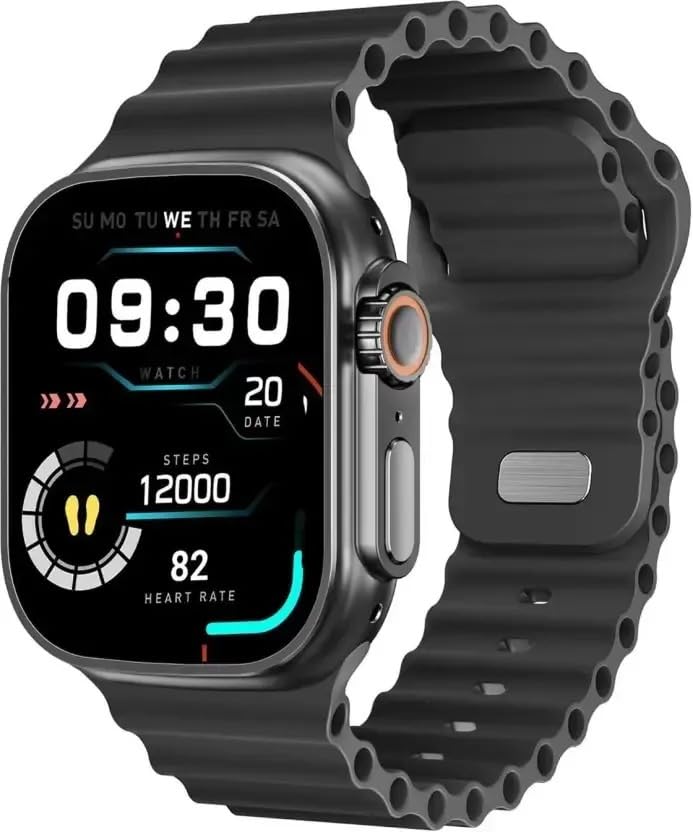
Figure 1: LAXASFIT T900 Ultra2 Smartwatch with main display showing time, steps, and heart rate.
2. Sicherheitshinweise
- Versuchen Sie nicht, die Smartwatch zu zerlegen oder zu verändern.
- Halten Sie das Gerät von extremen Temperaturen und direkter Sonneneinstrahlung fern.
- Setzen Sie die Smartwatch keinen starken Stößen oder Stürzen aus.
- Konsultieren Sie vor Beginn eines neuen Trainingsprogramms einen Arzt, insbesondere wenn Sie bereits gesundheitliche Probleme haben.
- This device is not a medical instrument and should not be used for diagnostic purposes.
- Ensure the charging cable is used correctly to prevent damage to the device or charger.
3. Lieferumfang
Upon opening your LAXASFIT T900 Ultra2 Smartwatch package, you should find the following items:
- LAXASFIT T900 Ultra2 Smartwatch
- Ladekabel
- Benutzerhandbuch (dieses Dokument)
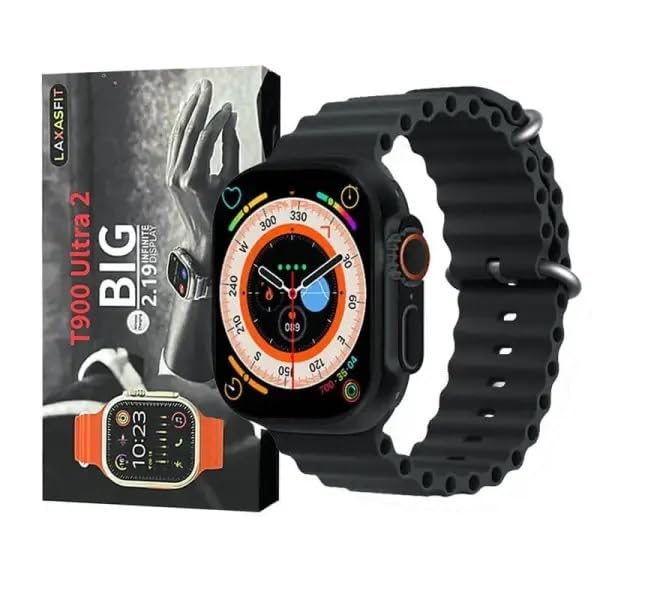
Figure 2: Contents of the LAXASFIT T900 Ultra2 Smartwatch package, including the smartwatch and its box.
4. Einrichtung
4.1 Aufladen der Smartwatch
- Schließen Sie das Ladekabel an ein kompatibles USB-Netzteil an (nicht im Lieferumfang enthalten).
- Attach the magnetic end of the charging cable to the charging contacts on the back of the smartwatch. Ensure a secure connection.
- The smartwatch display will indicate charging status. A full charge typically takes approximately 2 hours.
4.2 Ein-/Ausschalten
- So schalten Sie das Gerät ein: Press and hold the side button until the LAXASFIT logo appears on the screen.
- So schalten Sie das Gerät aus: Halten Sie die seitliche Taste gedrückt und wählen Sie dann die Option „Ausschalten“ auf dem Bildschirm aus.
4.3 Pairing with Your Mobile Device
To unlock the full functionality of your T900 Ultra2 Smartwatch, pair it with your smartphone via Bluetooth.
- Stellen Sie sicher, dass Ihre Smartwatch aufgeladen und eingeschaltet ist.
- Aktivieren Sie Bluetooth auf Ihrem Mobiltelefon.
- Download and install the companion application (refer to the smartwatch display or packaging for app name, typically found by scanning a QR code).
- Open the companion app and follow the on-screen instructions to search for and connect to your LAXASFIT T900 Ultra2.
- Bestätigen Sie die Kopplungsanfrage sowohl auf Ihrem Smartphone als auch auf Ihrer Smartwatch.
5. Bedienungsanleitung
5.1 Navigation auf der Benutzeroberfläche
- Touch-Screen: Wischen Sie nach links, rechts, oben oder unten, um durch Menüs und Bildschirme zu navigieren. Tippen Sie, um Elemente auszuwählen.
- Seitentaste: Drücken Sie diese Taste, um zum Startbildschirm zurückzukehren oder das Gerät zu aktivieren. Halten Sie die Taste gedrückt, um die Ein-/Ausschaltoptionen anzuzeigen.
- Digitale Krone: Rotate to scroll through lists or zoom in/out (functionality may vary by app). Press to access the app menu.
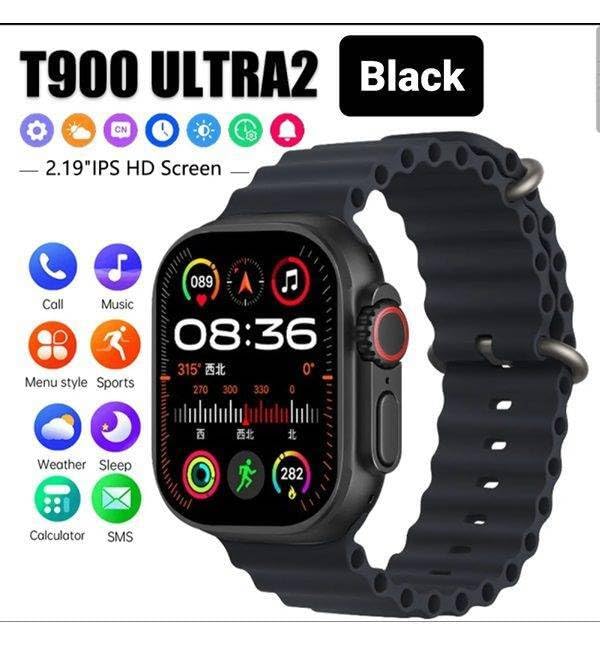
Figure 3: Smartwatch display illustrating various functions such as call, music, sports, weather, sleep, and calculator.
5.2 Hauptmerkmale
The LAXASFIT T900 Ultra2 Smartwatch offers a range of features to enhance your daily life and fitness routine:
- Herzfrequenzmesser: Continuously tracks your heart rate. Access historical data through the companion app.
- Aktivitätstracker: Records steps, distance, and calories burned. Supports various sports modes (e.g., running, cycling, swimming).
- Schlaf-Tracking: Überwacht Schlafmuster und Schlafqualität.
- Musiksteuerung: Steuern Sie die Musikwiedergabe auf Ihrem gekoppelten Smartphone direkt von Ihrer Smartwatch aus.
- Wetteranzeige: Bietet aktuelle Wetterbedingungen und Vorhersagen.
- Benachrichtigungen: Receive call, SMS, and app notifications from your paired smartphone.
- Taschenrechner: Basic arithmetic functions available on your wrist.
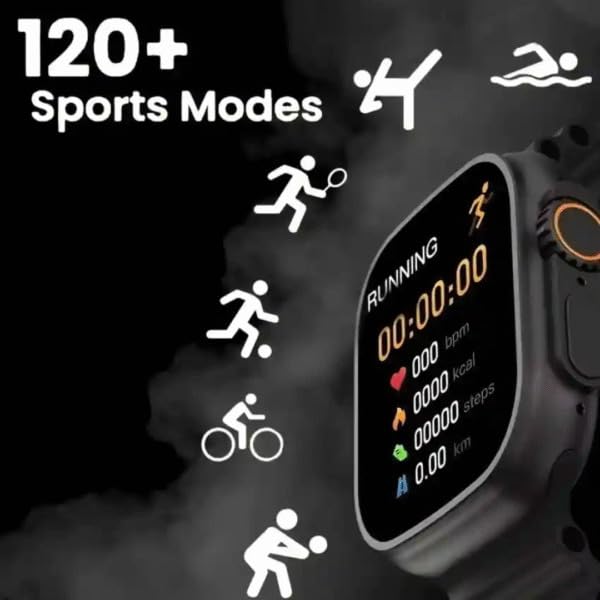
Figure 4: Smartwatch screen showing active sports tracking for running, including duration, heart rate, calories, steps, and distance.
6. Wartung
6.1 Reinigung Ihrer Smartwatch
- Reinigen Sie Bildschirm und Gehäuse der Smartwatch mit einem weichen, fusselfreien Tuch.
- Bei hartnäckigen Flecken leicht dampBefeuchten Sie das Tuch mit Wasser. Vermeiden Sie die Verwendung von scharfen Chemikalien oder scheuernden Materialien.
- Vor dem Laden sicherstellen, dass die Ladekontakte sauber und trocken sind.
6.2 Bandpflege
- Clean the sport band regularly with a damp Tuch zum Entfernen von Schweiß und Schmutz.
- Allow the band to air dry completely before wearing.
7. Fehlerbehebung
| Problem | Mögliche Lösung |
|---|---|
| Die Smartwatch lässt sich nicht einschalten. | Ensure the device is fully charged. Press and hold the side button for at least 10 seconds. |
| Kopplung mit dem Telefon nicht möglich. |
|
| Die Herzfrequenzmessungen sind ungenau. | Ensure the smartwatch is worn snugly on your wrist, not too tight or too loose. Clean the sensor on the back of the device. |
| Es werden keine Benachrichtigungen empfangen. |
|
8. Spezifikationen
| Besonderheit | Detail |
|---|---|
| Modell | T900 Ultra2 |
| Anzeige | 2.19 Inches IPS HD |
| Betriebssystem | Proprietäres Betriebssystem |
| Speicherkapazität | 256 MB |
| Konnektivität | Bluetooth, GPS |
| Batteriekapazität | 1200 Milliamp Std |
| Ladezeit | Ungefähr 2 Stunden |
| Durchschnittliche Batterielebensdauer | Up to 8 Hours (usage dependent) |
| Besondere Merkmale | Activity Tracker, Heart Rate Monitor, Music Player, Sleep Tracking, Weather Display |
| Kompatible Geräte | Mobile Phones, Smartphones |
| Material | Metall, Silikon |
| Artikelgewicht | 100 g |
| Ursprungsland | China |
9. Garantie und Support
Informationen zur Garantie und zum Kundendienst finden Sie in der mit Ihrem Kauf gelieferten Dokumentation oder wenden Sie sich an Ihren Händler. Bewahren Sie Ihren Kaufbeleg für Garantieansprüche auf.
Manufacturer: Retailix Solution
Importer: Retailix Solution Basti Uttar Pradesh 272170