
1. Einleitung
Thank you for choosing the FLEXISPOT Electric Standing Desk. This manual provides detailed instructions for the assembly, operation, and maintenance of your new adjustable height desk. Designed to promote a healthier work environment, this desk allows you to easily switch between sitting and standing positions, reducing the negative effects of prolonged sitting. Please read this manual thoroughly before assembly and use to ensure proper function and safety.
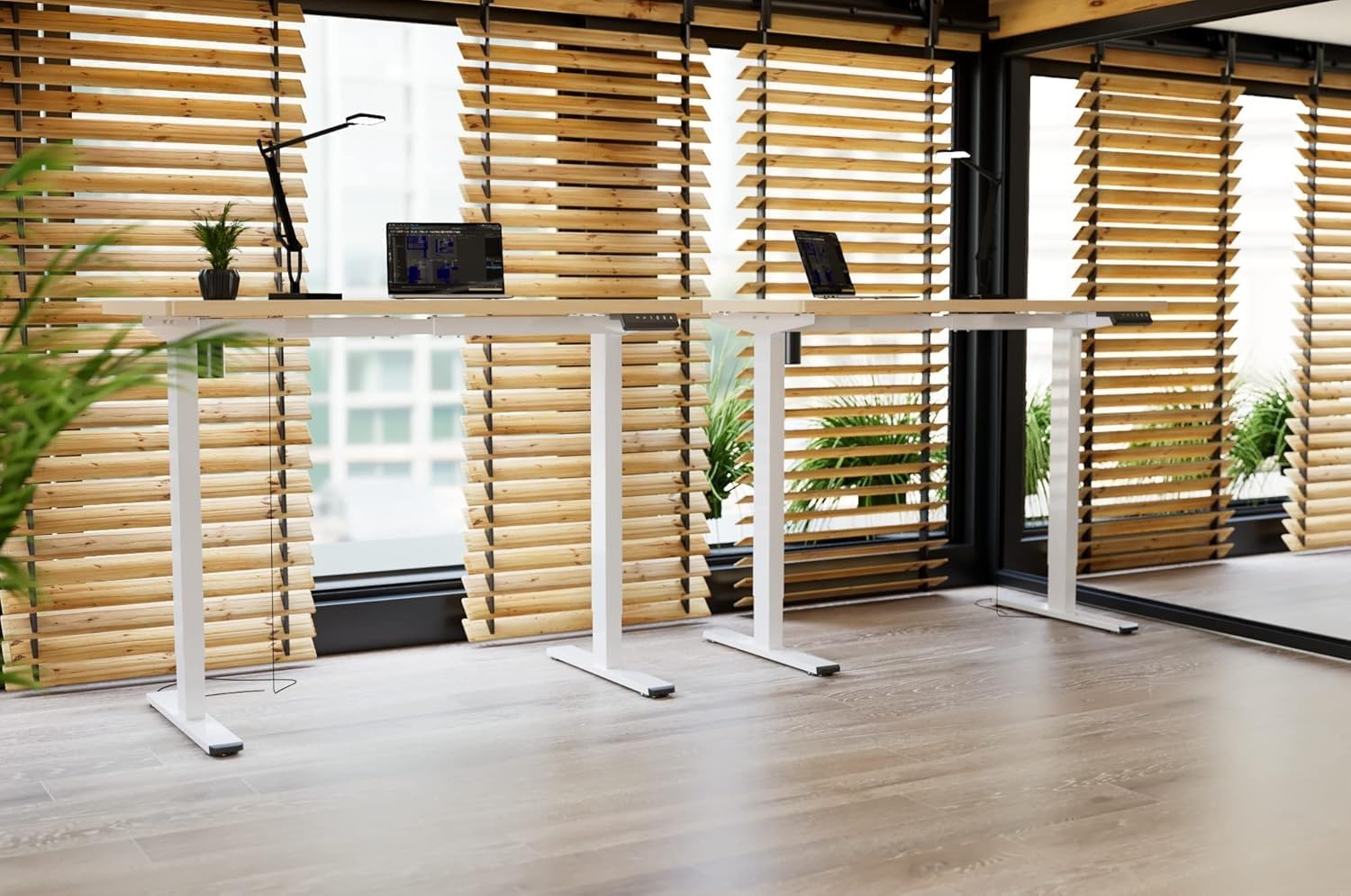
Image: Two FLEXISPOT electric standing desks with maple tops and white frames, set up in an office environment.
2. Sicherheitshinweise
- Vor der Montage sicherstellen, dass alle Komponenten vorhanden und unbeschädigt sind.
- Halten Sie Kinder und Haustiere während des Betriebs vom Schreibtisch fern.
- Do not place hands or other body parts near moving parts of the desk frame.
- Avoid overloading the desk beyond its specified weight capacity.
- Only use the provided power adapter and ensure it is connected to a grounded outlet.
- Do not disassemble or modify the desk's motor or control system.
- Sollten ungewöhnliche Geräusche oder Bewegungen auftreten, stellen Sie den Betrieb sofort ein und ziehen Sie den Netzstecker.
- Dieser Schreibtisch ist nur für den Innenbereich konzipiert.
3. Packungsinhalt
Bitte überprüfen Sie, ob alle folgenden Komponenten in Ihrem Paket enthalten sind:
- Desktop (Maple, 140x60cm)
- Electric Lifting Columns (2x)
- Desk Feet (2x)
- Querträger-/Rahmenkomponenten
- Kontrollkästchen
- Multifunktionstastatur
- Netzteil und Kabel
- Backpack Hook (2x)
- Montagezubehör (Schrauben, Inbusschlüssel)
- Bedienungsanleitung
4. Aufbau und Montage
Follow these steps to assemble your FLEXISPOT Electric Standing Desk. It is recommended to have two people for assembly.
- Komponenten auspacken: Nehmen Sie alle Teile vorsichtig aus der Verpackung und legen Sie sie auf eine saubere, weiche Unterlage, um Kratzer zu vermeiden.
- Assemble Desk Feet: Attach the desk feet to the bottom of the lifting columns using the provided screws.
- Querträger verbinden: Secure the crossbar components between the two lifting columns.
- Desktop anbinden: Place the desktop upside down on a soft surface. Carefully position the assembled frame onto the desktop, aligning the pre-drilled holes. Secure the frame to the desktop with the appropriate screws.
- Install Control Box and Keypad: Mount the control box and multi-function keypad to the underside of the desktop using the provided hardware.
- Kabel anschließen: Connect the motor cables from the lifting columns to the control box. Connect the keypad cable to the control box. Finally, connect the power adapter to the control box and then to a power outlet.
- Zubehör installieren: Attach the backpack hooks to the desired location on the desk frame or desktop edge.
- Kabelmanagement: Organize all cables using cable ties or management trays (not included) to prevent tangles and ensure safe operation.
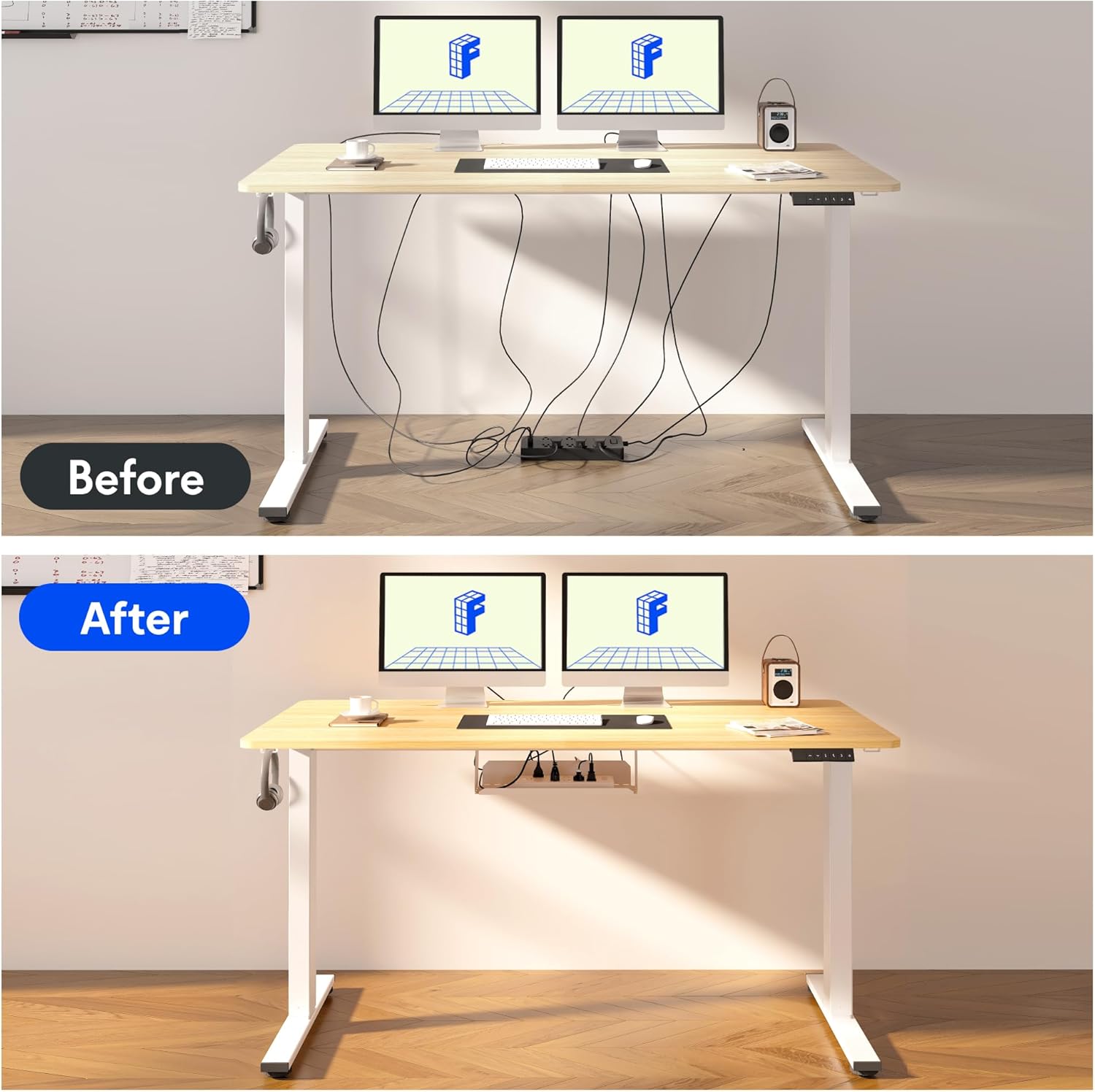
Image: Illustration of effective cable management for the desk, showing a 'before' state with loose cables and an 'after' state with cables neatly secured.

Bild: Nahaufnahme view of the optional cup holder and backpack hooks, demonstrating their attachment to the desk.
5. Bedienungsanleitung
Your FLEXISPOT desk features an intuitive multi-function keypad for easy height adjustment and memory presets.

Bild: Detailliert view of the multi-function keypad, highlighting the LED display, up and down adjustment keys, and four memory preset buttons.
- Höhe einstellen: Verwenden Sie die Up (▲) Und Runter (▼) keys to raise or lower the desk to your desired height. The current height will be displayed on the LED screen.
- Voreinstellungen für Speicherplätze festlegen:
- Adjust the desk to your preferred sitting or standing height using the Up/Down keys.
- Drücken Sie die "M" button (or similar memory set button, if present, otherwise directly press a number).
- Drücken Sie sofort eine der nummerierten Speichertasten (1, 2, 3 oder 4) to save the current height to that preset. The LED display will confirm the setting.
- Voreinstellungen abrufen: Press any of the numbered memory buttons (1, 2, 3 oder 4) um den Schreibtisch automatisch auf die gespeicherte Höhe zu bringen.
- Reset-Funktion: If the desk encounters an error or needs to be reset, press and hold the Runter (▼) button until the desk reaches its lowest position and then slightly rises, indicating a successful reset.
6. Wartung
- Reinigung: Wischen Sie die Schreibtischoberfläche und den Rahmen mit einem weichen, fusselfreien Tuch ab.amp Tuch. Vermeiden Sie aggressive Chemikalien oder Scheuermittel.
- Kabelmanagement: Regularly check and organize cables to prevent damage and ensure smooth operation.
- Schmierung: The lifting mechanism is designed to be maintenance-free. Do not apply lubricants to the columns.
- Inspektion: Überprüfen Sie regelmäßig alle Schrauben und Verbindungen auf festen Sitz. Ziehen Sie sie gegebenenfalls nach.
7. Fehlerbehebung
| Problem | Mögliche Ursache | Lösung |
|---|---|---|
| Der Schreibtisch bewegt sich nicht. | Stromkabel nicht angeschlossen, Kabel der Steuereinheit lose, Überlastung. | Überprüfen Sie alle Kabelverbindungen. Reduzieren Sie das Gewicht auf dem Schreibtisch. Führen Sie einen Reset durch (siehe Bedienungsanleitung). |
| Der Schreibtisch wackelt ungleichmäßig oder macht ungewöhnliche Geräusche. | Loose screws, obstruction, uneven load. | Check all assembly screws. Ensure no obstructions are in the path of the lifting columns. Distribute weight evenly. |
| Speichervoreinstellungen funktionieren nicht. | Voreinstellungen wurden nicht korrekt gespeichert. | Re-save the memory presets following the steps in the Operating Instructions. |
| Das LED-Display zeigt einen Fehlercode an. | Systemfehler. | Perform a reset. If the error persists, contact customer support. |
8. Spezifikationen
- Desktop-Abmessungen: 140 cm (Länge) x 60 cm (Breite)
- Einstellbarer Höhenbereich: 73.5 cm bis 118 cm
- Material: Maple wood desktop, Metal frame (White)
- Motor: Single motor, quiet operation (below 50 dB)
- Besondere Merkmale: Electric height adjustment, Smart memory panel (4 presets), Backpack hook (2x)
- Stabilität: Enhanced frame design with wider feet and thicker columns for improved stability.

Image: Technical drawing illustrating the desktop dimensions (140x60cm) and the adjustable height range of the desk frame (73.5-118cm).

Bild: Intern view of the desk's powerful and quiet motor, emphasizing its smooth and stable operation.
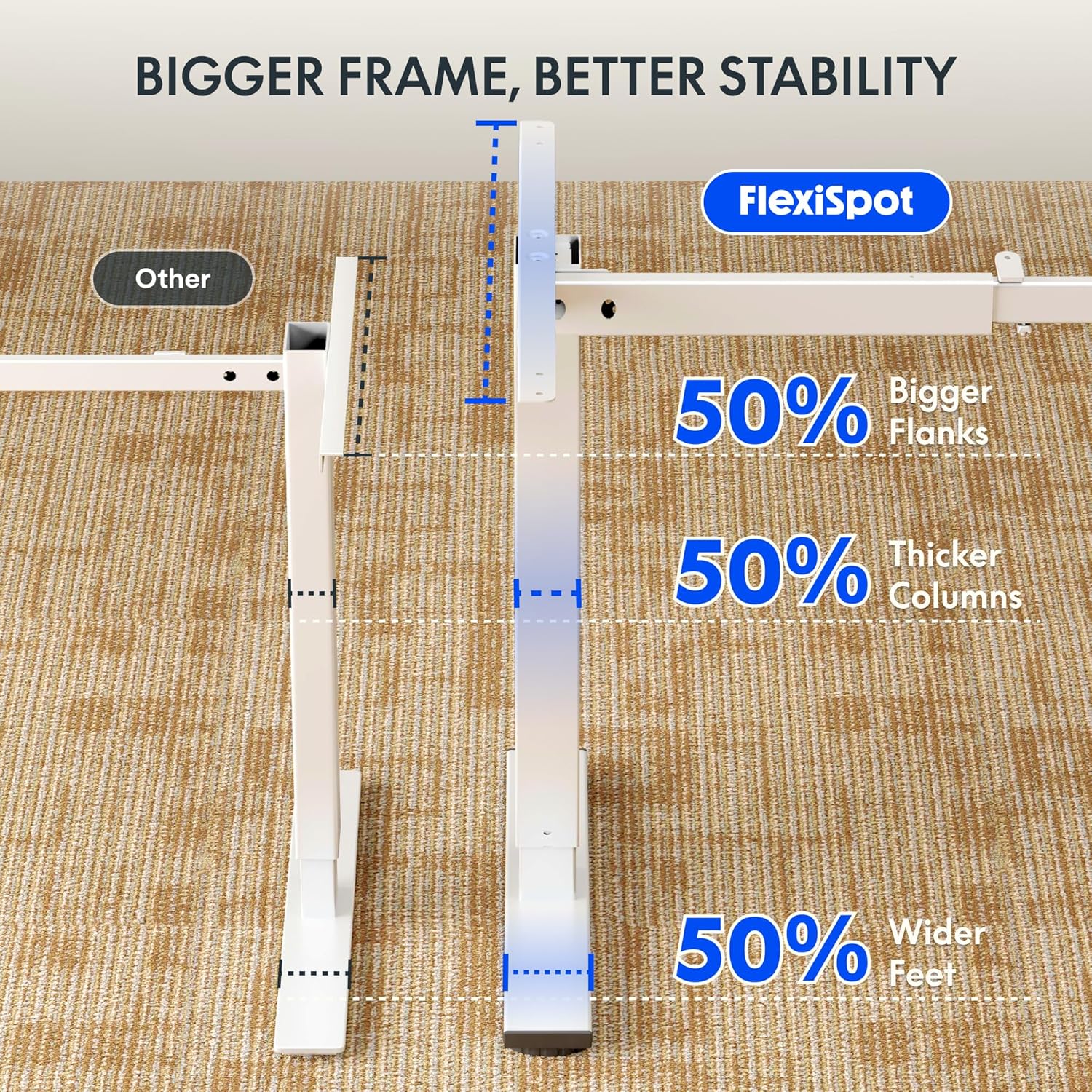
Image: Comparative diagram illustrating the superior stability of the FlexiSpot desk frame, featuring 50% bigger flanks, thicker columns, and wider feet compared to standard designs.
9. Garantieinformationen
This FLEXISPOT Electric Standing Desk is covered by a limited manufacturer's warranty. Please refer to the warranty card included in your package or visit the official FLEXISPOT website for detailed terms and conditions regarding coverage, duration, and claims process. Keep your proof of purchase for warranty service.
10. Kundendienst
If you have any questions, require assistance with assembly, or encounter issues not covered in this manual, please contact FLEXISPOT customer support. You can find contact information on the official FLEXISPOT webWebsite oder über Ihren Händler.
Weitere Informationen finden Sie unter: www.flexispot.com