
1. Einleitung
Thank you for choosing the Lemorele Wireless USB C HDMI Transmitter and Receiver. This device allows for high-definition wireless video and audio transmission from your USB-C enabled devices to an HDMI display. It supports multiple projection modes and offers a plug-and-play experience without the need for drivers or applications.
This manual provides detailed instructions for setting up, operating, and maintaining your device. Please read it carefully before use and retain it for future reference.
2. Produktüberschreitungview
2.1 Packungsinhalt
Im Paket sind folgende Komponenten enthalten:
- 1 x Drahtloser HDMI-Transmitter (TX)
- 1 x Drahtloser HDMI-Empfänger (RX)
- 1 x USB-C-Stromkabel (für RX)
- 1 x Benutzerhandbuch

Image: Packaging and included accessories, showing the TX and RX units, a USB-C cable, and the manual.
2.2 Hauptmerkmale
- Three Flexible Screen Projection Modes: Supports Miracast, AirPlay, and TX-RX direct transmission.
- Breite Kompatibilität: Fully compatible with Windows, Android, iOS, and macOS systems.
- Plug & Play: No application or driver installation required for operation.
- Full HD 1080P@60Hz Transmission: Delivers high-definition wireless video up to 1080P at 60Hz.
- Low Latency & High Stability: Ensures smooth video and audio synchronization.
- Smart Power Options: TX supports USB-C PD fast charging and HDMI input; RX is powered via USB-C 5V/2A.
- Tragbares Design: Compact and lightweight for easy transport and versatile use.
3. Einrichtungsanweisungen
Follow these steps to set up your Lemorele Wireless USB C HDMI Transmitter and Receiver:
- Schließen Sie den Empfänger (RX) an: Plug the RX unit into an available HDMI port on your display device (e.g., TV, monitor, projector). Connect the USB-C power cable to the RX unit and then to a 5V/2A power source (e.g., USB wall adapter, TV USB port). Ensure the RX unit is powered on.
- Schließen Sie den Sender (TX) an: Plug the TX unit into the USB-C port of your source device (e.g., laptop, tablet, smartphone). The TX unit will draw power from your source device. If your source device does not provide sufficient power or if you experience instability, connect a USB-C power adapter to the TX unit's power input port.
- Automatische Kopplung: Once both the TX and RX units are powered on and connected, they will automatically pair within a few seconds. The display will show the mirrored or extended screen from your source device.

Image: Visual guide showing the three setup steps: 1. Connect RX to screen and power, 2. Plug TX to laptop/PC, 3. Auto pairing in 5 seconds.
Notiz: For optimal performance, ensure the TX and RX units are within the recommended transmission range (up to 50 meters / 164 feet) and have a clear line of sight.
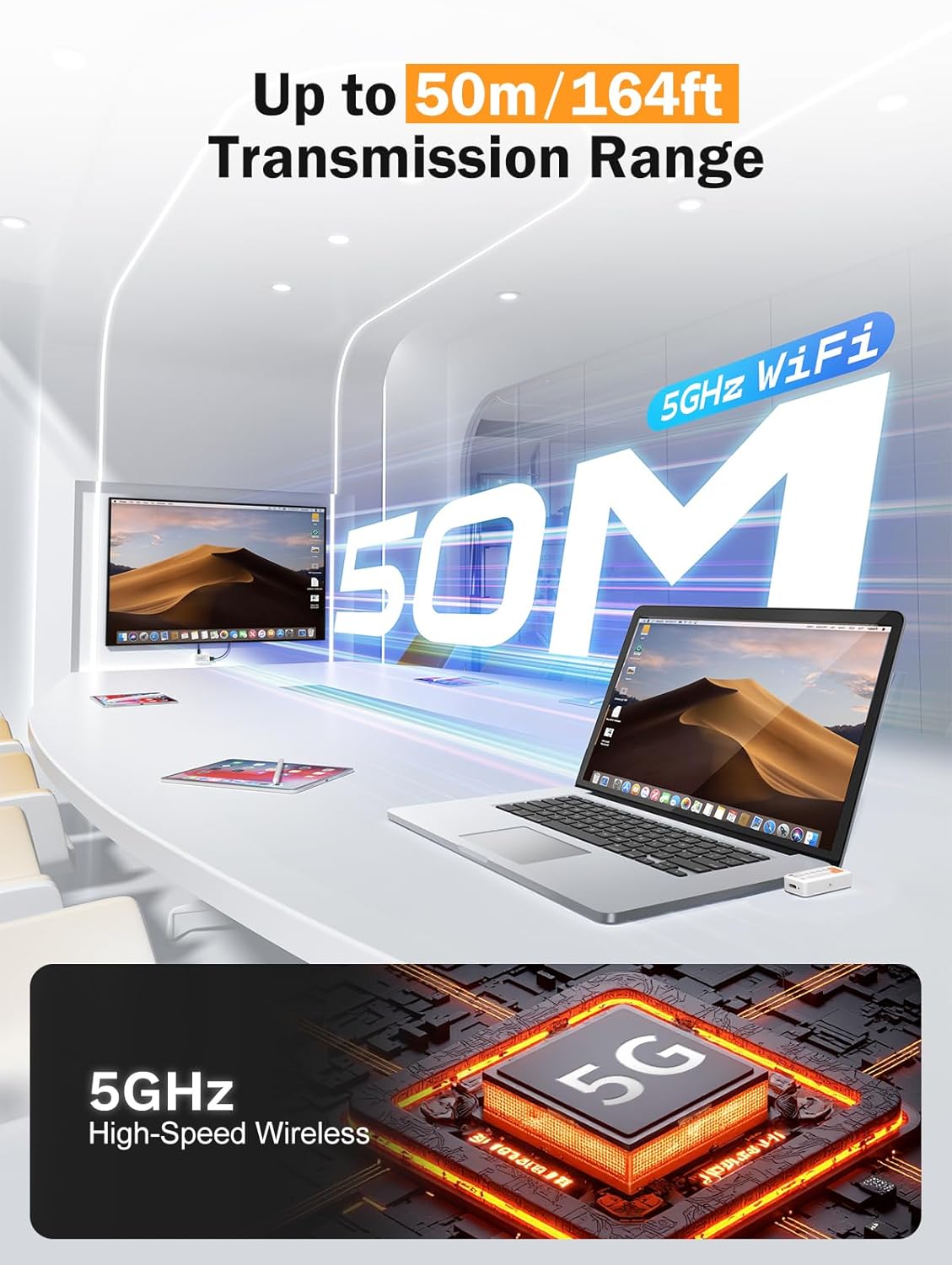
Image: Diagram illustrating the 50-meter wireless transmission range using 5GHz WiFi technology.
4. Bedienungsanleitung
4.1 Grundlegende Bedienung (Plug & Play)
After successful setup and pairing, the device operates automatically. Your source device's screen will be mirrored or extended to the connected display.

Image: A laptop connected to the TX unit and a TV connected to the RX unit, demonstrating the plug-and-play functionality for wireless display.
4.2 unterstützte Modi
The device supports Miracast, AirPlay, and TX-RX direct transmission. The mode selection is typically handled automatically by your source device or the system's display settings.
- Miracast: Für Windows- und Android-Geräte.
- AirPlay: For iOS and macOS devices.
- TX-RX Direct: For direct wireless connection between the transmitter and receiver units.
4.3 Nutzungsszenarien
The compact and versatile design makes it suitable for various applications:
- Heimkino: Enjoy movies and games on a large screen wirelessly.
- Geschäftspräsentationen: Share presentations (PPTs) and videos in meetings without cables.
- Classroom Projection: Facilitate interactive learning by projecting content wirelessly.
- Exhibitions: Showcase content on large displays with ease.

Image: Collage showing the device being used in a classroom for teaching, an office for presentations, and a home for entertainment.
5. Wartung
Um die Langlebigkeit und optimale Leistung Ihres Geräts zu gewährleisten, befolgen Sie bitte diese Wartungsrichtlinien:
- Reinigung: Reinigen Sie das Gerät mit einem weichen, trockenen Tuch. Verwenden Sie keine flüssigen Reiniger oder Sprays.
- Lagerung: Bewahren Sie das Gerät an einem kühlen, trockenen Ort fern von direkter Sonneneinstrahlung und extremen Temperaturen auf.
- Handhabung: Lassen Sie das Gerät nicht fallen und setzen Sie es keinen starken Stößen aus.
- Leistung: Always use the recommended 5V/2A power source for the RX unit.
- Hitze: The TX unit may become warm during extended use. This is normal. Ensure adequate ventilation around the device.
6. Fehlerbehebung
If you encounter issues with your Lemorele Wireless USB C HDMI Transmitter and Receiver, refer to the following troubleshooting tips:
| Problem | Mögliche Ursache | Lösung |
|---|---|---|
| Es wird nichts auf dem Bildschirm angezeigt. |
|
|
| Zeitweise unterbrochenes Signal oder schlechte Videoqualität. |
|
|
| Der Ton funktioniert nicht. |
|
|
| TX unit gets warm. | Normalbetrieb. | Ensure adequate ventilation around the TX unit. If it becomes excessively hot or malfunctions, discontinue use and contact support. |
7. Spezifikationen
| Besonderheit | Detail |
|---|---|
| Marke | Lemorele |
| Modellnummer | P400 |
| Konnektivitätstechnologie | Miracast, AirPlay, HDMI |
| Besondere Merkmale | TX-RX, Full HD 1080p@60Hz, Plug & Play |
| Kompatible Geräte | Smart Television, Tablet, Smartphone, Laptop, Personal Computer |
| Steckertyp | HDMI (output from RX), USB-C (input to TX) |
| Farbe | Schwarz |
| Energieaufnahme | 10 Watt |
| Audioausgabetyp | HDMI |
| Wireless-Technologie | 5GHz WiFi, Miracast |
| Übermittlungsbereich | Bis zu 50 Meter (164 Fuß) |
| Ursprungsland | China |
8. Garantieinformationen
The Lemorele Wireless USB C HDMI Transmitter and Receiver comes with a standard manufacturer's warranty. Please refer to the product packaging or the official Lemorele webDie genauen Garantiebedingungen finden Sie auf der Website.
In France, consumers are entitled to a legal guarantee of conformity for 2 years from the date of purchase for any defects or non-conformities. A legal guarantee against hidden defects also applies.
9. Kundendienst
For technical assistance, troubleshooting beyond this manual, or warranty claims, please contact Lemorele customer support:
- Online-Hilfe: Visit the official Lemorele webWebseite mit häufig gestellten Fragen, Support-Ressourcen und Kontaktinformationen.
- E-Mail: Refer to your product packaging or the Lemorele webWebsite für die Support-E-Mail-Adresse.
Before contacting support, please have your product model number (P400) and purchase information ready.