
Einführung
Thank you for choosing the Elevon 4L Automatic Pet Feeder. This device is designed to provide scheduled meals for your pets, ensuring they are fed consistently even when you are away. It features programmable meal times, portion control, a voice recorder, and a desiccant bag to keep food fresh. Please read this manual thoroughly before use to ensure proper setup and operation.
Produktkomponenten
Carefully unpack all items and ensure you have the following components:
- Elevon 4L Automatic Pet Feeder Body
- Essenstablett
- Netzteil
- Trockenmittelbeutel (vorinstalliert oder separat)
- Benutzerhandbuch (dieses Dokument)

Image: The Elevon 4L Automatic Pet Feeder with its detachable food tray.
Aufstellen
- Platzierung: Place the feeder on a flat, stable surface in a dry area, away from direct sunlight or heat sources.
- Tablett mit Speisen zusammenstellen: Attach the food tray to the main body of the feeder. Ensure it is securely clicked into place.
- Trockenmittelbeutel installieren: If not pre-installed, open the lid of the food reservoir and locate the desiccant compartment. Insert the desiccant bag to help keep the pet food fresh. Replace the desiccant bag every 1-2 months for optimal freshness.
- Futterbehälter füllen: Open the top lid and pour dry pet food into the reservoir. The feeder has a 4-liter capacity. Ensure the food kibble size is appropriate for the dispenser mechanism (typically 0.2-0.6 inches in diameter). Close the lid securely.
- Stromanschluss: Connect the power adapter to the feeder's power port and plug it into a standard electrical outlet. The feeder will power on, and the display will illuminate.
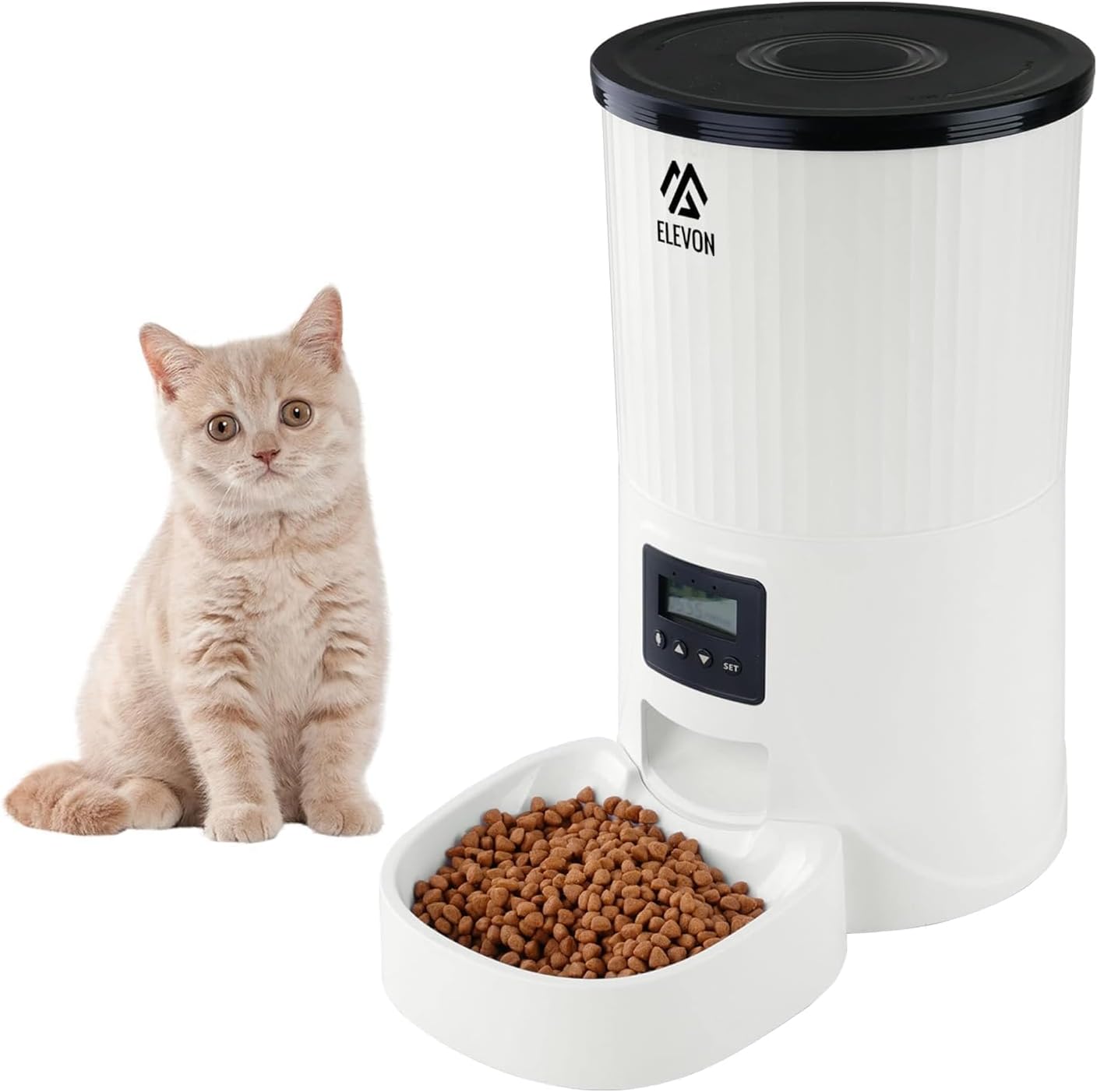
Image: The Elevon 4L Automatic Pet Feeder showing its dimensions (12.2 in. L x 7.2 in. W x 12.6 in. H).
Bedienungsanleitung
The control panel allows you to program feeding schedules, record voice messages, and adjust settings.

Bild: Nahaufnahme view of the feeder's control panel, showing the display and control buttons.
Systemsteuerung überview:
- Bildschirm: Shows current time, meal settings, and other indicators.
- Set-Taste: Dient zum Aufrufen des Programmiermodus und zum Bestätigen der Einstellungen.
- AUF-/AB-Pfeile: Dient zur Navigation in Menüs und zur Anpassung von Werten.
- Aufnahmetaste: Used to record and play voice messages.
1. Unlocking the Screen
To prevent accidental changes, the screen automatically locks. Long press the Pfeil nach UNTEN Zum Entsperren des Bildschirms die Taste 3 Sekunden lang gedrückt halten.
2. Setting System Time
- Entsperren Sie den Bildschirm.
- Drücken Sie lange die SATZ button for 3 seconds until the hour digit flashes.
- Verwenden Sie die Pfeile AUF/AB um die Stunde einzustellen. Drücken Sie SATZ Zur Bestätigung und zum Minutenprotokoll wechseln.
- Minuten anpassen mit Pfeile AUF/AB. Drücken Sie SATZ um die Einstellung für die Beendigungszeit zu bestätigen und zu beenden.
3. Programming Meal Times and Portions
The feeder allows you to schedule multiple meals per day with customizable portion sizes.
- Entsperren Sie den Bildschirm.
- Drücken Sie kurz die SATZ button to cycle through meal settings (Meal 1, Meal 2, etc.).
- When the desired meal number is displayed, the time will flash. Use Pfeile AUF/AB to set the feeding time (hour and minute). Press SATZ zur Bestätigung.
- Next, the portion size will flash. Use Pfeile AUF/AB to select the number of portions (each portion is approximately 10-15g, depending on kibble size). Press SATZ zur Bestätigung.
- Repeat for additional meals as needed. To disable a meal, set its portion size to '0'.
4. Custom Voice Recording
Nehmen Sie eine 10-sekündige Sprachnachricht auf, um Ihr Haustier zu den Fütterungszeiten zu rufen.
- Entsperren Sie den Bildschirm.
- Halten Sie die AUFZEICHNEN button. The display may show a recording indicator.
- Speak clearly into the microphone (usually located near the control panel) for up to 10 seconds.
- Lassen Sie den AUFZEICHNEN button to save the message.
- To play back the recording, short press the AUFZEICHNEN button. The recording will automatically play during each scheduled feeding.
5. Manuelle Zuführung
To dispense food immediately, long press the Pfeil nach oben button. Each long press will dispense one portion. This will not affect your programmed feeding schedule.
Wartung
Regular cleaning and maintenance ensure the longevity and hygienic operation of your pet feeder.
- Reinigung: The food tray and food reservoir are removable for cleaning. Handwäsche nur with mild soap and water. Rinse thoroughly and dry completely before reassembling. Do not immerse the main feeder body in water.
- Trockenmittelbeutel: Replace the desiccant bag every 1-2 months to maintain food freshness and prevent moisture buildup.
- Food Refill: Monitor the food level in the reservoir and refill as needed to ensure continuous feeding.
- Inspektion: Periodically check the feeder for any signs of damage or wear. Ensure the power cord is intact.
Fehlerbehebung
| Problem | Mögliche Ursache | Lösung |
|---|---|---|
| Futterautomat gibt kein Futter aus. | Food jammed, low food level, incorrect programming. | Check food level. Clear any food blockages in the dispenser. Verify meal times and portion settings. Ensure kibble size is appropriate. |
| Display screen is off. | No power, power adapter issue. | Ensure power adapter is securely plugged into the feeder and a working outlet. Try a different outlet. |
| Die Sprachaufnahme wird nicht abgespielt. | Keine Aufnahme gespeichert, geringe Lautstärke. | Re-record the voice message. Ensure the volume is not set to minimum (if adjustable, refer to specific model features). |
| Das Essen war nicht frisch. | Desiccant bag expired, lid not sealed. | Replace the desiccant bag. Ensure the top lid is securely closed to maintain an airtight seal. |
Technische Daten
| Besonderheit | Detail |
|---|---|
| Modellnummer | QD740-ELV-SPF-2 |
| Kapazität | 4 Liter |
| Produktabmessungen (L x B x H) | 12.2 x 7.2 x 12.6 Zoll |
| Artikelgewicht | 3.5 Pfund |
| Material | Acrylnitril-Butadien-Styrol (ABS) |
| Stromquelle | Kabelgebundene Elektrik |
| Betriebsmodus | Automatisch |
| Besondere Merkmale | Durable, Feeding Schedule, Portable, Removable, Timer, Voice Recorder |
| Hinweise zur Produktpflege | Nur Handwäsche (abnehmbare Teile) |
| Zielspezies | Cat, Dog (Small to Large) |
Garantie und Support
For warranty information, technical support, or service inquiries, please refer to the official Elevon webBesuchen Sie die Website oder kontaktieren Sie direkt den Kundenservice. Bewahren Sie Ihren Kaufbeleg als Kaufnachweis auf.
Kontaktinformationen: Please visit the official Elevon brand store or webDie aktuellsten Kontaktinformationen für den Support finden Sie auf dieser Website.