
Einführung
This manual provides detailed instructions for the installation, operation, and maintenance of your Anona Pano 4K UHD Indoor Security Camera. Please read this manual thoroughly before using the product to ensure proper function and safety. Keep this manual for future reference.
Packungsinhalt
Bitte überprüfen Sie, ob alle unten aufgeführten Artikel in Ihrem Paket enthalten sind:
- Anona Pano Camera (2 units)
- Mounting Plate (2 units)
- Kurzanleitung
- 5V2A Power Adapter (with 3m power cable) (2 units)
- Screw and Anchor Set (2 sets)
Aufstellen
1. Physische Installation
The Anona Pano camera is designed for indoor use and can be placed on a tabletop or mounted to a wall or ceiling.
- Platzierung der Tischplatte: Place the camera on a stable, flat surface in your desired monitoring area. Ensure it has a clear line of sight.
- Wand-/Deckenmontage:
- Wählen Sie einen geeigneten Montageort.
- Use the mounting plate as a template to mark screw holes.
- Löcher bohren und bei Bedarf Dübel einsetzen.
- Befestigen Sie die Montageplatte mit den mitgelieferten Schrauben.
- Befestigen Sie die Kamera an der Montageplatte, indem Sie sie drehen, bis sie einrastet.
2. Stromanschluss
Connect the provided 5V2A power adapter to the camera's power port and then plug it into a standard electrical outlet. The camera will power on automatically.
3. App-Download und Kontoerstellung
- Download the Anona app from your smartphone's app store (iOS or Android).
- Öffnen Sie die App und folgen Sie den Anweisungen auf dem Bildschirm, um ein neues Konto zu erstellen oder sich anzumelden, falls Sie bereits eines besitzen.
4. WiFi Verbindung
The Anona Pano camera supports dual-band Wi-Fi 6 (2.4 GHz and 5 GHz) for stable connectivity.
- In the Anona app, tap 'Add Device' or the '+' icon.
- Wählen Sie Ihr Kameramodell aus der Liste aus.
- Follow the app's instructions to connect the camera to your home Wi-Fi network. This typically involves scanning a QR code displayed on your phone with the camera or entering your Wi-Fi credentials.
- Stellen Sie sicher, dass Ihr Smartphone während des Einrichtungsvorgangs mit demselben WLAN-Netzwerk verbunden ist.

Image: The Anona Pano camera supports dual-band Wi-Fi 6 for improved network performance. This image illustrates the camera and the benefits of Wi-Fi 6 over older Wi-Fi 4 technology, showing faster and smoother connectivity.
5. Installation der microSD-Karte (optional)
For local storage, you can insert a microSD card (up to 512 GB, not included).
- Locate the microSD card slot on the camera. This may require gently tilting the camera lens upwards to reveal the slot.
- Setzen Sie die microSD-Karte mit den goldenen Kontakten nach unten ein, bis sie einrastet.
- Format the microSD card via the Anona app settings for optimal performance.
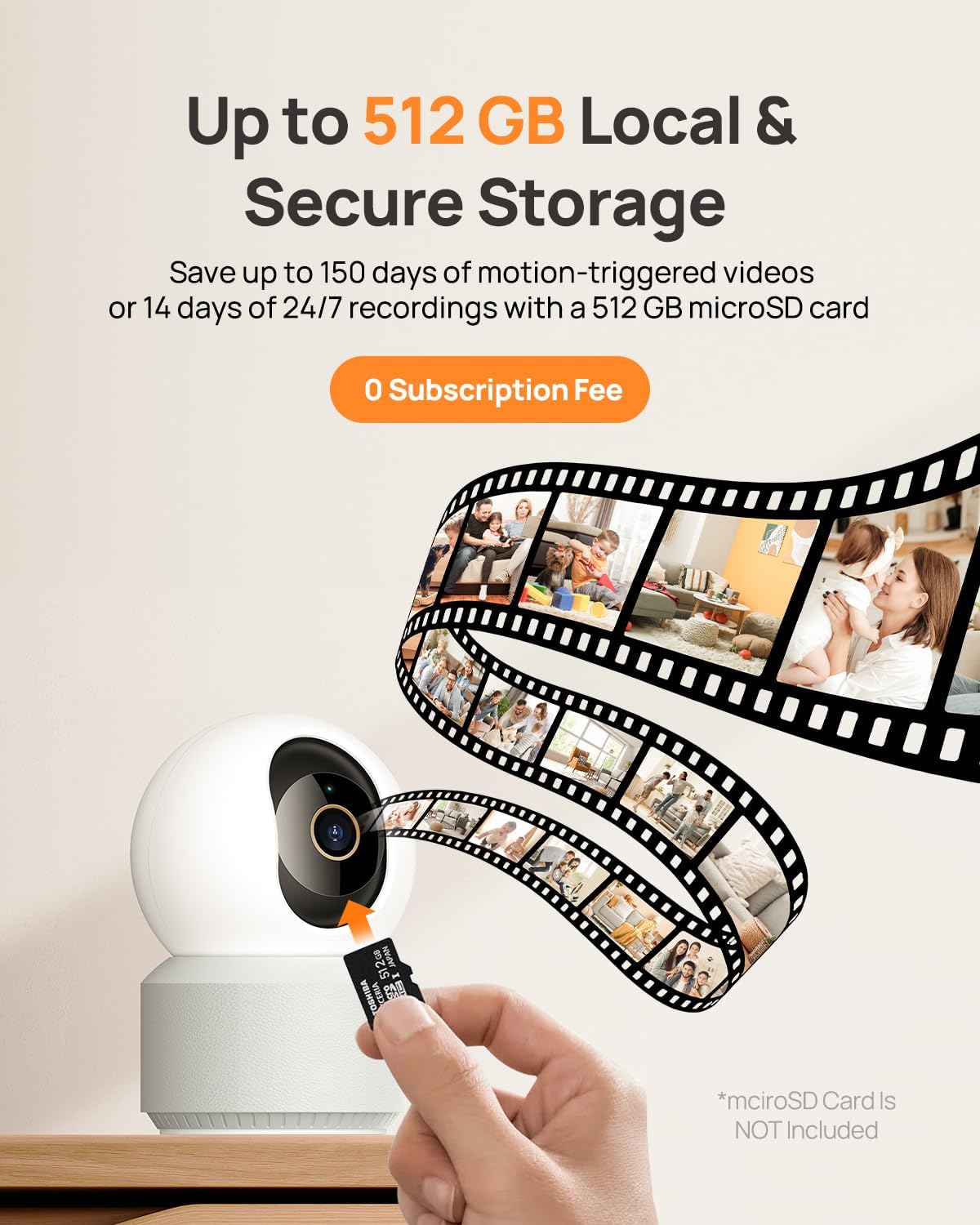
Image: A hand inserting a microSD card into the Anona Pano camera, demonstrating the local storage option. The graphic also shows a filmstrip, symbolizing video recordings saved to the card.
Bedienungsanleitung
1. Leben View und Aufzeichnung
Access the live video feed from your camera through the Anona app. The camera provides 4K UHD resolution with an 8x digital zoom capability.

Image: A visual comparison demonstrating the superior clarity of 4K UHD video (8 Megapixels) compared to 2K HD, highlighting the detail captured by the Anona Pano camera. The image features a baby interacting with a dog.
2. Schwenk- und Neigesteuerung
The camera offers a 360° horizontal pan and 110° vertical tilt range, allowing you to monitor a wide area.
- Im Live view interface of the Anona app, use the directional controls to manually adjust the camera's viewing-Winkel.

Image: The Anona Pano camera is shown with its 360° pan and 110° tilt capabilities, alongside a smartphone displaying the camera's live feed and control interface within the Anona app. This illustrates how users can remotely control the camera's movement.

Image: A close-up of the Anona Pano camera with graphical arrows indicating its 360° horizontal rotation (pan) and 110° vertical movement (tilt), demonstrating its extensive coverage range.
3. Automatische Verfolgung
Enable the auto-tracking feature in the app settings. When activated, the camera will automatically detect and follow moving objects within its field of view, um eine kontinuierliche Aufzeichnung der Aktivitäten zu gewährleisten.
4. AI Detection and Notifications
The camera utilizes AI algorithms to distinguish between different types of motion.
- Personenerkennung: Identifiziert menschliche Figuren.
- Haustiererkennung: Recognizes pets.
- Baby-Wein-Erkennung: Macht Sie auf das Geräusch eines weinenden Babys aufmerksam.
Configure notification settings in the Anona app to receive instant alerts on your smartphone when specific events are detected.
5. Zwei-Wege-Audio
Das eingebaute Mikrofon und der Lautsprecher ermöglichen die Zwei-Wege-Kommunikation.
- Im Live viewTippen Sie auf das Mikrofonsymbol, um durch die Kamera zu sprechen.
- Der Lautsprecher der Kamera überträgt Ihre Stimme, und Sie können den Ton vom Standort der Kamera hören.
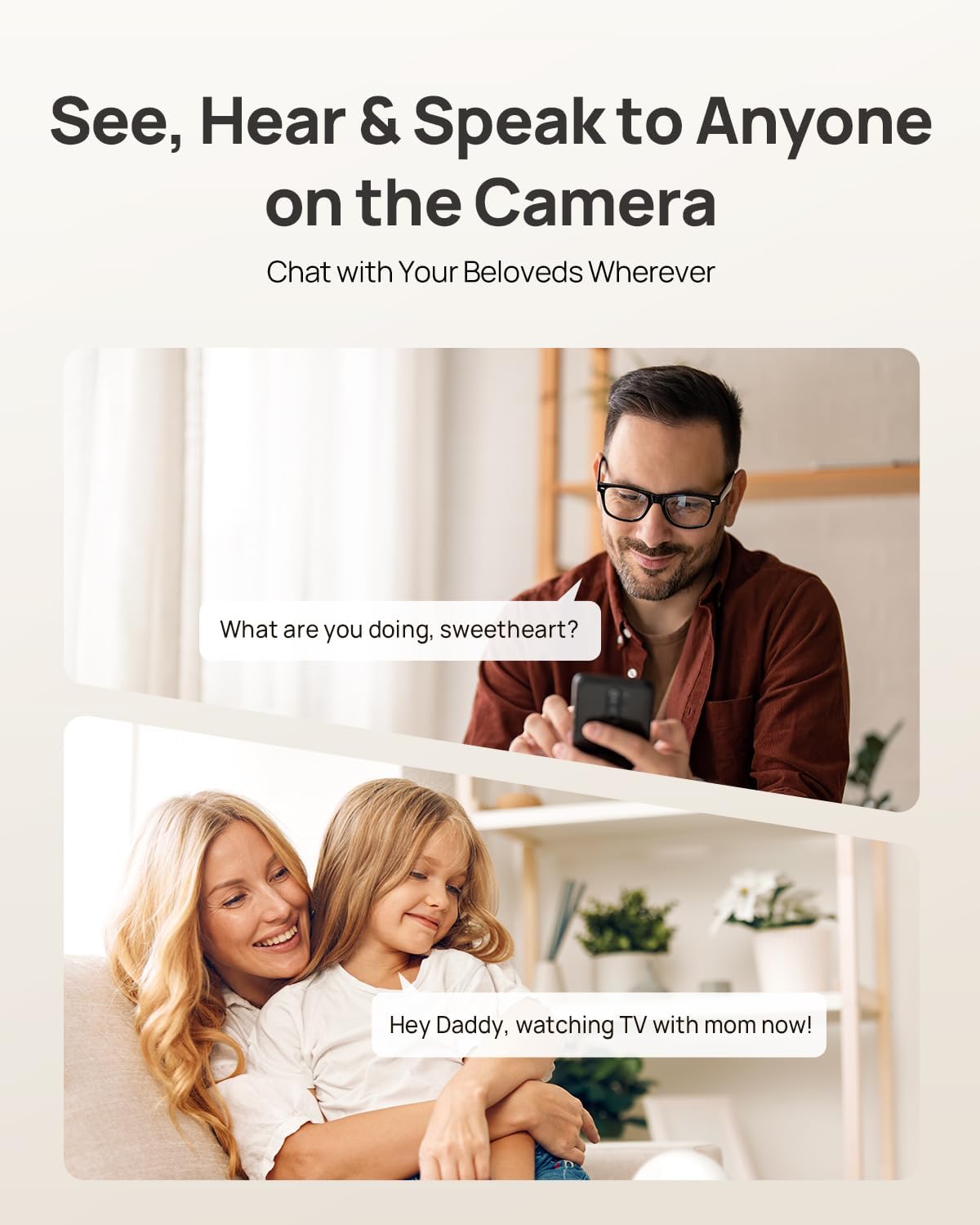
Image: This image illustrates the two-way audio functionality of the Anona Pano camera. A man is shown speaking into his phone, and a woman with a child is depicted listening, demonstrating how users can communicate remotely through the camera.
6. Datenschutzmodus
Activate Privacy Mode via the Anona app to physically cover the camera lens, ensuring privacy when needed. This stops recording and live viewing without unplugging the device.

Image: The Anona Pano camera is shown with its lens physically covered, indicating Privacy Mode is active. A woman holding a baby is in the background, and a smartphone displays the Anona app interface confirming that Privacy Mode is enabled, emphasizing user control over privacy.
7. Speicheroptionen
The Anona Pano camera offers two storage methods:
- Lokaler Speicher: Records to a microSD card (up to 512 GB, not included).
- Cloud-Speicher: Optional Anona Cloud service provides AES-128 encrypted storage for your recordings.
8. Smart Home Integration
The camera is compatible with Amazon Alexa and Google Assistant. Follow the instructions in the Anona app or your smart home assistant app to link your camera for voice control and integration.
Wartung
1. Reinigung der Kamera
Um eine optimale Bildqualität zu gewährleisten, reinigen Sie regelmäßig das Kameraobjektiv und das Kameragehäuse.
- Reinigen Sie die Linse mit einem weichen, trockenen und fusselfreien Tuch. Bei hartnäckigen Verschmutzungen kann sparsam ein Linsenreinigungsmittel für optische Geräte verwendet werden.
- Wischen Sie das Kameragehäuse mit einem weichen, leicht feucht gehaltenen Tuch ab.amp Tuch. Vermeiden Sie aggressive Chemikalien oder scheuernde Materialien.
- Stellen Sie sicher, dass die Kamera vor der Reinigung ausgeschaltet ist.
2. Firmware-Updates
Anona regularly releases firmware updates to improve performance, add features, and enhance security. Check for updates through the Anona app settings and install them as prompted.
3. Speicherverwaltung
- MicroSD-Karte: In regelmäßigen Abständenview and delete old recordings from the microSD card via the app to free up space. The card will typically overwrite the oldest footage, wenn voll.
- Cloud-Speicher: Manage your cloud recordings and subscription details through the Anona app.
Fehlerbehebung
| Problem | Mögliche Ursache | Lösung |
|---|---|---|
| Kamera lässt sich nicht einschalten | Netzteil nicht angeschlossen; Steckdose defekt. | Ensure power adapter is securely connected to camera and outlet. Try a different outlet. |
| Keine Verbindung zum WLAN möglich | Incorrect Wi-Fi password; camera too far from router; Wi-Fi signal interference; incorrect band (2.4GHz vs 5GHz). | Verify Wi-Fi password. Move camera closer to router. Ensure router is broadcasting both 2.4GHz and 5GHz bands and try connecting to both. Reduce interference from other devices. |
| No video feed / Offline | No internet connection; camera disconnected from power. | Check your home internet connection. Restart the camera by unplugging and replugging the power. |
| MicroSD-Karte zeichnet nicht auf | Card not inserted correctly; card full; card not formatted; faulty card. | Reinsert the card. Format the card via the app. Replace with a new, compatible microSD card if necessary. |
| Bewegungserkennung funktioniert nicht | Detection sensitivity too low; detection zone not set; feature disabled. | Adjust detection sensitivity in the app. Define detection zones. Ensure motion detection is enabled. |
Technische Daten
| Besonderheit | Spezifikation |
|---|---|
| Modellname | Anona Pano |
| Videoauflösung | 4K UHD (8 MP) |
| Einzelbildauflösung | 8 Megapixel |
| Schwenkbereich | 360° |
| Neigungsbereich | 110° |
| Optischer Zoom | 8x |
| Konnektivität | Wireless (Wi-Fi 6, Dual-band 2.4GHz/5GHz) |
| AI-Erkennung | Person, Pet, Baby Crying |
| Audio | Zwei-Wege-Audio |
| Speicheroptionen | MicroSD card (up to 512 GB, not included), Cloud Storage |
| Smart Home Kompatibilität | Amazon Alexa, Google Assistant |
| Stromversorgung | 5V2A Power Adapter (10W) |
| Innen-/Außenbereich | Innenbereich |
| Maße | 8.2 x 7.9 x 12.1 cm |
| Gewicht | 500 Gramm |
| Im Lieferumfang enthaltene Komponenten | Camera, Mounting Plate, Quick Start Guide, Power Adapter, Screw/Anchor Set |
Garantie
The Anona Pano 4K UHD Indoor Security Camera comes with a 1 Jahr eingeschränkte Garantie Diese Garantie gilt ab Kaufdatum und deckt Herstellungsfehler und Funktionsstörungen bei normalem Gebrauch ab. Sie deckt keine Schäden ab, die durch Missbrauch, Unfälle, unbefugte Änderungen oder Naturkatastrophen verursacht wurden. Bitte bewahren Sie Ihren Kaufbeleg für Garantieansprüche auf.
Unterstützung
For technical assistance, troubleshooting beyond this manual, or warranty inquiries, please refer to the official Anona website or contact Anona customer support. Contact information can typically be found on the product packaging or the manufacturer's webWebsite.