
Einführung
Thank you for choosing the AGM Motion Open Buds 1 In-Ear Headphones. These headphones are designed to provide a clear sound experience with an open-ear design, ensuring you stay connected to your surroundings while enjoying audio. This manual provides instructions for setup, operation, maintenance, and troubleshooting to ensure optimal performance and longevity of your device.
Produkt überview
The AGM Motion Open Buds 1 feature an ergonomic open-ear design, Bluetooth 5.4 connectivity, and intuitive touch controls. They are built for daily use and sports, offering water and sweat resistance.
Hauptmerkmale:
- Offenes Ohr-Design: Allows awareness of surroundings while listening to audio.
- Klarer Klang: Equipped with 13 mm speakers and high microphone sensitivity for balanced audio and clear calls.
- Lange Akkulaufzeit: Up to 6 hours of music playback on a single charge, with a total of approximately 24 hours using the charging case.
- Schnelles Laden: Universal Type-C charging port, fully charged in 2 hours.
- IPX4-Schutz: Resistant to daily splashes of water and sweat.
- Bluetooth 5.4: Stable connection with a range of 10m, compatible with iOS and Android devices.
- Automatische Kopplung: Simplifies connection process upon opening the charging box.
- Leicht und kompakt: Entwickelt für hohen Tragekomfort auch bei längerem Tragen.
- Intuitive Touch-Steuerung: Easy management of music playback and calls.

Abbildung 1: The AGM Open Buds 1 feature an open-ear design with Active Noise Cancellation (ANC) capabilities, allowing users to enjoy audio while remaining aware of their environment. Intelligent microphones and algorithms reduce background noise for clear sound.

Abbildung 2: The Open Buds 1 and their charging case weigh approximately 38 grams, featuring a slim, ergonomic open-ear design that rests gently outside the ear canal for comfortable wear.
Aufstellen
1. Aufladen des Geräts
Vor dem ersten Gebrauch die Kopfhörer und das Ladecase vollständig aufladen.
- Ladekoffer: Connect the provided Type-C charging cable to the charging port on the case and a power source. The case can be fully charged in approximately 2 hours.
- Ohrhörer: Place the earbuds into the charging case. They will charge automatically. The earbuds provide up to 6 hours of music playback (at 70% volume) or 5 hours of talk time on a single charge. The 300 mAh charging case extends the total usage time to approximately 24 hours.
- Batterieanzeige: The charging case features an LED battery smart display to show the current charge level.
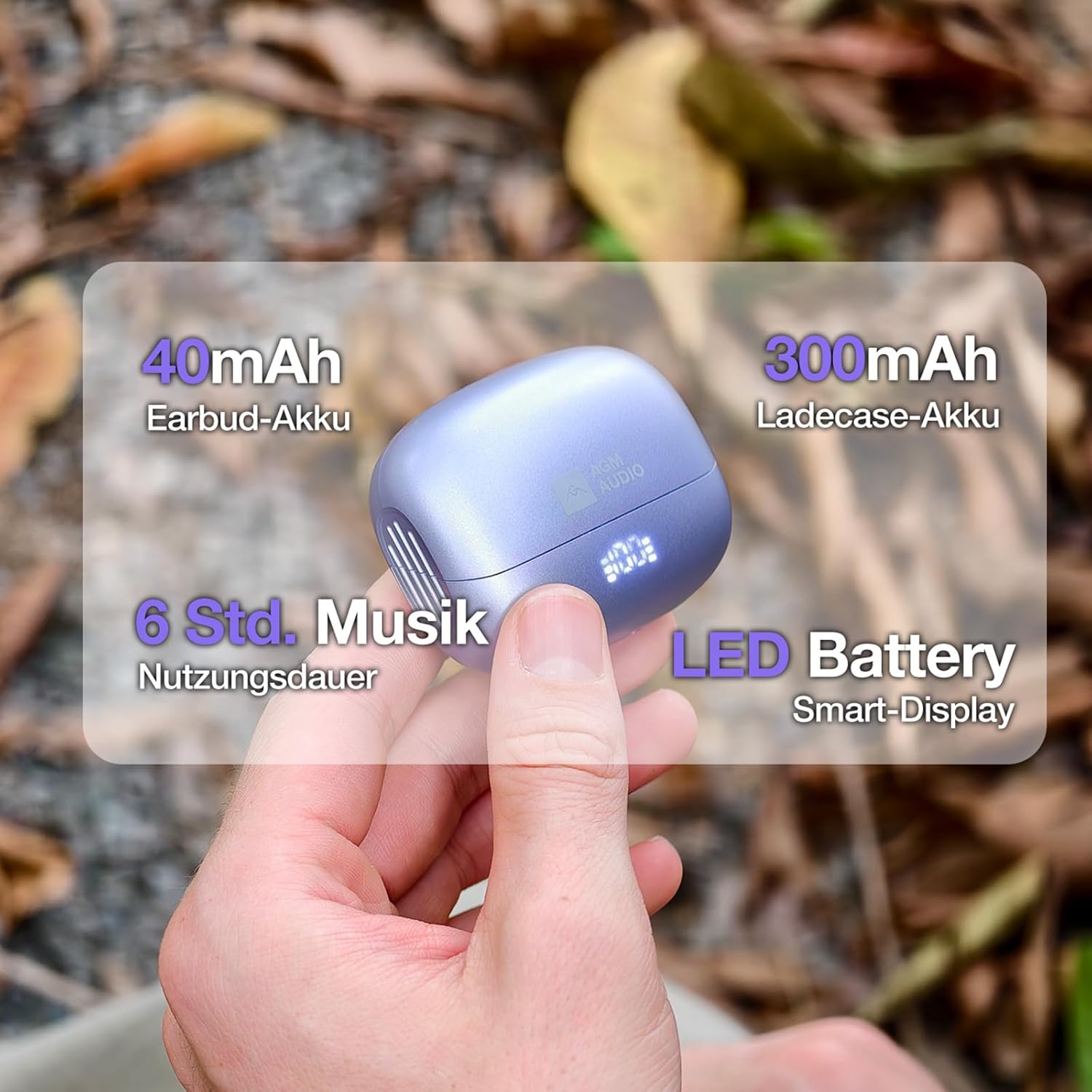
Abbildung 3: The charging case has a 300mAh battery, providing approximately 24 hours of total usage time. Each earbud contains a 40mAh battery, offering up to 6 hours of music playback. An LED display on the case indicates battery status.
2. Koppeln mit einem Gerät
- Öffnen Sie das Ladecase. Die Ohrhörer schalten sich automatisch ein und wechseln in den Kopplungsmodus.
- Öffnen Sie auf Ihrem Smartphone oder Bluetooth-fähigen Gerät die Bluetooth-Einstellungen.
- Suchen nach available devices and select "S65D" from the list.
- Sobald die Verbindung hergestellt ist, hören Sie einen Bestätigungston, und die Ohrhörer sind einsatzbereit.
The earbuds support Bluetooth 5.4 for a stable connection up to 10 meters and are compatible with both iOS and Android devices.
Bedienungsanleitung
Touch-Steuerung:
The AGM Motion Open Buds 1 feature intuitive touch controls on each earbud. Specific functions may vary slightly depending on your device and application.
- Abspielen/Pause: Tippen Sie einmal auf einen der Ohrhörer.
- Anruf annehmen/beenden: Tippen Sie einmal auf einen der Ohrhörer.
- Anruf ablehnen: Halten Sie einen der Ohrhörer 2 Sekunden lang gedrückt.
- Nächster Titel: Tippen Sie zweimal auf den rechten Ohrhörer.
- Vorheriges Lied: Tippen Sie zweimal auf den linken Ohrhörer.
- Sprachassistent: Triple tap either earbud (if supported by your device).
Ein-/Ausschalten:
- Einschalten: Öffnen Sie das Ladeetui und die Ohrhörer schalten sich automatisch ein.
- Ausschalten: Place the earbuds back into the charging case and close the lid. They will automatically power off after 2-3 seconds.
Wartung
Durch sachgemäße Pflege werden die Langlebigkeit und Leistungsfähigkeit Ihrer Kopfhörer sichergestellt.
- Reinigung: Reinigen Sie die Ohrhörer und das Ladecase mit einem weichen, trockenen und fusselfreien Tuch. Verwenden Sie keine scharfen Chemikalien oder Scheuermittel.
- Wasserbeständigkeit: The headphones are IPX4 rated, meaning they are resistant to splashes of water and sweat. Do not submerge them in water or expose them to heavy rain. Ensure they are dry before placing them back in the charging case.
- Lagerung: When not in use, store the headphones in their charging case to protect them from dust and damage. Avoid extreme temperatures.
- Batteriepflege: The battery can withstand up to 300 charging cycles. To prolong battery life, avoid fully discharging the battery frequently.

Abbildung 4: The Open Buds 1 are IPX4 certified, making them sweat and splash resistant. This makes them suitable for active lifestyles, including jogging, hiking, or daily activities where exposure to light moisture may occur.
Fehlerbehebung
If you encounter issues with your AGM Motion Open Buds 1, refer to the following common solutions:
| Problem | Lösung |
|---|---|
| Ohrhörer lassen sich nicht koppeln |
|
| Kein Ton von einem Ohrhörer |
|
| Ladeetui lädt nicht |
|
| Schlechte Tonqualität |
|
Technische Daten
| Besonderheit | Detail |
|---|---|
| Modellnummer | AGM open buds 1 |
| Marke | Hauptversammlung |
| Konnektivitätstechnologie | Kabellos (Bluetooth 5.4) |
| Bluetooth-Chipsatz | JL6983D2 |
| Bluetooth-Protokolle | A2DP, AVRCP, HSP, HFP |
| Drahtlose Reichweite | ≥10 m |
| Lautsprechergröße | Φ13 mm full-range speakers |
| Lautsprecherimpedanz | 32 Ω |
| Nennleistung des Lautsprechers | 3 mW |
| Frequenzgang | 20 Hz bis 20 kHz |
| Audio-Signal-Rausch-Verhältnis | ≥90 dB |
| Mikrofonempfindlichkeit | -42 dB±3 |
| Akkukapazität der Ohrhörer | 40 mAh |
| Akkukapazität des Ladegehäuses | 300 mAh |
| Musikwiedergabezeit | Bis zu 6 Stunden (bei 70 % Lautstärke) |
| Gesprächszeit | Bis zu 5 Stunden |
| Gesamtwiedergabezeit (mit Hülle) | Ca. 24 Stunden |
| Ladezeit | Ca. 2 Stunden (bei voller Ladung) |
| Standby-Zeit | Bis zu 40 Stunden |
| Ladeanschluss | Typ C |
| Wasserschutzbewertung | IPX4 |
| Material | PC + ABS Kunststoff |
| Abmessungen der Ohrhörer | 34.26 mm × 25.05 mm × 21.29 mm |
| Abmessungen des Ladekoffers | 61.4 mm × 50 mm × 25.8 mm |
| Gesamtgewicht | Ca. 37.3g |
Garantie und Support
For warranty information and customer support, please refer to the documentation included with your purchase or visit the official AGM webBewahren Sie Ihren Kaufbeleg für eventuelle Garantieansprüche auf.