
1. Einleitung
Vielen Dank für Ihren Einkauf.asing the DEPSTECH DS620-TL Triple Lens Endoscope Camera. This device is designed for visual inspection in hard-to-reach areas, featuring a 1080P triple-lens camera, a 5-inch IPS monitor, and an IP67 waterproof semi-rigid cable. This manual provides essential information for safe and effective use of your endoscope camera.
2. Produktüberschreitungview
2.1 Hauptmerkmale
- 1080P Triple Lens Camera: Equipped with three cameras (front, side B, side C) for multi-angle inspection.
- 5-Zoll-IPS-Monitor: Provides clear, real-time images with excellent color reproduction.
- IP67 Wasserdichte Sonde: The 7.9mm diameter semi-rigid cable is waterproof, suitable for wet environments.
- Einstellbare LED-Leuchten: Features 8+1+1 high-brightness LED chips with adjustable intensity for optimal illumination.
- 5M Semi-Rigid Cable: Offers flexibility and durability for navigating various spaces.
- Wiederaufladbarer Akku: Built-in battery provides approximately 2-3 hours of continuous operation.
2.2 Packungsinhalt
Stellen Sie sicher, dass alle Artikel im Paket vorhanden sind:
- DEPSTECH DS620-TL Endoscope Camera
- Typ C Ladekabel
- Hook and Magnet Attachments
- Aufbewahrungsbeutel mit Kordelzug
- Bedienungsanleitung

Abbildung 2.2: Mitgeliefertes Zubehör und Hauptgerät.
3. Sicherheitshinweise
- Das Gerät darf nicht in Umgebungen mit brennbaren oder explosiven Gasen verwendet werden.
- Halten Sie das Gerät von starken elektromagnetischen Feldern fern.
- Avoid direct exposure of the camera lens to strong light sources.
- Versuchen Sie nicht, das Gerät zu zerlegen oder zu verändern. Reparaturen dürfen nur von autorisiertem Fachpersonal durchgeführt werden.
- Um Unterbrechungen während der Inspektion zu vermeiden, stellen Sie sicher, dass das Gerät vor Gebrauch vollständig aufgeladen ist.
- Clean the probe and lens after each use, especially after contact with liquids or corrosive substances.
4. Einrichtung
4.1 Aufladen des Geräts
Connect the provided Type-C charging cable to the device's charging port and a suitable USB power adapter (not included). The charging indicator will show the charging status. A full charge typically takes 2-3 hours.
4.2 Einlegen einer Micro SD-Karte
To save photos and videos, a Micro SD card (Class 10/Class 10 or higher, 8-32GB) is required (not included). Locate the Micro SD card slot on the side of the monitor unit and insert the card until it clicks into place.
4.3 Anbringen von Zubehör
The endoscope comes with hook and magnet attachments. These can be screwed onto the tip of the camera probe for retrieving small objects or maneuvering in tight spaces.

Figure 4.3: Magnet and hook attachments for the probe.
5. Bedienungsanleitung
5.1 Ein-/Ausschalten
Press and hold the power button (usually located on the side or front panel) for a few seconds to turn the device on. The screen will display the DEPSTECH logo. To power off, press and hold the power button again.

Figure 5.1: Monitor button layout and functions.
5.2 Linsenwechsel
The DS620-TL features a triple-lens system. Press the lens switch button (often labeled with a camera icon or 'M') to cycle between Front Camera A, Side Camera B, and Side Camera C. This allows for comprehensive viewing without repositioning the probe.

Figure 5.2: Triple lens camera detail.
5.3 Einstellen der LED-Helligkeit
Use the up/down arrow buttons on the monitor to adjust the brightness of the LED lights on the camera probe. There are multiple levels of brightness to suit different inspection environments.
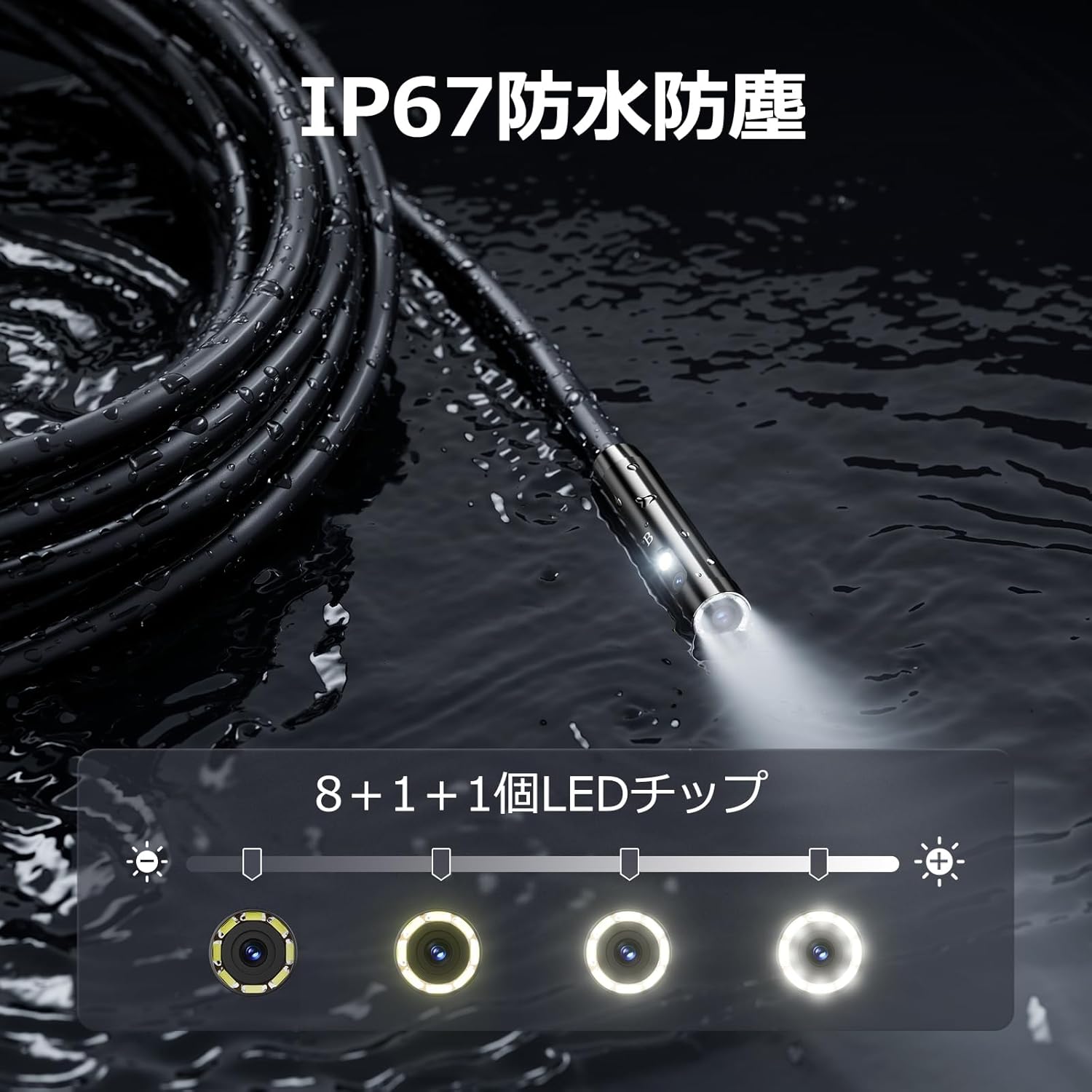
Figure 5.3: IP67 waterproof probe with adjustable LED illumination.
5.4 Fotografieren und Videoaufnahmen
Press the photo/video button (usually a camera icon) to capture a still image. To record video, press and hold the photo/video button; press again to stop recording. Ensure a Micro SD card is inserted to save your media.

Figure 5.4: Monitor interface for photo and video capture.
5.5 Bildschirmdrehung
Press the screen rotation button (often a circular arrow icon) to rotate the image on the monitor by 180 degrees. This is useful when the probe is in an inverted position.
5.6 Praktische Anwendungen
The DS620-TL is suitable for various tasks including home appliance maintenance, pipe inspection, wall wiring checks, and automotive repairs.

Figure 5.6: Various inspection scenarios for the endoscope.
5.7 Produktdemonstrationsvideo
Video 5.7: A demonstration of the DEPSTECH DS620-TL endoscope camera in use, showcasing seine Funktionen und Anwendungen.
6. Wartung
6.1 Reinigung der Sonde und der Linse
After each use, especially in dirty or wet conditions, gently wipe the camera probe and lens with a soft, dry cloth. For stubborn dirt, a slightly damp Ein Tuch kann verwendet werden, anschließend trocknen lassen. Keine Scheuermittel oder Lösungsmittel verwenden.
6.2 Speicherung
Store the endoscope camera in a cool, dry place, away from direct sunlight and extreme temperatures. Use the provided drawstring bag for protection. Ensure the cable is coiled neatly without sharp bends.
6.3 Batteriepflege
To prolong battery life, avoid fully discharging the device frequently. If storing for an extended period, charge the battery to approximately 50% every three months.
7. Fehlerbehebung
7.1 Kein Bild auf dem Bildschirm
- Stellen Sie sicher, dass das Gerät eingeschaltet und vollständig aufgeladen ist.
- Check if the camera cable is securely connected to the monitor unit.
- Passen Sie die LED-Helligkeit an, um eine ausreichende Ausleuchtung des Inspektionsbereichs zu gewährleisten.
7.2 Cannot Record Photos/Videos
- Verify that a compatible Micro SD card (Class 10/Class 10 or higher, 8-32GB) is inserted correctly.
- Prüfen Sie, ob auf der Micro-SD-Karte ausreichend freier Speicherplatz vorhanden ist.
- Ensure the Micro SD card is not locked (read-only).
- Try formatting the Micro SD card (this will erase all data).
7.3 Gerät lädt nicht
- Ensure the Type-C charging cable is properly connected to both the device and the power source.
- Try using a different USB power adapter or charging cable.
- Überprüfen Sie den Ladeanschluss auf Schmutz oder Beschädigungen.
If you encounter issues not listed here or if the problem persists, please contact DEPSTECH customer support.
8. Spezifikationen
| Besonderheit | Spezifikation |
|---|---|
| Marke | DEPSTECH |
| Modellname | DS620TL-JP |
| Farbe | Schwarz |
| Wasserdichtigkeit | IP67 |
| Medientyp | SD Memory Card (8-32GB, Class 10/Class 10 or higher recommended) |
| File Format | MP4, MOV, AVI, JPEG, RAW |
| Videoaufnahmeformat | MP4 |
| ViewSuchtyp | IPS |
| Sensortyp | CMOS |
| Auflösung des Fotosensors | 2.1 Megapixel |
| Fokus Funktion | Fester Fokus |
| Autofokus | NEIN |
| Durchschnittliche Batterielebensdauer | 2 Stunden |
| Im Lieferumfang enthaltene Komponenten | Type-C Cable, Attachments, Storage Drawstring Bag |
| Herstellergarantie | 2 Jahre |
| Ursprungsland | China |
9. Garantie und Support
9.1 Herstellergarantie
The DEPSTECH DS620-TL comes with a 24-month manufacturer warranty. Your order number serves as proof of purchase for warranty claims.
9.2 Kundendienst
For any inquiries, technical assistance, or warranty claims, please contact our dedicated support team:
- E-Mail: support@depstech.com
- Ansprechzeit: We aim to respond to all inquiries within 24 hours. For requests submitted on weekends or holidays, a response will be provided on the next business day.

Figure 9.2: DEPSTECH support details.