
1. Einleitung
The ANCEL MR500 is a marine diagnostic tool designed for Yamaha WaveRunner (PWC) and Outboard Engine models from 2003 to 2022. This device facilitates advanced diagnostics, parameter configuration, and performance analysis by communicating with the Engine Control Unit (ECU) and Engine Management Module (EMM).

Image 1.1: The ANCEL MR500 Marine Diagnostic Tool, showcasing its 5-inch touchscreen interface.
2. Packungsinhalt
Überprüfen Sie, ob alle Artikel im Paket vorhanden sind:
- ANCEL MR500 Diagnostic Tool
- Diagnostic Cable(s) for Yamaha connection
- USB Cable for updates and power
- Benutzerhandbuch (dieses Dokument)
- Harte Schutzhülle

Image 2.1: The ANCEL hard protective case, measuring 13.38 x 8.68 x 4.33 inches, designed for storage and transport of the MR500 and its accessories.

Image 2.2: Illustrates the portability of the ANCEL MR500 protective case.
3. Produktmerkmale
- Umfassende Diagnostik: Supports all Yamaha WaveRunner (PWC) and Outboard Engine models from 2003–2022.
- ECU and Fault Code Management: Reads and clears diagnostic trouble codes (DTCs) to identify and resolve engine issues.
- 15+ Sonderfunktionen: Includes active tests, parameter configurations, and service resets.
- Benutzerfreundliche Oberfläche: Features a 5.0-inch touchscreen tablet for intuitive operation.
- Datenpräsentation: Offers multiple display methods for live data, including graphs, tables, and dashboards, along with data freeze frame capabilities.
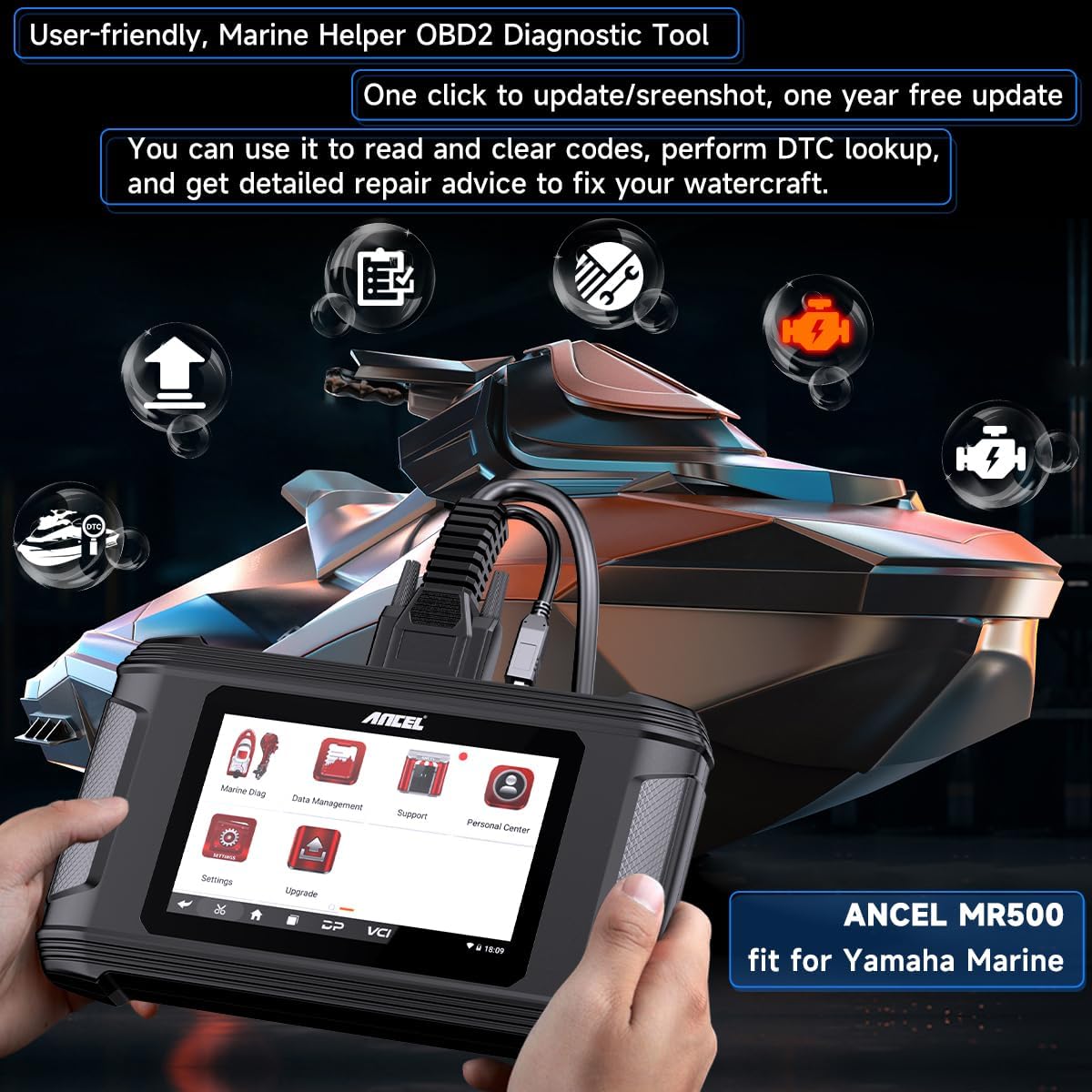
Image 3.1: The ANCEL MR500's user-friendly interface, highlighting features like updates, screenshots, and DTC lookup.
4. Kompatibilität
The ANCEL MR500 is compatible with the following Yamaha models:
- Yamaha WaveRunner (PWC) Models (2003-2022): EX, EX Deluxe, EX Sport, EXR, EXR Deluxe, FX, FX 140, FX Cruiser, FZR, FZS, GP1300R, GP1800, GP1800R, VX, VX Cruiser, VX Cruiser HO, VX Deluxe, VX Sport, VXR, VXS, and more.
- Yamaha HPDI Outboard Engine Models (up to 2022): XF375, XF425, Z150, Z175, Z200, Z225, Z250, Z300, and more.

Image 4.1: The ANCEL MR500 supports a wide range of Yamaha watercraft and outboard engine models from 2003 to 2022.
5. Einrichtung
- Einschalten: Connect the diagnostic tool to a power source using the provided USB cable, or ensure the internal battery is charged.
- Mit dem Fahrzeug verbinden: Locate the diagnostic port on your Yamaha WaveRunner or Outboard Engine. Connect the appropriate diagnostic cable from the MR500 to the vehicle's diagnostic port.
- Erster Start: The device will power on automatically or prompt you to press the power button. Follow any on-screen instructions for initial setup, such as language selection.
6. Bedienungsanleitung
6.1 Grundlegende Navigation
The MR500 features a 5.0-inch touchscreen. Navigate through menus by tapping icons and options. Use the back button or gestures as indicated on-screen to return to previous screens.
6.2 Diagnosefunktionen
After connecting the tool to your Yamaha vehicle, select the 'Marine Diag' option from the main menu to access diagnostic features.
- Steuergeräteinformationen abrufen: Access details about the Engine Control Unit.
- Codes lesen: Display current, pending, and historical diagnostic trouble codes (DTCs).
- Codes löschen: Erase DTCs from the ECU memory after repairs are completed.
- DTC-Suche: Provides definitions and potential causes for specific DTCs.
- Betriebsstunden ablesen: View die Gesamtbetriebsstunden des Motors.
- Data Freeze Frame: Captures specific vehicle data at the moment a fault code is set.
- Live-Datenstrom: Displays real-time sensor data and parameters. This data can be viewed in various formats, including graphs, tables, and dashboards, for comprehensive analysis.

Bild 6.1: Überview of diagnostic functions available for Yamaha watercraft and outboard engines.

Image 6.2: The MR500 provides comprehensive data presentation through graphs, tables, dashboards, output reports, and data freeze frames.
6.3 Sonderfunktionen
The MR500 offers over 15 special functions to assist with maintenance and component testing. Access these functions through the 'Special Functions' menu.
- Aktiver Test: Send commands to activate specific components (e.g., ignition coil, injector, electric fuel pump) to verify their functionality.
- Tilt Limiter Set: Adjust or reset the tilt limiter settings.
- Oil Change Table: Access information related to oil change procedures.
- Remote Control System Reset: Reset the remote control system.
- Engine Records: View historical engine data.
- Rotor Reset (FWM): Perform rotor reset procedures.
- Oil Change Records: Access records of previous oil exchanges.
- SCU Configuration: Configure the System Control Unit.
- Initial Learning: Perform initial learning procedures for various systems.
- RIDE Bucket Learning: Conduct learning procedures for the RIDE bucket system.
- Übertragungstest: Perform tests on the transmission system.

Image 6.3: The MR500 offers over 15 special functions for comprehensive maintenance and system adjustments.

Image 6.4: The Active Test function allows verification of specific component functionality by sending activation commands.
7. Wartung
- Software-Updates: The MR500 includes a free one-year software update. Connect the device to a computer with internet access and use the provided update software to ensure the tool has the latest diagnostic data and features.
- Reinigung: Verwenden Sie ein weiches, trockenes Tuch, um das Gerät zu reinigen. Vermeiden Sie scheuernde Reiniger oder Lösungsmittel.
- Lagerung: Store the tool in its protective case in a dry, cool environment when not in use.
8. Fehlerbehebung
- Gerät lässt sich nicht einschalten: Ensure the battery is charged or the device is connected to a stable power source via the USB cable.
- Verbindungsprobleme: Verify that the diagnostic cable is securely connected to both the MR500 and the vehicle's diagnostic port. Ensure the vehicle's ignition is on.
- Codes konnten nicht gelesen werden: Confirm vehicle compatibility and that the correct vehicle model and year have been selected in the tool's menu. Check for any damaged cables.
- Softwareaktualisierung fehlgeschlagen: Ensure a stable internet connection and sufficient storage space on the device. Restart the update process if necessary.
9. Spezifikationen
| Besonderheit | Detail |
|---|---|
| Modell | MR500 |
| Anzeige | 5.0-Zoll-Touchscreen |
| Fahrzeugabdeckung | Yamaha WaveRunner (PWC) & Outboard Engines (2003-2022) |
| Diagnosefunktionen | Read/Clear DTCs, Live Data, Freeze Frame, ECU Info, Engine Hours |
| Sonderfunktionen | 15+ functions including Active Test, Tilt Limiter Set, Oil Change Table, Remote Control System Reset |
| Software-Updates | 1-year free updates included |
| Protective Case Dimensions | 13.38 x 8.68 x 4.33 Zoll |
10. Unterstützung
For technical assistance, warranty information, or further inquiries, please contact ANCEL customer support. The product includes 24/7 email support and a free one-year software update.
Please refer to the official ANCEL webDie aktuellsten Kontaktdaten finden Sie auf unserer Website oder in Ihren Kaufunterlagen.