
Einführung
This instruction manual provides detailed information on the setup, operation, and maintenance of your Kuephom CD Player Boombox with Cassette Player, Model CD-X2A. Please read this manual thoroughly before using the device to ensure proper functionality and to maximize your listening experience. Keep this manual for future reference.
Produkt überview
The Kuephom CD Player Boombox is a versatile audio system designed for both modern and classic audio formats. It features CD, cassette, Bluetooth, FM/AM radio, USB, and AUX input capabilities.

This image displays the Kuephom CD Player Boombox, highlighting its versatile features including CD/MP3 playback, Bluetooth connectivity, Type I/II tape support, USB input, FM/AM radio, sleep timer, remote control, phone jack, AUX input, and tape recording capabilities.
Packungsinhalt

This image shows the items included in the product package: the CD Player Boombox, an AC Power Cord, the User Manual, and a Remote Control.
- Kuephom CD Player Boombox (Model CD-X2A)
- Netzkabel
- Fernbedienung
- Bedienungsanleitung
Aufstellen
Stromversorgung des Geräts
Your Kuephom CD Player Boombox can be powered by either AC power or batteries.

This image illustrates the dual power options for the boombox: AC power for indoor use and battery power (6 C-size batteries, not included) for portable outdoor use.
AC Power (for Home Use)
- Ensure the boombox is turned off.
- Connect the AC power cord to the AC input jack on the back of the unit.
- Stecken Sie das andere Ende des Netzkabels in eine normale Wandsteckdose.
Battery Power (for Outdoor/Portable Use)
- Ensure the boombox is turned off.
- Öffnen Sie den Batteriefachdeckel an der Unterseite des Geräts.
- Insert 6 C-size batteries (not included), ensuring correct polarity (+/-).
- Schließen Sie den Batteriefachdeckel fest.
Antenneneinstellung
For optimal FM/AM radio reception, extend the telescopic antenna fully and adjust its position. For AM reception, rotating the unit itself may improve signal quality.
Bedienungsanleitung
Allgemeine Kontrollen
Familiarize yourself with the main controls on the unit and the remote control for easy operation.

This image shows the Kuephom CD Player Boombox along with its remote control, demonstrating its convenience for operation from a distance.
CD-Wiedergabe

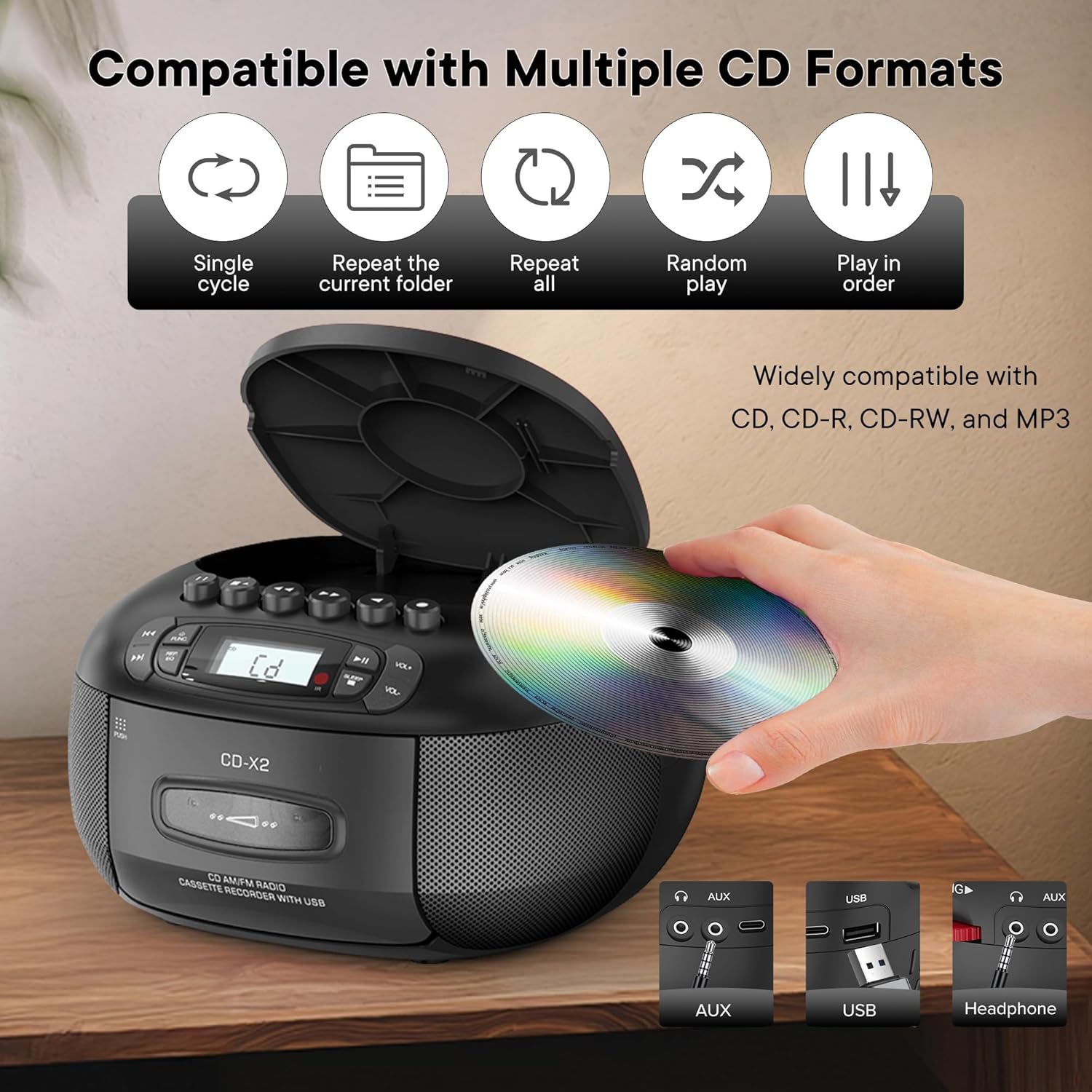
This image illustrates the CD compatibility of the boombox, supporting CD, CD-R, CD-RW, and MP3 formats. It also shows various playback modes: single cycle, repeat current folder, repeat all, random play, and play in order.
- Drücken Sie die FUNK button to select CD mode. The display will show "CD".
- Öffnen Sie die CD-Fachabdeckung durch Drücken der Taste ÖFFNEN/SCHLIESSEN Taste.
- Legen Sie eine CD (CD, CD-R, CD-RW oder MP3-CD) mit der beschrifteten Seite nach oben auf die Spindel.
- Close the CD compartment cover. The unit will read the disc and display the total number of tracks.
- Drücken Sie die WIEDERGABE/PAUSE Taste, um die Wiedergabe zu starten.
- Verwenden Sie die NACH VORNE SPULEN or RÜCKWÄRTS ÜBERSPRINGEN Tasten zur Navigation zwischen den Titeln.
- Drücken Sie die REP/EQ button repeatedly to cycle through repeat modes (single track, repeat all, random play).
- Stellen Sie die Lautstärke mit den Lautstärke+ Und vol- Schaltflächen.
Kassettenwiedergabe und -aufnahme
This image shows a user inserting a cassette tape into the boombox, emphasizing its cassette playback and recording functions.
Wiedergabe
- Drücken Sie die FUNK button to select TAPE mode. The display will show "TAP".
- Drücken Sie die DRÜCKEN Taste zum Öffnen des Kassettenfachs.
- Legen Sie eine Kassette mit der offenen Kante nach oben ein.
- Schließen Sie das Kassettenfach.
- Drücken Sie die SPIELEN button (usually indicated by a triangle symbol) to start playback.
- Verwenden Sie die SCHNELLER VORLAUF or ZURÜCKSPULEN Tasten zum schnellen Durchblättern des Bandes.
- Drücken Sie die STOP/AUSWERFEN button to stop playback or eject the tape.
Aufnahme
You can record audio from CD, Bluetooth, USB, or FM/AM radio onto a cassette tape.
- Legen Sie eine leere Musikkassette in das Kassettenfach ein.
- Select the desired source (CD, Bluetooth, USB, or Radio) using the FUNK Taste.
- Start playback on the source (e.g., play a CD track, start Bluetooth streaming).
- Drücken Sie die AUFZEICHNEN button (usually indicated by a red circle) on the boombox. The unit will begin recording the audio onto the cassette.
- Drücken Sie die STOPPEN Taste zum Beenden der Aufnahme.
FM / AM Radio
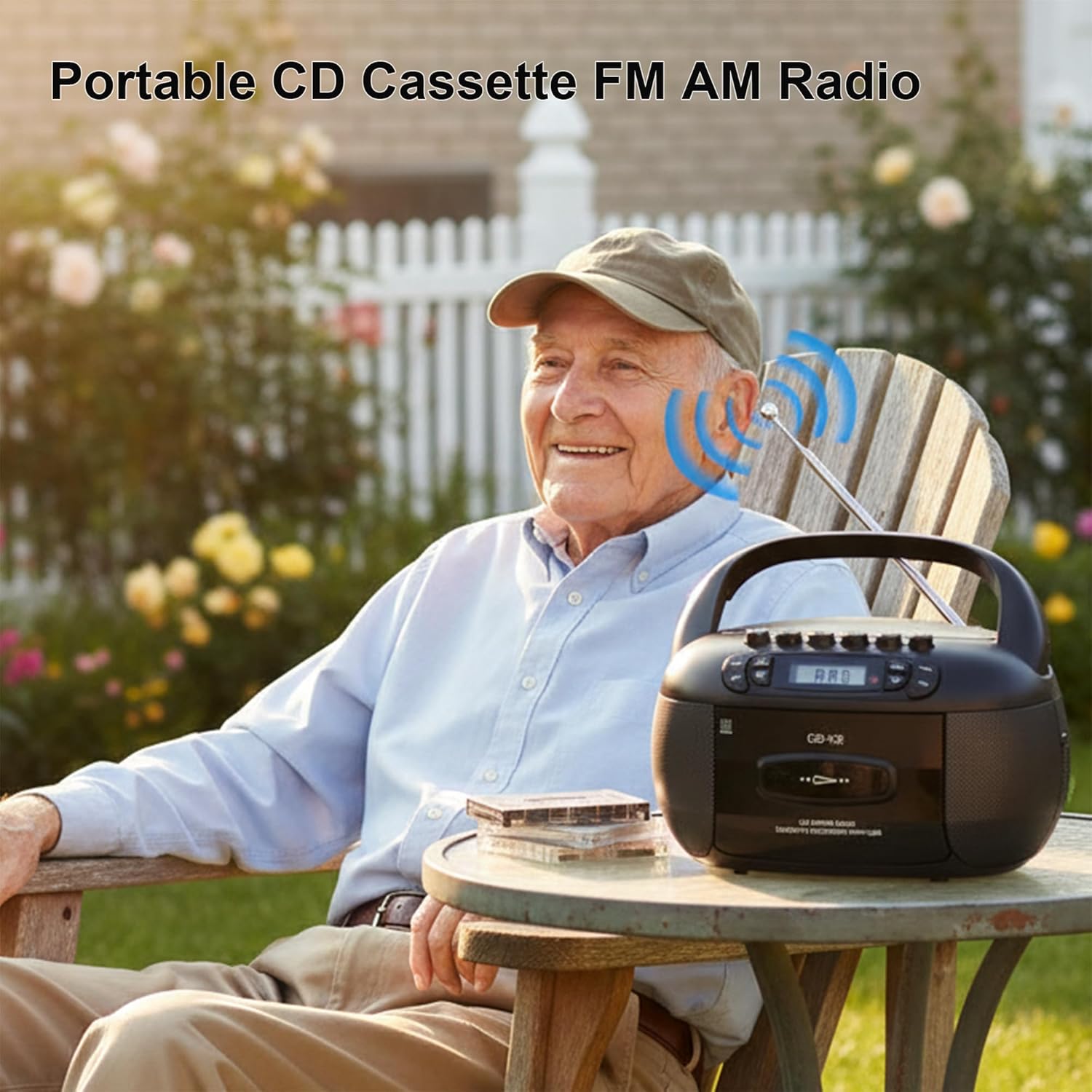
This image depicts a user enjoying the portable FM/AM radio function of the boombox outdoors, with the antenna extended for better reception.
- Drücken Sie die FUNK button to select RADIO mode. The display will show "rAd".
- Extend the telescopic antenna for FM reception. For AM, adjust the unit's position.
- Verwenden Sie die TUNING Knopf (oder ÜBERSPRINGEN buttons if available) to tune to your desired FM or AM station. The frequency will be displayed.
- Stellen Sie die Lautstärke mit den Lautstärke+ Und vol- Schaltflächen.
Bluetooth-Konnektivität

The image demonstrates the boombox's Bluetooth functionality, allowing wireless audio streaming from a smartphone.
- Drücken Sie die FUNK button to select Bluetooth mode. The display will show "bt" and flash, indicating it's in pairing mode.
- Aktivieren Sie Bluetooth auf Ihrem Smartphone oder einem anderen Bluetooth-fähigen Gerät und suchen Sie nach verfügbaren Geräten.
- Select "Kuephom CD-X2A" (or similar name) from the list of devices.
- Nach erfolgreicher Kopplung leuchtet die "bt"-Anzeige auf dem Display der Boombox nicht mehr, sondern dauerhaft.
- Sie können nun Audio von Ihrem angeschlossenen Gerät über die Boombox abspielen.
USB/MP3-Wiedergabe
- Drücken Sie die FUNK button to select USB mode. The display will show "USB".
- Stecken Sie einen USB-Speicherstick in den USB-Anschluss des Geräts.
- The unit will automatically detect and begin playing MP3/WMA files vom USB-Laufwerk.
- Verwenden Sie die WIEDERGABE/PAUSE, NACH VORNE SPULEN, Und RÜCKWÄRTS ÜBERSPRINGEN Tasten zur Steuerung der Wiedergabe.
AUX-Eingang
- Drücken Sie die FUNK Drücken Sie diese Taste, um den AUX-Modus auszuwählen. Im Display wird „AUX“ angezeigt.
- Connect an external audio device (e.g., smartphone, tablet, MP3 player) to the AUX input jack on the boombox using a 3.5mm audio cable (not included).
- Starten Sie die Wiedergabe auf Ihrem externen Gerät. Der Ton wird über die Lautsprecher der Boombox ausgegeben.
- Stellen Sie die Lautstärke mit den Lautstärke+ Und vol- Tasten an der Boombox und/oder Ihrem externen Gerät.
Einschlaftimer

This image shows the boombox on a bedside table next to a sleeping person, highlighting the convenient sleep timer function that automatically stops playback.
- Drücken Sie während der Wiedergabe die Taste SCHLAFEN Taste.
- Each press will cycle through available sleep timer durations (e.g., 10, 20, 30, 60, 90 minutes).
- Select your desired duration. The unit will automatically power off after the set time.
Wartung
Reinigen des Geräts
- Wischen Sie die Außenseite des Geräts mit einem weichen,amp Tuch. Keine Scheuer- oder Lösungsmittel verwenden.
- Verwenden Sie für das CD-Objektiv ein spezielles CD-Objektiv-Reinigungsset. Berühren Sie das Objektiv nicht direkt.
- Keep the cassette head and pinch rollers clean to ensure optimal tape playback and recording quality. Use a cotton swab lightly dampmit Isopropylalkohol gereinigt.
Lagerung
When not in use for extended periods, disconnect the AC power cord and remove batteries. Store the unit in a cool, dry place away from direct sunlight and extreme temperatures.
Fehlerbehebung
| Problem | Mögliche Ursache | Lösung |
|---|---|---|
| Kein Strom | Netzkabel nicht angeschlossen; Batterien leer oder falsch eingelegt. | Überprüfen Sie den Netzkabelanschluss; tauschen Sie die Batterien aus oder stellen Sie die richtige Polarität sicher. |
| Kein Ton | Lautstärke zu niedrig; Falscher Modus ausgewählt; Kopfhörer angeschlossen. | Increase volume; Select correct source mode; Disconnect headphones. |
| CD wird nicht abgespielt | CD inserted incorrectly; CD dirty or scratched; Disc format not supported. | Reinsert CD label side up; Clean or replace CD; Ensure CD is supported format (CD, CD-R, CD-RW, MP3). |
| Schlechter Radioempfang | Antenne nicht ausgefahren; Schwaches Signal; Störungen. | Extend and adjust FM antenna; Rotate unit for AM; Move away from electronic devices. |
| Die Bluetooth-Kopplung schlägt fehl | Boombox nicht im Kopplungsmodus; Gerät zu weit entfernt; Bluetooth am Gerät deaktiviert. | Ensure boombox is in BT pairing mode; Move device closer; Enable Bluetooth on your device. |
| Kassette spielt/nimmt nicht auf | Tape inserted incorrectly; Tape damaged; Cassette head dirty. | Reinsert tape correctly; Use a different tape; Clean cassette head. |
Technische Daten
| Besonderheit | Detail |
|---|---|
| Marke | Kuephom |
| Modellnummer | CD-X2A |
| Konnektivitätstechnologie | Aux-Anschluss, Bluetooth, USB |
| Farbe | Schwarz |
| Lautsprechertyp | Stereo |
| Artikelabmessungen (L x B x H) | 8.39 x 4.8 x 8.54 Zoll |
| Stromquelle | Corded Electric, Battery (6 C-size) |
| Wastage | 12 Watt |
| Bluetooth-Unterstützung | Ja |
| Anzahl der Lautsprecher | 2 |
| Signal-Rausch-Verhältnis | 80 dB |
| Audioausgabemodus | Stereo |
| Artikelgewicht | 1.57 Kilogramm |
Garantie und Support
Kuephom products are manufactured with attention to quality and performance. For any questions, technical assistance, or warranty claims, please refer to the contact information provided with your purchase or visit the official Kuephom webBitte bewahren Sie Ihren Kaufbeleg für Garantiezwecke auf.